
team generator based on skill
How to Use a Team Generator Based on Skill to Create Balanced Groups
Struggling to form fair, productive teams? Learn how a team generator based on skill automatically balances skill levels to boost collaboration and learning outcomes. Try our free tool.
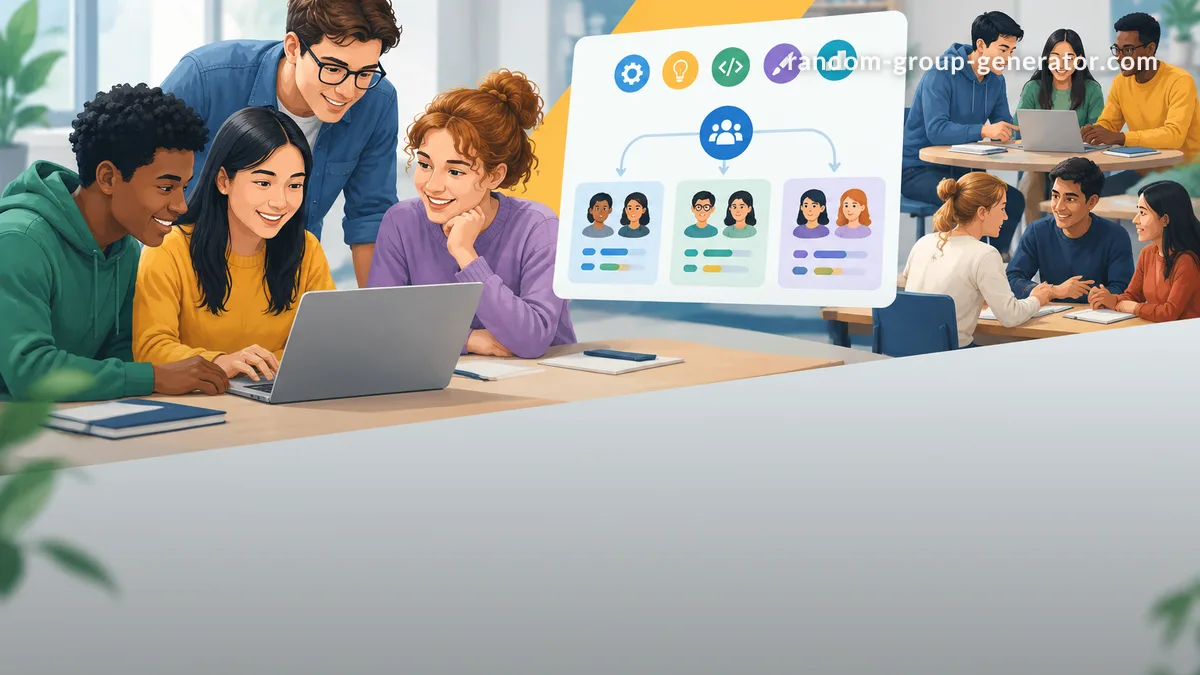
You’ve lined up a group project, workshop activity, or team exercise—but as soon as you announce the teams, the same dynamic appears. A few groups are stacked with confident, skilled members, while others struggle right out of the gate. Uneven skill distribution drains motivation, silences quieter participants, and makes the activity feel unfair. A team generator based on skill solves this by distributing talent evenly across every group, in seconds, without bias or guesswork.
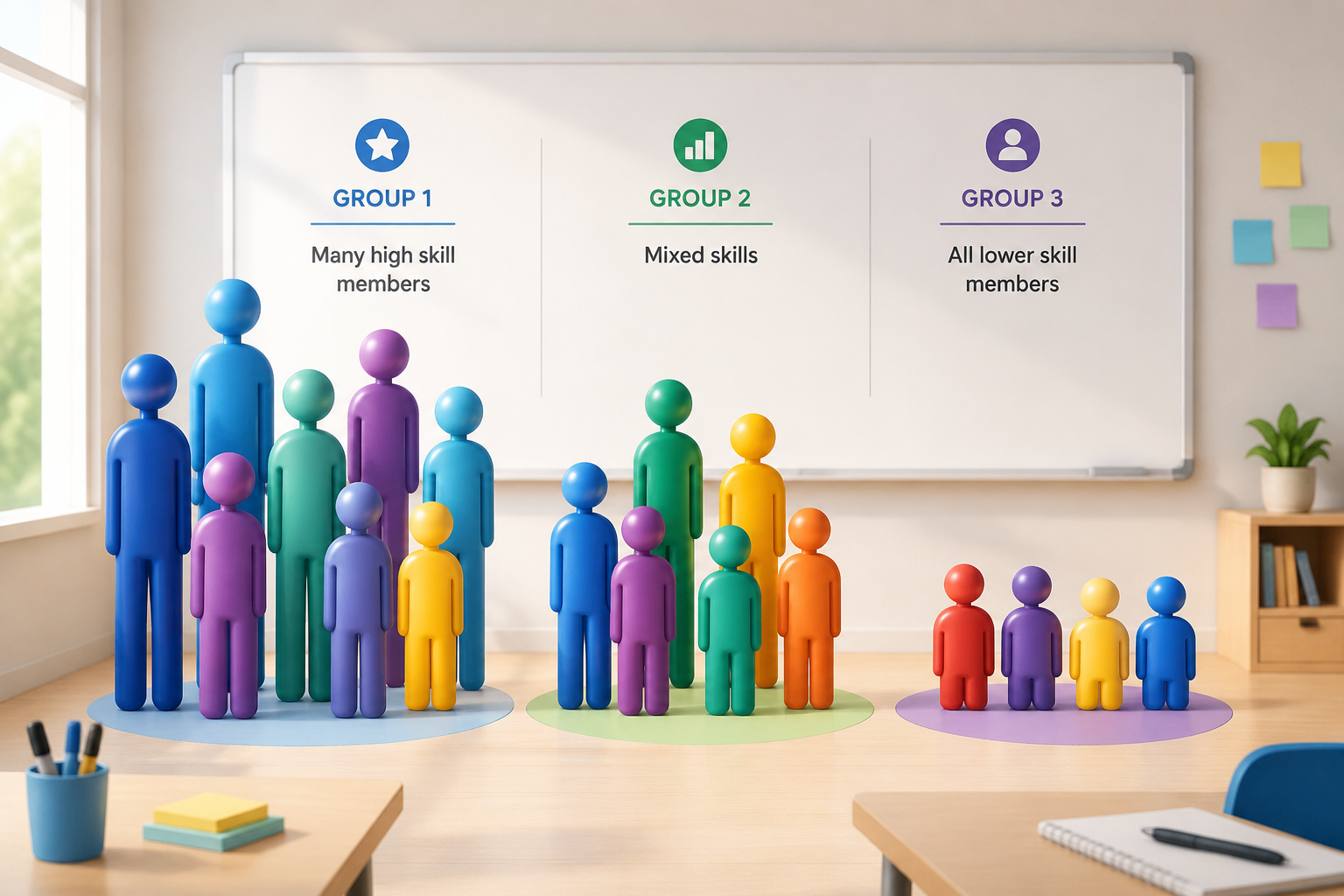
On this page you’ll learn how skill balancing works, why it matters for real learning and collaboration, and exactly how to use the free Random Group Generator’s skill tier feature to build fair, productive teams every time.
Why Skill-Balanced Teams Matter
When teams are lopsided, the strongest members tend to take over. The rest watch, wait, or disengage. That dynamic is common in classrooms, corporate training rooms, and even volunteer sports leagues. In a 5th-grade science project, two advanced readers may dominate the research and design while a struggling student contributes little. In a coding bootcamp, an unbalanced pair leaves the less experienced learner behind, feeling lost and unmotivated. Research on collaborative learning consistently shows that structured, balanced grouping improves outcomes for everyone, not just the high achievers.
Skill-balanced teams create a safer, more equitable environment. Everyone gets a meaningful role because no single group is overloaded with experts, and no group is left without guidance. For educators, this means more even participation and better learning gains. For facilitators, it means fewer complaints, faster setup, and activities that actually meet their objectives.
How a Team Generator Based on Skill Works
A team generator based on skill takes the manual labor out of fair grouping. Instead of printing a roster, assigning levels in a spreadsheet, and shuffling names by hand, you define each person’s skill tier and let the algorithm do the work.
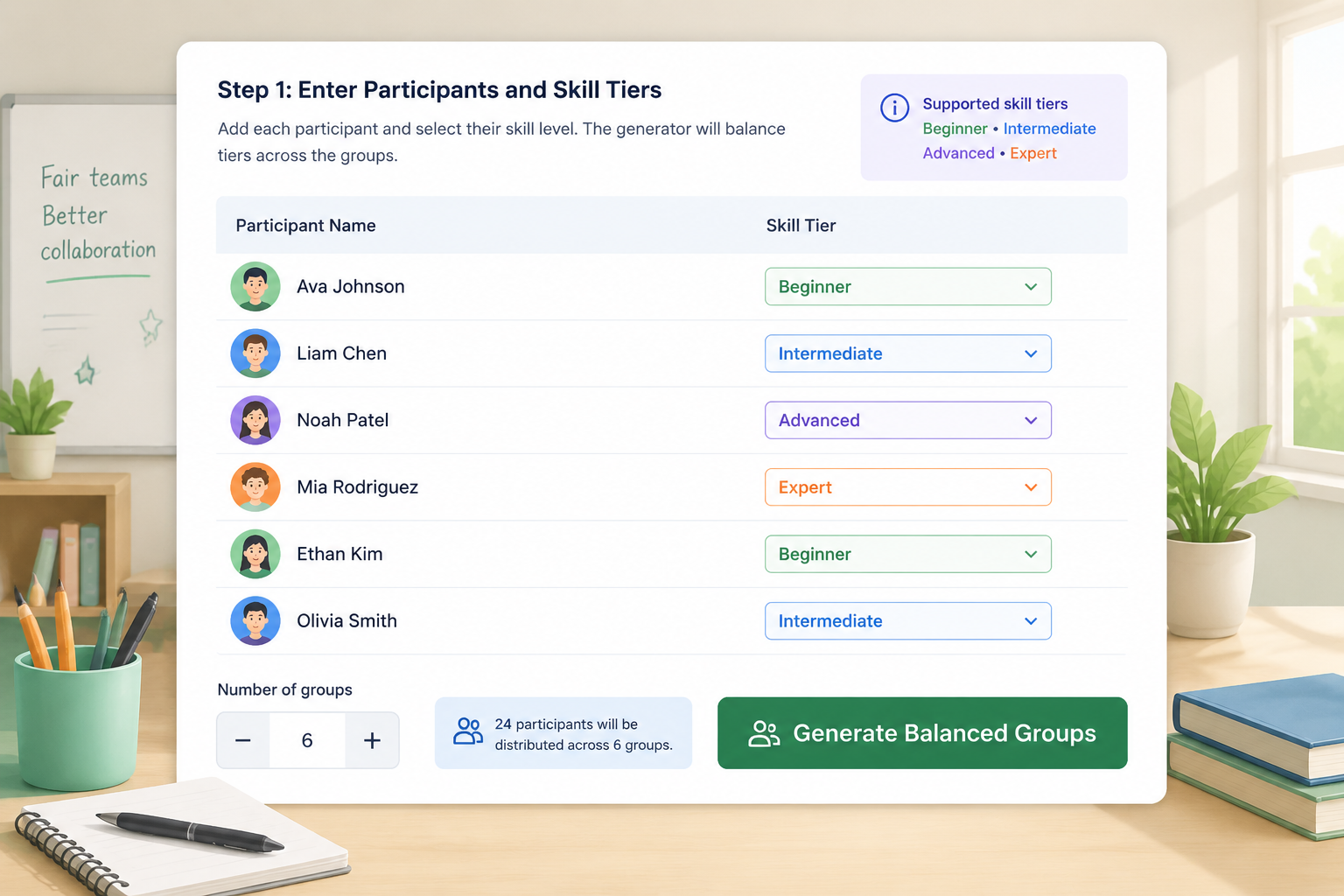
The Random Group Generator’s skill tier feature supports four levels by default—Beginner, Intermediate, Advanced, and Expert. You can enter any number of names, assign tiers, choose how many groups you need, and the tool distributes members so each group gets a comparable mix. If 24 participants are split into 6 groups, the generator might place roughly one Advanced, two Intermediate, and one Beginner in each group when possible. The distribution respects the exact counts you give it; if tiers are uneven, the algorithm still spreads them as evenly as allowed.
This removes the common pitfalls of manual grouping: unconscious favoritism, overthinking, and the time sink of rearranging names. A balanced team generator based on skill level doesn’t just save effort—it creates a reproducible, defensible method that participants can trust.
Step-by-Step: Using Random Group Generator to Build Skill-Balanced Teams
Follow these steps to create skill-balanced teams right now using the free Random Group Generator.
- Open the tool. Go to the Random Group Generator. The default screen shows a simple name list input.
- Enter your participants. Type or paste one name per line. You can enter first names only, full names, or student IDs—the tool treats each line as a distinct member.
- Enable skill tiers. Look for the “Grouping Method” dropdown and select Skill-Based. A tier column will appear beside each name. You can also toggle skill tiers in the “Advanced Options” panel.
- Assign skill levels. For every person, choose Beginner, Intermediate, Advanced, or Expert from the dropdown. If you have only two broad levels (e.g., novice and experienced), just use two tiers and ignore the others.
- Set the number of groups. Decide how many teams you want, or let the tool split based on group size. The generator recalculates instantly, showing how many members will be in each group.
- Generate teams. Click the “Generate” button. The tool evenly distributes skill levels across all groups and displays the results in a clear grid.
- Review and share. Read out the teams, copy the list, or export it. You can also regenerate if a slightly different distribution works better for your space constraints.
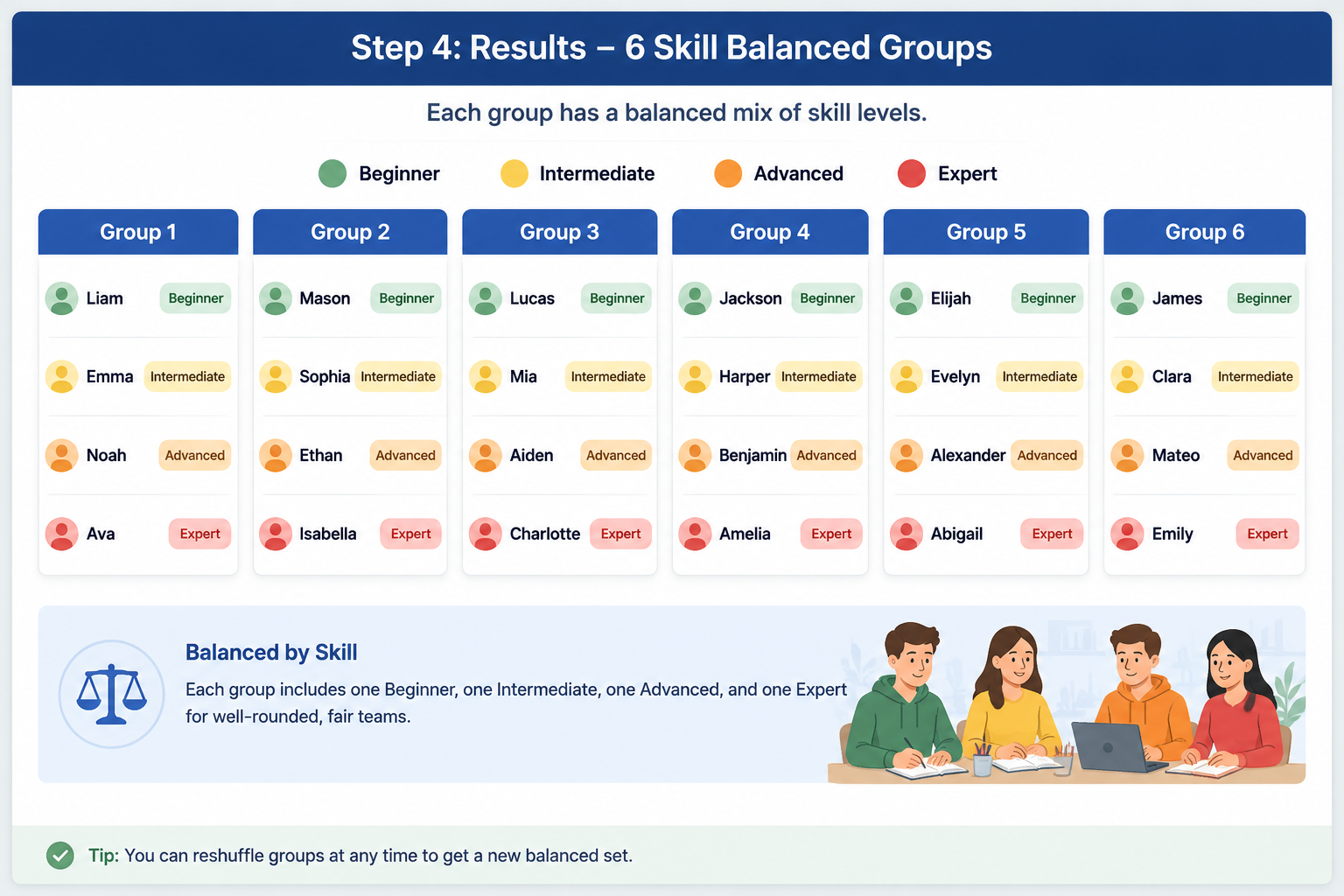
If you’re working online, the generator integrates directly with Google Meet, Zoom, and Slack, letting you share balanced groups in your video call without switching tools.
Real-World Use Cases for Skill-Balanced Grouping
Classroom Project Teams
An 8th-grade social studies teacher needs to split 28 students into 7 groups for a debate unit. Reading levels vary widely. Instead of random draw, the teacher uses a team generator based on skill, assigning each student a tier (Beginner, Intermediate, Advanced) based on recent comprehension scores. The resulting groups each have at least one strong reader who can model research and argument-building. All groups produce higher-quality work, and the teacher avoids the headache of parent complaints about “stacked” teams.
Corporate Workshop Breakouts
A training facilitator is running a design-thinking session for 40 employees from different departments. Some participants are experienced facilitators themselves; others have never attended a workshop. By labeling participants as Novice or Experienced (using the same tiers) and generating balanced teams, the facilitator ensures every breakout has at least one person comfortable with the process. The activity flows better, and newer employees feel supported rather than sidelined.
Youth Sports Practice Squads
A youth soccer coach has 18 players with mixed abilities. To run small-sided scrimmages, they assign Beginner, Intermediate, and Advanced tiers based on a few simple drill observations. The resulting balanced team generator output forms 4-on-4 rosters that keep games competitive. Players develop faster because they’re neither overmatched nor coasting.
Multi-Language or Cross-Disciplinary Groups
In international summer camps or multidisciplinary projects, you can adapt the skill tiers to represent language proficiency, technical background, or role experience. The same mechanism works because it treats any label as a balancing factor.
Manual Grouping vs. Skill-Based Generator
Manual grouping often falls back on quick heuristics: count off by twos, split by table, or rely on the loudest volunteers. Those methods rarely produce fair skill distribution. A teacher trying to sort 28 students into skill-balanced groups may spend 20–30 minutes with sticky notes and a spreadsheet, only to realize one group still has three advanced learners and another has none. The process is exhausting and error-prone.
A balanced team generator flips that script. What used to take half an hour—with room for bias—now takes under a minute. The algorithm doesn’t care whose name comes first or who is friends with whom; it simply optimizes across your defined tiers. The result is a transparent process that participants and stakeholders readily accept.
When Skill Tiers Are Not the Right Fit
Skill-based grouping isn’t a universal solution. In activities designed to push top performers (like an honors-level workshop), homogeneous grouping by advanced level may be more appropriate. Similarly, if the goal is purely social, random grouping without tiers can help people form new connections without any performance pressure. The Random Group Generator supports both modes: you can switch to random grouping instantly when you need a different dynamic.
FAQ
Can I use more than four skill levels?
The default tiers are Beginner, Intermediate, Advanced, and Expert, which covers most scenarios. For finer distinctions, you can rename the tiers or add additional labels by using the custom tier option in advanced settings. The algorithm will still balance them evenly.
What if I have an uneven number of participants and tiers?
The generator distributes tiers as fairly as possible. If you have 11 Beginners, 7 Intermediates, and 2 Experts across 4 groups, some groups will get one extra Beginner or a slightly different mix. The algorithm ensures no group is left without a higher tier if one is available.
Does the tool integrate with Google Classroom?
Yes. You can export balanced groups directly to Google Classroom, share them in Google Meet, or paste rosters into any LMS. See the Random Group Generator page for up-to-date integration details.
Can I save my skill-tier setup for later use?
You can save your participant list with assigned tiers as a template. The tool offers a shareable link that preserves your setup, letting you reuse it across sessions without re-entering data. This is especially helpful for recurring classes or training cohorts.
Is a team generator based on skill also suitable for very large groups?
Absolutely. The tool handles hundreds of names. Whether you’re grouping a 200-person conference into breakout teams or a 30-student classroom, the balancing engine scales without performance issues.
Ready to build fair, skill-balanced teams in seconds? Head over to the free Random Group Generator now. Choose skill-based grouping, enter your participants with their levels, and let the tool handle the rest. Once you see how smooth and equitable your groups become, you’ll never go back to manual sorting.
Sources
- Stratified randomization — balancing group composition with constraints
SponsoredExplore more resources