
Group Naming
How Work Teams Can Use Group Name Generator
Use Group Name Generator to create practical names for project squads, workshops, volunteer crews, and internal teams.

Why workplace naming is usually lightweight
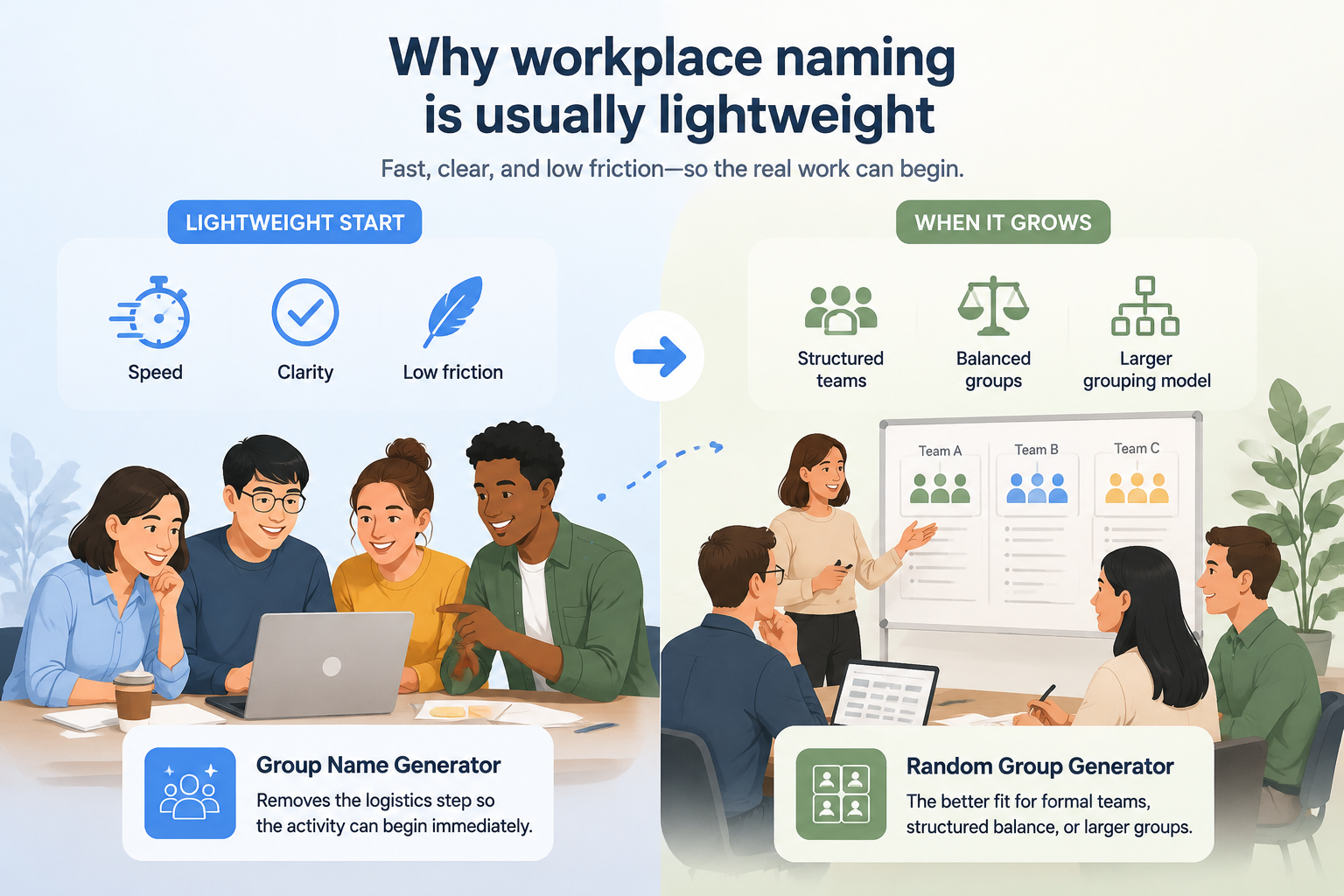
Group Name Generator is strongest when the task depends on speed, clarity, and a low-friction setup. It removes the logistics step so the activity can begin immediately: paste a few keywords into the group name generator and you have usable candidates before the meeting even warms up.
Once the task expands into formal teams, structured balance, or a larger grouping model, Random Group Generator becomes the better fit.
Work team names that actually land
Good workplace names share three traits: they are easy to say out loud in a stand-up, they nod to something the team actually does, and they stay professional enough for a client-facing Slack channel. Use the categories below as starting points, then regenerate until something clicks.
Professional and client-safe
- The Forecast Crew — planning and strategy groups
- The Debrief Club — retrospectives and post-mortems
- Cloud Nine Analysts — data and reporting teams
- The Blueprint Band — design and architecture work
Light puns that survive the second week
- Ctrl+Alt+Elite — IT and operations teams
- The Quiet Quokkas — calm, dependable support teams
- Scatter Brains — analytics groups with a sense of humor
- Better Late Than Never — deadline-driven project squads
Polished enough for clients
- The Concierge Collective — customer success teams
- First Response Crew — support and incident response
- The Whiteboard Wizards — consulting and facilitation work
Remote and hybrid teams
- Async All-Stars — teams spread across time zones
- The Mug Shots — camera-on coffee chat groups
- Standup Squad — daily check-in teams
- The Timezone Travelers — global project teams
Seasonal and event squads
- Sprint Zero Heroes — kickoff and discovery groups
- The Launch Pad — release and go-to-market squads
- Budget Busters — finance and procurement pods
- The Pilot Crew — experiments and proof-of-concept teams
Mix in your company's inside jokes, delete anything that would make a new hire uncomfortable, and shortlist three to five names before putting the final choice to a vote.
Which inputs produce the strongest ideas
This workflow works especially well for Work team names, Workshop teams, Project squads, Volunteer crews. These scenarios benefit more from a fast start than from a complicated assignment model.
The inputs matter more than the tool settings. The strongest keyword sets combine three kinds of raw material:
- What the team does — "invoice audits", "onboarding calls", "warehouse shifts"
- How it works — "async", "weekly rotation", "paired review"
- A flavor word — "northern", "midnight", "harbor", "second floor"
Two nouns from the first bucket plus one flavor word usually beat a full sentence of context. If the first batch feels generic, swap the flavor word before you touch anything else — it changes the tone of every candidate at once.
The shorter the setup, the easier it is for participants to focus on the real activity instead of waiting through instructions.
Recommended workflow
- Prepare the input before the session
- Generate the result live when needed
- Refresh only when the activity changes
- Keep the explanation focused on fairness and speed
A practical five-minute meeting workflow
Prepare the roster or keywords ahead of time, generate the result when the activity starts, and only refresh when a new round actually begins.
A timeboxed version that works in stand-ups and all-hands alike:
- Minute 0–1 — Set the frame. Say what the name is for and where it will appear: Slack channel, project board, meeting room booking.
- Minute 1–3 — Generate candidates. Run the generator with two or three keywords from the team's actual work and keep every result visible.
- Minute 3–4 — Shortlist. Strike anything half the room dislikes on sight; you want three to five survivors.
- Minute 4–5 — Decide and park the rest. Vote, pick a winner, and save the runner-ups for the next team or channel.
That keeps the session readable, reduces hesitation, and prevents the tool from becoming a distraction.
Related reading
- How to Choose a Good Group Name
- Group Name Ideas for Class Projects
- Using a team randomizer for workshop breakout sessions
Turn one name into a small naming system
Once a team picks a name, the cheapest win is to let it name everything around the team. A team called The Debrief Club can run a #debrief-club channel, book the "Debrief Room" for retros, and label its releases debrief-1, debrief-2, and so on. The name stops being a joke and becomes the team's address: new colleagues can find the channel, the docs, and the board without asking.
Three rules keep the system tidy. Keep the spelling identical everywhere, because "Debrief Club" and "debriefclub" drift apart fast. Keep suffixes mechanical — numbers or single words, not new puns each time. And retire the name with the team: when the squad dissolves, archive the channel instead of recycling it, or history becomes impossible to search.
Two naming mistakes that hurt adoption
A common mistake is over-engineering the logic when participants mainly need a clear next step. In most real sessions, momentum matters more than perfect optimization.
Another mistake is leaving the page open when the job has already changed. The tool works best when it stays focused on one clear outcome.
Practical rule: If the setup starts feeling heavier than the activity itself, you are probably solving the wrong problem on the wrong page.
When the brief is bigger than group naming
Switch back to Random Group Generator when you need larger teams, structured balancing, or formal group allocation. For two-person pairings — mentor buddies, code review partners, language exchange — the random pair generator is the more focused tool.
Keeping the page intent narrow also helps users understand the workflow and keeps the SEO target cleaner.
FAQ
When is Group Name Generator the better option?
Use it when the activity needs one clear result quickly and does not need the full balancing or multi-team logic of Random Group Generator.
How much setup should I do before the session?
Prepare the input in advance when possible. The live part of the workflow should be short enough that it never overtakes the activity itself.
Should I optimize every round or result?
Usually no. In most classrooms, workshops, and meetings, clarity and speed are more valuable than an over-engineered result.
When should I switch to Random Group Generator?
Move back when you need formal groups, three or more teams, or any structured balancing rule that no longer fits the narrower page intent.
Can we use the same name for Slack channels and project codes?
Yes, as long as the name clears the client-safe bar. Keep the spelling simple, avoid punctuation beyond dashes or plus signs, and check that the channel name is not already taken in your workspace. A name that works in a stand-up almost always works as a channel name.
How many candidates should we shortlist before voting?
Three to five. Fewer feels rigged, more stalls the vote. Generate a batch, strike anything half the team dislikes on sight, and vote on what survives.
What is the difference between a work team name and a project code name?
A team name expresses identity and is meant to be used daily; a project code name is about discretion and is often random by design. Teams frequently keep both: a durable name for the people, and a disposable code name for the confidential work.
How often should a team change its name?
Rarely, and only for a real reason — a reorg, a merge, or a name that stopped fitting what the team does. A name earns recognition in a few weeks and keeps paying off for months, so renaming every quarter throws away that compounding. If a name feels stale, refresh the channel topic or the team description before touching the name itself.
FAQ
When is Group Name Generator the better option?
Use it when the activity needs one clear result quickly and does not need the full balancing or multi-team logic of Random Group Generator.
How much setup should I do before the session?
Prepare the input in advance when possible. The live part of the workflow should be short enough that it never overtakes the activity itself.
Should I optimize every round or result?
Usually no. In most classrooms, workshops, and meetings, clarity and speed are more valuable than an over-engineered result.
When should I switch to Random Group Generator?
Move back when you need formal groups, three or more teams, or any structured balancing rule that no longer fits the narrower page intent.
SponsoredExplore more resources
Related Posts
Keep reading on the same topic to avoid backtracking on tool selection and workflow.
How to Choose a Great Group Name: A Practical Guide
Struggling to pick the perfect group name? Learn a step-by-step process, avoid common pitfalls, and use the free Group Name Generator to brainstorm creative ideas. Ideal for classrooms, teams, and events.
Read moreCreative Group Name Ideas for Class Projects (That Students Love)
Need a catchy name for a class project? Explore 50+ creative group name ideas for school projects and learn how to pick the perfect one.
Read moreGroup Name Generator vs Team Name Generator: Which One Do You Really Need?
Not sure whether a group name generator or a team name generator fits your classroom, event, or workplace? Compare the two, see real examples, and learn how one flexible tool can handle both needs.
Read more