
Use the Seating Chart Generator
Choose this page when every person needs one assigned seat in a room layout with rows.
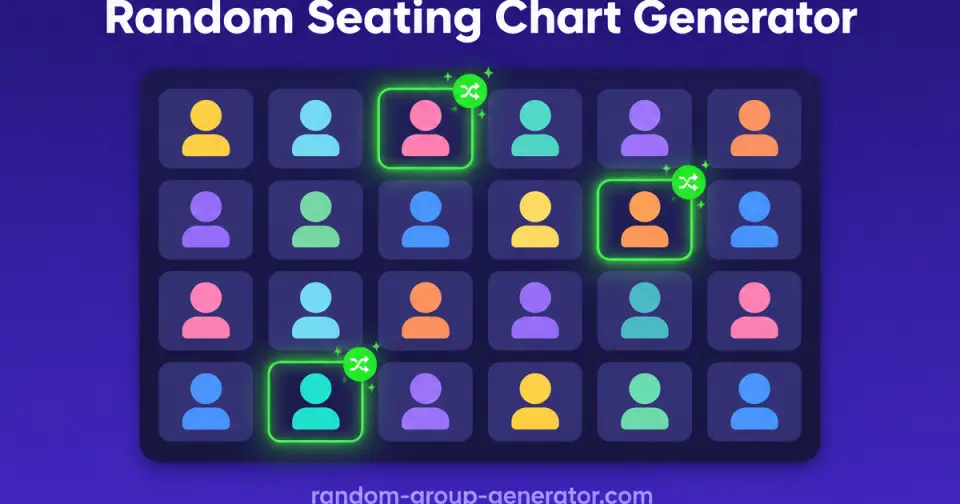
Use this free random seating chart generator to turn any roster into a fair seat assignment. Paste names, set rows and seats per row, shuffle instantly, and print a clean classroom seating chart.
Shuffle the roster into rows so nobody picks their own seat and cliques break up on their own.
Match your real room layout: choose the number of rows or how many seats fit in each row.
Copy the chart, export it, or print a clean seating plan for the door and the substitute folder.
When to use this random seating chart generator
Use this seating chart maker when you need a fair random seat assignment fast: a new term, a substitute-proof plan, or a reset when the room gets too chatty.
If you only need teams or partners for one activity, the random group generator and pair generator are lighter options.
Stay on this page when the job is assigning seats, not forming teams.
Choose this page when every person needs one assigned seat in a room layout with rows.
Switch to the group generator when you need teams that move around instead of fixed seats.
If you need fair calling order or who answers next, the student picker wheel is the better fit.
Four steps from roster to a printable seating plan.
Add student names with commas or line breaks, or upload a CSV or text list.
Enter the number of rows, or how many seats fit in each row. Leave one blank and the tool derives it.
The generator shuffles every name into the grid so the seating chart is fair and repeatable.
Print the chart for the door, copy it into a doc, or regenerate until the room feels right.
The layout matches how teachers actually arrange desks.
Set rows or seats per row so the chart mirrors the physical classroom, not the other way around.
The chart shows the front of the classroom so you can post it and students orient instantly.
Every seat has a number, so taking attendance and giving directions is faster.
Randomization does the social work that picks and negotiations used to do.
Every name has an equal chance at any seat, which keeps the assignment defensible.
Regenerate whenever the mix needs a reset, with the same roster and layout.
Nothing to configure or log in to. Paste names and generate, even five minutes before class.
The result works on paper, in a doc, and on the projector.
Print a clean chart for the door, the substitute folder, or your grade book.
Copy as text or HTML, or export to Excel, Markdown, and JSON for your records.
Names stay in your browser; the assignment runs locally with no roster upload.
Any room where someone assigns seats can skip the sticky notes.
Build a fresh random seating chart for a new class, then reshuffle each unit to refresh the room.
Print the chart so any cover teacher knows exactly who sits where within a minute.
Assign seats to mix departments and break up friend clusters before the session starts.
Fill tables or rows with a first-pass random assignment, then adjust only the seats that matter.
A 28-student classroom reset in one minute
A grade 7 teacher noticed the back corner turning into a social hub every unit. Instead of redrawing the seating chart by hand, the teacher pastes the 28 names into the seating chart generator, sets 4 rows of 7, and prints the new chart before the bell.
Students find their numbered seats in under two minutes. Because the assignment is visibly random, the conversation shifts from 'why am I here' to finding a seat. The teacher reshuffles every month and keeps the printed chart in the substitute folder.
How seats are assigned
Names are normalized and shuffled with a uniform random shuffle, then dealt row by row into the grid. If you set rows only, participants are spread as evenly as possible across exactly that many rows; if you set seats per row, the tool computes the row count and leaves the final row shorter when needed.
The assignment is intentionally simple and auditable: no hidden weighting, no history across sessions. Print it, and the chart on paper is the source of truth for the room.
What this seating chart maker does not solve
The generator does not support drag-and-drop editing, seat constraints such as 'keep these two apart', or saved floor plans. If you need those, generate a starting assignment here and adjust the final details in your own document.
It is also the wrong tool when seats must follow teaching data, such as vision-based front-row placement or reading-level pairing. Random assignment is a fairness default, not a pedagogy engine.
Built for the moment a new plan is needed and there is no time to fuss with drag-and-drop editors.
“I regenerate the seating chart every month. It ends the seat arguments before they start.”
Preview common room layouts before you run your own roster.










Related tools
Split a list into random groups or teams in seconds.
Create random pairs and partners fast for class discussion, speaking practice, and workshop icebreakers.
Spin the wheel once to split your whole roster into balanced groups, teams, or pairs.
Spin a classroom name picker wheel for fair participation, fullscreen display, and no-repeat rounds.
Spin the wheel to fill groups one pick at a time or draw single names live.
Shuffle any list into a numbered random order in seconds — presentations, turn order, lineups, and raffle draws, right in your browser.
Randomize your white elephant gift exchange turn order in seconds, with steal-rule cheat sheets for the whole party.
Paste 4–64 teams and get a random-seeded single elimination bracket with automatic byes — every round mapped from the first matchup to the final.
Estimate a fair event budget in seconds — enter attendees, a budget per person, and an extras buffer to get a total with a planning range.
More classroom grouping and participation guides from the blog.
A practical back-to-school guide: turn a class roster into a fair, printable random seating chart in under a minute, and keep it working all year.
Read articleShort answers about random seat assignment and printable seating charts.
It takes a list of names and assigns each person to a seat in a room layout at random, producing a seating chart you can print or copy. Random assignment removes favoritism and breaks up friend clusters automatically.
Paste your class roster, set the number of rows or seats per row to match your room, and click generate. You can print the chart, copy it, or reshuffle until it works.
Yes. Enter rows, seats per row, or both. If you fill in only one, the tool calculates the other so nobody is left without a seat.
The generator assigns seats randomly and does not enforce constraints. Generate a chart, then swap the two names before printing, or reshuffle for a new layout.
Yes. Any roster-to-seats task works: banquet rows, training sessions, exam halls, or meeting tables. Treat each row as a table if that fits your venue.
Yes. Use the print button to open a clean, print-ready chart with the front of the room marked, or export to CSV, Markdown, and JSON.
Paste a roster, shuffle the room, and print a fair seating plan in under a minute.