
random groups
How to Create Random Groups Without Repeats: A Step-by-Step Guide
Struggling with repeated pairings in your classroom or workshop? Learn how to create random groups without repeats using a free group generator, plus manual swapping techniques.

Do you ever build random groups for a workshop or class, only to find the same people paired together again? It can make activities feel stale and unfair. This guide shows you exactly how to create random groups without repeats—using a free random group generator and a few simple manual checks—so every round feels fresh.
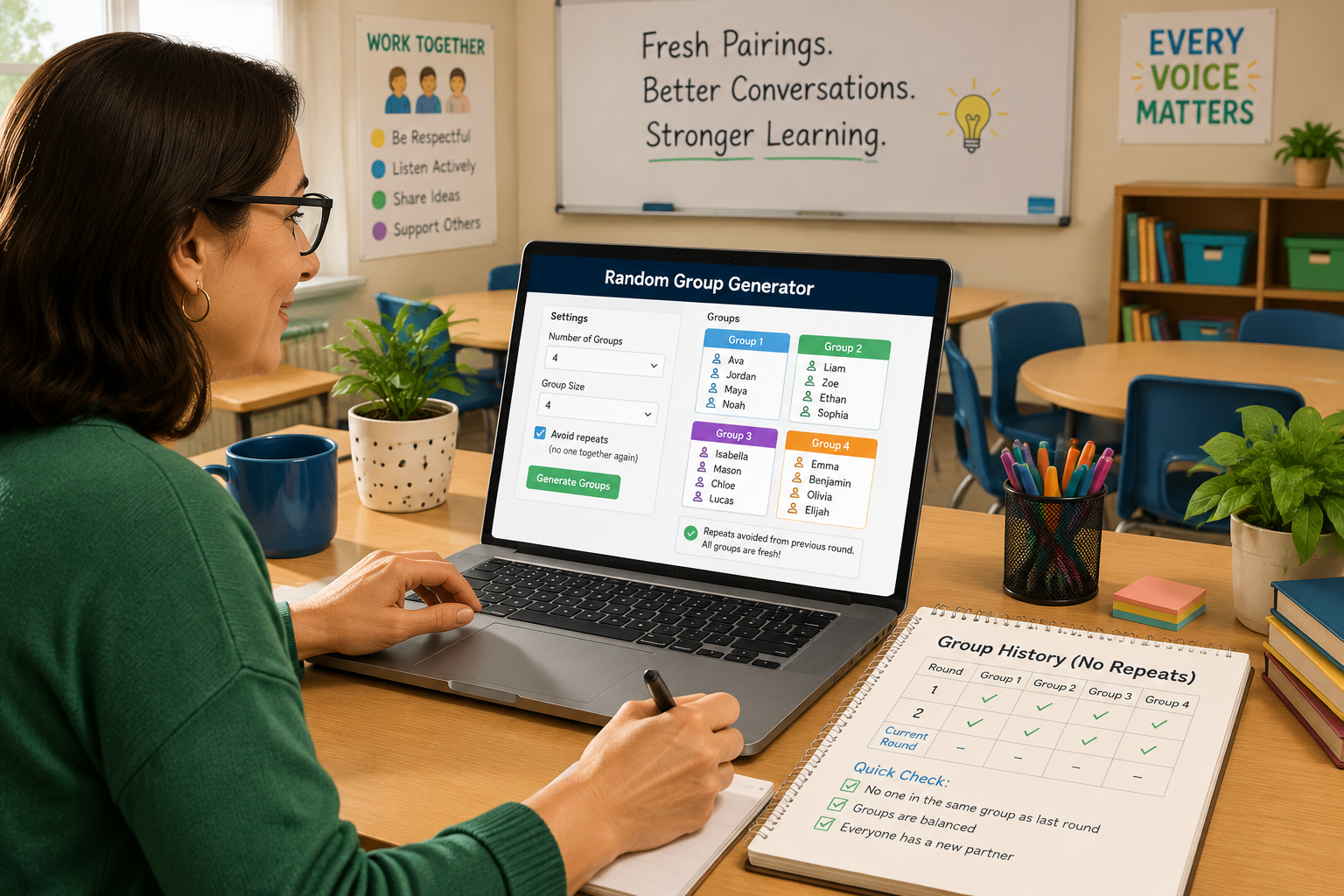
Why Avoiding Repeats Matters for Group Work
When learners or team members keep working with the same partners, you miss out on the benefits of varied interaction. Different pairings expose individuals to new perspectives, build communication skills, and prevent social cliques from hardening. In a classroom, a student who ends up with the same struggling classmate for three labs in a row may feel frustrated or disengaged. For team-building sessions, repeating groups can make the exercise feel like a routine rather than a challenge.
Avoiding repeats also helps maintain a sense of fairness. Without a system to prevent it, random grouping can accidentally favor some participants while sidelining others. When you consciously aim for “no repeats,” you signal that every round is a true fresh start, and that everyone gets a chance to work with different colleagues.
The Challenge of Random Grouping When Repeats are Unwanted
A basic random group generator picks names blindly each time you run it. It does not remember past groupings. That means it is possible for Alice and Bob to land together not just once, but in two or even three consecutive rounds—especially with small group sizes or large numbers of participants.
For a single session, a repeat might not matter much. But if you plan to run four or five rounds of paired or group activities over a semester or a training day, the odds of unwanted repeats climb quickly. The core problem: pure randomness doesn’t care about your history. Fortunately, you can combine the speed of a random generator with a simple manual tracking process to guarantee fresh groupings every time.
Step‑by‑Step: How to Create Random Groups Without Repeats Using a Group Generator
You don’t need complicated software. A free tool like the random group generator will do the heavy lifting if you follow these steps.
1. Build Your Master List of Names
Start with a clear list of all participants. For a class, that’s your roster. For a workshop, it might be the attendee list. Check for spelling consistency: “Sam” and “Samantha” will be treated as different people. Save this list in a simple document; you’ll use it again.
2. Open the Random Group Generator
Navigate to the random group generator on your phone, tablet, or laptop. The tool works in any browser, no sign‑up needed. If you’ll be working in a language other than English, select your preferred language from the drop‑down.
3. Enter Names and Set Your Group Parameters
Paste or type the names into the input field, one per line. Then choose how you want to split the group. You can enter a desired number of groups (e.g., 4 groups) or a fixed group size (e.g., 5 members per group). Either way, the tool will handle any remainders.
4. Generate Your First Grouping
Click “Generate Groups.” The tool instantly creates random groups. Take a screenshot, copy the output, or write it down. This first set of groups is your baseline. Because it’s random, repeats aren’t an issue yet—there is no prior history.
5. Track Pairings in a Simple Grid
This is the most important step for avoiding future repeats. Create a table or spreadsheet where you record which people have already worked together. A quick method: for each group, list all possible member pairs. For a group of four (Alice, Bob, Charlie, Diana), the pairs are:
- Alice–Bob
- Alice–Charlie
- Alice–Diana
- Bob–Charlie
- Bob–Diana
- Charlie–Diana
Mark each pair in your tracking grid. A simple grid with names along the top and side, and an “X” where a pair has already occurred, works perfectly.
6. Before Each New Round, Regenerate and Check
When you need new groups for the next activity, return to the tool. Clear the previous results (use the “Reset” or simply refresh) and click “Generate Groups” again. Before announcing the new groups, compare them against your tracking grid.
Look at each newly formed group. If any pair already has an “X” in your grid, you’ve found a repeat.
7. Fix Repeats with the Manual Swap Technique
If you spot a repeat, don’t regenerate blindly—that could create new repeats elsewhere. Instead, swap one member of the repeated pair with a member from another group, ensuring the swap itself does not create new forbidden pairs.
Example: You have Group A (Alice, Bob, Eva) and Group B (Charlie, Diana, Frank). Your grid shows Alice–Bob already occurred. Swap Bob into Group B and one of Charlie or Diana into Group A, but check that Bob–Charlie and Bob–Diana aren’t already marked as past pairs. If Bob–Charlie is clean, swap Bob and Charlie. Now Group A is (Alice, Charlie, Eva) and Group B is (Bob, Diana, Frank). Quickly verify no new repeats in both groups.
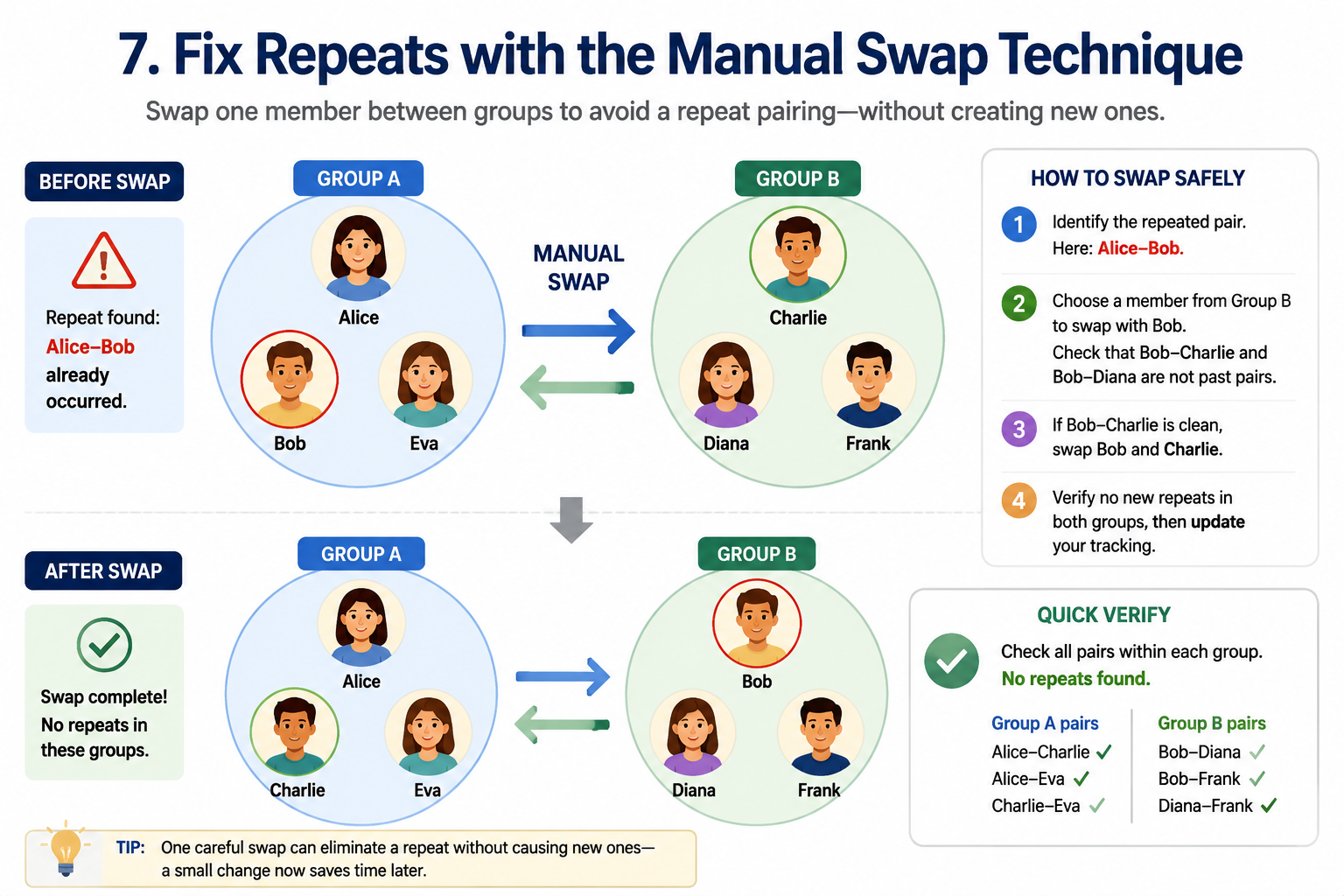
After swapping, update your tracking grid with all new pairings. In a few rounds, you may need to swap more than one person, but the method stays the same.
Real‑World Example: Science Lab Groups Over 3 Sessions
A high school science teacher needs 4 lab groups of 4 students each for three different experiments. The roster: Alex, Bailey, Casey, Drew, Ellis, Frankie, Gale, Harley, Izzy, Jordan, Kai, Lee. Here’s how the process unfolds.
Lab 1 – Generate and Track: The teacher uses the random group generator, sets 4 groups, and gets:
- Group 1: Alex, Bailey, Casey, Drew
- Group 2: Ellis, Frankie, Gale, Harley
- Group 3: Izzy, Jordan, Kai, Lee
The tracking grid gets marks for all pairs within each group.
Lab 2 – Regenerate and Check: Clearing and generating again yields:
- Group A: Alex, Bailey, Frankie, Gale ← Alex‑Bailey repeat!
- Group B: Casey, Drew, Harley, Izzy
- Group C: Ellis, Jordan, Kai, Lee
- Group D: (other four)
Alex and Bailey are together again. The teacher swaps Bailey with Harley (from Group B), after confirming Harley hasn’t been paired with Alex, Frankie, or Gale. So Group A becomes Alex, Harley, Frankie, Gale; Group B becomes Casey, Drew, Bailey, Izzy. No new repeats. The grid is updated.
Lab 3 – Another Round: One more generation and a careful check. After a couple of rounds, the tracker is dense enough that swapping becomes a small puzzle, but for 3–5 sessions with typical class sizes, this manual method works smoothly and takes less than a minute per check.
Alternative Methods for Creating Groups Without Repeats
Before you settle on the generator‑plus‑swap approach, know what other options exist.
- Manual draw from a hat: Write names on slips and pull one at a time to form groups, while visually checking past pairings. This can work for very small sets but gets messy and slow above 15 people.
- Spreadsheet random sorts: Use Excel or Google Sheets to assign a random number to each name, sort, and then divide into groups. To avoid repeats, you can add columns for previous partners and use
VLOOKUPorCOUNTIFto detect repeats. For non‑spreadsheet wizards, this learning curve is steep. - Dedicated “no repeats” algorithms: Some advanced tools track history automatically. At the moment, our free random group generator does not store past groupings, but you can achieve the same result with the tracking grid and swap method. If you only need random pairs without repeats, the same manual tracking technique works with the random pair generator.
The generator‑plus‑swap method balances speed and accuracy, especially when you need to form groups quickly and don’t want to lock into a paid platform.
Limitations and When a No‑Repeats Strategy Might Not Fit
The technique described here is practical for most typical use cases: 3–5 rounds, groups of 3–6 people, and participant counts up to about 40. If you require a mathematically perfect “Latin square” design for 10 rounds with no pair repeating even once, a simple “generate and swap” won’t scale well. In those extreme cases, you might need combinatorial software or a pre‑designed rotation scheme.
Also, if an activity’s success depends on exact skills balance, swapping to avoid repeats might break that balance. For example, if you’ve carefully distributed strong and weak students among groups, a swap to fix a repeat could upset that distribution. In such situations, spend extra time planning and consider building groups manually from scratch instead of relying on random generation.
For most everyday education and training settings, however, the approach in this article strikes the right balance between fairness, freshness, and time spent.
FAQ
Can I guarantee absolutely no repeats with the random group generator?
The generator itself does not store history, so pure random runs can produce repeats. By using the tracking grid and swap method described, you can manually guarantee that no pair repeats from one round to the next.
What if one student is absent on the day of an activity?
Remove the absent student’s name from your master list in the group generator tool. Regenerate new groups (you’ll have different numbers). Update your tracking grid for the remaining participants. If the absent student returns, you can run the generator again for the full list; you might get a repeat for that student, but it is acceptable to allow one repeat per late‑returning participant.
How many times can I reshuffle the same set of people without repeats?
That depends on group size. With groups of 3 and a pool of 24, you can run several rounds before the only possible swaps create imbalances. If you plan 6 or more rounds with small groups, consider using a structured rotation rather than the random‑plus‑swap approach.
Is there a tool that automatically avoids repeat pairings?
Some commercial classroom management tools offer “never pair the same students twice” modes, but these often require monthly subscriptions and a complete roster import. The free method here gives you full control without locking your data.
Can I use the same method for random pairs?
Absolutely. The random pair generator works perfectly with the same tracking grid. After generating pairs, record each pair in your grid, and before the next round, swap members if you see a repeated pair.
Ready to create your first set of fresh, repeat‑free groups? Open the random group generator now, enter your list, and start building groups that keep every session engaging and fair. No sign‑up, no cost, just faster, balanced groupings in seconds.
Sources
- Fisher–Yates shuffle — the unbiased shuffling algorithm behind random grouping