
random student picker
How to Use a Random Student Picker in Online Classes: Boosting Engagement and Fairness
Discover how a random student picker can transform online classes. Learn practical ways to implement random selection, ensure equitable participation, and create an engaging virtual classroom environment.

Online learning has challenged educators to find new ways to keep students engaged, reduce passive participation, and maintain a sense of classroom community. One simple yet powerful technique is using a random student picker—a method or tool that selects a student name at random to answer a question, share an idea, or lead a discussion. When done thoughtfully, random selection can boost attentiveness, increase equity, and make every voice feel valued.
This guide covers everything you need to know about incorporating a random student picker into your online class, from the educational rationale and tool selection to step-by-step setup, platform integration, and best practices for effective use.
Why Random Student Selection Works in Virtual Classrooms
Research has long shown that active learning strategies improve student performance and engagement (Freeman et al., 2014). In the context of synchronous online teaching, random calling—also known as “cold-calling”—prevents the same handful of volunteers from dominating the conversation and encourages all students to remain prepared.
Research-Backed Benefits
- Increased preparation and participation: Dallimore, Hertenstein, and Platt (2013) found that cold-calling in face-to-face classes significantly increased the frequency and quality of voluntary participation. The same principle applies online, where students know they could be called on at any moment.
- Reduced social anxiety: When random selection is normalized as a routine, it becomes less intimidating than hand-raising which can favor more confident learners. Over time, students become accustomed to the expectation that anyone may contribute.
- Fair distribution of opportunities: A random picker eliminates teacher bias—whether unconscious or not—in choosing who to call on, ensuring all students, regardless of background or personality, have equal airtime.
- Enhanced community and listening skills: Knowing that a statement could come from any classmate encourages active listening and a more collaborative discussion environment.
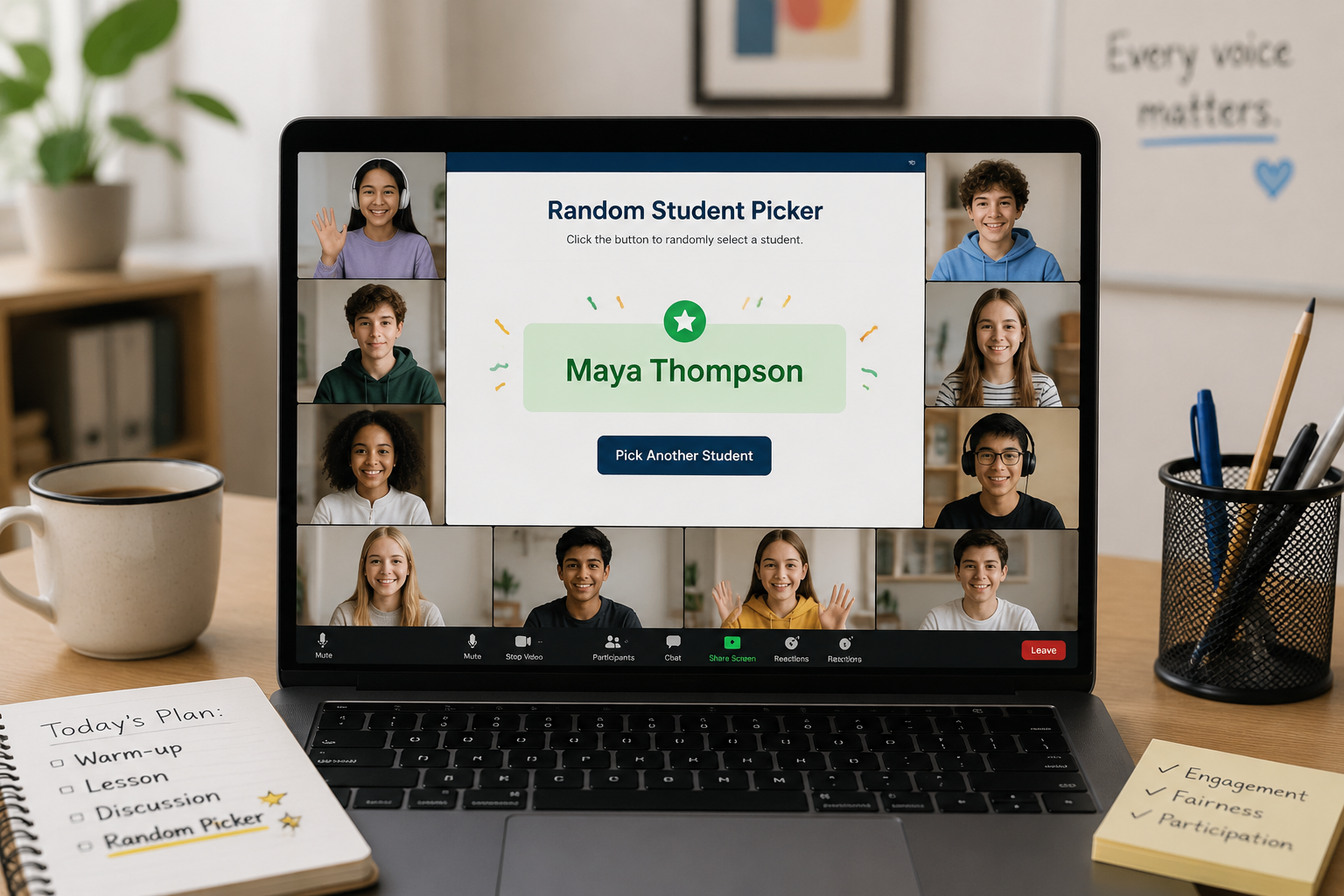
Choosing the Right Random Student Picker for Your Online Class
The ideal tool depends on your teaching platform, class size, and whether you need additional features like group forming or data tracking. Below are common approaches, ranging from low-tech to fully integrated.
Manual Methods (No Tech Required)
- Drawing physical name cards: Prepare a deck of index cards with each student’s name. Shuffle and draw on camera. This adds a tactile, personal touch but is not scalable for large classes.
- Using a random number generator and a class list: Assign each student a number and use any basic random number tool to select. This works, but requires the teacher to manually locate the corresponding name.
Standalone Digital Random Name Pickers
Dedicated web-based tools like random name wheels or pickers let you enter a class list once and get instant selections with visual flair. Many are free and require no account. They can be shared on-screen during a video call so the whole class sees the selection process.
- Random Group Generator (like the one available at random-group-generator.com) not only picks individual students but can also form random groups, which is useful for breakout activities. Simply paste your class list, choose the number of students per group, and let the tool do the rest.
- Online spinner wheels (e.g., Wheel of Names) offer an engaging, gamified visual. You can customize colors, sounds, and remove a student from the wheel after they have been called.
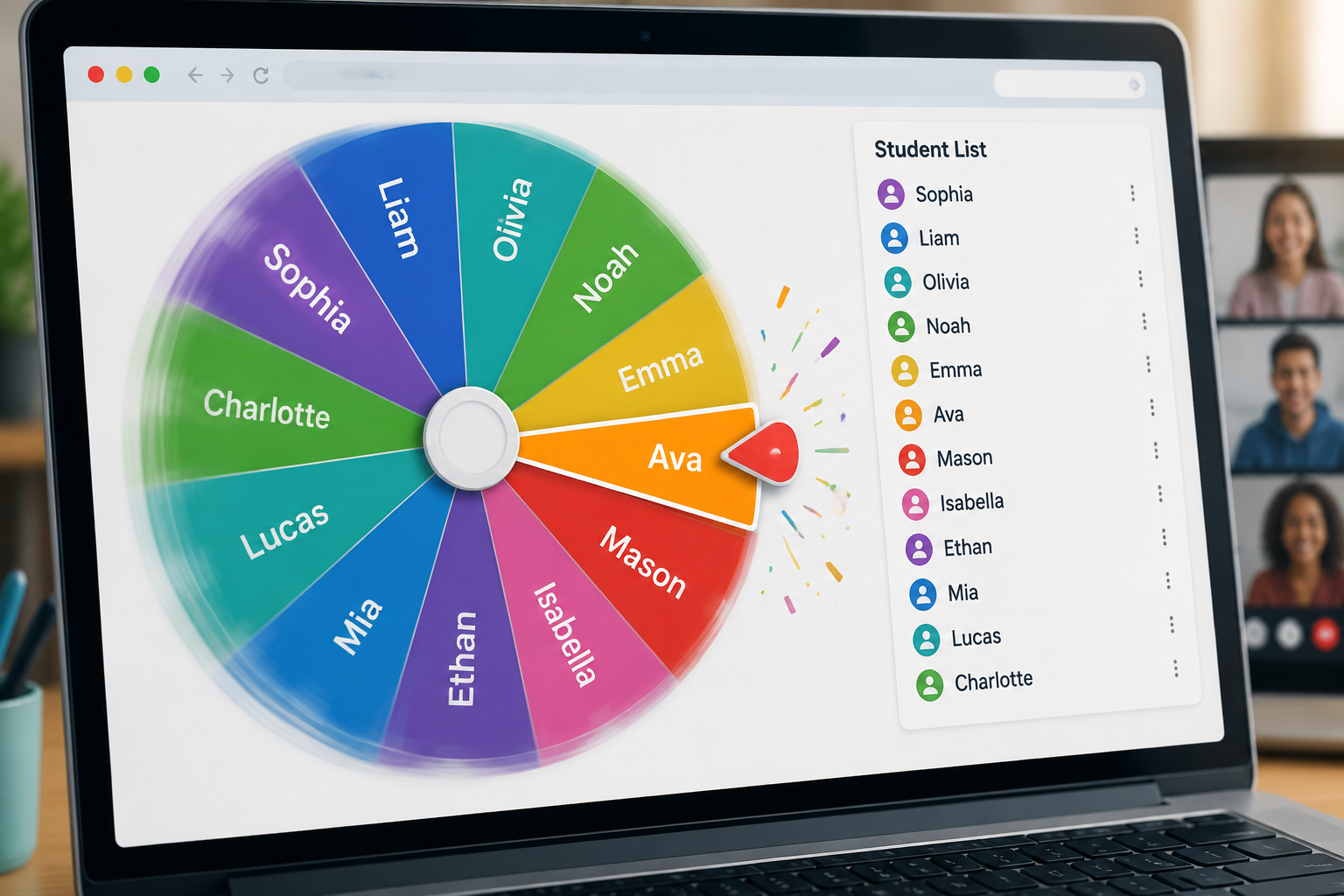
Built-in Features of Video Conferencing Platforms
Many popular platforms now include native tools to randomly assign participants to breakout rooms, which can double as a student picker if you assign groups of one. While not always visible to the whole class, they are seamless and do not require external websites.
- Zoom breakout rooms: You can create breakout rooms with specific room numbers and manually or automatically assign participants. For quick random selection, create a single room for one person and open it; the participant’s name appears as the only one in that room.
- Google Meet breakout rooms: In Google Meet, you can use the “Random” option when setting up breakout rooms. The platform handles distribution and displays the assigned groups.
- Microsoft Teams: Teams does not have a native random picker function inside the call, but the Shuffle feature in breakout room setup can serve a similar purpose. Alternatively, educators can use an integrated app from the Microsoft App Store, such as “Random Picker.”
Step-by-Step: Setting Up a Random Student Picker in a Live Online Class
Here is a practical workflow for using an external random picker tool (like the one on random-group-generator.com) alongside your main video conferencing software.
1. Prepare Your Student List
Before class, compile a list of student names exactly as they appear in your platform (first name, last name, or display name). Copy the list as a plain text, one name per line. For privacy, avoid including full names if you plan to share the tool’s screen with the class.
2. Choose and Test Your Picker Tool
Open the random picker website in a separate browser window. Paste your student list into the input field. Run a few test picks to confirm it works and that no names are missing.
3. Share the Tool’s Screen Correctly
When you are ready to use the picker live:
- In your video call, select Share Screen and choose the browser window—not your whole desktop—to avoid exposing other information.
- Arrange your windows so that the video call gallery view and the shared screen are both visible on your monitor. This lets you see student faces while presenting the picker.
4. Establish Clear Expectations
At the start of class, briefly explain:
- Why you are using a random picker (fairness, engagement).
- How students should respond if their name is chosen (e.g., “If you are called, unmute and share your thought. If you are stuck, you can say ‘pass’ or ask a classmate to help.”).
- That this is a low-stakes routine, not a punishment.
5. Perform the First Random Selection
Click the “Pick” or “Spin” button and let the result appear on screen for a few seconds. Address the student by name, then ask your question or give a prompt. After they respond, thank them and, if using a wheel tool, remove their name so they aren’t called again too soon.
6. Maintain a Positive Atmosphere
Use verbal affirmations like “Great point, thank you” regardless of the answer’s accuracy. If a student seems uncomfortable, follow up privately later to check in—never embarrass a learner publicly.
Integrating Random Picking into Different Online Teaching Activities
A random student picker is not just for Q&A. Consider these applications to deepen learning.
Warm-Ups and Icebreakers
Start the session by spinning the wheel and asking the selected student a fun, low-pressure question such as “What’s your favorite snack?” or “Share one word that describes your week.” This sets a positive tone and normalizes random selection.
Checking Understanding
After explaining a concept, use the picker to call on two or three students to summarize the point in their own words. This serves as a quick formative assessment without singling out anyone unwilling to volunteer.
Leading Group Discussions
The picker can assign who begins a small-group discussion or who reports back to the main room after breakout sessions. You can also use it to form discussion groups instantly (e.g., “The wheel has placed you in Group A”).
Gamified Review Sessions
Turn review into a quiz show where the picker selects the contestant for each question. Award points to keep energy high. Rotate through the entire list over several rounds.
Peer Feedback Rounds
Randomly assign peer reviewers for written work: “The generator says Alice will review Bob’s paragraph. Please share your feedback in the chat.” This removes the awkwardness of choosing partners and encourages broader peer interaction.
Best Practices and Tips for Sustainable Use
Success with random student picking depends as much on classroom culture as on the tool itself. Keep these practices in mind.
- Be consistent but flexible. Use the picker multiple times per class so it becomes a natural rhythm. However, if a student is clearly having a difficult day, be prepared to offer a quiet alternative (e.g., typing in chat instead of speaking).
- Never use the picker as a punishment. Calling on a student who appears disengaged is tempting, but can breed resentment. Instead, aim for randomness that feels like a fair lottery.
- Vary the tools. Rotate between a spinner wheel, a name jar, and the platform’s built-in breakout shuffle to keep the experience fresh.
- Collect feedback. Periodically ask students for anonymous feedback on the random selection process. Adjust based on their comfort levels and suggestions.
- Consider language and inclusion. Be mindful of pronunciation. If you are uncertain, ask the student how to say their name before the class. Use display names that students prefer.
Frequently Asked Questions
Do random student pickers work for shy students?
Yes, when introduced gently. The key is to frame random calling as a normal, expected part of the class, not as a spotlight on any individual. Allow “pass” or “think time” options at first, and celebrate all contributions. Over time, shy students often report feeling less pressure because they no longer have to volunteer.
Can I use a random picker in asynchronous classes?
While live spinning is not possible in recorded lessons, you can still use a random picker to assign responsibilities. For example, record a video of the wheel spinning and post it, announcing who the “discussion starter” for the week is. Alternatively, use a random selection function in your learning management system to distribute peer review assignments.
What if a student refuses to answer or is not in class that day?
If a student is absent, simply spin again. If a student passes, thank them and move on. Never force a response. You might assign a simple follow-up task (e.g., “Send me a chat with one thought after class”) if you are concerned about understanding.
Is it better to remove a name from the picker after calling?
Yes, in most cases. This ensures that every student is called once before anyone is called twice, which reinforces fairness. However, if you have a very small class and want to keep an element of unpredictability, you might leave names in for multiple rounds.
Are there legal or privacy issues with sharing student names on screen?
For K–12 settings, check your institution’s privacy policies. Using first names only, or a class number, usually meets guidelines. Avoid displaying full names and never include other personal data in the picker.
Sources and References
- Dallimore, E. J., Hertenstein, J. H., & Platt, M. B. (2013). Impact of Cold-Calling on Student Voluntary Participation. Journal of Management Education, 37(3), 305–341.
- Cooper, J. L., & Robinson, P. (2000). The argument for making large classes seem small. New Directions for Teaching and Learning, 2000(81), 5–16.
- Freeman, S., et al. (2014). Active learning increases student performance in science, engineering, and mathematics. Proceedings of the National Academy of Sciences, 111(23), 8410–8415.
- Zoom Video Communications. Enabling breakout rooms. Retrieved from https://support.zoom.us/hc/en-us/articles/206476093-Enabling-breakout-rooms
- Google. Use breakout rooms in Google Meet. Retrieved from https://support.google.com/meet/answer/10477368
- TeachThought Staff. (2020). Why Random Calling Works: A Simple Approach To Student Engagement. Retrieved from https://www.teachthought.com/pedagogy/random-calling/
Related guides
- How to Reduce Classroom Calling Bias with a Random Student Picker — Discover how a random student picker can eliminate bias in classroom cold-calling, increase participation, …
- How Teachers Use Random Pickers to Reduce Cliques in the Classroom — Discover how teachers use random pickers to break up classroom cliques, foster inclusivity, and ensure ever…
- Random Student Picker: Fairness in the Classroom — A comprehensive guide to using a random student picker in the classroom to promote fairness, engagement, an…
- The Ultimate Random Student Picker Tutorial: Fair Classroom Calling in Seconds — Learn how to use the free online Random Student Picker for fair student selection.
SponsoredExplore more resources