
gender balanced random groups
How to Create Gender-Balanced Random Groups
Struggling to form fair, mixed-gender teams? Learn how to use a random group generator to create gender-balanced groups in minutes—perfect for classrooms, workshops, and team-building.
You’ve planned the perfect collaborative activity, but then you hit a wall: how do you split the class into groups that actually work? You want teams where boys and girls are fairly represented, not accidentally lopsided. Manual sorting takes forever and still feels biased. Fortunately, with a few simple steps and the right random group generator, you can build gender-balanced groups in seconds without the headache.
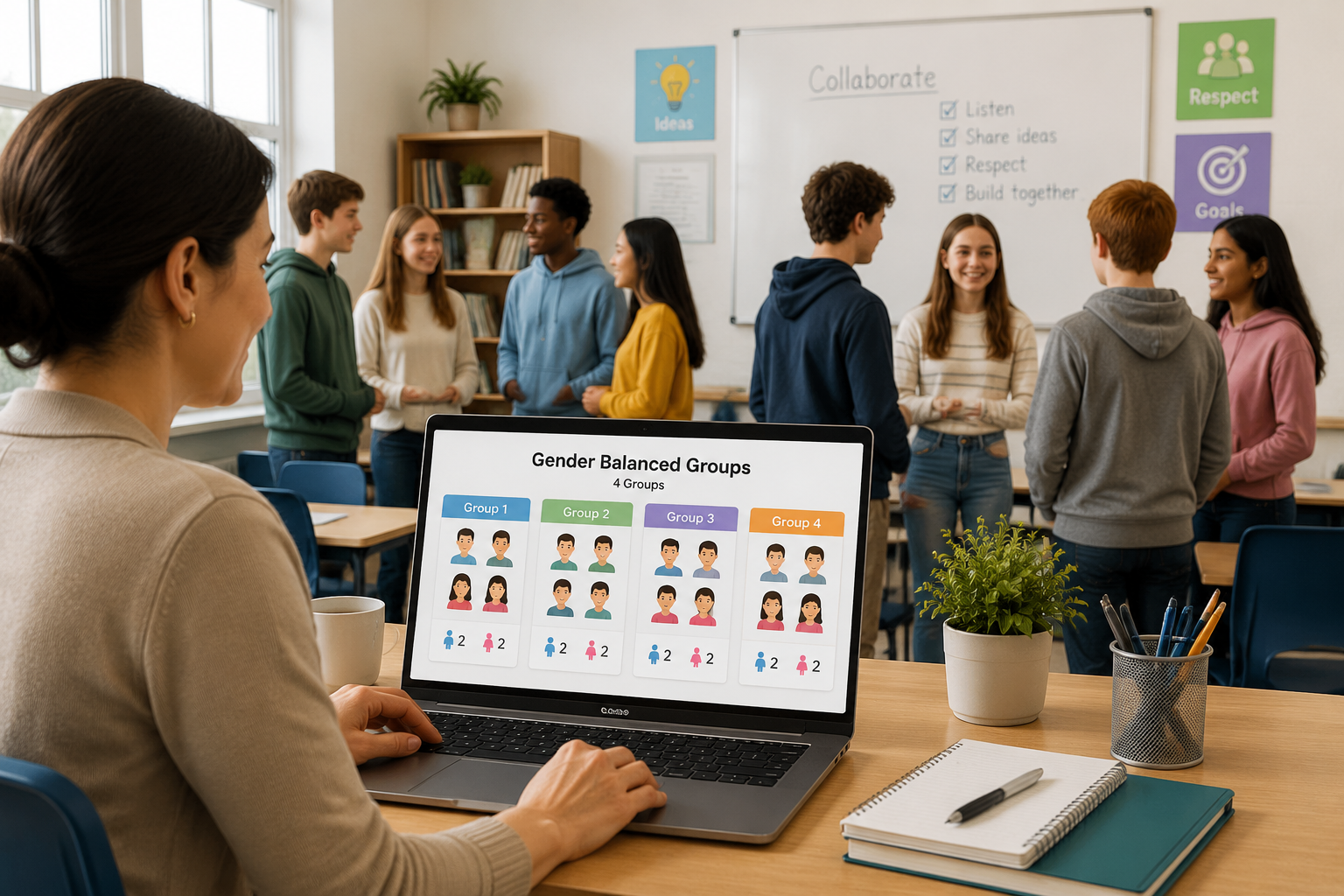
Why Gender Balance Matters in Groups
Balanced classroom groups aren’t just about fairness—they’re about learning. When males and females collaborate equally, discussions tend to include a wider range of perspectives. Research on diversity in teams shows that mixed-gender groups often outperform homogeneous ones because they bring different problem-solving styles and communication patterns to the table.
For teachers and trainers, this balance can reduce stereotype threat and create a sense of psychological safety. Students report feeling more comfortable contributing when the group reflects the broader class population. Gender-balanced teams also mirror real-world workplaces, preparing learners for inclusive collaboration down the road.
Challenges of Manual Grouping
If you’ve ever tried to create fair group formation by hand, you know the pain. You might count heads, shuffle index cards, or use a “boy–girl–boy–girl” seating chart, only to end up with a 3-to-1 split in the last group. Human judgment naturally introduces patterns we don’t intend, and counting quickly gets messy when class sizes are uneven or students are absent.
Even well-intentioned teachers can unconsciously bias grouping toward friendship clusters or perceived ability levels. This is where a gender balanced team generator saves the day—it removes guesswork and replaces it with a randomized, repeatable process.
A Step-by-Step Guide to Creating Gender-Balanced Groups with the Random Group Generator
You don’t need special software to enforce gender balance programmatically. Instead, you’ll use the generator twice: once for a female-identified list and once for a male-identified list. Here’s how.
Step 1: Prepare two sorted lists
Start with your class roster. Create two text lists—one with names of female-identifying students, and one with male-identifying students. Keep the formatting simple, one name per line. For example:
Girls:
Aisha,
Bella,
Clara,
Diana
Boys:
Alex,
Ben,
Chris,
David
Step 2: Decide on your target group composition
What’s your ideal group size and gender ratio? If you want groups of 4 with 2 girls and 2 boys, you’ll need to generate separate groups of 2 from each list. For groups of 3 (2 girls + 1 boy), you’ll generate groups of 2 from the female list and groups of 1 from the male list, then pair them.
Step 3: Run the generator on each list separately
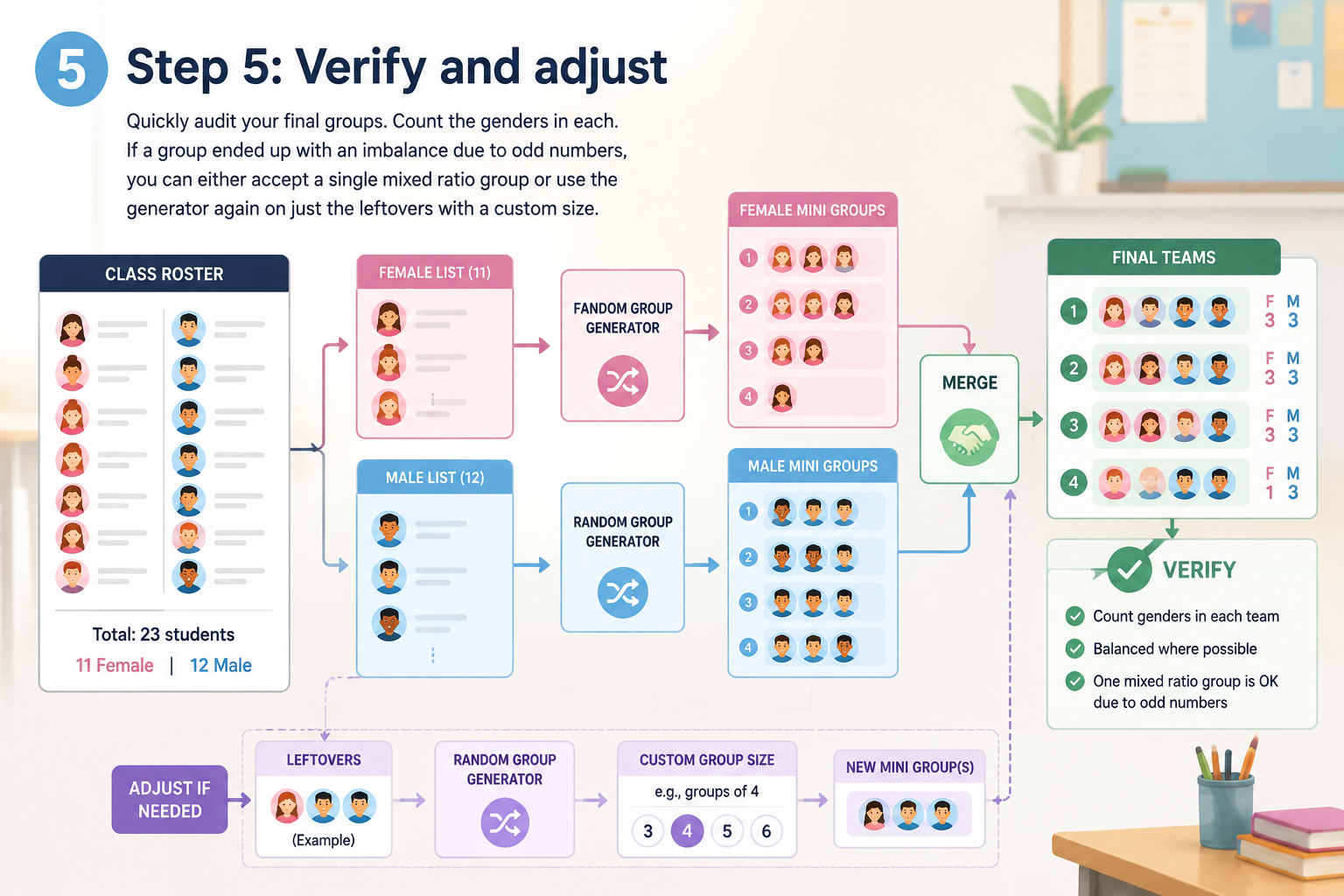
Head to the Random Group Generator and paste your female list. Set the group size to the number of female slots you need per team (in our example, 2). Click “Generate” and note the resulting all-female mini-groups. Then repeat the process with the male list, again using the appropriate group size (2).
Step 4: Merge the mini-groups into balanced teams
Now manually pair each mini-group from the female list with a mini-group from the male list. Because the generator has already shuffled both pools randomly, the final teams will be both gender-balanced and unpredictable. If you have leftover members, you can form a slightly larger group or use a balancing trick described later.
Step 5: Verify and adjust
Quickly audit your final groups. Count the genders in each. If a group ended up with an imbalance due to odd numbers, you can either accept a single mixed-ratio group or use the generator again on just the leftovers with a custom size.
Real-World Examples and Variations
Example 1: A middle school teacher with 28 students (14 boys, 14 girls)
The teacher wants groups of 4. She creates a list of the 14 girls and generates 7 groups of 2. She does the same with the 14 boys. Then she pairs Girl-Group-1 with Boy-Group-1, Girl-Group-2 with Boy-Group-2, and so on. In under two minutes she has 7 perfectly balanced groups.
Example 2: Uneven numbers
If a class has 15 boys and 13 girls, a teacher aiming for groups of 4 can adjust. She’ll form six groups with a 2/2 split (using 12 boys and 12 girls). The remaining 3 boys and 1 girl can be assigned to a seventh group with a 3/1 ratio, or the teacher can recombine leftovers into an extra group of 2 boys and 2 girls by reassigning some earlier pairings. Small imbalances are normal; the random generator keeps the process fair overall.
Pairing for partner work
If your activity only needs pairs, you can use the Random Pair Generator on each list separately and then match the female pairs with male pairs. This works especially well for interview or peer-review exercises where mixed-gender interaction matters.
Instructor Tips for Fair Group Formation
- Avoid labeling groups by gender—names like “Team Blue” or “Group Alpha” help focus on the task, not the composition.
- Rotate groups periodically—gender balance becomes less important once students have worked in multiple configurations; a fresh shuffle with the generator keeps dynamics positive.
- Consider non‑binary and gender‑fluid students—if your roster includes students who don’t identify strictly as male or female, simply add their names to the list that corresponds to their count goal (e.g., to achieve a 2/2 balance, put them in whichever slot helps reach the desired ratio). The key is respectful inclusion, not rigid counting.
Frequently Asked Questions
1. How does random grouping ensure gender balance if the tool doesn’t filter by gender?
The generator itself doesn’t know about gender; that’s why you split your list. By randomizing each gender pool separately, you maintain the unpredictability of shuffle while guaranteeing the final merged groups reflect the ratio you set.
2. What if I have a non‑binary student? How should I approach gender balancing?
Place non‑binary students into whichever input list makes your groups most balanced. If your class has two non‑binary students and you need groups of 4 with two female‑assigned slots, you could include them in that list. The goal is balanced participation, not rigid binary categorization.
3. Can I use this method for groups larger than 4?
Absolutely. The same principle scales: decide how many seats per gender you need, generate mini-groups of that size from each list, and merge them. For a group of 6 with 3 girls and 3 boys, set the generator size to 3 on each list and pair accordingly.
4. Is it better to create balanced groups manually or use a random generator?
Manual grouping is slower, more prone to bias, and harder to repeat. A random generator saves time and ensures that—beyond the gender ratio—the assignment is truly unpredictable, which learners often perceive as fairer.
5. Does gender‑balanced grouping improve learning outcomes?
Many educators report higher participation and richer discussion when teams are diverse. Research also suggests that diverse groups can outperform homogenous ones in complex problem‑solving, though the effect depends on classroom culture and task design.
Next Step: Build Your Balanced Teams
You don’t need complicated spreadsheets or a roll of dice. With a little list-splitting and the Random Group Generator, you can stop wrestling with headcounts and start spending time on what really matters—your lesson. Try it now to create your first gender-balanced random groups in under two minutes.
Sources
- Stratified randomization — balancing group composition with constraints
Related Tools
Pick the right generator for the job — every tool runs free in your browser.