
random group generator
Random Group Generator vs Spin the Wheel
Compare a random group generator vs spin the wheel for teachers and facilitators. Learn when to use each tool to save time and create fair, engaging groups.
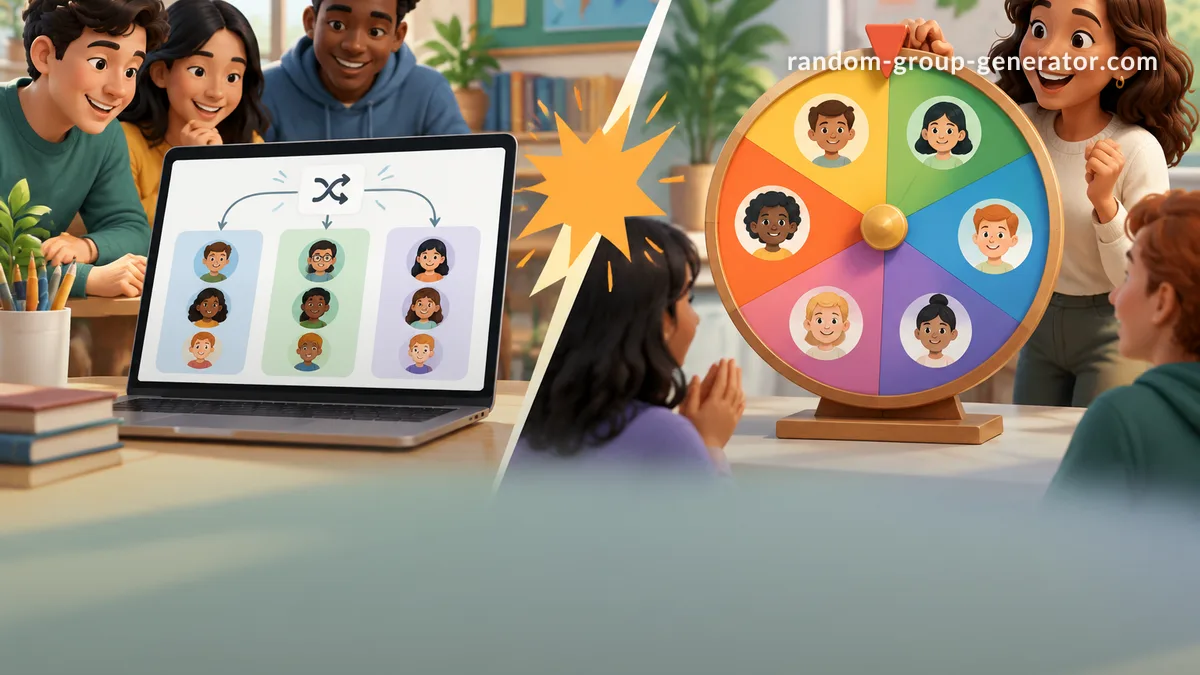
You have a room full of students—or workshop participants—and you need to quickly split them into groups. Should you open a random group generator and get all your groups in one click, or spin a colorful wheel to pick names one by one? If you’ve ever found yourself staring at two browser tabs, this article will help you decide. We’ll compare a dedicated random group generator vs spin the wheel tools side by side, looking at speed, fairness, engagement, and real-world classroom workflows so you can choose the right tool for the task.
Spin-the-wheel tools like Wheel of Names are fun and visually engaging, but they aren’t built for assembling balanced, multi-person groups efficiently. A purpose-built group generator, like the free tool at Random Group Generator, solves the frustration of repeated spins and uneven teams. Let’s unpack the strengths and limitations of both approaches.
How Random Group Generators Work
A random group generator takes a list of names—pasted, typed, or imported from Google Classroom—and instantly divides them into the number of groups or group size you specify. It’s designed for speed and fairness: you get all your groups in one action, not one name at a time. Because the entire list is shuffled and partitioned in a single step, every student has an equal chance of landing in any group without the need for repeated manual selection.
For example, a science teacher with 28 students wants to form seven lab groups of four. With Random Group Generator, she pastes the class list, sets the slider to “4 per group,” and clicks generate. The result: seven complete, randomly assigned groups appear instantly. There’s no spinning, no waiting, and no recording names one by one on the board. The tool even produces a shareable link or QR code so students can see their groups on their own devices.
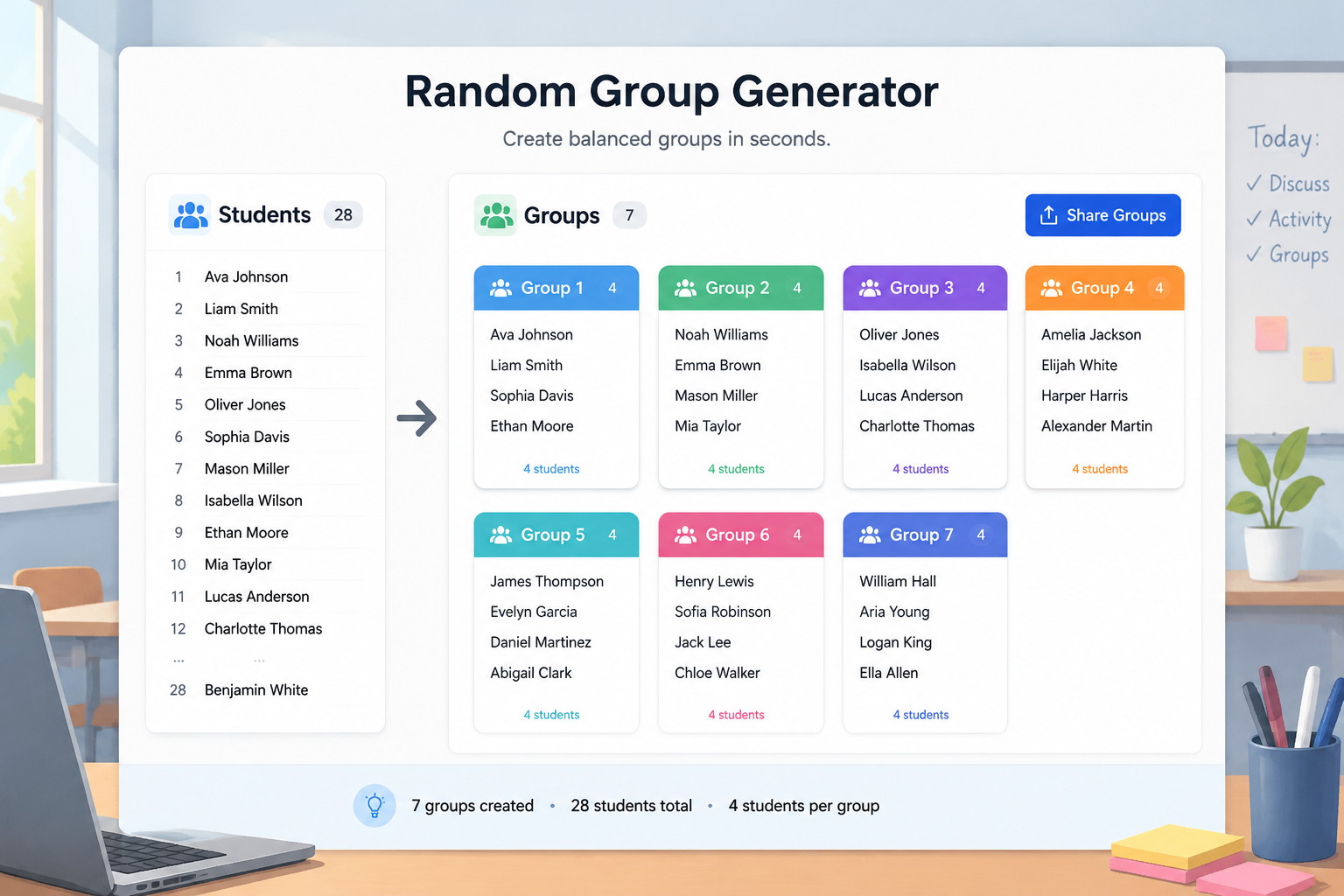
In contrast, a spin tool would require 28 individual spins just to assign the first group, then you’d need to manually remove those names and spin again for the next group—a process that is both time-consuming and error-prone. Group generators remove that friction entirely.
How Spin the Wheel Tools Work
Spin the wheel tools present a colorful wheel with names around the edge. You click a button, the wheel spins, and an arrow lands on one name. This single-pick mechanic is perfect for moments when you need to randomly select one person—a daily classroom helper, a volunteer to answer a question, or a prize drawing winner. The visual drama builds anticipation and keeps younger students engaged.
Think of a primary school teacher who uses Wheel of Names each morning to pick a “line leader.” She customizes the wheel with student names, spins once, and everyone cheers. It’s quick, visual, and effective for single selection. But if the same teacher later needs to create reading groups of five, she would have to spin the wheel 20 or more times, resetting or removing names along the way. That’s where the tool’s design works against efficient group formation.
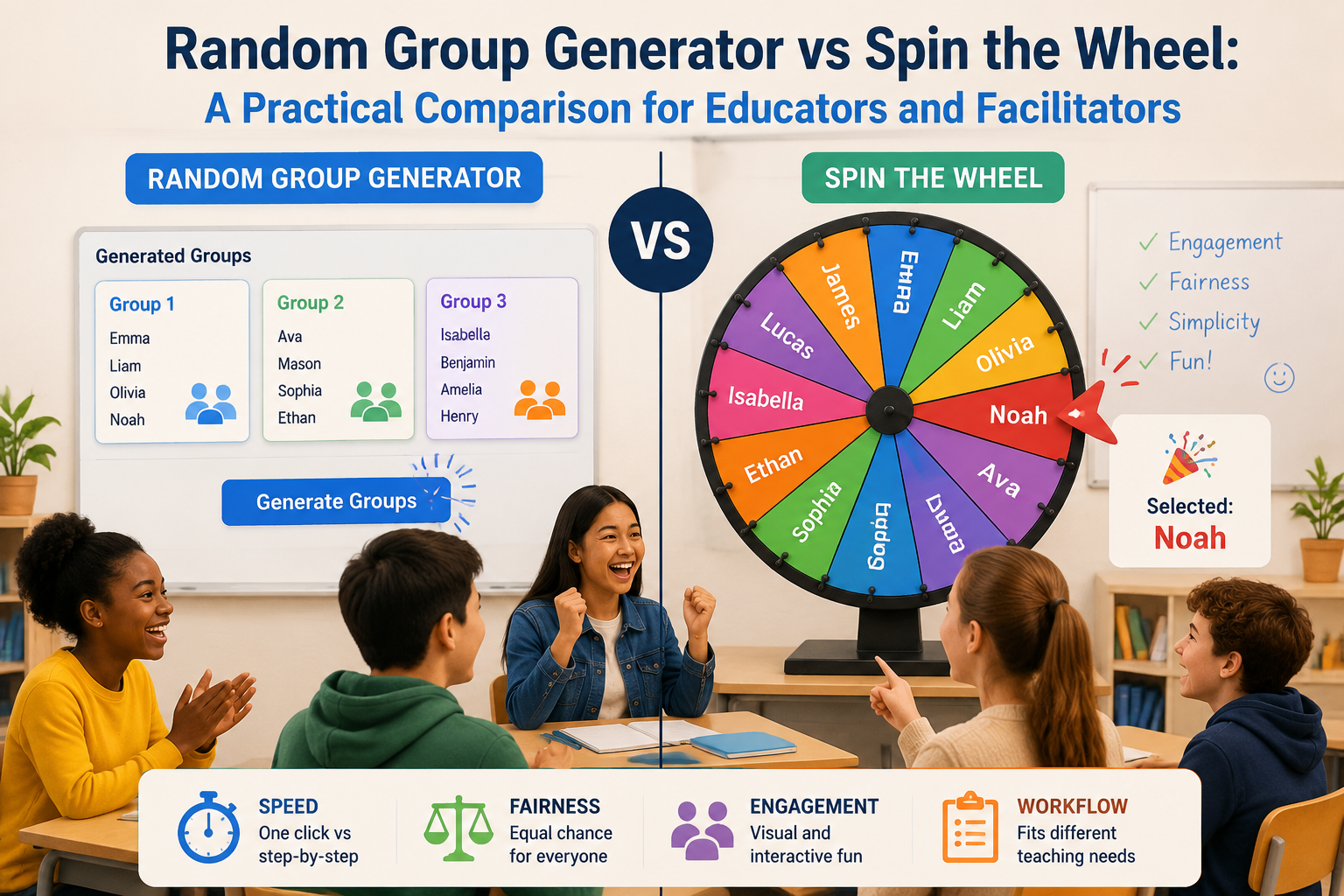
Spin wheels excel at single random selection and gamification, but they are not optimized for producing multiple complete groups simultaneously. They are a great name wheel for one-at-a-time events, but a poor substitute for a group generator when you need structured teams.
Key Differences Between a Random Group Generator and a Spin the Wheel
Understanding the core functional differences helps you match the tool to your objective. Here are the most important contrasts when comparing a spin the wheel vs group generator:
Group creation vs. single selection. A random group generator delivers all groups at once, while a wheel gives you one name per spin. If you need 5 groups of 4, you’ll execute 20 spins with a wheel—plus manual tracking—versus one click with a generator.
Scalability. For large classes or corporate training sessions of 30, 60, or 100+ people, a group generator remains effortless—just paste the list and go. A wheel becomes impractical when the list grows beyond a dozen or so, because each spin requires time and attention, and the wheel’s visual clarity decreases with more names.
Fairness and balance. Dedicated group generators like Random Group Generator use a secure random shuffle algorithm that treats all names equally, producing unpredictable yet balanced groups. You can also manually adjust groups by swapping members if you need to balance for skills or gender. Spin wheels can’t guarantee balanced groups because they don’t consider the whole set at once; they simply pick one name per random event, which can lead to clumpy distributions over multiple spins.
Privacy and display. A group generator allows you to keep the list private on your screen while sharing only the final groups with students. A wheel displays all names prominently, which can be a privacy concern or cause anxiety if students are worried about being “picked.”
Integrations. Random Group Generator integrates with Google Classroom, Zoom, Microsoft Teams, and Slack, letting you import rosters and push groups directly into your workflow. Most spin-the-wheel tools operate as standalone web pages without integration capabilities.
Engagement style. Spin wheels create a game-show atmosphere ideal for individual recognition or reward. Group generators provide a quieter, more efficient “team formation” experience, which is often better for academic or professional settings where time is limited.
When to Use a Random Group Generator Instead of a Spin the Wheel
Reach for a random group generator when your main goal is to form multiple teams quickly and fairly. This includes:
- Daily group work and station rotations: Assigning students to reading groups, math centers, or lab stations happens fast with a generator.
- Project teams: Creating long-term project groups where balance matters.
- Icebreakers and workshops: Splitting a large room of participants into small discussion groups at the start of a training event.
- PE or field day stations: Getting kids into mixed-ability squads without anyone feeling left out.
- Any scenario where you need 3 or more groups and time is precious.
For example, a corporate trainer has 40 attendees and wants to form 8 breakout groups of 5. With a group generator, she imports the participant list, sets groups to 5, and instantly gets all groups. If she used a spin wheel, she’d need 40 spins plus manual grouping—a 10-minute ordeal that disrupts the workshop flow. The random group generator saves that time and keeps the energy focused on the activity, not the logistics.
Spin-the-wheel tools, by contrast, shine in moments that call for a name wheel alternative to pick one person: choosing a discussion starter, a prize winner, or a student to read aloud. For all other grouping tasks, the group generator is the superior choice.
Combining Both Tools for Maximum Engagement
You don’t have to choose one tool exclusively. Many educators and facilitators combine both for a balanced routine. Use the random group generator first to create fair, balanced teams. Then, bring in a spin wheel to add excitement for specific moments within those groups.
One common pattern: after generating groups, use a wheel to randomly select which group presents first, or to pick a representative from each group to share their work. Another approach: form project teams with the Random Group Generator, then use a spin wheel to assign each team a project topic. This way, the heavy lifting of team formation remains efficient, while the wheel adds a gamified layer that students love.
In a workshop setting, you might also use a wheel for a quick energy-raiser: after group discussions, spin to choose one person from each table to summarize for the whole room. The group generator and the spin wheel are complementary—the generator builds the groups, and the wheel adds interactive flair.
Step-by-Step: How to Create Groups with Our Random Group Generator (An Alternative to Spin the Wheel)
If you’re ready to move beyond repetitive spinning, here’s exactly how to use Random Group Generator to form groups in seconds:
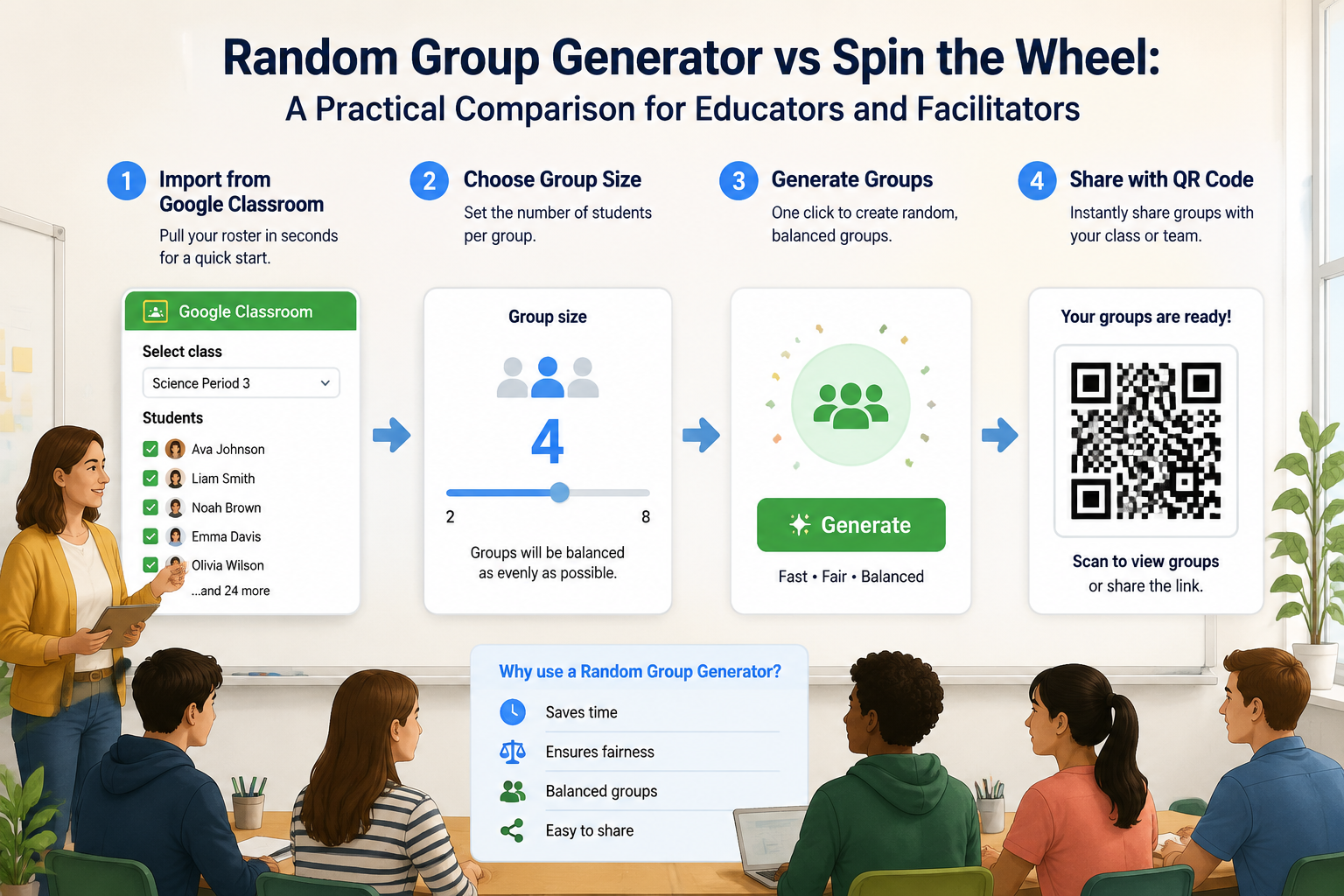
- Visit the tool: Go to Random Group Generator. No sign-up required.
- Add names: Paste a list of names from a spreadsheet, type them in, or import your roster directly from Google Classroom.
- Choose your grouping method: Use the slider to set the number of groups or the number of participants per group. For example, “4 per group” for teams of four.
- Generate groups: Click the “Generate Groups” button. The tool instantly displays all groups in a clean layout.
- Share with participants: Copy the unique link or QR code and share it via your LMS, chat, or display it on the screen. Students can see their groups without shouting or crowding around.
If you only need to pick a single student, the site’s random student picker does exactly that—without the visual fanfare of a wheel. For paired activities, the random pair generator creates pairs directly. These tools work together to handle every selection scenario without needing an external spin wheel.
Frequently Asked Questions
Is a random group generator better than a spin-the-wheel for classroom use?
For creating multiple groups quickly and fairly, a random group generator is more efficient. Spin-the-wheel tools are better suited for single-person selections or adding gamified moments.
Can I use a spin-the-wheel to randomly create groups?
You can, but it’s tedious. You’d spin once per student, manually assign them, remove names, and repeat. For more than one small group, a random group generator saves significant time and effort.
What if I need to pick one random student? Should I use a name wheel or a student picker?
Both work. A name wheel adds visual excitement, while a random student picker focuses on speed and simplicity. The picker also integrates with Google Classroom, making it easier if you already have your roster there.
Are the groupings truly random on the random group generator?
Yes. Random Group Generator uses a secure, unbiased shuffling algorithm so every student has an equal chance of being placed in any group.
Does the random group generator work with Google Classroom?
Absolutely. You can import your class roster directly from Google Classroom, create groups, and share the groups back to your students—all without leaving the tool.
Ready to say goodbye to endless spinning and uneven teams? Try the free Random Group Generator today and turn group formation into a one-click task.
Related Tools
Pick the right generator for the job — every tool runs free in your browser.