
random pair generator from two lists
Random Pair Generator from Two Lists: Cross-Pairing Guide
Learn how to use a random pair generator from two lists to create fair, balanced pairs for classrooms and team activities. Free tool with easy setup and integrations.
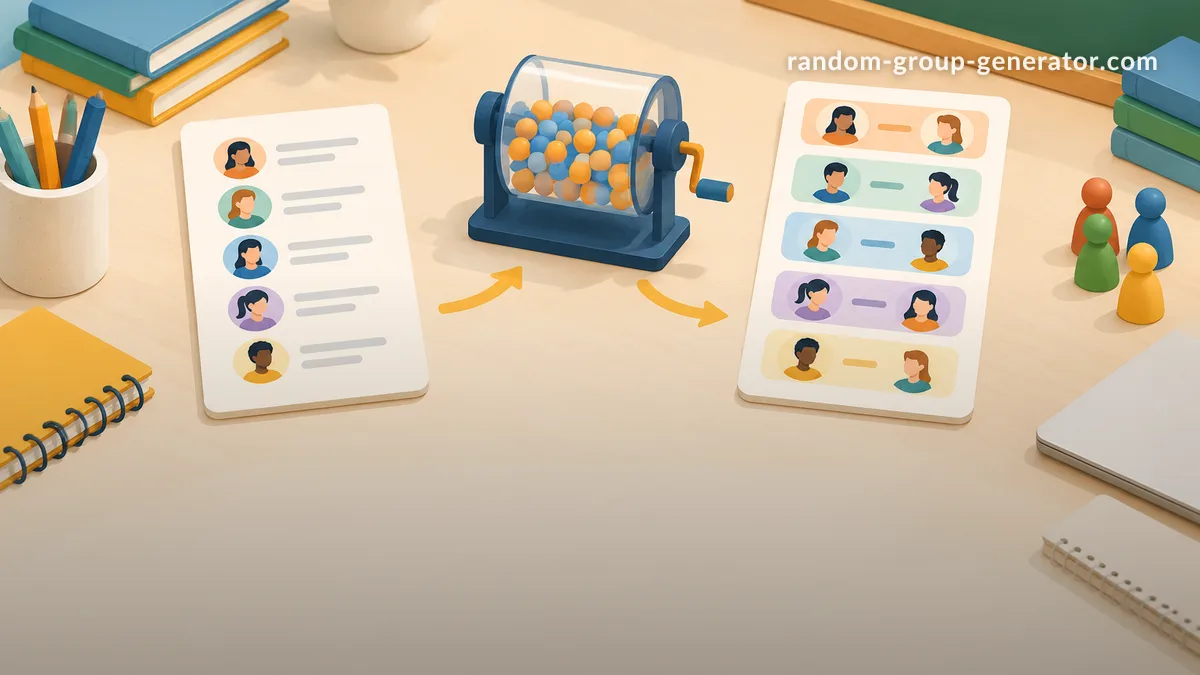
Creating fair and balanced pairs from two different lists is a common challenge for teachers, trainers, and event organizers. Whether you're mixing students from two classes, pairing team members from different departments, or facilitating language exchanges, a random pair generator from two lists ensures every participant has an equal chance to be matched without favoritism. This guide provides a practical, step-by-step approach to using a random pair generator from two lists, complete with real examples and tips for successful implementation.
In educational environments, pairing students from two lists is often necessary to create mixed groups for activities that benefit from diversity. For instance, pairing students from two different grade levels can help younger students learn from older peers and vice versa. In team building scenarios, it can mix employees from various departments to encourage cross-departmental collaboration. The random pair generator from two lists is designed to handle these scenarios efficiently and fairly.
The main advantage of using a random pair generator from two lists is the elimination of bias. Manual pairing can sometimes result in pairs that are not optimal for the activity, or it can take too much time, especially with large groups. By using this tool, you can quickly generate pairs that are randomly assigned, promoting a sense of equality among all participants.
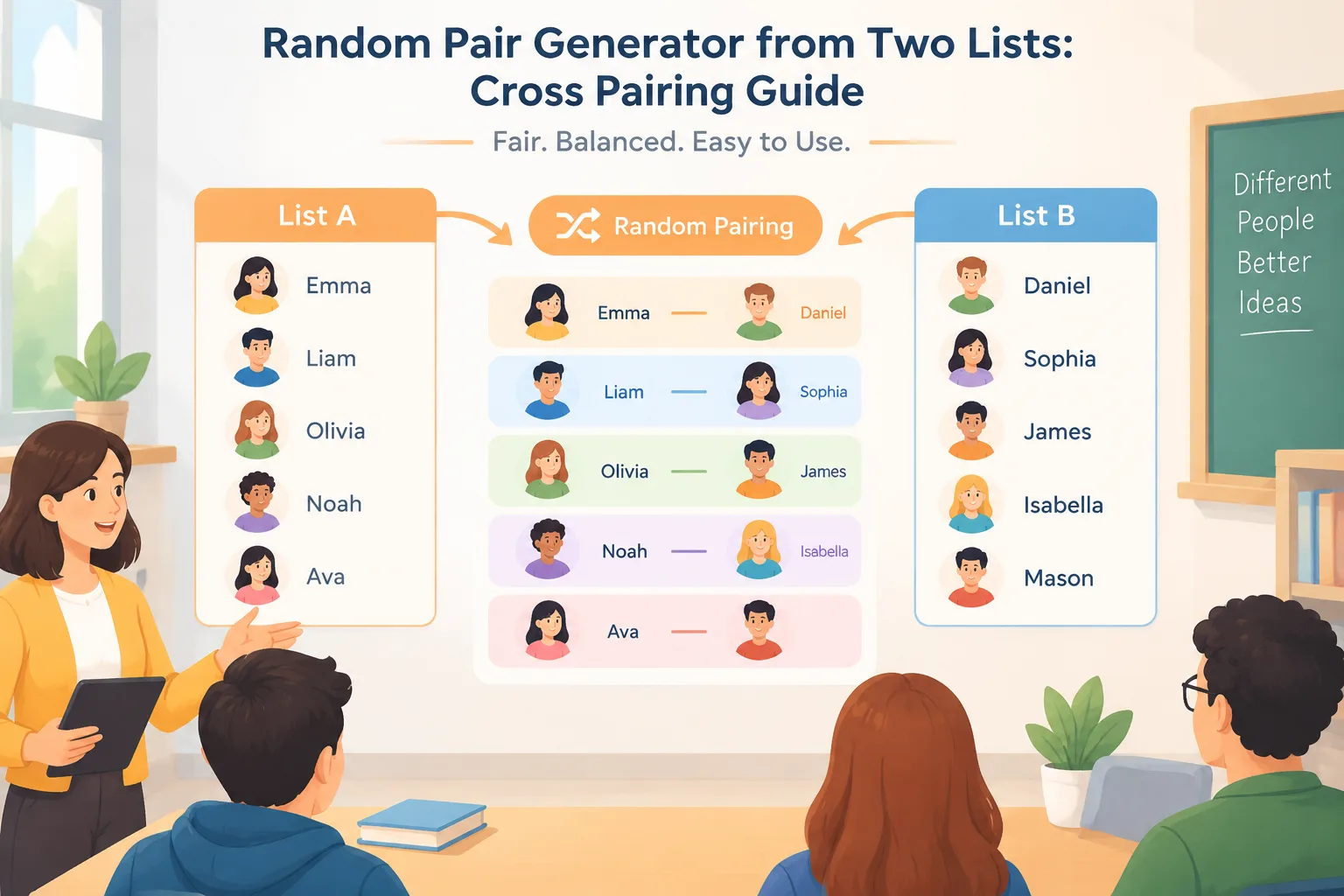
Understanding the Random Pair Generator from Two Lists
A random pair generator from two lists is a specialized tool designed to match items from one list with items from another randomly. Unlike standard group generators that create equal-sized teams from a single list, this tool handles two distinct lists, such as a list of names and a list of skills or preferences. If you are deciding between the two approaches, see our comparison of a random pair generator vs a random group generator.
The underlying algorithm typically involves shuffling one list and then pairing it sequentially with the other, or using a more sophisticated method to ensure balanced distribution. For example, if you have two lists of 20 students each, the tool will generate 20 unique pairs, each consisting of one from list A and one from list B.
This tool is part of a broader suite of random grouping tools available on platforms like Random Group Generator. It supports various use cases, from classroom activities to workshop sessions, and integrates with popular communication tools for easy sharing of results. Educators can input lists directly from spreadsheets or manually, and the tool provides multiple output formats to suit different needs.
The random pair generator from two lists is particularly useful when the two lists represent different categories or groups that need to be mixed. This could be boys and girls in a physical education class, introverts and extroverts in a personality-based activity, or students from two different schools in an exchange program. The tool ensures that the pairing is random and unbiased, which is crucial for maintaining a fair environment.
Step-by-Step: How to Use a Random Pair Generator from Two Lists
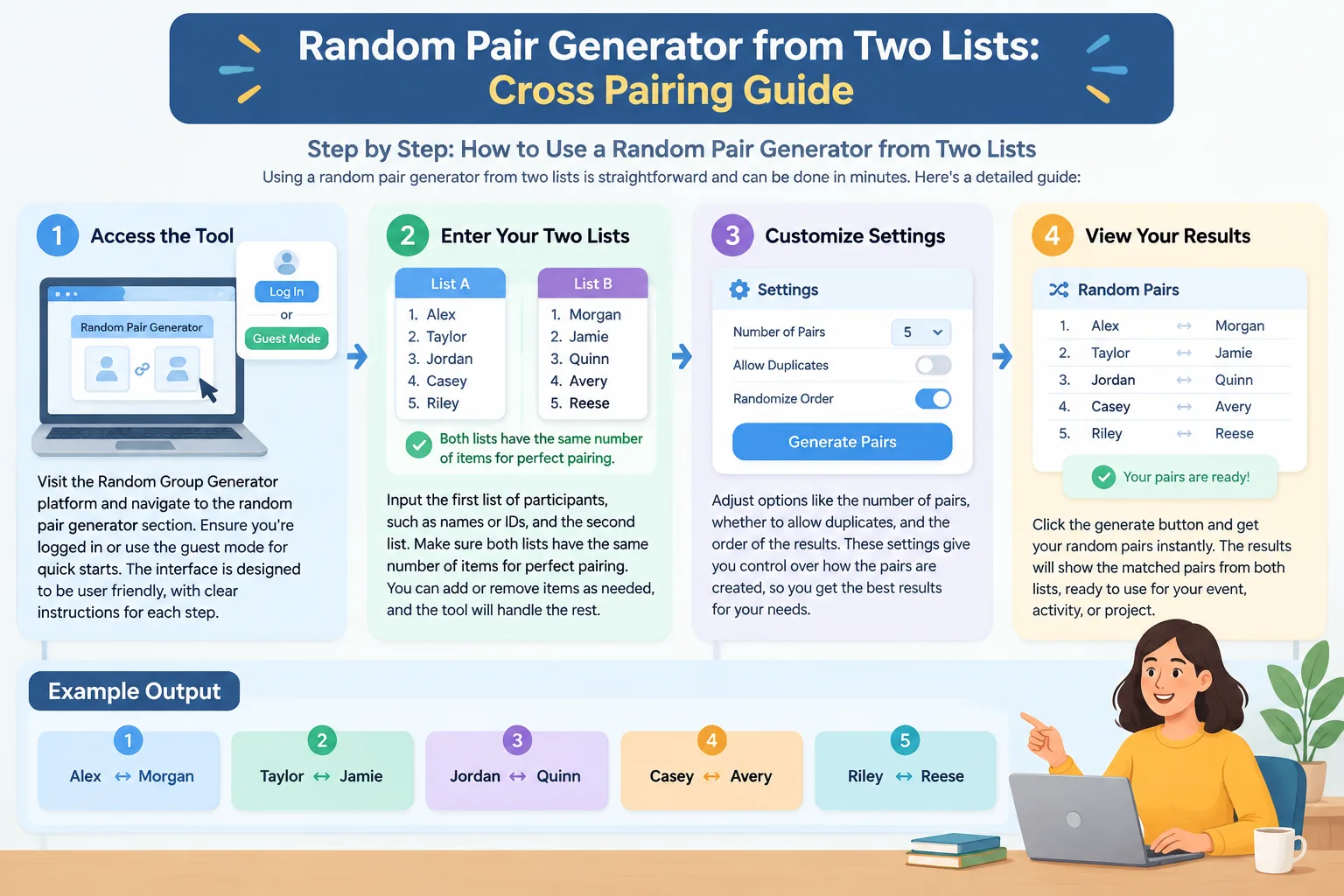
Using a random pair generator from two lists is straightforward and can be done in minutes. Here's a detailed guide:
- Access the Tool: Visit the Random Group Generator platform and navigate to the random pair generator section. Ensure you're logged in or use the guest mode for quick starts. The interface is designed to be user-friendly, with clear instructions for each step.
- Enter Your Two Lists: Input the first list of participants, such as names or IDs, and the second list. Make sure both lists have the same number of items for perfect pairing. You can add or remove items as needed, and the tool will handle the rest.
- Customize Settings: Adjust options like the number of pairs, whether to include additional criteria (e.g., pairing based on compatibility scores), and output format (text, CSV, or visual wheel). This flexibility allows you to tailor the pairing to your specific requirements.
- Generate the Pairs: Click the generate button. The tool will randomly shuffle and pair the lists, displaying the results in a clear format. You can see the pairs listed out, making it easy to review.
- Review and Export: Examine the pairs for any issues, then export the results to share with your group via email, Google Classroom, or Slack. Many users find the export options particularly helpful for integrating with their existing workflows.
For a concrete example, consider a high school English class with two sections: Section A with 25 students and Section B with 25 students. To pair them for a literature discussion activity, input the names into the tool. The generator might produce pairs like "Student1 (A) with StudentX (B)", ensuring each student from A is paired with one from B. This takes less than 5 minutes and saves hours of manual effort.
In a corporate setting, a HR manager might use it to pair new hires with mentors from different departments. The tool's flexibility allows for quick adjustments if someone is unavailable. Another example is in a university setting where faculty from two different colleges need to be paired for joint research projects. The random pair generator from two lists helps create balanced teams that reflect the diversity of the institution.
Real-World Examples of Random Pairing from Two Lists
In a K-12 classroom, a teacher used the random pair generator from two lists to facilitate a debate club. By pairing students from two different grade levels, the activity encouraged respectful communication across age groups. One student noted that working with a peer from a higher grade helped them understand complex arguments better. The teacher reported that the random pairing led to more productive discussions and better participation rates. For more classroom-specific setups, see our classroom random pair generator guide.
During a team-building workshop for 50 employees, facilitators input two lists of departments. The random pair generator from two lists created pairs that mixed sales and marketing teams, leading to innovative project ideas. Feedback from participants highlighted increased collaboration after the session. One employee said, "I never thought I'd have such a good conversation with someone from a different department until we did this activity." You can find more facilitation ideas in our workshop random pairing icebreaker guide.
Another example is in language learning programs. Pairing native speakers from one list with learners from another using the tool promotes immersion and practice. Educators report higher engagement when pairs are randomly assigned rather than self-selected. In one case, a language school used the tool to pair 30 students from two different proficiency levels, resulting in more effective language exchanges and improved student outcomes. Our language practice random pairing guide covers this scenario in depth.
Tips for Maximizing the Benefits of Random Pairing
When using a random pair generator from two lists, consider these tips:
- Always ensure lists are balanced in size for optimal pairing. Unequal sizes can lead to some participants being left out, so aim for equal numbers.
- Test with a small group first to familiarize yourself with the tool and its capabilities. This helps you understand how the random pairing works in practice.
- Combine with follow-up activities to reinforce the pairing benefits. For example, after generating pairs, have them discuss a topic together to maximize the learning or team-building value.
- Monitor for any unintended biases in the random selection process. While the tool is designed to be fair, it's good to double-check the results if you notice any patterns.
- Use the results to inform larger group activities or discussions. The pairs can be used as the basis for breakout sessions or collaborative projects, such as the breakout room setups described in our team randomizer workshop guide.
By following these practices, you can leverage the random pair generator from two lists to create more effective and engaging learning or team experiences. Remember that the key is to use the tool as a starting point and adapt it to your specific needs.
FAQ
What is a random pair generator from two lists?
A random pair generator from two lists is a tool that randomly matches participants from one list with those from another, creating balanced pairs without manual intervention. It is commonly used in educational settings to pair students or in team building to mix participants from different groups.
How does it ensure fairness in pairing?
The tool uses randomization algorithms to shuffle and pair items, giving every participant an equal probability of being matched with any other from the second list. This method is designed to eliminate bias and ensure that no one is favored over another.
Can the random pair generator from two lists handle unequal list sizes?
Yes, it can handle unequal list sizes by pairing as many as possible and leaving some participants without a pair if necessary. However, for the best results, it's recommended to have equal numbers in both lists.
What are some common use cases for pairing from two lists?
Common use cases include mixing students from two classes in a classroom activity, pairing employees from different departments in a team-building exercise, or matching native speakers with language learners in an exchange program.
How can I integrate the random pair generator from two lists with my existing classroom tools?
You can integrate it by exporting the pair results in formats like CSV or text that can be easily imported into Google Classroom, Zoom, or other platforms. Many users use the results to create breakout rooms or assign pairs for online activities.
Is there a limit to the number of pairs it can generate?
There is no strict limit, but for practical purposes, the tool is optimized for groups up to a few hundred participants. For very large groups, you may need to break it into smaller batches.
Related Tools
Pick the right generator for the job — every tool runs free in your browser.