
workshop icebreakers
Workshop Icebreaker Pair Generator: The Quick Guide to Better Partner Activities
Learn how a free random pair generator can transform your workshop icebreakers. Fair, instant pairing that saves time and breaks social barriers—ideal for educators, trainers, and event hosts.

We’ve all been there. You start a workshop, ask everyone to find a partner, and suddenly the room fills with awkward glances. Friends cluster together, strangers hesitate, and you burn five minutes just getting people into pairs. If you run sessions regularly—whether in a classroom, a corporate training room, or a virtual meeting—that friction adds up. A workshop icebreaker pair generator solves this by creating random, bias-free pairings in seconds, so you can jump straight into the activity.
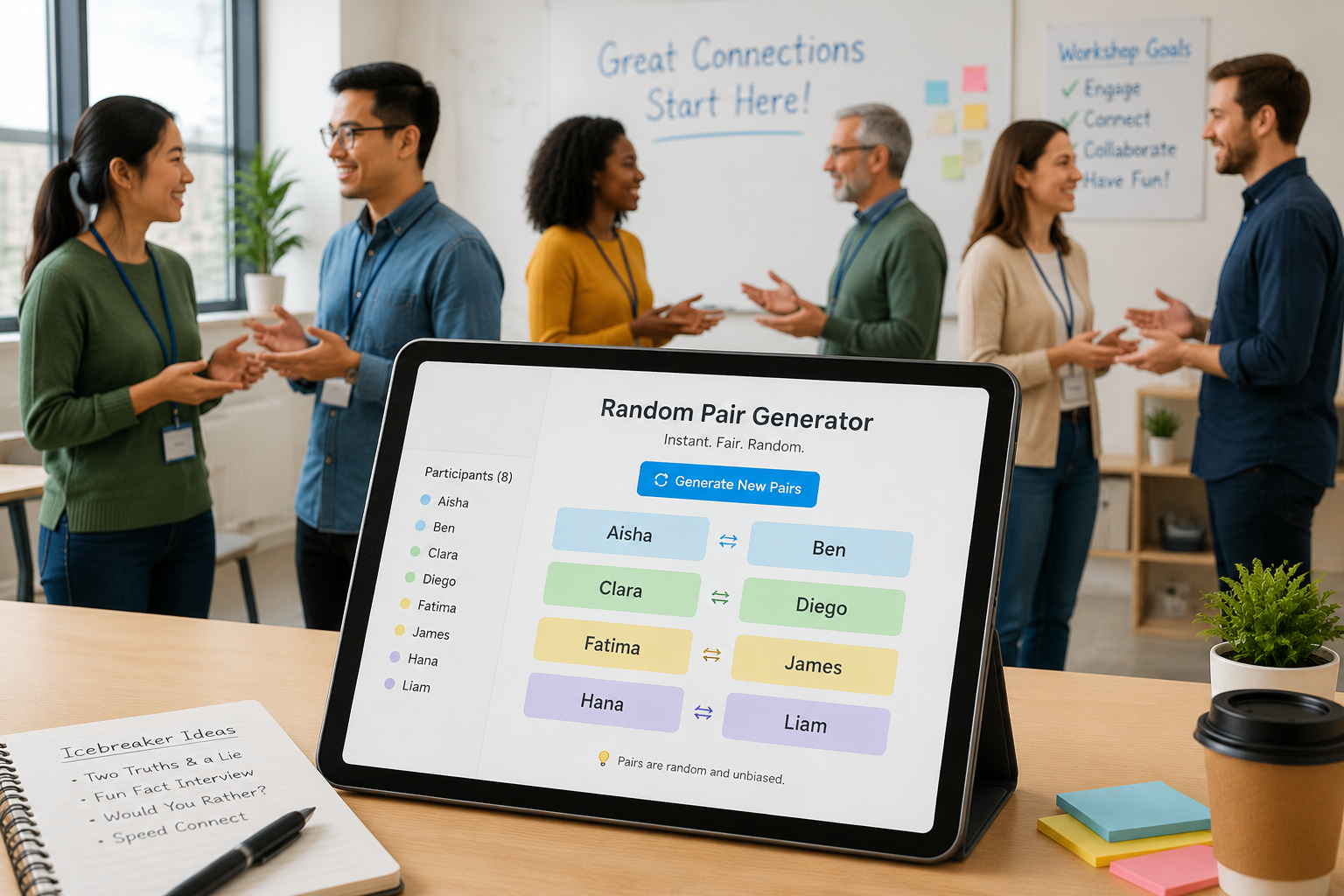
This article walks you through why random pairing beats ad‑hoc methods, how to use a free Random Pair Generator for your next icebreaker, and what kind of quick activities work best with surprise partners.
Why Traditional Icebreaker Pairing Falls Short
Most facilitators rely on one of three methods: “pick someone next to you,” “find a person you don’t know,” or a show of hands to count off. Each of these comes with hidden drawbacks.
Unconscious bias. Left to their own devices, participants gravitate toward people who look, sound, or think like them. In a corporate workshop, that often means team members from the same department. In a classroom, it’s best friends. That predictability weakens the icebreaker and misses a chance to build cross‑group trust.
Time loss. Instructing a room of 30 people to self‑organise into pairs often takes three to five minutes—longer if the group includes newcomers. Multiply that by three icebreakers in a half‑day session and you’ve lost nearly 15 minutes of productive time.
Social friction. Some participants genuinely find the partner‑finding moment stressful. It can trigger memories of being picked last in school sports. A random generator removes that emotional hurdle entirely. The tool makes the decision, so nobody feels excluded or awkward.
When you remove these friction points, the icebreaker feels fairer, starts faster, and lets you focus on the connection activity rather than its logistics.
Meet the Random Pair Generator
The Random Pair Generator is a free, web‑based tool built exactly for this purpose. You paste a list of names, click a button, and the tool instantly splits everyone into random pairs. No sign‑up, no ads that interfere with the experience, and no limit on how many times you can use it.
Key features that make it workshop‑ready:
- One‑click pairing – Add names, hit generate, and share results immediately.
- Odd‑number handling – If you have an uneven count, the tool automatically creates one group of three (or you can set the group size manually if needed).
- Copy and download – Export the pair list to your clipboard or as a text file for quick distribution in a chat or email.
- Language support – Available in nine interface languages, so international teams can use it comfortably.
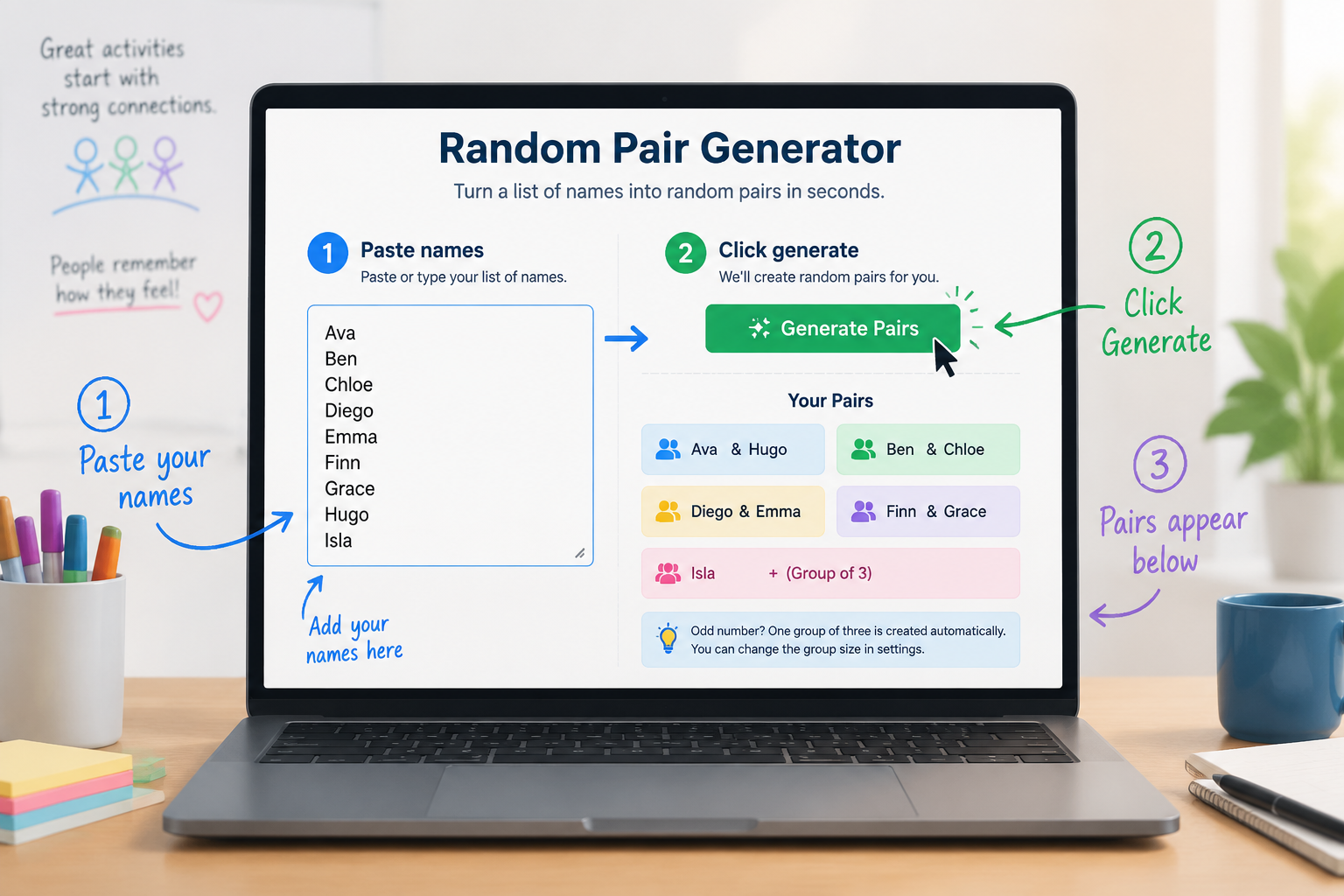
Because the tool is part of a larger suite that includes a Random Group Generator and a Student Picker, you can handle any grouping scenario—pairs, small teams, or random individual selection—without switching platforms.
Step-by-Step: How to Create Random Pairs for Your Workshop Icebreaker
Here’s a proven workflow that takes under 60 seconds from setup to screen.
Step 1: Prepare Your Participant List
Type or copy the full names of everyone attending. If you have a registration list, export it as plain text. Place each name on a new line like this:
Alice Johnson
Carlos Mendez
Dana Smith
Eliot Kim
Fatima Hassan
If your workshop uses nicknames or first names only, that works too. The generator doesn’t care about format—it just needs one name per line.
Step 2: Open the Random Pair Generator
Go to the Random Pair Generator page. Bookmark it for quick access during events. The tool works on any device with a browser—laptop, tablet, or phone—so you can even run pairings from your mobile if you’re facilitating without a projector.
Step 3: Paste or Type Names
Click inside the input box on the left and paste your list. If you prefer to type manually, that’s fine too. The tool accepts up to several hundred names, more than enough for a large workshop or conference breakout.
Step 4: Generate Pairs
Press the “Generate Pairs” button, and the right side of the screen instantly shows the random pairings. Each pair appears in a clear, readable block. If the count is odd, the last “pair” may contain three people—the tool automatically adjusts to avoid anyone being left out.
Step 5: Share Results with the Group
This is where things get practical. Choose the sharing method that fits your workshop setup:
- Project the screen – If you’re in a physical room, display the pairs on a projector or large monitor. Participants find their name and then locate their partner.
- Read aloud – For smaller groups, read the pairs one by one. It adds a touch of theatre and confirms everyone knows their partner.
- Paste into chat – In virtual meetings, copy the pair list and paste it into Zoom Chat, Microsoft Teams, or Slack. Use the “Copy to Clipboard” button to grab the results quickly.
- Send via email or LMS – For classrooms or training programmes, paste the pair list into an announcement or LMS post ahead of time so students arrive knowing their partner.
The whole process takes less than a minute, even with a large group, leaving more time for the icebreaker itself.
Icebreaker Ideas That Shine with Random Pairs
Once you have fast, fair pairings, the activity becomes the star. Here are a few workshop‑tested icebreakers that work exceptionally well with random partners.
Two Truths and a Lie (remixed). Each person writes down two true statements and one false statement about themselves. Partners swap lists and guess which is the lie. Because the pairs are random, the game often surfaces surprising facts—like a colleague’s hidden musical talent or an unusual travel story—that wouldn’t come up with familiar faces.
Common Ground in 120 Seconds. Give random pairs two minutes to find three things they have in common that aren’t visible (e.g., “We both love camping,” not “We both wear glasses”). This mini‑challenge forces genuine conversation quickly and works brilliantly across departments or grade levels.
Partner Interview Speed Round. Each pair gets exactly three minutes per person to interview the other. Provide three simple questions: “What are you most excited about in your work right now?”, “What’s a skill you’re learning outside of work/school?”, and “What’s your favourite way to recharge?” After the rounds, randomly call on a few participants to introduce their partner to the whole group.
Silent Lego Build (or simple craft). Give each pair a small bag of identical materials—paper clips, sticky notes, and a pen—and a simple challenge like “build the tallest free‑standing structure.” They must work together without speaking for the first two minutes. This breaks the ice through action rather than talk, which is especially helpful for introverts.
Real-World Workshop Scenarios
Different settings demand slightly different approaches. Here’s how three common profiles use the pair generator to great effect.
Corporate Trainer (Sales Onboarding). A sales trainer runs a half‑day onboarding session for 24 new hires from different regions. At the start, she uses the Random Pair Generator to split the group. Pairs introduce themselves and then role‑play a short cold‑call scenario. Because the pairs are random, new hires connect with people they wouldn’t naturally sit next to, building a stronger cohort feel. Later in the day, she runs the generator again to create fresh pairs for a product knowledge quiz.
High School Teacher (English Literature). A 10th‑grade teacher wants students to discuss a chapter of To Kill a Mockingbird. Instead of letting best friends pair up, he opens the Random Pair Generator on the classroom smartboard, pastes the class roster, and generates pairs. The random groupings encourage quieter students to speak up and prevent repetitive discussion patterns. He saves the pair list and uses it over several classes, changing partners each week to vary perspectives.
Conference Organiser (Networking Lunch). At a 200‑person industry conference, the organiser wants to break the ice at round tables during lunch. She pre‑generates a set of random pairs and assigns each pair to a table. As attendees enter the dining hall, a projected screen shows the pairings. The randomness sparks conversations across companies and job titles, generating the kind of unexpected networking that attendees remember.
What About Online and Hybrid Workshops?
The pair generator is just as useful when your workshop isn’t in one room.
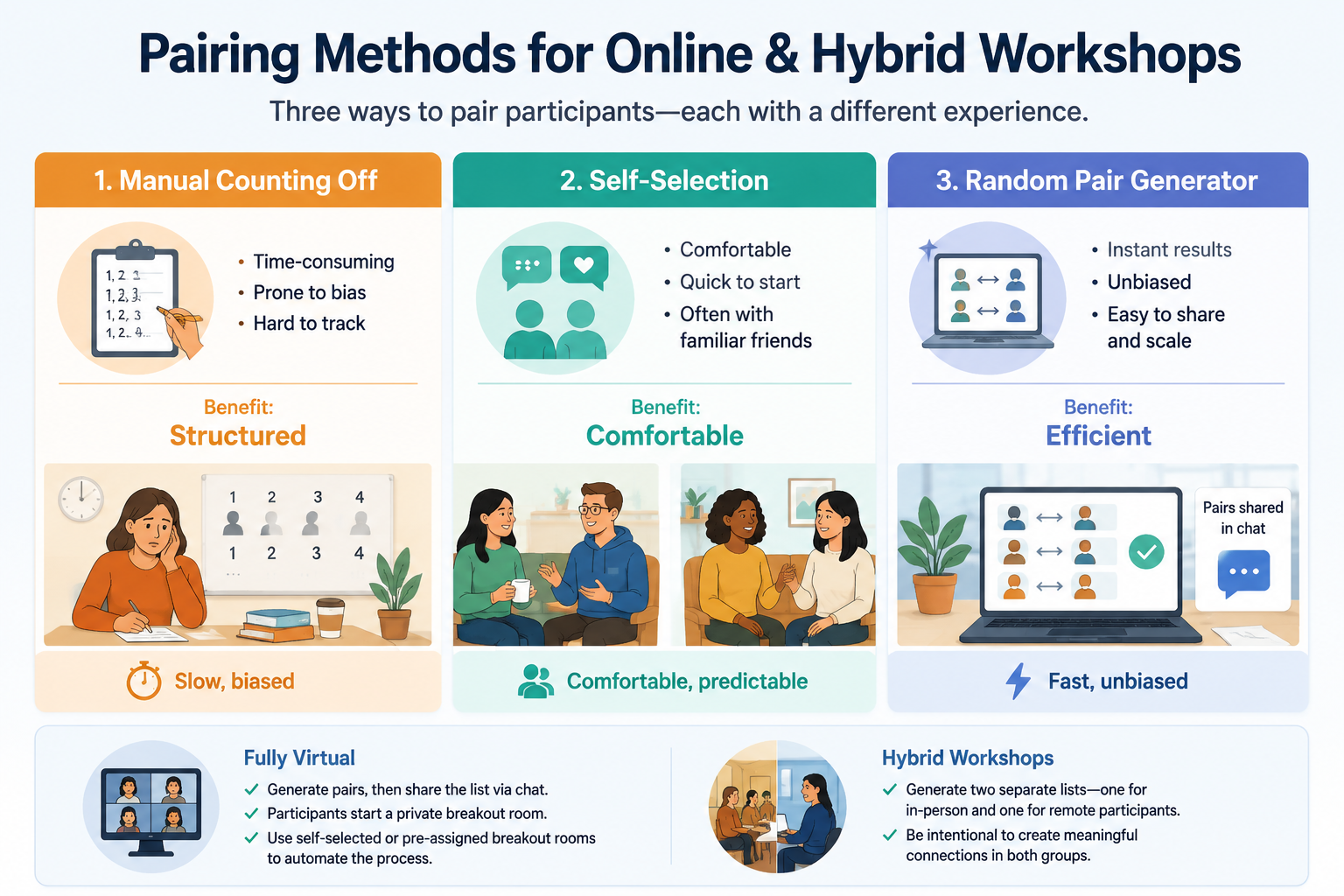
For fully virtual workshops, generate your pairs, then share the list via chat. Tell participants to start a private breakout room with their partner. Platforms like Zoom and Teams allow self‑selected breakout rooms, so once people see their partner’s name, they can quickly jump into a room together. If your platform supports pre‑assigned breakout rooms, you can even import the generated pair list into the breakout room setup to automate the process.
In hybrid workshops where some participants are in‑person and others are remote, be intentional. Generate two separate lists—one for in‑person participants and one for virtual participants—and pair within each group, or deliberately mix the lists to create one in‑person, one remote pairing. The generator handles both scenarios equally well because you control which names go into the input box.
Alternative Pairing Methods and Why Random Wins
Is a random generator really better than a deck of cards or a counting‑off technique? Let’s compare.
Number counting (1,2,1,2…) is quick but predictable. Participants often game the system by shuffling positions to land with a friend. It also requires everyone to hear and follow the count, which can break down in noisy rooms or large groups.
Drawing names from a hat feels analog‑friendly but is time‑consuming for groups over 20. You also need to prepare the slips in advance, and if someone loses their slip, confusion follows.
Pre‑assigned pairs by the facilitator can work, but it takes significant prep time and may still carry unconscious bias. Worse, if a participant drops out at the last minute, the whole list collapses.
A workshop icebreaker pair generator eliminates all of these issues. It’s faster than drawing names, more tamper‑proof than counting off, and far less work than pre‑assigning. Because the pairing is visibly random, participants accept the result without question, which builds trust in the facilitator’s fairness.
Common Mistakes to Avoid When Random Pairing
Even with the best tool, a few facilitation missteps can undercut the icebreaker.
Mistake 1: Explaining the pairings but not showing them. If you announce “I’ve assigned you all random partners for this activity” without displaying the list, participants waste time asking each other. Always make the pair list visible, whether on a screen or in chat.
Mistake 2: Forgetting to refresh the names. If you use the same roster across multiple sessions, make sure the list reflects actual attendance. A missing person creates a lonely partner. Before generating, double‑check that everyone present is in the list.
Mistake 3: Using random pairs for sensitive topics without a warning. Some icebreakers touch on personal stories. Let participants know in advance that they’ll be paired randomly and that they can request a pass on any question. That pre‑framing makes the random nature feel respectful rather than forced.
Mistake 4: Leaning on randomness as the only engagement tool. A random pair is just the setup. The icebreaker activity itself still needs clear instructions, a time limit, and a debrief. The generator gets you to the start line; plan the rest of the activity with equal care.
Frequently Asked Questions
Can I avoid pairing specific people together?
The basic random pair generator doesn’t have an “avoid” list, but there’s a simple workaround. Leave out the names you want to keep separate, generate pairs for the rest, then manually assign those individuals as partners or place them into existing pairs as needed. If you need more control, the paired tool Random Group Generator allows you to create groups of any size, which can give more flexibility while still keeping the assignment largely random.
What if I have an odd number of participants?
The generator automatically creates a group of three when the total number is odd. If you prefer not to have a trio, you can drop one name and let that person facilitate or observe, then rotate them into the next activity.
Is this tool really free for commercial workshops?
Yes. There are no subscription fees, no paywalls, and no forced registration. You can use it for paid corporate workshops, school lessons, volunteer events, or any other context without restriction.
Can I use it on my phone during a session?
Absolutely. The Random Pair Generator is fully responsive. Many facilitators keep it open on a phone or tablet so they can generate pairs on the fly, even while walking around the room.
How many names can the tool handle?
It comfortably handles several hundred names, far more than any single workshop group. If you’re coordinating pairings for a very large conference with thousands of attendees, consider splitting the list into smaller batches and running the generator separately for each batch.
Ready to Give It a Try?
Random pairing takes the hesitation out of icebreakers and replaces it with a sense of fair, fast-paced fun. Whether you’re leading a corporate training session, a high school literature discussion, or a virtual team meetup, a free workshop icebreaker pair generator puts you in control of the room from the first moment.
Open the **Random Pair Generator** right now, paste in a few test names, and see how instantly the pairs appear. Then bookmark it for your next workshop—you’ll wonder how you ever managed without it.
Sources
Sources
- Cooperative learning — research overview on structured small-group work
Related guides
- How to Use a Random Pair Generator in the Classroom — Learn how to use a random pair generator to create fair student pairs in seconds.
- Pair Maker: How to Create Random Pairs for Class or Workshops — Learn how to use a free pair maker to quickly create random pairs for classrooms, workshops, and training s…
- Random Pair Generator vs Random Group Generator: Which One Do You Need? — Confused between the random pair generator and random group generator?
- Random Pair Generator Tutorial: How to Create Fair Pairs Instantly — Learn how to use the Random Pair Generator to create balanced, unbiased pairs for classrooms, workshops, or…
SponsoredExplore more resources