
remote team secret santa
How to Organize a Remote Secret Santa: A Simple Guide for Teams
Learn how to organize a remote Secret Santa for distributed teams with clear steps, privacy tips, and tools for fair online gift exchanges.

Remote teams often miss the small social moments that happen naturally in an office, such as sharing gifts, celebrating milestones, or having casual conversations. Learning how to organize a remote Secret Santa gives distributed teams a simple way to create connection while keeping the process fair and easy to manage. With the right setup, a remote Secret Santa can work for small teams, large organizations, and groups spread across different locations.
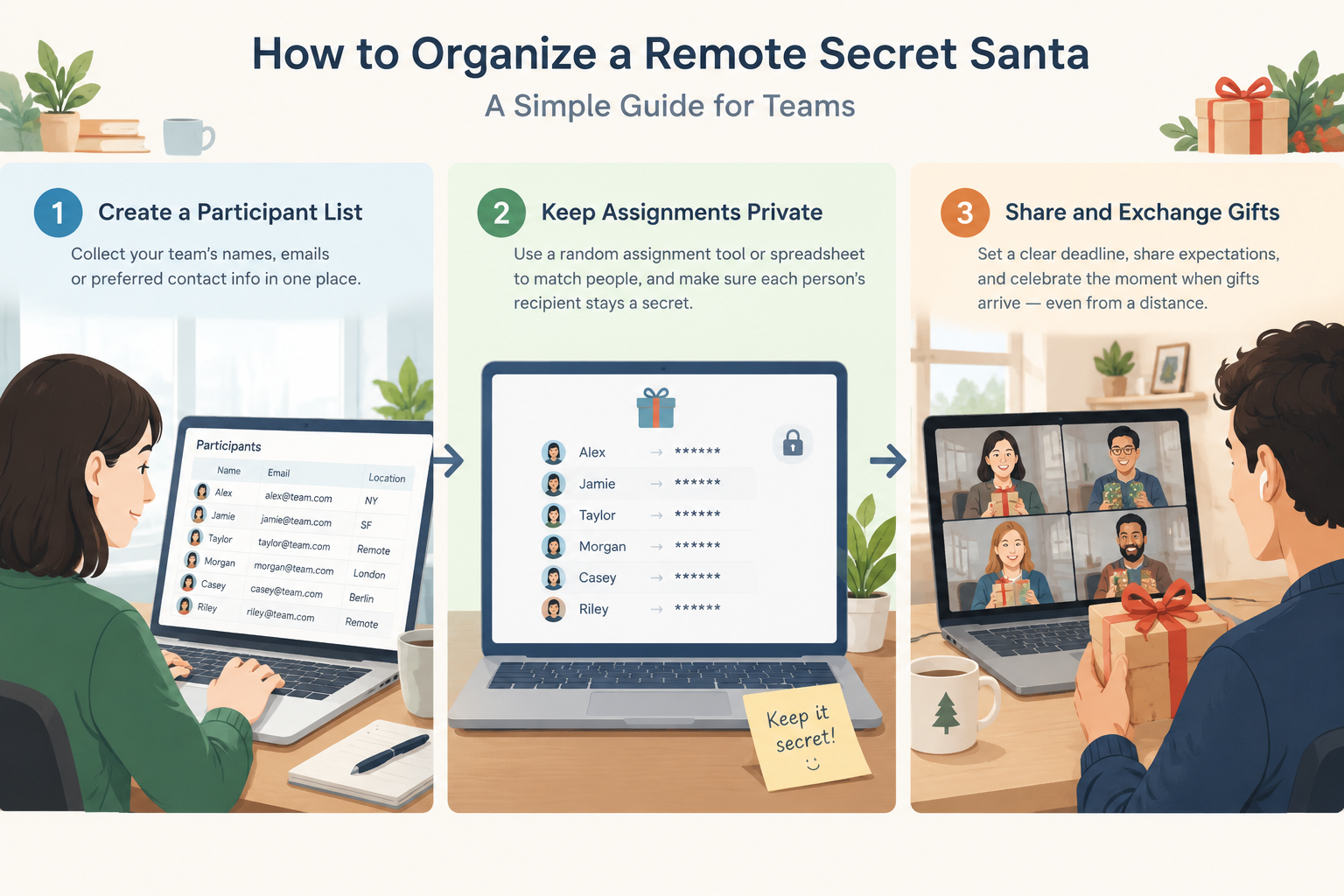
A successful online gift exchange depends on three things: a clear participant list, a private and fair assignment process, and simple communication about deadlines and expectations. This guide explains how to organize a remote Secret Santa step by step, including how to use a secret Santa generator for work, avoid common problems, and create a smooth experience for everyone involved.
Why remote teams need a simple Secret Santa process
In an office, Secret Santa usually happens with a physical drawing of names from a box. Remote teams cannot rely on that approach, especially when coworkers may live in different cities, countries, or time zones. A digital process removes the need for everyone to be in the same place while still keeping the surprise element.
The biggest challenges are usually coordination and privacy. Team organizers need to know who wants to participate, make sure nobody receives their own name, and share assignments without accidentally revealing the matches. A manual spreadsheet can work for a very small group, but it becomes harder to manage as the team grows.
For example, a company with employees working from home in three countries may have different delivery times, currencies, and holiday schedules. A planned remote Secret Santa process lets the organizer collect preferences early, set a budget, and give everyone enough time to prepare.
A good remote Secret Santa setup should help with:
- Collecting participant names and optional gift preferences.
- Randomly assigning gift partners fairly.
- Keeping assignments private.
- Sharing clear instructions and deadlines.
- Supporting different team workflows and communication channels.
How to organize a remote Secret Santa step by step
The easiest way to organize a remote Secret Santa is to treat it like a small team event project. The organizer does not need complicated software, but each step should be planned before sending invitations.
Step 1: Decide the rules and invite participants
Start by deciding the basic rules. Choose the gift budget, exchange date, shipping expectations, and whether participation is optional. Remote teams often include people with different personal circumstances, so giving everyone a clear choice helps make the activity comfortable.
A simple invitation should answer common questions:
- Who can participate?
- What is the spending limit?
- When should gifts be sent?
- Are digital gifts allowed?
- Should participants share gift preferences?
For example, a remote marketing team might set a $20 limit, allow digital gift cards, and ask everyone to submit three interests. This gives participants flexibility while keeping the exchange organized.
Step 2: Create a private name assignment system
The most important part of a remote Secret Santa is making assignments fairly while protecting privacy. Instead of manually matching names, many organizers use an online Secret Santa generator that creates random assignments.
A reliable generator should prevent duplicate assignments and avoid situations where someone is assigned to themselves. This is especially useful for larger groups because the organizer does not need to manage every match manually.
When choosing a tool, consider how the workflow fits your team. Some groups prefer sharing results through private messages, while others need a process that works alongside platforms like Zoom, Teams, Google Classroom, or Slack.
For teams that regularly create random groups or pairs for activities, a similar approach can also be used with tools like the Random Group Generator or the Random Pair Generator.
Step 3: Collect gift preferences and restrictions
A remote Secret Santa works better when participants have enough information to choose useful gifts. Ask participants for optional details such as hobbies, favorite snacks, clothing sizes, or items they do not want.
Avoid requiring personal information that is not needed. The goal is to make gift selection easier, not to create a detailed profile of each person.
For example, a facilitator might ask:
- Favorite hobbies: reading, cooking, gaming, sports
- Preferred gift types: practical, fun, handmade, digital
- Items to avoid: allergies, dietary restrictions, or personal preferences
This small step can prevent uncomfortable gifts and makes the activity more inclusive for a global team.
Step 4: Share deadlines and communication details
Remote activities often fail because participants do not know what happens next. After assignments are created, send a reminder with important dates and instructions.
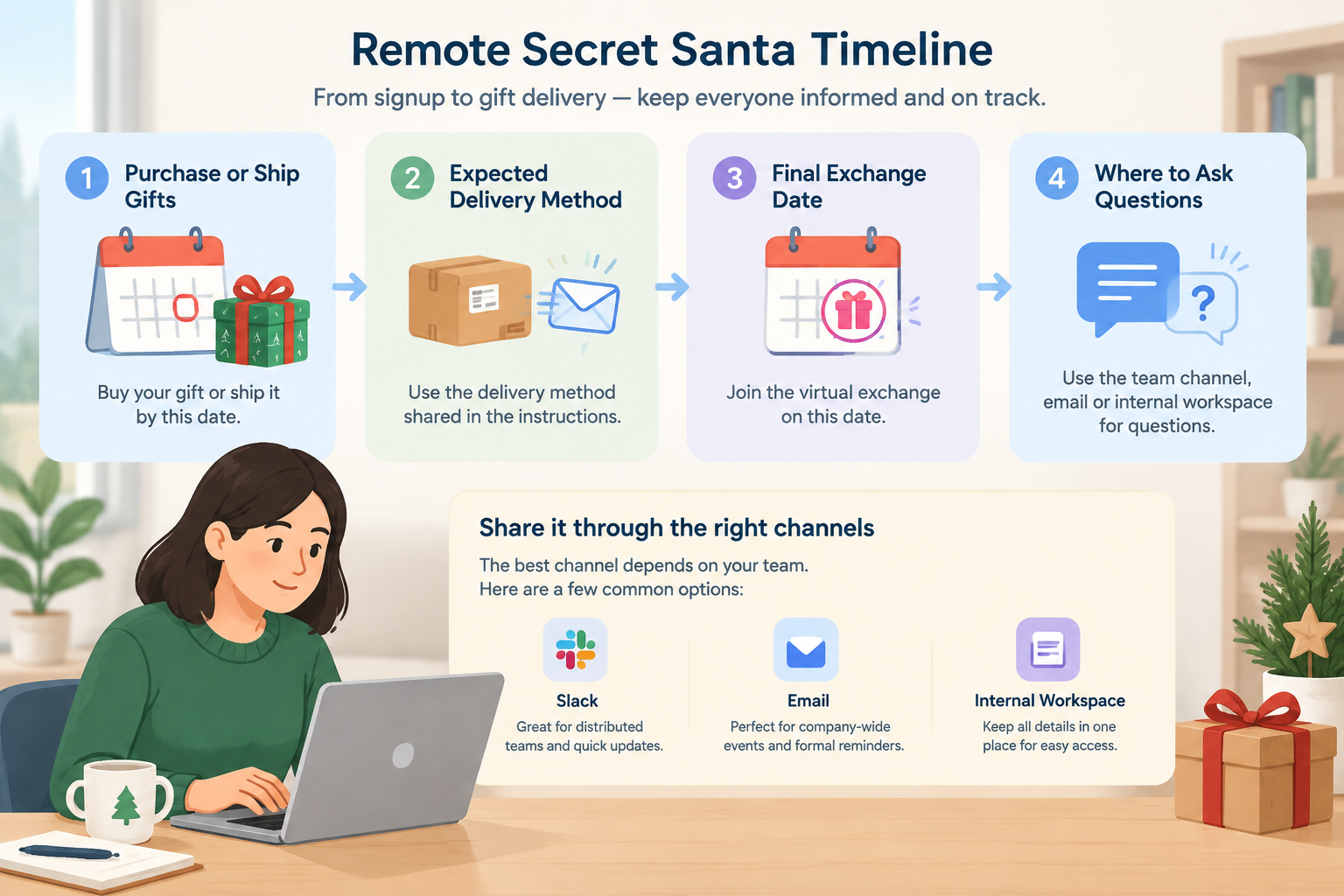
Include:
- The date gifts should be purchased or shipped.
- The expected delivery method.
- The final exchange date.
- Where participants can ask questions.
For example, a distributed customer support team might use Slack for reminders, while a company-wide event may use email and an internal workspace announcement.
Choosing the right remote team Secret Santa generator
A remote team secret santa generator can save time by handling random assignments automatically. However, not every tool works the same way. Before choosing one, consider what your team actually needs.
For small groups, a simple name draw may be enough. For larger teams, look for features that reduce organizer work, such as private results, easy participant management, and compatibility with remote workflows.
A good online Secret Santa generator should support these practical needs:
- Fair random matching.
- Simple participant entry.
- Private assignment results.
- Easy sharing instructions.
- A workflow that works for remote teams.
For example, an HR coordinator organizing a 100-person holiday activity needs a different process from a manager organizing a six-person team exchange. The best choice depends on group size and communication needs.
A random assignment tool can also help teams that already use random selection for workshops, classroom activities, or meetings. The same principles of fairness and transparency apply when creating groups, pairs, or gift exchanges.
Common remote Secret Santa mistakes and how to avoid them
Even a fun activity can become stressful if the setup is unclear. Most problems happen because organizers skip communication steps or do not consider remote work challenges.
One common mistake is assigning names too early. Team membership can change, and someone may join or leave before the exchange date. Confirm participants before creating final assignments.
Another issue is ignoring international differences. Remote teams may have different shipping costs, delivery times, and holiday schedules. Setting flexible rules, such as allowing digital gifts, can make participation easier.
A third mistake is removing the surprise by sharing assignments publicly. Secret Santa depends on privacy, so organizers should use a method that keeps each match visible only to the correct person.
Remote Secret Santa ideas for different teams
Remote Secret Santa does not have to be limited to physical gifts. Teams can adapt the activity based on their culture, budget, and location.
For example, a software team may exchange digital gifts such as online courses, music subscriptions, or game credits. A global nonprofit team may choose locally sourced gifts or handwritten messages instead of shipped packages.
Other ideas include:
- Sharing a short introduction about your gift choice during a video meeting.
- Adding a theme, such as books, local products, or useful desk items.
- Creating optional team games around guessing the gift giver.
- Combining Secret Santa with a virtual celebration.
The goal is not the price of the gift. The value comes from creating a moment where remote coworkers can connect.
FAQ about organizing a remote Secret Santa
How do I organize a remote Secret Santa for a large team?
Start by confirming participants, setting clear rules, and using a private random assignment system. For large teams, an online Secret Santa generator can reduce manual work and help keep assignments accurate.
What is the best way to keep remote Secret Santa assignments private?
Use a system that sends each participant only their own assignment. Avoid posting a full list of matches because it removes the surprise and may reveal gift partners.
Can a remote Secret Santa work across different countries?
Yes. Global teams can participate by setting flexible rules around budgets, shipping, and digital gifts. Consider local delivery options and different holiday schedules when planning.
How much should a remote team spend on Secret Santa gifts?
The budget depends on the team. Many groups choose a modest limit that feels comfortable for everyone. Clear expectations are more important than choosing a high spending amount.
What tool can help create random Secret Santa assignments?
A dedicated secret Santa generator can simplify the matching process by creating random assignments and reducing organizer effort. You can explore the Secret Santa Generator to create a smoother remote gift exchange workflow.
Make your remote Secret Santa easier
A well-organized remote Secret Santa gives teams a simple way to celebrate together, even when people are working from different locations. The key is using a fair assignment process, communicating expectations clearly, and choosing a workflow that matches your team size.
Ready to create your gift exchange? Use the Secret Santa Generator to organize private and fair assignments for your remote team.
Sources
Sources
- Secret Santa — background on the gift-exchange tradition and its common rules
Related guides
- How to Do Secret Santa Without Email: A Simple Private-Link Method — Learn how to run Secret Santa without email using private reveal links, a clear participant list, and a sim…
- How to Exclude Couples From Secret Santa — Learn how to exclude couples from Secret Santa fairly with clear rules, practical steps, and a Secret Santa…
- How to Organize Secret Santa at Work Without Spreadsheet Chaos — Learn how to organize Secret Santa at work with a simple, private process for collecting names, setting rul…
- Secret Santa Generator: Fair Private Name Draws — Learn how a secret santa generator creates fair private gift exchanges with no self matches, exclusions, an…
Related Tools
Pick the right generator for the job — every tool runs free in your browser.