
Secret Santa
How to Do Secret Santa Without Email: A Simple Private-Link Method
Learn how to run Secret Santa without email using private reveal links, a clear participant list, and a simple organizer workflow for work, school, or events.

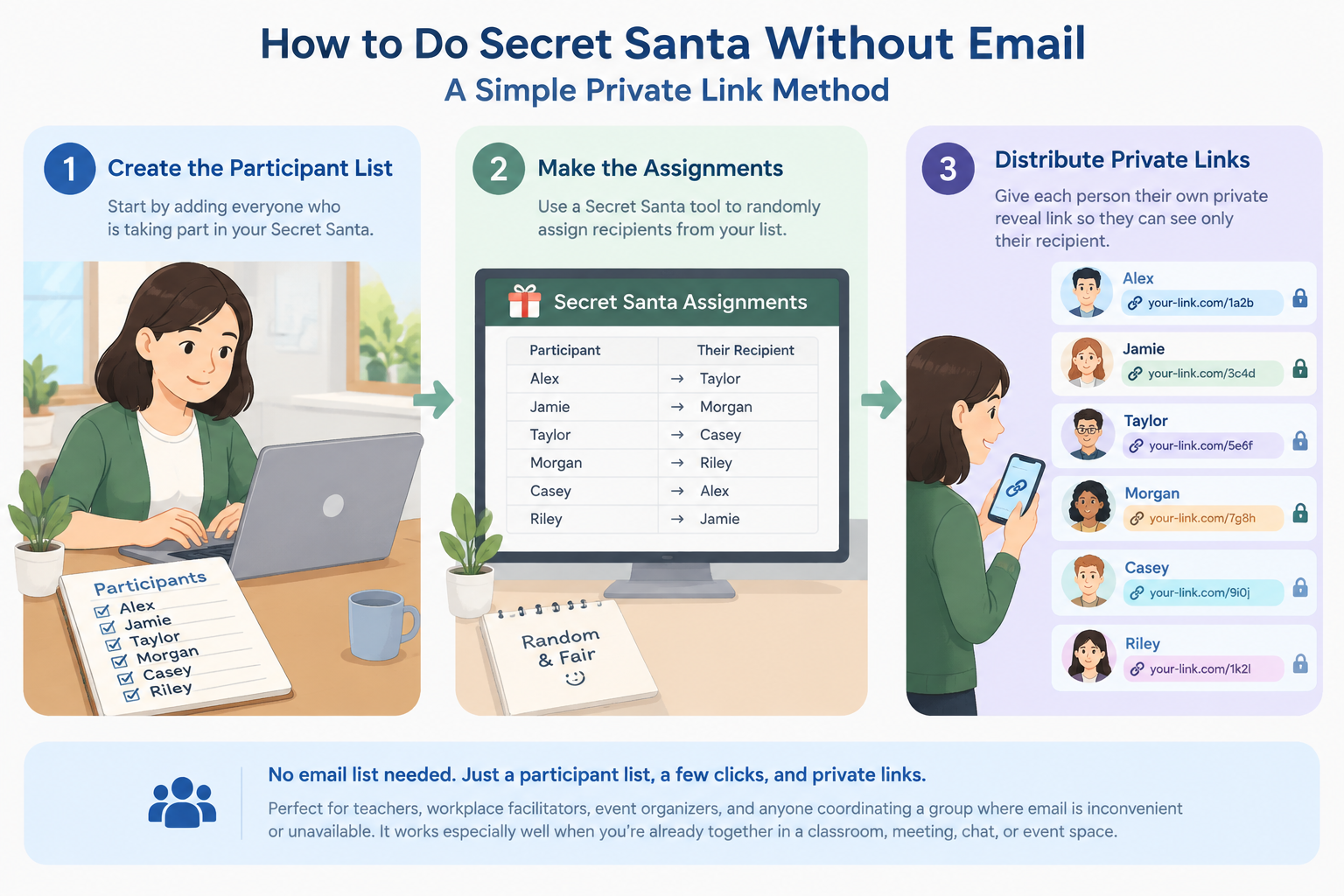
If you want to run a Secret Santa but do not want to collect everyone's email address, you can use a private-link workflow instead. The basic idea is simple: create the participant list, make the Secret Santa assignments, and give each person a private way to reveal only their own recipient. This approach can work well for teachers, workplace facilitators, event organizers, and anyone coordinating a group where email is inconvenient or unavailable.
A private Secret Santa setup is especially useful when participants already communicate in a classroom, meeting, chat, or event space. You can share each person's reveal link directly rather than building an email list. The important part is to treat those links as private: anyone who gets a participant's link may be able to see that participant's assignment.
Why Run Secret Santa Without Email?
Email is not required for the Secret Santa itself. It is only one way to distribute each person's assignment. If your group already uses a messaging app, learning platform, workplace chat, printed cards, or an in-person meeting, adding email collection can create unnecessary work. A no-email process keeps the organizer focused on the draw rather than contact details.
This is also useful in settings where participants do not all have convenient access to email. A teacher may have a classroom group that communicates through a school platform. A team facilitator may have everyone present in the same workshop. An event organizer may simply want to hand out access instructions at the venue. In each case, the practical requirement is the same: each person needs a private way to discover their assigned recipient.
For example, imagine a department with 12 employees. Instead of asking for 12 email addresses, the organizer can prepare the participant list, run the draw, and distribute each participant's private reveal link through the communication channel the team already uses. No shared spreadsheet needs to show who drew whom.
The approach has one important limitation: a private link is effectively a secret that must be protected. If someone forwards another participant's link, the assignment may no longer be private. For that reason, private links are best treated as confidential access rather than as passwords or identity verification.
How to Run Secret Santa Without Email
The easiest workflow has four stages: prepare the participants, create the draw, distribute the private reveal links, and confirm that everyone knows where to find their assignment. Keeping these stages separate makes the process easier to manage and reduces accidental reveals.
Step 1: Make the participant list
Start with the names of everyone who has agreed to participate. Confirm the spelling of names before creating the draw, especially if the list will be used to communicate assignments later. Decide on any basic rules at this stage, such as whether participants can be assigned to themselves or whether certain pairings should be avoided.
If you are organizing a classroom activity, you may also want to confirm that every participating student understands the rules and the expected gift or activity limit. For a workplace exchange, agree on the budget and deadline before the draw so nobody has to make decisions after assignments are revealed.
A simple preparation sequence is:
- Ask who wants to participate.
- Record each participant's name.
- Remove anyone who opts out before the draw.
- Confirm the spending limit and exchange date.
- Decide whether any pairing restrictions are needed.
- Keep the final list private from the participants.
For example, a teacher organizing a small end-of-term exchange might have 20 students volunteer. The teacher confirms the final 20-person list, explains a $10 spending limit, and sets the exchange for Friday. Because the students already communicate in class, there is no reason to collect email addresses just to deliver the assignments.
Step 2: Create the Secret Santa draw
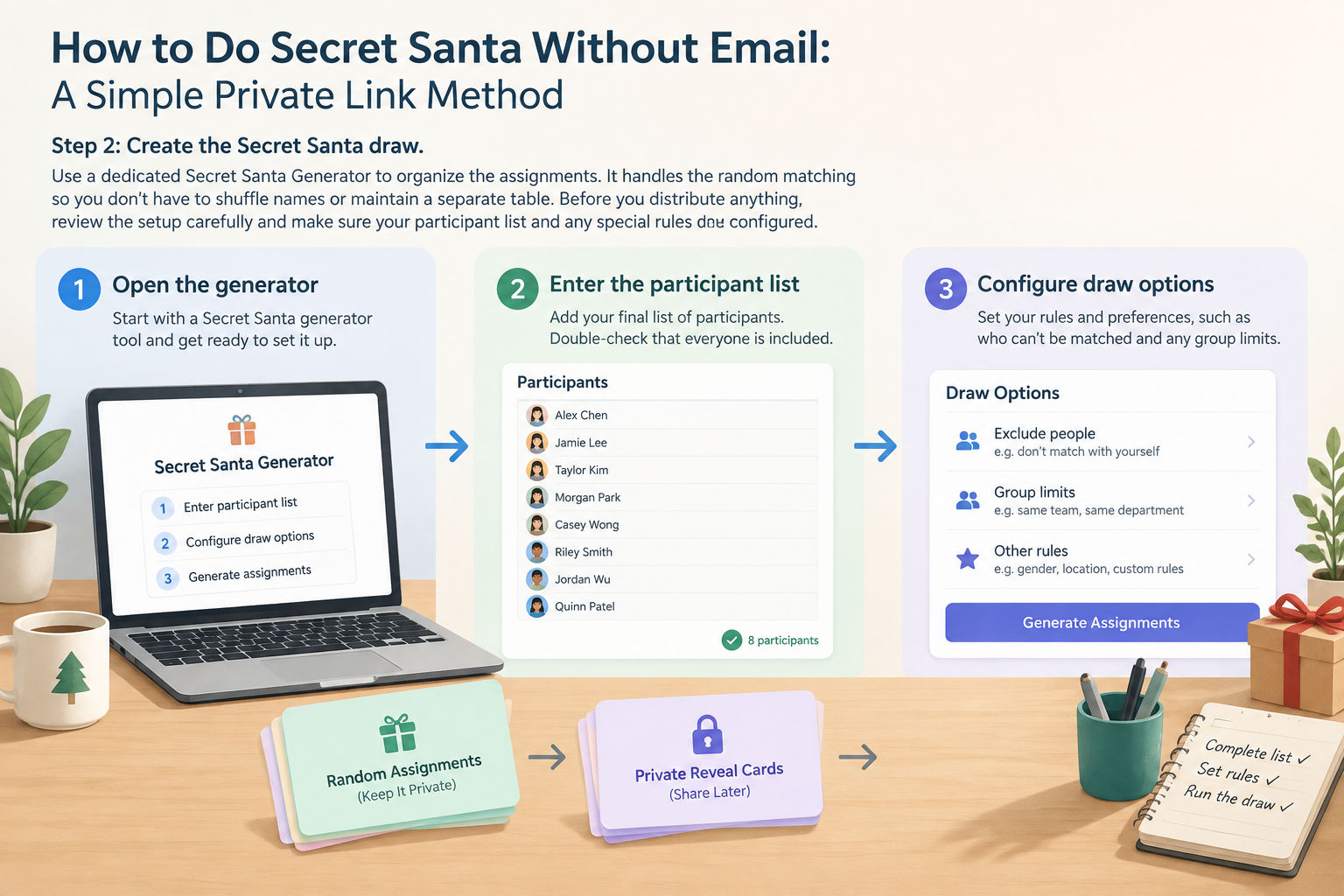
Use a dedicated Secret Santa Generator to organize the assignments. The purpose of the generator is to handle the random matching so the organizer does not have to manually shuffle names or maintain a separate assignment table.
Before you distribute anything, review the setup carefully. Make sure the participant list is complete and that any rules you need are accounted for by the workflow you are using. If your group has special restrictions, do not assume that a generic random draw automatically understands them.
A practical organizer workflow looks like this:
- Open the Secret Santa generator.
- Enter the final participant list.
- Configure the available draw options that match your exchange rules.
- Generate the assignments.
- Check that the participant count and names are correct.
- Prepare each participant's private reveal method.
For a 10-person office exchange, for instance, the organizer can create the draw while everyone else is still working. Once the assignments are ready, the organizer does not need to post a complete "Alice buys for Bob" list. Instead, each person receives access to their own assignment.
How to Share Secret Santa Private Reveal Links
Once assignments are created, the key task is distribution. A private reveal link is useful because the organizer can give each participant a separate access point without publishing the entire assignment list. The channel you use to deliver the link is up to you: a direct message, classroom platform, workplace chat, or in-person handoff can all work when the participants are already connected there.
The safest practical rule is to send each link only to the person it belongs to. Do not paste all links into a group chat. Do not put the links into a shared document where everyone can open every participant's assignment. If you print links, give each participant only their own information.
For example, suppose a team has eight participants and normally communicates in a group chat. The organizer can send eight individual messages, each containing only the relevant participant's reveal link. The message can also include a reminder such as, "Please open only your own link and keep the recipient secret."
A good distribution process is:
- Match every participant with their private reveal link.
- Double-check the recipient before sending.
- Send the link through a one-to-one channel.
- Tell the participant not to forward or post the link.
- Ask participants to confirm privately that they received their assignment.
- Avoid discussing assignments in the main group chat.
The confirmation step is helpful because it separates delivery problems from assignment problems. If someone says they cannot access their link, you can resolve that privately without revealing the assignment to the rest of the group.
How to Keep a No-Email Secret Santa Actually Secret
Removing email does not automatically make an exchange private. The privacy of the process depends on how the assignment information is distributed and handled. This matters most when using private reveal links, because access to a link may be enough to reveal the associated assignment.
Think of each private link as a bearer link: possession of the link can provide access. That means you should not treat a link as proof of a person's identity. If a participant accidentally sends their link to someone else, the organizer may need to decide whether to regenerate or otherwise repair the affected assignment.
For a workplace example, imagine that an organizer accidentally posts one participant's reveal link in a channel with 30 employees. The problem is not that the random draw failed. The problem is that the private access information was distributed too broadly. A careful distribution process helps prevent this type of mistake.
Use these habits to reduce accidental reveals:
- Send links individually rather than in a group message.
- Avoid shared documents containing everyone's links.
- Do not include the assigned recipient in the delivery message itself.
- Remind participants not to forward their links.
- Keep organizer notes private.
- Resolve lost or exposed links privately rather than posting details publicly.
For high-sensitivity situations, a private-link workflow may not be the right fit. If your organization requires authenticated access, identity verification, or centralized account controls, use a system that provides those controls instead of relying on a bearer link alone.
Real Examples: No-Email Secret Santa for School, Work, and Events
The same basic method can be adapted to different groups, but the communication step should match the environment. The organizer's goal is always to make one assignment available to one participant without publishing the complete draw.
Classroom Secret Santa
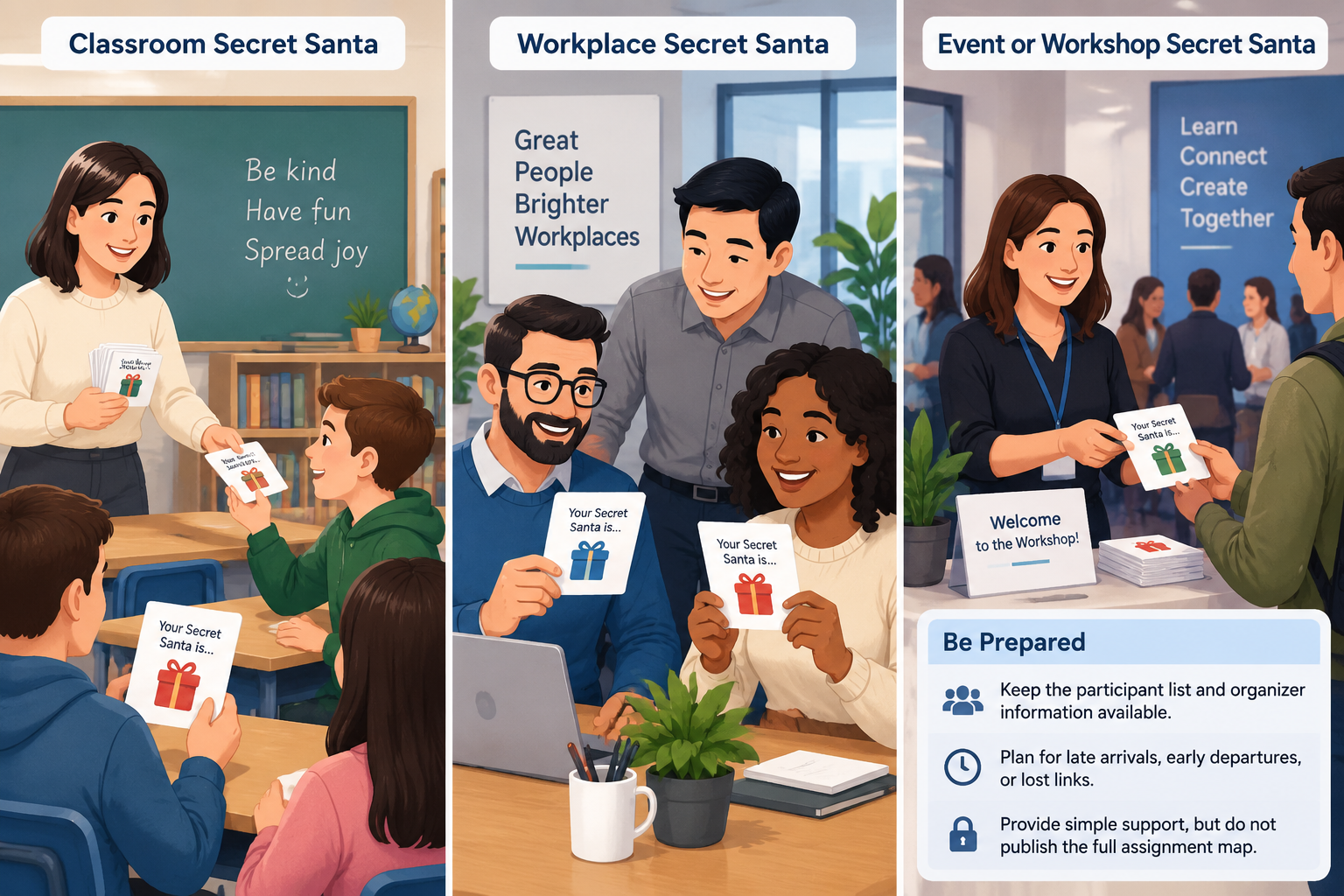
A teacher can collect names during class and create the draw without asking students for personal email addresses. After the draw, the teacher can distribute each private reveal link individually through the school's approved communication method or hand out each link directly. The teacher should explain the exchange rules before the draw and remind students not to share their reveal links.
For younger students, an in-person handoff may be easier than asking students to manage private links themselves. In that situation, the digital draw can still save the teacher from manually matching names, while the final reveal can be handled in a controlled classroom setting.
Workplace Secret Santa
A workplace organizer can use an existing team communication channel instead of collecting personal email addresses. After generating the assignments, send each employee their own private reveal link through an appropriate one-to-one channel. Include the budget, deadline, and exchange instructions separately so the reveal itself stays focused on the recipient.
For example, a 15-person team might agree on a $20 limit and an office exchange on the last Friday before the holidays. The organizer creates the draw once, distributes 15 private links individually, and asks each person to confirm receipt. No complete assignment list needs to be posted.
Event or Workshop Secret Santa
For a conference, workshop, or team-building event, participants may already be together for only a short period. A no-email approach can make sense when the organizer wants to avoid collecting additional contact information. Private reveal links can be distributed during registration, by direct message, or through another communication method already used for the event.
The organizer should still plan for participants who join late, leave early, or lose access to their link. A simple private support process is usually enough: keep the participant list and organizer information available, but do not publish the full assignment map.
When a Secret Santa Generator Without Email Is the Best Choice
A no-email Secret Santa workflow is a good fit when your participants already have another reliable way to communicate with the organizer. It is especially convenient for groups that meet in person or already use direct messaging, classroom systems, or workplace chat.
It is less suitable when participants need strong identity verification or when the organizer cannot reliably distribute individual links. In those cases, an authenticated platform may provide better control. It is also not a replacement for clear exchange rules: random assignment can organize the matching, but participants still need to know the budget, deadline, eligibility rules, and expectations.
The main advantage is simplicity. You can separate the random draw from the communication method. Email is optional; what matters is that each participant receives the correct private assignment and understands how to keep it confidential.
If your group already has a communication workflow, start there rather than creating a new one just for Secret Santa. For example, a teacher can use the approved school communication channel, while a team facilitator can use the team's existing direct-message system. The generator handles the matching; your existing workflow handles delivery.
Frequently Asked Questions
Can I run Secret Santa without collecting email addresses?
Yes. Email is only one possible way to distribute assignments. You can use a private-link workflow and deliver each participant's reveal link through another appropriate communication channel, such as a direct message or an in-person handoff.
What is a Secret Santa generator without email?
It is a Secret Santa workflow that creates the random assignments without requiring email to be the delivery method. A private reveal link can give each participant access to their own assignment while keeping the complete assignment list away from the group.
Are private Secret Santa reveal links completely secure?
They should be treated as private access links, not as identity verification. Anyone who obtains a participant's link may potentially be able to see that participant's assignment. Send each link only to its intended participant and avoid putting all links in a shared location.
What should I do if someone loses their private reveal link?
Handle the problem privately rather than posting the assignment in the group chat. Keep your organizer information available so you can determine which participant needs help and follow the options supported by the Secret Santa workflow you are using.
Is a no-email Secret Santa suitable for classrooms?
It can be, particularly when students already use an approved school communication system or when the teacher can distribute assignments directly. For younger students or groups with limited access to digital tools, an in-person handoff may be easier. The important considerations are privacy, age-appropriate communication, and clear exchange rules.
Run Your Secret Santa Without Email
You do not need an email list to organize a smooth Secret Santa. Build the participant list, create the random draw, distribute each assignment privately, and remind everyone to protect their reveal link. That keeps the process manageable while avoiding unnecessary collection of email addresses.
When you are ready to create the draw, use the Secret Santa Generator and then distribute each participant's private reveal information through the communication method your group already trusts.
Sources
Sources
- Secret Santa — background on the gift-exchange tradition and its common rules
Related guides
- How to Exclude Couples From Secret Santa — Learn how to exclude couples from Secret Santa fairly with clear rules, practical steps, and a Secret Santa…
- How to Organize a Remote Secret Santa: A Simple Guide for Teams — Learn how to organize a remote Secret Santa for distributed teams with clear steps, privacy tips, and tools…
- How to Organize Secret Santa at Work Without Spreadsheet Chaos — Learn how to organize Secret Santa at work with a simple, private process for collecting names, setting rul…
- Secret Santa Generator: Fair Private Name Draws — Learn how a secret santa generator creates fair private gift exchanges with no self matches, exclusions, an…
Related Tools
Pick the right generator for the job — every tool runs free in your browser.