
random group generator
What Is a Random Group Generator? Definition, Uses & Best Practices
A random group generator is a digital tool that automatically divides a list of names or items into random subgroups. Learn how it works, key use cases in education, research, and team building, and best practices for fair and efficient group assignment.
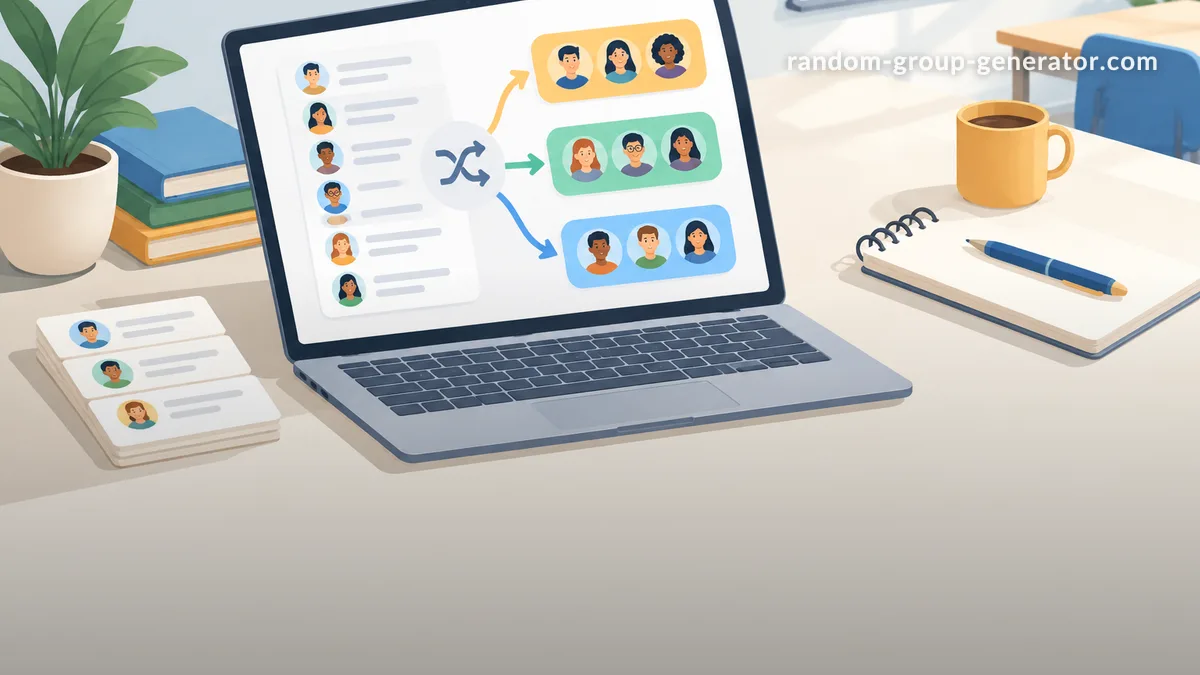
A random group generator is a digital tool that automatically divides a list of names, items, or participants into multiple random subgroups. Instead of manually drawing names from a hat or relying on a person to make assignments—which can introduce conscious or unconscious bias—a random group generator uses algorithmic shuffling to ensure every participant has an equal chance of being placed in any group. This makes it especially valuable in classrooms, research studies, team‑building exercises, and even casual social events.
At its core, a random group generator answers a simple need: how can I split a group fairly with minimal effort? The answer lies in the mathematics of randomness, implemented through user‑friendly web interfaces. But the term “random group generator” can also refer to the algorithm or software library that performs the randomization, as well as to the conceptual approach of random assignment.
This article provides a thorough, publication‑ready definition of a random group generator, explores how it works, compares it with manual methods, and offers practical guidance for choosing and using such a tool. Whether you are a teacher forming project teams, a researcher designing a controlled experiment, or an event organiser setting up tournament brackets, understanding the what, why, and how of random group generators will help you make more informed decisions.
Core Definition and Mechanism
The Science of Randomization
Randomization is a cornerstone of both statistics and experimental design. In research, random assignment ensures that each participant has an equal probability of being allocated to any condition, which helps control for confounding variables (Trochim, 2006). A random group generator brings this scientific principle to everyday tasks by applying a similar logic: if the process is truly random, the resulting groups should be statistically equivalent on all variables except the treatment (or in non‑research contexts, simply maximally unbiased).
True randomness is surprisingly difficult to achieve by hand. Human “random” choices often follow patterns, and physical methods like coin flips or dice rolls can be tedious for large groups. A random group generator overcomes these limitations by using pseudo‑random number generators (PRNGs)—algorithms that produce sequences of numbers that appear statistically random. Modern PRNGs, such as the Mersenne Twister or those based on cryptographic techniques, are fast, reliable, and pass rigorous randomness tests (NIST, 2015).
How a Random Group Generator Works
Most online random group generators follow a straightforward workflow:
- Input: The user provides a list of items—typically names, email addresses, or any text identifiers—separated by commas, line breaks, or spaces.
- Parameter selection: The user specifies the desired output format, such as the number of groups, the number of members per group, or whether to randomly select a subset of the list.
- Shuffling: The tool’s algorithm assigns a random value to each input item and then sorts or partitions the list based on those values. A common method is the Fisher‑Yates shuffle (also known as the Knuth shuffle), which produces an unbiased permutation of the list.
- Partitioning: The shuffled list is divided into the requested number of segments. If the list length is not perfectly divisible, the remaining items are typically distributed one by one to the groups, maintaining as much balance as possible.
- Output: The groups are displayed visually, often with the option to copy, export, or print the result.
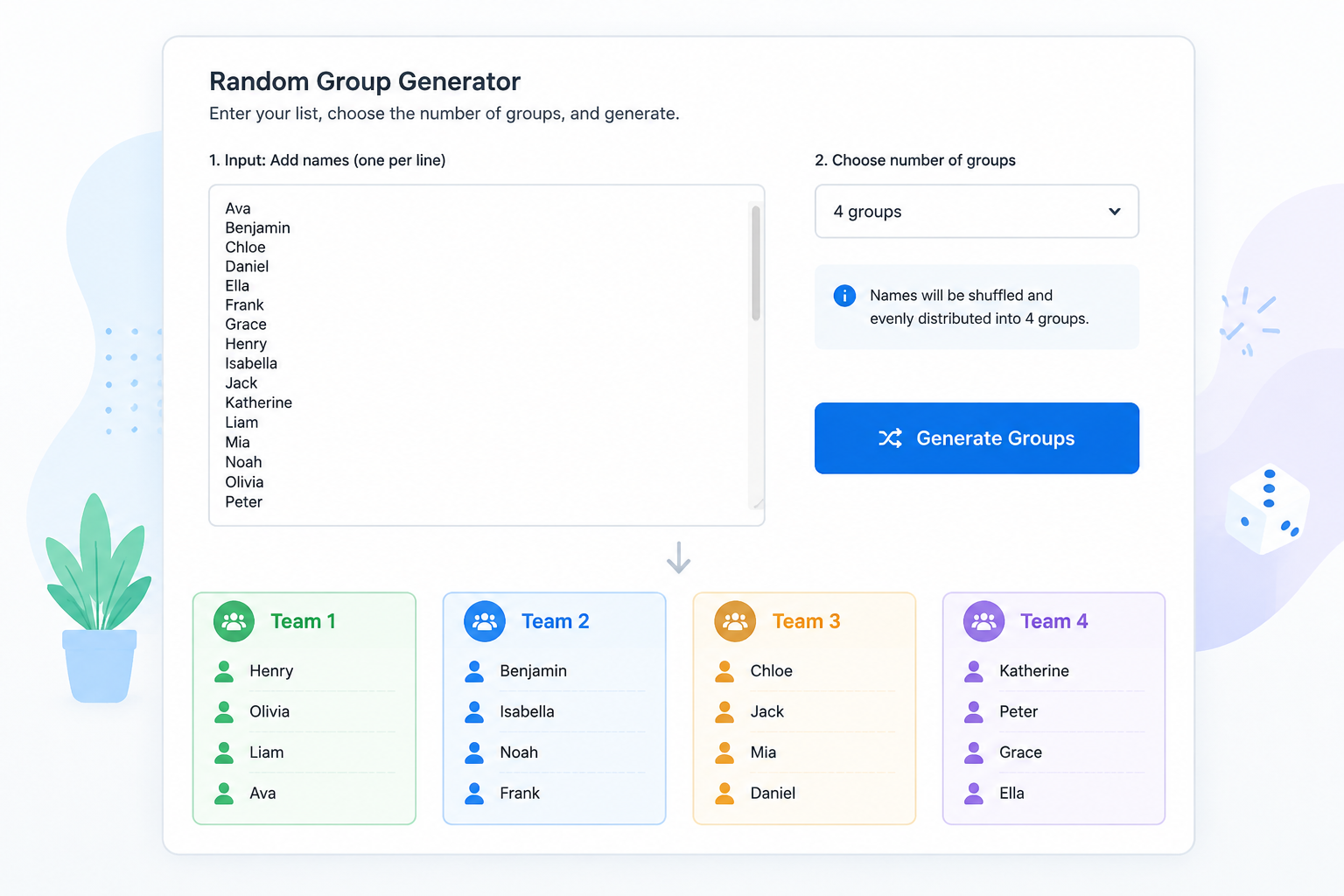
Because the shuffling is done invisibly in the blink of an eye, the user experience is seamless: paste a list, click a button, and instantly see fair groupings.
Common Use Cases for Random Group Generators
Random group generators are versatile tools that serve many different communities. Below we highlight four major application areas.
Education and Classroom Activities
Teachers frequently need to assign students to project groups, reading circles, or peer‑review partners. A random group generator:
- Removes favouritism that might occur when students choose their own teams or when the teacher consciously or unconsciously structures groups.
- Creates diverse groups by mixing students with different abilities, backgrounds, or friendship circles, which research suggests can improve learning outcomes.
- Saves class time, especially when groups need to be formed repeatedly over a semester.
For example, a high‑school science teacher using our random group generator tool can paste a class list, select “5 groups,” and instantly have balanced lab teams for a hands‑on experiment. (See also: Random Group Generator for Teachers.)
Team‑Building and Corporate Training
In corporate environments, managers and trainers use random group generators to:
- Mix departments during workshops, fostering cross‑functional collaboration.
- Form ad‑hoc problem‑solving squads in agile ceremonies or design sprints.
- Assign ice‑breaker groups at conferences or onboarding sessions.
By taking the responsibility for grouping out of human hands, the tool reinforces the message that the organisation values fairness and equal opportunity.
Research and Controlled Experiments
Random assignment is a critical step in randomised controlled trials (RCTs) and many field experiments. While specialised statistical software like R or Python libraries are often used for complex designs, a simple random group generator can be sufficient for pilot studies or when researchers need to quickly allocate participants to conditions.
For instance, a psychology researcher conducting an online survey might use a random group generator to assign each participant ID to either the control group or one of two treatment groups. The tool’s output can then be integrated into the study’s registration or documentation, demonstrating methodological rigour.
Social Events and Party Planning
From splitting guests into teams for a trivia night to creating bracket match‑ups for a casual sports tournament, random group generators add an element of surprise and fairness to social gatherings. They also prevent the awkwardness of someone always being “chosen last.”
Benefits of Using a Dedicated Random Group Generator
Why not simply use a spreadsheet’s RAND() function or draw slips of paper from a bowl? Dedicated tools offer distinct advantages.
Eliminates Bias
Algorithms don’t know or care about personalities, relationships, or past performance. This objectivity is especially important when group outcomes might affect grades, bonuses, or competition results.
Saves Time
Manual methods scale poorly: shuffling 30 names by hand takes minutes and is error‑prone; a random group generator processes thousands of items in less than a second. For recurring tasks, many tools also allow saving lists or templates.
Enhances Fairness Perception
Even when a manual process is genuinely random, participants may suspect manipulation. A transparent, one‑click digital tool—especially one that displays the seed or allows reproducibility—builds trust. This concept aligns with procedural justice research, which shows that perceived fairness of the process can be as important as the fairness of the outcome.
Customization Options
Modern random group generators go beyond simple splits. They can:
- Generate a specific number of groups or a fixed size per group.
- Balance groups by a secondary variable (e.g., ensure an equal number of experienced and novice members per team) via stratified randomisation.
- Save history so you can revisit past assignments or avoid repeating the same groupings.
Key Features to Look for in a Random Group Generator
When evaluating a tool, whether it’s the one on our homepage or a third‑party solution, consider the following features:
Input Flexibility
The tool should accept lists in the format you work with most—copy‑pasting from a spreadsheet, typing manually, or uploading a .csv file. Support for line breaks, commas, and semicolons as separators is a basic requirement.
Output Control
- Group count vs. group size: You should be able to choose either “divide into N groups” or “make groups of size M.”
- Remainder handling: Check how the tool deals with leftovers (e.g., 23 people into 4 groups). Ideally, the sizes should be as equal as possible (6+6+6+5).
- Presentation: Look for clear visual separation, colour coding, and the ability to copy results to the clipboard or export them as text/PDF.
Persistence and History
For professionals who use the tool regularly, it’s helpful if the generator remembers recent lists or allows you to save a configuration. Some advanced tools even let you “lock” certain individuals together (e.g., keep a beginner with a mentor) while randomising the rest.
Accessibility and Cross‑Platform Support
A web‑based tool that works on desktop, tablet, and mobile ensures you can generate groups anywhere, anytime, without installing software. Accessibility features, such as keyboard navigation and screen‑reader compatibility, make the tool usable by all.
How to Use a Random Group Generator: A Practical Walkthrough
Let’s walk through a typical workflow using the random group generator at random-group-generator.com (or any similarly designed tool).
- Prepare your participant list. Open a text editor or spreadsheet and type all names, one per line. Example:
   Alice
   Bob
   Charlie
   Diana
   Evan
   Fiona
   George
Helen- Access the tool. Navigate to the homepage. You’ll see a large text box.
- Paste the list. Copy the names from your file and paste them into the input area.
- Set parameters. Below the input, choose “Number of groups” (say, 2) or “Group size.” You might also see a toggle to “Shuffle names before grouping” (ensure it’s enabled).
- Generate. Click the “Generate Groups” button. The tool instantly shuffles and displays the results:
- Group 1: Alice, Charlie, Evan, George
- Group 2: Bob, Diana, Fiona, Helen
- Review and share. If the groups look reasonable, you can copy the output text or take a screenshot. Should you need to re‑randomise, simply click the generate button again—most tools produce a new shuffle each time.
- Optional: Save or export. Some generators allow you to save the results as a text file or print directly.
This process eliminates the chore of writing names on slips, folding them, mixing them in a container, and drawing them one by one—all while avoiding any appearance of rigging the result.
Comparing Random Group Generators with Manual Methods
| Aspect | Manual Method (Hat Draw) | Random Group Generator |
|---|---|---|
| Fairness perception | Low to moderate; participants may doubt the shuffle. | High; algorithmic process appears objective and transparent. |
| Time for 30 items | 3–5 minutes | Under 1 second |
| Reproducibility | Not available unless recorded on video. | Possible if the tool exposes a seed or saves history. |
| Handling complex rules | Very difficult (e.g., “no more than 2 managers per group”). | Advanced tools can incorporate such constraints. |
| Error rate | High; a slip can be dropped or duplicated. | Near zero for well‑tested software. |
| Accessibility | Physical dexterity required. | Usable by anyone with a computer or smartphone, including assistive technologies. |
Although a physical draw can add a tactile, theatrical element to an event, the digital approach is far more efficient and auditable, making it the preferred choice in professional and educational settings.
Frequently Asked Questions
Is a random group generator truly random?
Most online generators use pseudo‑random algorithms that are statistically indistinguishable from true randomness for practical purposes. They are seeded by a source of entropy (e.g., the current time in milliseconds) to start the sequence in an unpredictable way. For applications requiring cryptographic randomness (like lottery selections), specialised generators that integrate hardware randomness or certified algorithms should be used. For classroom groups, team building, or research pilot studies, the standard PRNG is more than sufficient.
Can I use a random group generator for giving assignments or grades?
Yes, but with care. The tool itself is neutral; how you use it defines fairness. If you are assigning tasks or penalties based on the generated groups (e.g., “Group 1 will present first”), make sure the process is agreed upon in advance and all participants understand that the outcome is random. For high‑stakes academic decisions, consider documenting the generation process, including the tool used and a screenshot of the output, to maintain transparency.
What’s the difference between a random group generator and a random team picker?
The terms are often used interchangeably. A random team picker might focus more on forming two balanced teams (like in sports), while a random group generator can create any number of groups of equal or specified sizes. In practice, both refer to the same underlying technology.
How can I ensure the groups are truly balanced?
If your goal is not just randomness but also demographic or skill‑based balance, look for a stratified random group generator. These tools allow you to specify categories (e.g., “ratings” or “departments”) and then randomise within each category before assembling the final groups, ensuring each group has a proportional mix. For a standard random group generator without stratification, you can manually group participants into strata beforehand and then randomise each stratum separately.
Do random group generators store my data?
It depends on the tool. Reputable generators that are purely client‑side (running in the browser) do not transmit your list to any server; the shuffling happens locally. Always check the privacy policy or, if in doubt, use a tool that explicitly states “all processing is done in your browser” or that operates offline. At random-group-generator.com, all grouping is performed on‑device, ensuring your participant lists remain private.