
name picker wheel
What Is a Name Picker Wheel? A Practical Guide for Teachers and Teams
Learn what a name picker wheel is, how random name selection works, and how teachers and facilitators can use it for fair classroom participation, activities, and team decisions.

Imagine starting a classroom discussion and asking a question. The same three students immediately raise their hands, while everyone else waits quietly. Or imagine organizing a workshop where you need to choose a presenter, but nobody wants to make the decision. These situations are common for teachers, trainers, and event organizers. A name picker wheel offers a simple way to select someone randomly from a prepared list. Instead of choosing names yourself, you let a spinning wheel reveal the result, making selection more transparent, interactive, and easier to manage.
Whether you teach a class, lead a training session, or organize a group activity, a name picker wheel can save time and add a little excitement to everyday decisions. This guide explains what it is, how it works, how to use one effectively, and when another selection method might be more suitable.
What Is a Name Picker Wheel?
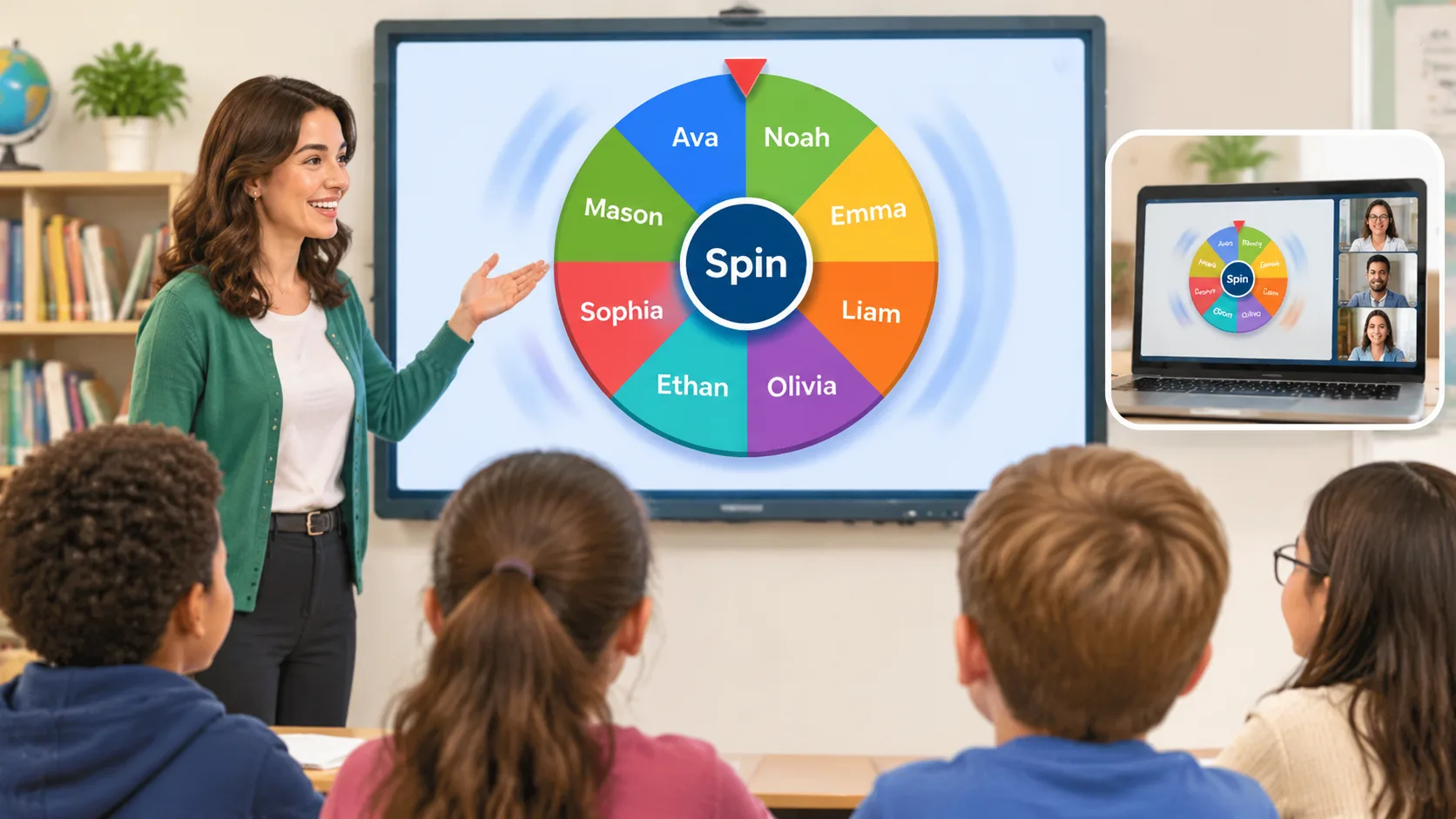
A name picker wheel is a digital selection tool that displays a list of names as sections of a circular wheel. Each entry represents a possible result. When someone presses the spin button, the wheel rotates and eventually stops on one selected name.
It is also known as a random name picker, name wheel, or wheel of names. Although different tools may offer different designs and settings, the basic purpose remains the same: selecting an entry from a list without manually deciding who comes next. The visual spinning animation makes the selection process easy for a group to follow.
For example, a teacher might enter the names of 25 students before a lesson. When a question needs an answer, the teacher spins the wheel and invites the selected student to respond. A corporate trainer could use the same approach to choose a presentation speaker or discussion leader. An event organizer might use it to select a prize recipient from a list of eligible participants.
The wheel is particularly useful when a decision should be based on chance rather than personal preference. However, random selection does not automatically guarantee that everyone will receive the same number of turns over a short period. That distinction matters when planning classroom participation or repeated activities.
How Does a Name Picker Wheel Work?
A digital name picker wheel starts with a collection of entries supplied by the user. The tool uses a random selection process to determine the winning entry, then displays a spinning animation that ends at the corresponding position.
The important distinction is between the selection and its visual presentation. A spinning animation makes the experience entertaining, but the appearance of the wheel alone does not prove that its selection process is unbiased. A reliable random selection method should give eligible entries an appropriate chance of being selected.
The National Institute of Standards and Technology describes a random number as a value selected from a set with equal probability under an unbiased random process. This provides a useful foundation for understanding digital random selection. However, the quality of an individual name picker depends on its actual implementation, settings, and handling of entries.
Consider a simple example with five names: Alex, Jordan, Taylor, Morgan, and Casey. If all five entries are eligible and equally weighted, each has a one-in-five chance of being selected in a single draw. The outcome of one spin does not guarantee that another person will be selected next time. Repeated independent draws can produce consecutive selections of the same name.
This is why teachers should check whether their chosen tool offers a remove-after-pick or no-repeat option. Such settings can change the selection process from repeated random draws to drawing without replacement. The distinction is important when everyone needs an opportunity before the next round begins.
Why Use a Name Picker Wheel?
A name picker wheel solves a practical problem: making small selection decisions without spending unnecessary time discussing or negotiating each one. It also provides a visible process that participants can understand.
1. Make selection more transparent
When a teacher chooses a student without a clear method, classmates may wonder why that person was selected. A visible wheel provides a shared procedure. Everyone can see the available entries, watch the spin, and understand how the result was produced.
This does not mean that every selection will feel fair to every participant. A student who has been selected several times may still feel overlooked or frustrated. Nevertheless, a consistent and visible process can reduce the impression that the facilitator is choosing favorites.
2. Encourage broader classroom participation
Teachers often hear from students who are comfortable volunteering, while quieter students participate less frequently. A name picker can introduce more variety into classroom discussions by giving every eligible student an opportunity to be selected.
An educational resource in the Eliciting Evidence Strategies Toolkit describes random name or word picking as a way to involve more students in classroom thinking and discussion. It also highlights how discussions can help teachers identify student understanding and misconceptions.
For example, a science teacher can display a question about the water cycle, give the entire class time to think, and then spin the wheel. Every student has a reason to prepare an answer because anyone might be selected. The teacher can also invite students to discuss their reasoning with a partner before responding.
3. Save preparation and decision-making time
Selecting a volunteer, choosing a group representative, or deciding who presents first may seem like small tasks. However, these decisions can interrupt a lesson or meeting when they happen repeatedly.
A prepared wheel makes the process quicker. Instead of checking a paper list or asking for volunteers, the facilitator can spin and move directly to the activity. This is especially helpful for teachers managing several classes or trainers working through a structured workshop agenda.
4. Add interaction to routine activities
The spinning animation creates a shared moment of anticipation. Students can follow the wheel on a classroom display, while workshop participants can watch a screen during a virtual meeting.
A name picker is not a replacement for a well-designed lesson or activity. Its value comes from making an ordinary selection more engaging without requiring complicated preparation.
How to Use a Name Picker Wheel Step by Step
Using a name picker wheel is straightforward. Most browser-based tools follow a similar process, although individual features and interface layouts may differ.
Step 1: Prepare your list of names
Start by deciding who should be included in the selection. For a classroom activity, this might be the students who are present. For a corporate workshop, it could be everyone attending a particular session.
Prepare a clean list with one name per line. Check spelling and remove accidental duplicates. If two participants have the same first name, include a last initial or another identifier so the result is clear.
For example:
- Alex M.
- Jordan
- Taylor
- Morgan
- Casey
- Alex R.
Using clear labels prevents confusion when the wheel selects a name.
Step 2: Open a digital name picker
Choose a browser-based tool that lets you enter names and spin a wheel. A useful option should have a clear interface, readable results, and controls that are easy to understand.
You can start with the Random Group Generator, which provides access to a collection of classroom and team organization tools. If your task involves selecting one person rather than creating teams, the Random Student Picker is another relevant tool to explore.
Step 3: Enter or paste the names
Add each participant to the wheel. If the tool supports bulk entry, copy your prepared list and paste it into the input area. Review the entries before continuing.
A useful preparation check is to confirm that every eligible person appears once. Adding the same person multiple times can give that person additional chances if the tool treats every entry as a separate selection option.
For example, if Jordan appears twice while everyone else appears once, Jordan may have a greater chance of being selected. Remove unintended duplicates before spinning.
Step 4: Choose the appropriate selection settings
Some name picker wheels allow you to remove a selected name automatically. Others keep every entry available for subsequent spins.
Choose the setting based on your activity. If you are choosing a prize winner, you might want to remove the selected entry so the same person cannot win again. If you are choosing someone to answer an individual question and repeated selection is acceptable, keeping all names may be appropriate.
Also check whether the tool offers a reset option. This makes it easier to begin a fresh selection round without rebuilding the entire list.
Step 5: Spin and announce the result
Display the wheel where participants can see it, then press the spin button. Once it stops, read the selected name clearly and explain what happens next.
For a classroom question, give the selected student enough time to think and respond. For a workshop, explain the presentation or discussion task before moving on. If the result determines an important decision, make sure participants understand the selection rules beforehand.
Step 6: Review the list before another round
After each selection, check whether the selected person should remain eligible. If you are working through a round in which everyone needs one turn, remove selected names or use an appropriate no-repeat feature.
When the activity finishes, reset the wheel if you need to start a new round. Review the entries again, particularly if someone has joined or left the group.
Practical Ways to Use a Name Picker Wheel
The tool is flexible enough for many situations, but the best results come from matching the selection method to the purpose of the activity.
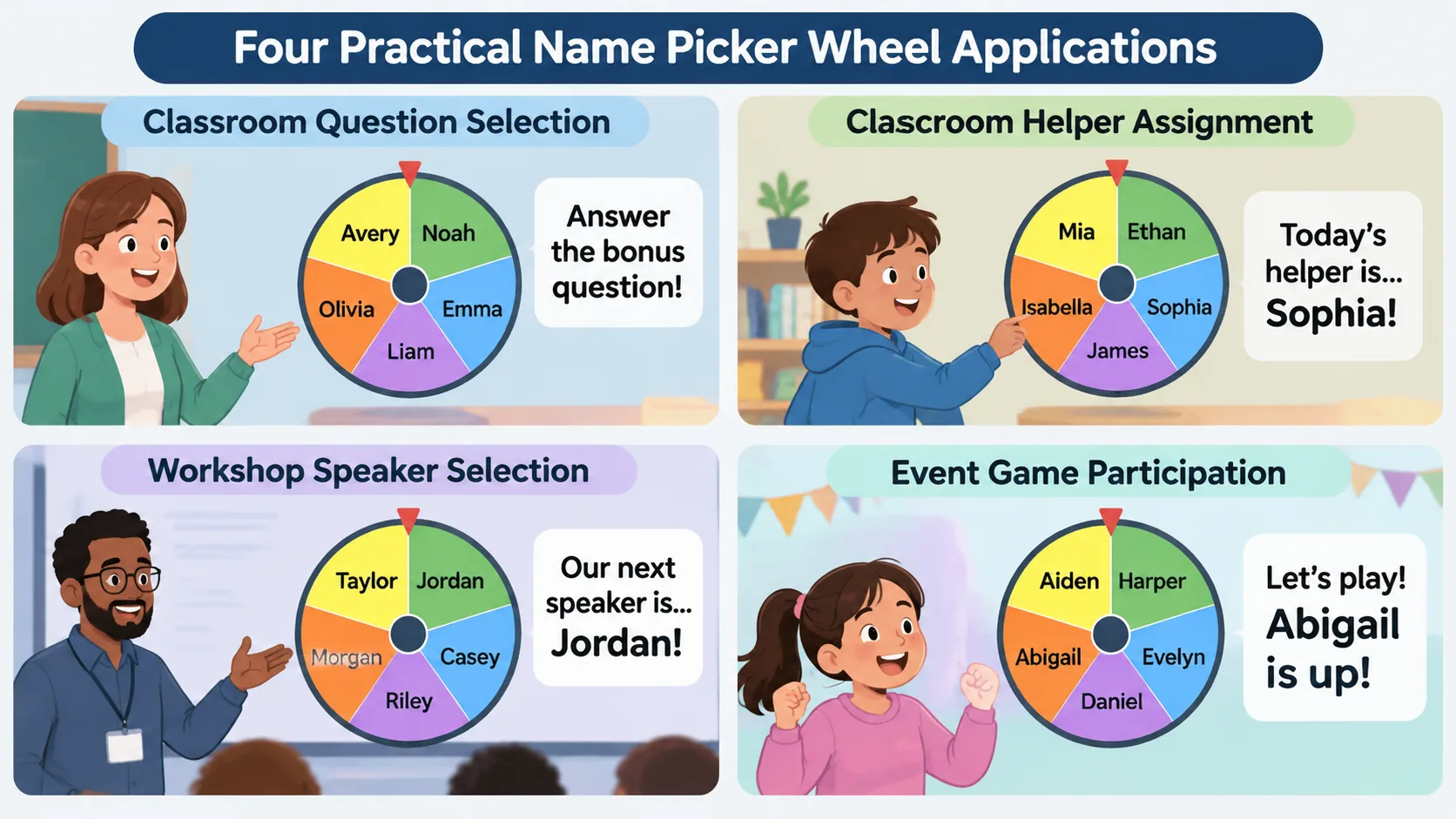
Classroom questions and discussion
Teachers can use a name picker wheel during reading comprehension, mathematics practice, science discussions, and review sessions. Instead of relying only on volunteers, the teacher can select a student after giving the class time to consider the question.
For example, in a history lesson, ask students to identify one cause of a historical event. Give everyone a moment to prepare an answer, spin the wheel, and invite the selected student to explain their thinking. Follow up with another question or ask classmates to add evidence.
For younger students, keep the process positive. Explain that the wheel is a participation tool, not a punishment, and allow appropriate alternatives when a student needs additional support.
Classroom jobs and responsibilities
A name wheel can help distribute everyday responsibilities such as handing out worksheets, collecting materials, managing classroom supplies, or leading a warm-up activity.
Suppose a teacher needs to choose two classroom helpers each Monday. The teacher can enter the eligible students, select one name, remove that entry, and repeat the process. This avoids selecting the same student twice during that particular round, provided the tool supports removal or the teacher manages the list manually.
Corporate training and workshops
Facilitators can use a name picker wheel to choose discussion leaders, presentation speakers, breakout representatives, or participants for short demonstrations.
For instance, a trainer running a communication workshop might ask participants to share one useful takeaway. Rather than always inviting the most confident speaker, the trainer can use a wheel to select the next contributor. Participants should still have the option to pass when appropriate, particularly when activities involve sensitive topics.
Games, quizzes, and event activities
A name picker wheel can add a random element to classroom quizzes, team challenges, icebreakers, and event games. An organizer might enter eligible participant names and use the wheel to decide who answers a bonus question.
For activities involving teams rather than individual names, a different tool may be more practical. The Random Group Generator can help divide a participant list into groups, while the Random Pair Generator can create pairs for partner discussions or collaborative exercises.
How to Make Name Selection Fairer
Random selection and fair participation are related, but they are not exactly the same. A random process gives eligible entries a chance of being selected. It does not necessarily ensure that every person receives the same number of opportunities over several independent spins.
Imagine a class of 20 students. If the teacher spins the wheel five times without removing previous selections, the same student could theoretically appear more than once. Another student might not appear at all. This is a normal possibility in repeated random selection, not necessarily evidence that the wheel is malfunctioning.
For activities where everyone needs one opportunity, use a no-repeat round. Once a person is selected, remove their entry from the available list. Continue until everyone eligible has been selected, then reset the list for a new round.
You should also establish clear rules before the activity begins. Decide whether absent students are included, whether participants can decline a turn, and whether certain people should be excluded because they have already completed the task. These decisions are part of fair facilitation, not something a randomizer can determine automatically.
Another useful practice is to check the participant list before every session. Students may be absent, employees may join a meeting late, and event participants may withdraw. Keeping the list accurate is just as important as choosing a suitable random selection method.
Finally, consider the social and educational context. Random selection should not be used to embarrass students, force disclosure of personal information, or put someone in an uncomfortable situation. A facilitator remains responsible for making the activity appropriate and supportive.
Name Picker Wheel vs. Other Selection Methods
A name picker wheel is not the only way to select someone. Paper slips, numbered lists, manual selection, and dedicated student picker tools can all work. The right method depends on how often you make selections and what participants need to see.
| Selection method | Main advantage | Practical limitation |
|---|---|---|
| Name picker wheel | Visual, interactive selection | Repeated spins may select the same person |
| Paper name slips | Simple and works offline | Requires physical preparation and reshuffling |
| Numbered random list | Useful for ordering a whole group | Less visually engaging |
| Manual selection | Allows facilitator judgment | Can create perceptions of favoritism |
| Random student picker | Convenient for repeated classroom selection | Features depend on the tool |
Paper slips are useful when technology is unavailable. A teacher can write names on identical pieces of paper, mix them in a container, and draw one. However, preparing and resetting the slips takes time, especially with larger groups.
A numbered random list is better when you need a complete speaking or presentation order rather than one selected person. Similarly, a random group generator is more appropriate when the goal is to divide a class into teams instead of choosing an individual.
Manual selection is sometimes necessary. For example, a teacher may need to assign a student who has the right experience to demonstrate a specialist task. In that situation, professional judgment is more useful than random selection. The important thing is to choose a method that fits the actual decision.
Common Mistakes to Avoid
Even a simple name picker wheel can produce confusing results when the list or settings are not prepared properly.
Adding duplicate names: Check the list before spinning. Accidental duplicates can change selection probabilities because each entry may be treated separately.
Ignoring absences: Remove or mark absent participants when they should not be included in the current round. Otherwise, the wheel may select someone who cannot participate.
Assuming random means equal turns: Independent spins do not guarantee an even distribution. Use a no-repeat approach when everyone must receive one opportunity before anyone is selected again.
Spinning before explaining the task: Tell participants what they are being selected for before revealing the result. This gives everyone a chance to understand the activity and prepare.
Using random selection for sensitive decisions: A wheel should not decide disciplinary action, grades, hiring outcomes, or other decisions requiring professional judgment and established criteria.
Forgetting privacy: Student and employee names can be personal information. Use only the information needed for the activity, check the tool's privacy practices, and follow your organization's data protection requirements. Avoid putting sensitive details into public links or shared screens.
A little preparation prevents most of these problems. Before each activity, review the list, check the selection settings, and explain the rules clearly.
Frequently Asked Questions
Is a name picker wheel really random?
A name picker wheel can use a random selection process to choose an entry from a list. However, the quality of randomness depends on how the tool is implemented. Look for clear information about its selection method rather than assuming that a spinning animation guarantees fairness.
Can I use a name picker wheel for classroom activities?
Yes. Teachers can use one to select students for questions, reading turns, classroom jobs, review games, and discussion activities. Giving students time to think before spinning helps make the activity more useful for the whole class.
How do I stop the same person from being selected twice?
Look for a remove-after-pick or no-repeat setting. If the tool does not provide one, remove each selected name manually before the next spin. Restore the full list when you are ready to begin a new round.
Can a name picker wheel select multiple people?
That depends on the tool. Some pickers support multiple selections, while others select one name at a time. If you need to create balanced teams or partner assignments, a Random Group Generator or Random Pair Generator may be more suitable.
Is a name picker wheel suitable for online meetings?
Yes. You can share your screen during a virtual class, training session, or team meeting so participants can follow the selection. Check that the display is readable and avoid exposing private participant information when sharing your screen.
What should I do if a selected student is absent?
Decide how absences will be handled before starting. You can remove absent students from the eligible list and continue, or skip their turn and keep their place for a later session. Choose a consistent approach that fits the activity.
Is a name picker wheel better than drawing names from a hat?
Neither method is automatically better in every situation. A digital wheel is convenient for repeated activities and shared screens, while paper slips are useful when you want an offline method. Both require an accurate list and clear selection rules.
Try a More Organized Way to Make Random Selections
A name picker wheel turns a simple decision into a clear, interactive activity. Teachers can use it to distribute classroom turns, trainers can select discussion speakers, and event organizers can choose participants without manually deciding who comes next.
The key is to use random selection thoughtfully. Prepare an accurate list, understand how repeated selections work, and choose a no-repeat method when everyone needs an opportunity. Remember that the wheel supports your decision-making process; it does not replace good teaching or responsible facilitation.
Ready to organize your next classroom or group activity? Explore the Random Group Generator and its collection of practical tools for managing groups, pairs, and participant selection.
Related Tools
Pick the right generator for the job — every tool runs free in your browser.