
team split generator
Team Split Generator: Divide a List into Random Teams
Use a team split generator to divide students, coworkers, or participants into random, balanced teams. Learn how to split a list into two or more teams quickly.
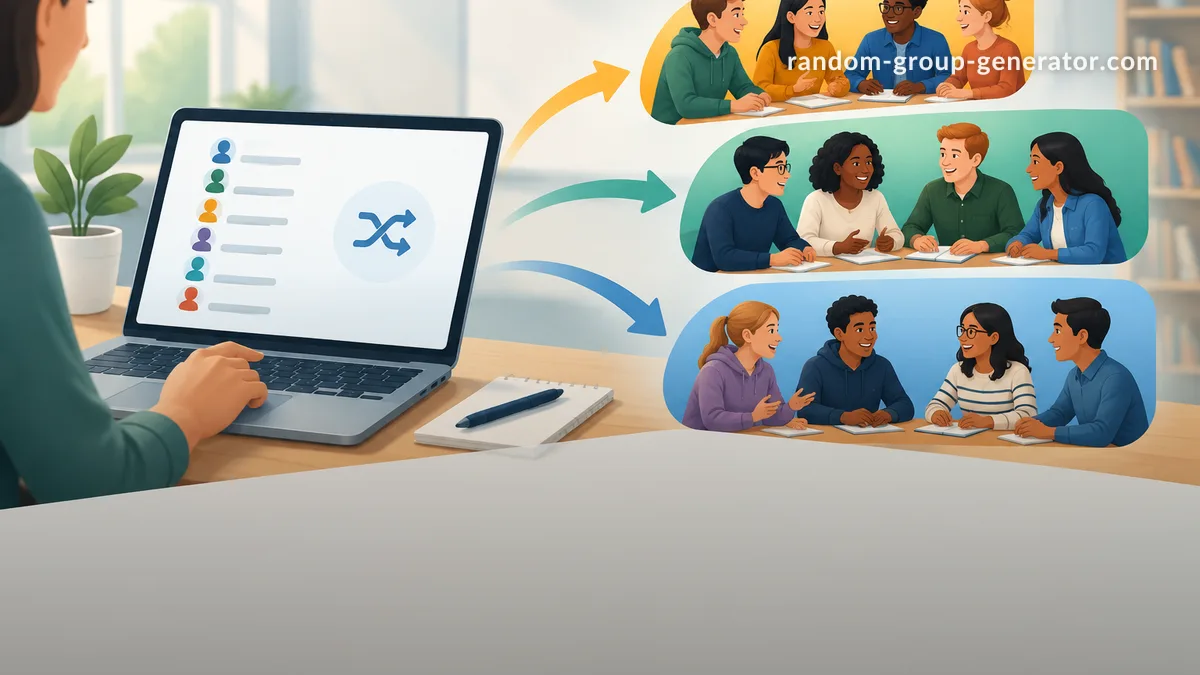
You have a class of students, a workshop full of participants, or a list of coworkers who need to compete in two teams. Everyone needs a place, the teams should be reasonably balanced, and you do not want to spend ten minutes negotiating who works with whom. A team split generator solves this practical problem by dividing a list of names into random teams in seconds. Instead of assigning people manually, you can enter your participants, choose how to divide them, and use the resulting teams for your next activity.
Whether you need two teams for a classroom competition, several teams for a training exercise, or smaller groups for a collaborative project, random team assignment can make preparation easier. This guide explains how team splitting works, how to handle different participant counts, and when random selection is more appropriate than manually assigning people.
What Is a Team Split Generator?
A team split generator is an online tool that takes a list of participants and distributes them into separate teams. You provide the names, select your preferred team arrangement, and let the generator organize the list. The result is a ready-to-use team allocation without having to sort every participant yourself.
For example, a teacher with 24 students might want two teams of 12 for a review game. A corporate trainer with 15 employees might need three teams of five for a problem-solving exercise. Rather than repeatedly choosing names or asking people to count themselves off, a team split generator provides a convenient starting point.
The tool is especially useful when participants should not always work with their usual friends or colleagues. Random assignment introduces variety into short activities and can reduce the influence of personal preferences during team selection. Cornell University's Center for Teaching Innovation describes random assignment and other quick grouping methods as practical options for organizing classroom collaboration.
A random team assignment does not automatically guarantee equal abilities, experience, or availability. It distributes participants according to the selected grouping method. If a project requires specific skills or carefully balanced experience levels, an instructor or facilitator may still need to review the assignments.
Why Use a Team Split Generator Instead of Choosing Teams Manually?
Manual team selection sounds straightforward, but it can create unnecessary work. Teachers may have to consider absent students, avoid repeatedly pairing the same classmates, and make sure nobody is left without a team. Workplace facilitators face similar challenges when organizing employees who have different roles, experience levels, or working relationships.
A team split online tool simplifies the administrative part of the process. Everyone starts from the same participant list, and the organizer can create assignments without spending time choosing each person individually. This is particularly useful when teams are needed several times during a lesson, training session, or event.
There are also social considerations. When people always choose their own teammates, familiar friendship groups or established workplace relationships may remain unchanged. Random team selection can introduce new working relationships and give participants opportunities to interact with different people. The University of Waterloo's Centre for Teaching Excellence recommends varying grouping methods and considering the purpose and requirements of each activity.
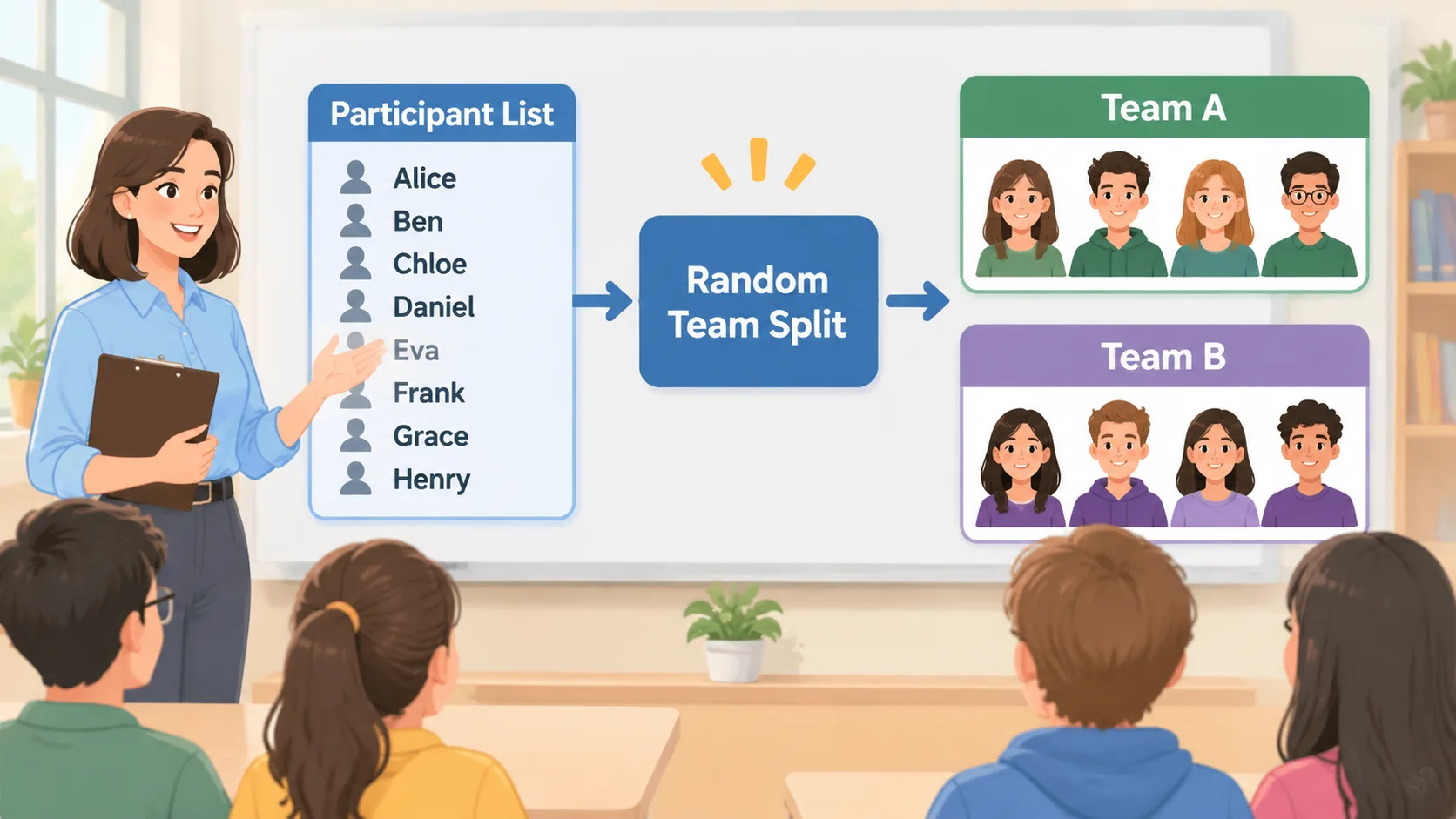
Consider these common situations:
- Classroom competitions: Divide students into opposing teams for quizzes, spelling games, mathematics challenges, and review activities.
- Corporate training: Create temporary teams for communication exercises, brainstorming, and workplace simulations.
- Sports and recreation: Separate participants into teams for informal games and friendly competitions.
- Community events: Organize volunteers or attendees into smaller working groups.
- Online workshops: Prepare breakout teams before a virtual meeting or collaborative session.
The main advantage is convenience. You still decide the activity, team size, and any special requirements. The generator handles the repetitive task of distributing names.
How to Use a Team Split Generator Step by Step
Using a team split generator is straightforward. You only need a participant list and an idea of how many teams you want. Before starting, check that names are entered consistently and that nobody appears twice by accident.
Follow these steps to organize your teams:
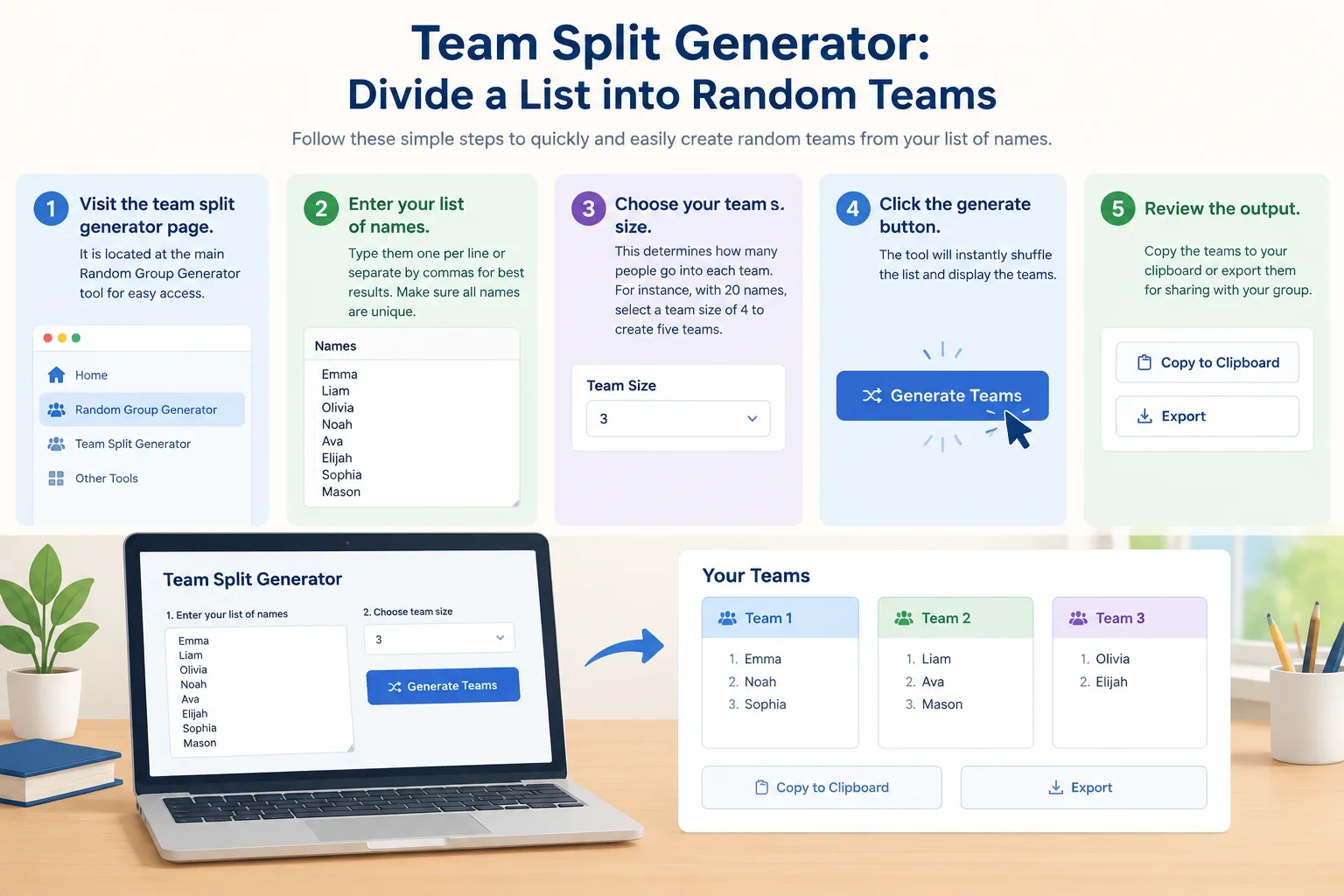
- Open the generator. Visit the Random Group Generator to start creating groups from a list of participants.
- Prepare your names. Collect the names of all students, employees, players, or other participants who need to be assigned.
- Enter the participant list. Add each person as a separate entry. Check spelling and remove duplicate names.
- Choose the team arrangement. Decide whether you need two teams or several smaller groups. Consider the number of people participating and the requirements of your activity.
- Generate the teams. Run the random grouping process to distribute participants among the selected teams.
- Review the result. Check that every participant has been assigned and that the group sizes make sense for your activity.
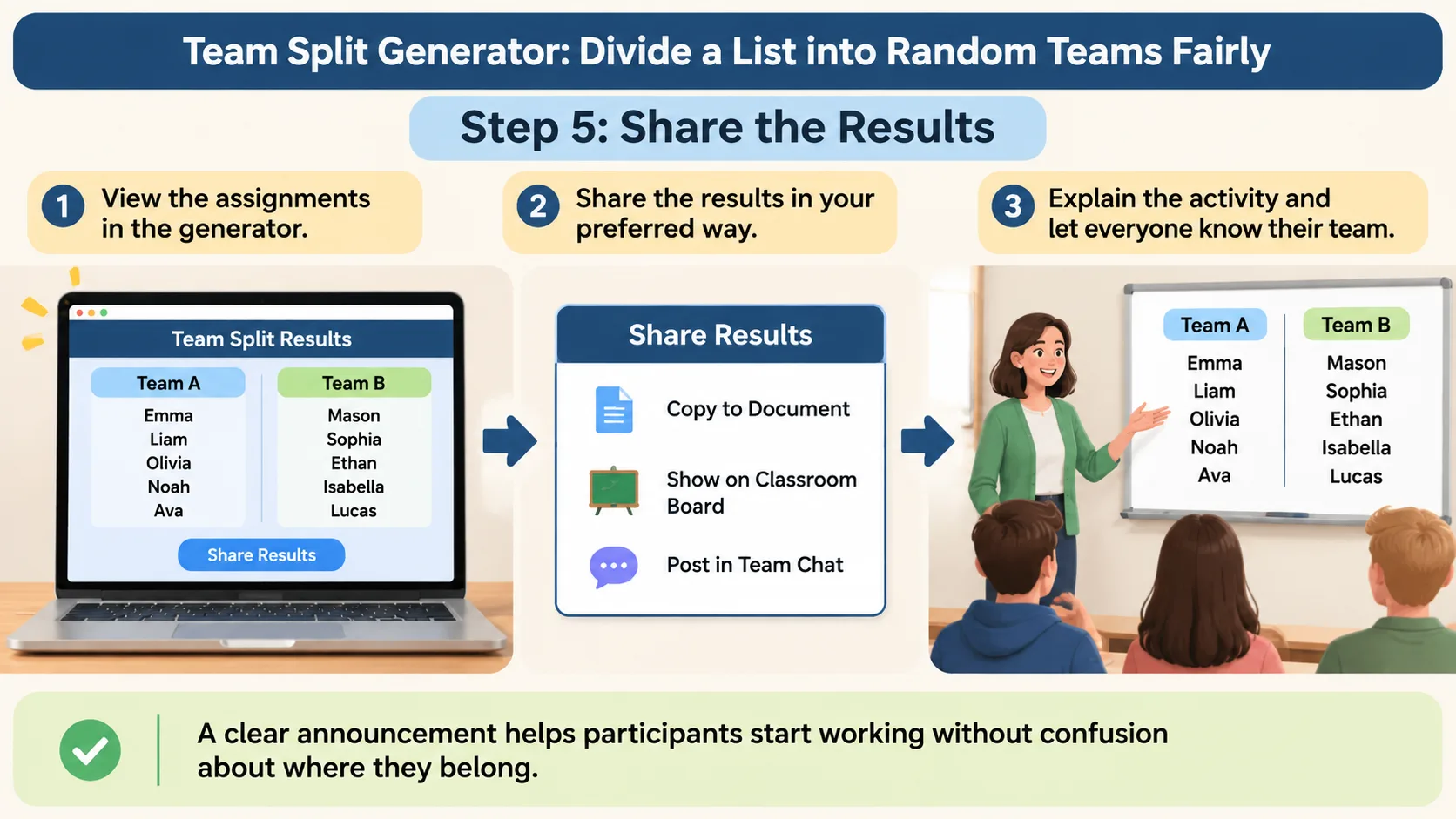
- Share the assignments. Announce the teams, display the results, or transfer the names into your lesson or meeting plan.
For example, imagine that you are organizing a classroom vocabulary challenge with 20 students. You enter all 20 names, select a two-team arrangement, and generate the assignments. You now have two teams of 10 without having to select 10 students manually for each side.
If you organize activities regularly, keep a clean participant list available. You can reuse the list as a starting point for future activities, while generating new assignments when you want participants to work with different classmates or colleagues.
How to Split a List into Two Random Teams
A common reason people search for a team split generator is that they need exactly two teams. This is sometimes described as a random 2 team generator or a two-person-team allocation tool, but the basic requirement is simple: divide one participant list into two separate teams.
The first step is to count the participants. If the total is an even number, equal team sizes are usually possible. For example, 18 participants can be divided into two teams of nine. Likewise, 30 participants can be divided into two teams of 15.
If the total is an odd number, the teams cannot have exactly the same number of people. One team must have one additional participant. This is not necessarily a problem. A team of eight competing against a team of seven can still participate fairly in many activities, especially when the activity does not depend on every person performing simultaneously.
Here is a practical example:
| Participants | Team A | Team B |
|---|---|---|
| 10 | 5 | 5 |
| 15 | 8 | 7 |
| 18 | 9 | 9 |
| 21 | 11 | 10 |
| 24 | 12 | 12 |
| 31 | 16 | 15 |
These are examples of possible team sizes, not predetermined assignments. The generator distributes the individual names, while the total participant count determines whether the groups can be exactly equal.
For an activity where one extra person could create an advantage, adjust the rules rather than excluding someone. You might rotate the additional participant between rounds, assign that person as a rotating substitute, or give both teams equal opportunities to complete the same number of tasks.
How to Choose the Right Number of Teams
Not every activity needs two teams. Sometimes smaller groups encourage more discussion, while larger teams are more appropriate for competitions or activities that require several people to work together.
A useful starting point is to consider how participants will contribute. Cornell's teaching guidance generally recommends groups of two to five students for in-class collaborative learning. Smaller groups can make it easier for everyone to speak, while larger groups can bring more perspectives to a discussion. The right choice still depends on the task, participants, and available time.
For example, a teacher with 24 students might choose two teams of 12 for a fast-paced quiz. However, the same teacher could create six groups of four for a discussion in which every student needs time to share an opinion. A corporate facilitator might divide 20 employees into four teams of five for a project-planning exercise.
Use these general considerations when planning your team allocation:
- Two teams: Suitable for competitions, debates, opposing viewpoints, and simple challenges.
- Three teams: Useful for comparing different solutions or organizing several activity stations.
- Four teams: A practical option for workshops, collaborative exercises, and project discussions.
- Five or more teams: Helpful for larger events, rotating activities, and multi-stage competitions.
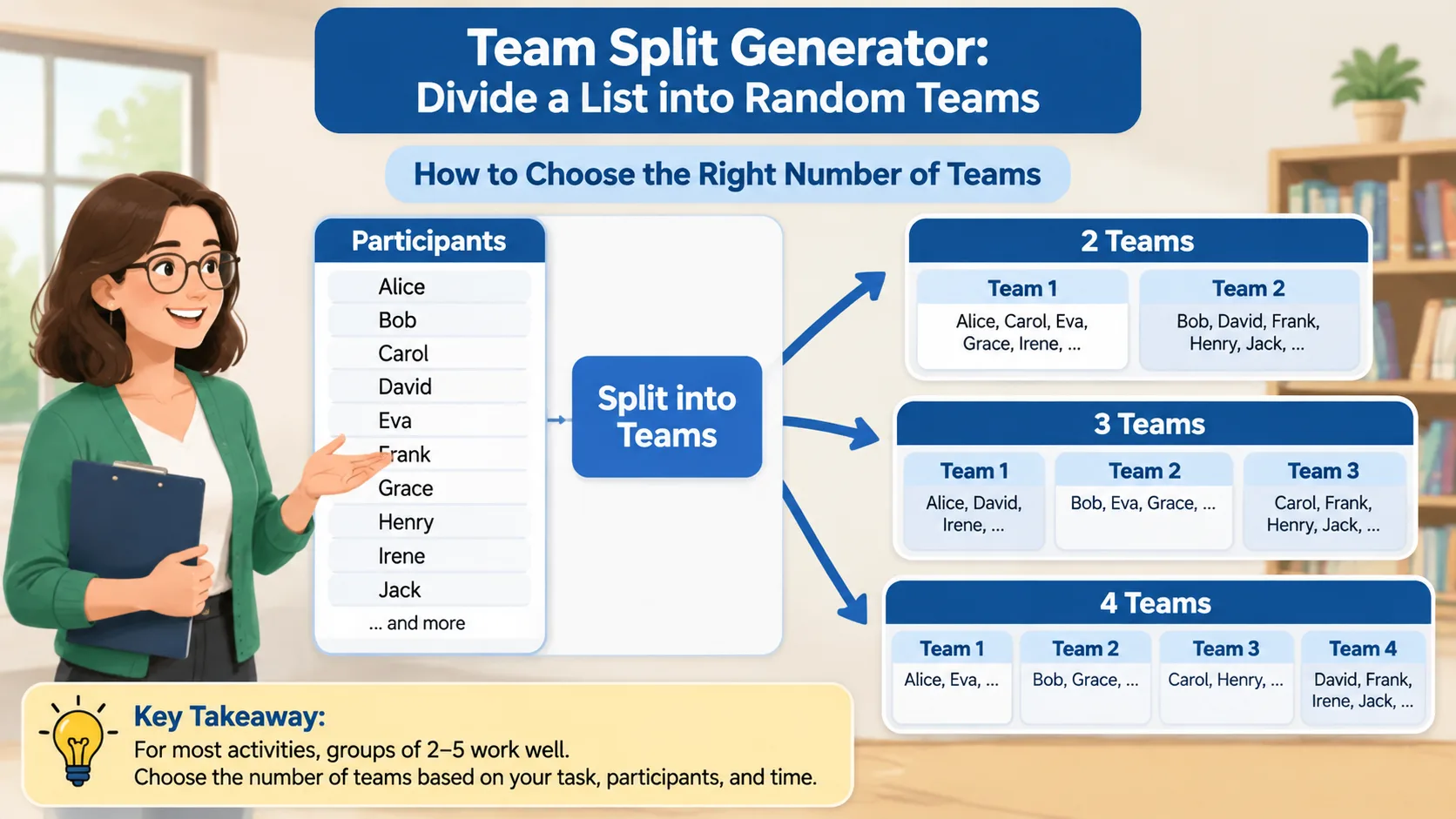
Remember that group size should match the work. A team of 12 may be suitable for a quiz, but it can be difficult to manage when every participant needs to contribute to a detailed discussion. For those situations, consider using a Random Pair Generator or creating smaller groups with the Random Group Generator.
Random Team Splitting vs. Manual Team Assignment
Random assignment is convenient, but it is not the right choice for every situation. The best method depends on whether your priority is speed, participant choice, or specific team composition.
A random team generator works particularly well for short activities. For example, a teacher can randomly divide students before a five-minute revision exercise. A facilitator can use random assignment to create temporary brainstorming teams without spending time negotiating memberships.
Manual assignment is more appropriate when you have information that matters to the task. A long-term project might require a mix of technical skills, different levels of experience, or compatible schedules. In that situation, a facilitator can review participant information and deliberately distribute people across teams.
Self-selection is another option. It can give participants more control and may work well when people need to choose teammates based on shared interests or availability. However, it can also lead to familiar social groups forming repeatedly, while some participants may find it difficult to join a team.
The University of Michigan and other university teaching centers describe random, instructor-assigned, and self-selected groups as different approaches with different advantages and limitations. The important lesson is to choose the method based on the activity rather than assuming one approach works in every situation.
A practical comparison looks like this:
| Method | Best for | Main limitation |
|---|---|---|
| Random assignment | Quick activities and temporary teams | Does not account for individual skills |
| Manual assignment | Complex projects and specific requirements | Requires more preparation |
| Self-selection | Interest-based collaboration | Can produce uneven or familiar groups |
| Counting off | Fast classroom grouping | Requires participants to organize themselves |
For most short classroom and workshop activities, random splitting is a useful starting point. For graded projects or long-term assignments, review the team composition before confirming the groups.
Practical Tips for Fairer Team Allocation
Creating teams randomly is only one part of organizing a successful activity. You should also consider how participants will work together, whether the task suits the group size, and how everyone will have an opportunity to contribute.
First, explain the purpose of the grouping. Participants are more likely to understand a random assignment when they know why teams are being mixed. A teacher might explain that today's activity is designed to encourage students to exchange different approaches. A corporate trainer might explain that the purpose is to build communication across departments.
Second, establish clear expectations before the activity begins. Explain the task, the available time, and the expected result. For longer exercises, assign simple rotating responsibilities such as discussion leader, note-taker, presenter, and timekeeper. Rotating responsibilities helps prevent the same person from always taking the lead.
Third, pay attention to practical limitations. Random assignment cannot automatically account for accessibility needs, personal conflicts, specialist equipment, or schedule restrictions. If these factors matter, review the generated teams and make appropriate adjustments. A transparent process is more important than following random assignments without considering the situation.
Finally, avoid using the same arrangement indefinitely. Changing teams between suitable activities gives participants opportunities to collaborate with different people. However, do not change groups so frequently that longer projects lose continuity or team members have insufficient time to establish working relationships.
If you want to make the activity more engaging, you can also create names for the teams using the Group Name Generator. For a classroom competition or an interactive selection activity, the group picker wheel can provide a more visual way to select or organize participants.
Real-World Examples of Team Splitting
Example 1: A middle school classroom
A teacher has 26 students and wants to organize a science revision competition. Instead of asking students to choose their own sides, the teacher enters all 26 names and generates two random teams of 13. Each team answers questions in alternating rounds. Because the teams are the same size, the teacher can use identical scoring rules throughout the activity.
Example 2: A corporate training session
A facilitator has 20 employees attending a communication workshop. The goal is to encourage conversations between people who do not normally work together. The facilitator divides the participants into four teams of five and gives each team the same workplace scenario to solve. Each group presents its proposed solution at the end of the exercise.
Example 3: A community sports event
An organizer has 17 people attending a casual sports afternoon. Two teams are needed for a friendly match. A random split creates teams of nine and eight. The organizer rotates one substitute during the match so that playing opportunities remain as even as possible.
Example 4: An online learning workshop
A trainer has 18 participants joining a virtual workshop. Before the session, the trainer creates two teams of nine for a collaborative discussion. The assignments are shared with participants before the activity, making it easier to organize the conversation and prepare the breakout session.
These examples show why a team split generator is useful across different settings. The same basic process can support classroom learning, employee training, recreational events, and online collaboration. What changes is the purpose of the activity and the amount of facilitator oversight required.
Frequently Asked Questions
What is the best way to split a list into two random teams?
Enter all participant names into a team split generator and select a two-team arrangement. The tool distributes the names without requiring you to assign each participant manually. Check the resulting team sizes before starting your activity, especially when the participant count is odd.
Can I divide an odd number of people into two equal teams?
No. An odd total cannot be divided into two whole-number groups of exactly equal size. Instead, one team will have one additional participant. You can balance the activity by rotating a substitute, adjusting the rules, or giving both teams equal opportunities during each round.
Is a team split generator suitable for classroom activities?
Yes. Teachers can use random team assignment for revision games, classroom discussions, group challenges, and short collaborative exercises. For activities involving specific learning needs or long-term projects, review the assignments and make adjustments when necessary.
What is the difference between a team split generator and a random pair generator?
A team split generator can divide participants into two or more teams, depending on the selected arrangement. A random pair generator specifically organizes participants into groups of two. If you are arranging partner discussions or paired exercises, use the Random Pair Generator.
Should I use random or manually assigned teams for a long-term project?
Random teams can be a convenient starting point, but long-term projects often require more careful planning. Consider relevant skills, experience, availability, accessibility, and the needs of the assignment. A facilitator may get better results by reviewing the groups and making adjustments before the project begins.
Can I use random team splitting for online meetings?
Yes. You can prepare participant assignments before a virtual session and share the results with attendees. For example, a trainer can create two teams for a discussion or several smaller groups for a workshop. Check the participant list against meeting attendance before assigning people to breakout rooms.
Create Your Teams in Seconds
Dividing participants into teams does not need to become a time-consuming part of your lesson or event preparation. A team split generator makes it easier to organize names, create random assignments, and get participants started without lengthy manual selection.
Whether you are a teacher preparing a classroom competition, an HR professional organizing a team-building exercise, or an event facilitator planning a group activity, the right grouping method can make preparation simpler. Start with your participant list, choose the number of teams, and review the results to make sure they suit your activity.
Ready to divide your participants? Try the free Random Group Generator and create your next set of random teams in just a few steps.
Related Tools
Pick the right generator for the job — every tool runs free in your browser.