
spin group order
Spin Group Order: How to Randomly Arrange Teams Fairly
Learn how to use a spin group order method to arrange teams fairly, save time, and create balanced groups for classrooms, workshops, and events.
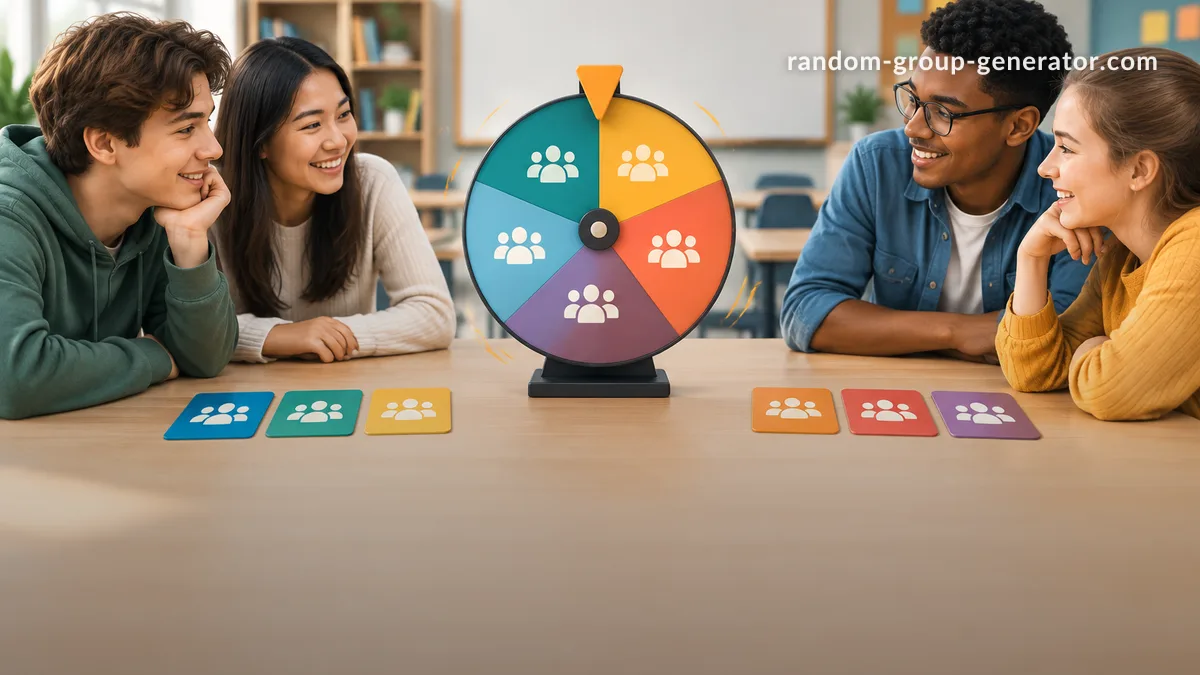
Teachers and facilitators often need a quick way to decide who works together, who presents first, or how a group activity should begin. A spin group order method helps organize participants randomly so the process feels fair and avoids the same people being chosen first every time. This approach is useful for classrooms, training sessions, workshops, and team activities where balanced participation matters.
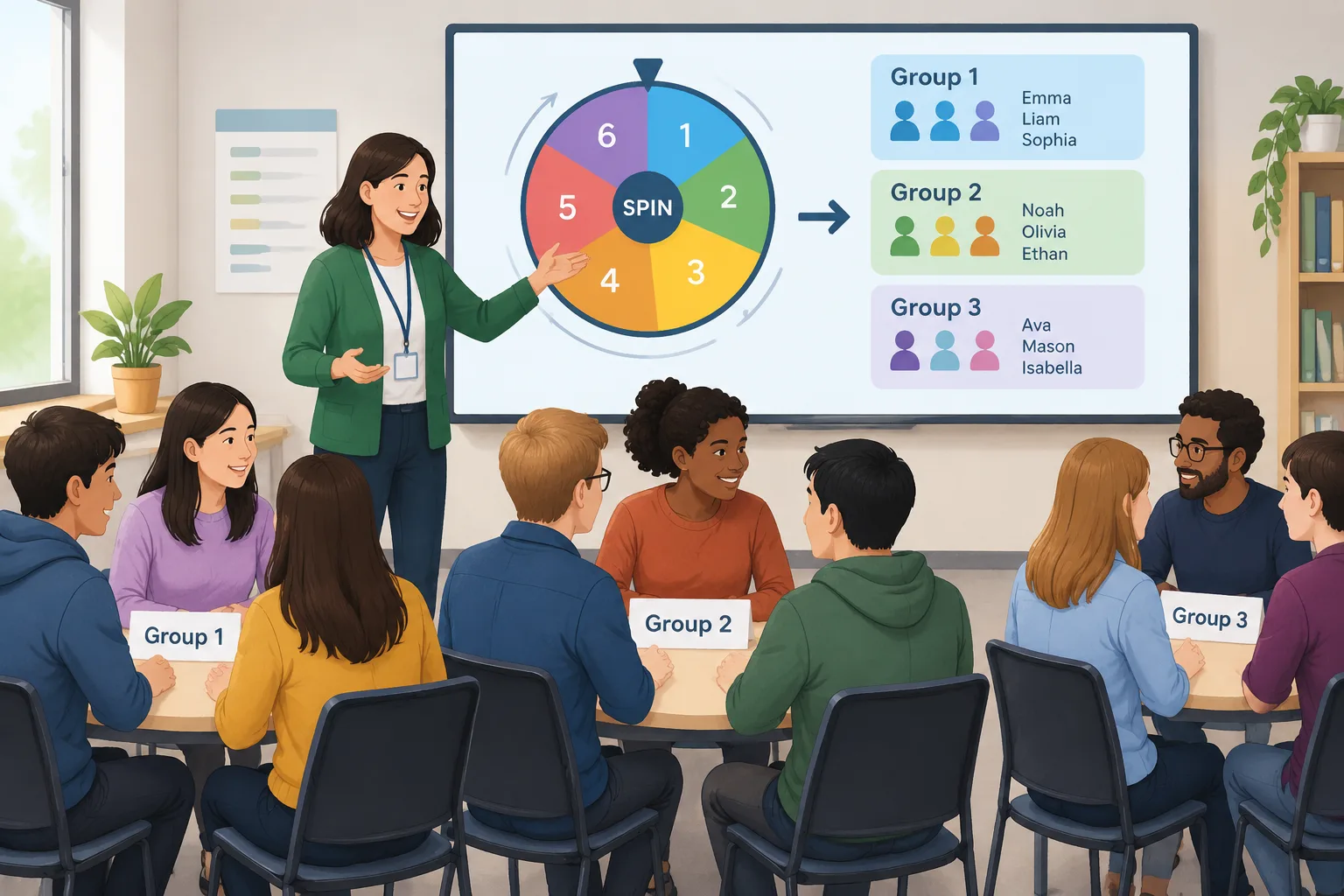
A manual approach, such as calling names from a list or asking people to choose their own teams, can create repeated patterns. Some participants may always work with friends, while others may feel left out. A random group order gives everyone a clear and neutral process. Using a digital tool can make the process faster while keeping the experience simple for both organizers and participants.
Why use a spin group order method?
When organizing a group activity, the challenge is usually not the activity itself. The difficult part is making the setup fair and efficient. A spin group order system removes unnecessary discussion about who goes first, who joins which team, or how participants should be arranged.
Random ordering is especially helpful when a facilitator wants everyone to have equal opportunities. In a classroom, a teacher might need to create discussion groups before a lesson. In a workplace workshop, a trainer may need to mix employees from different departments. A random process creates a starting point without requiring personal choices or assumptions.
For example, imagine a class of 24 students preparing a debate. If students choose their own teams, confident speakers may group together and quieter students may have fewer opportunities to contribute. A spin group order approach can create teams automatically, giving the teacher a more balanced structure for the activity.
The method also saves preparation time. Instead of writing names on cards, shuffling papers, and recording results manually, a digital generator can complete the process in seconds. Organizers can then spend more time planning the actual lesson or event.
How to create a random group order step by step
A successful random grouping process starts with clear goals. Before spinning an order or generating groups, decide what result you need. Do you need teams of equal size? A presentation order? Pairs for discussion? The answer determines the best setup.
Follow these steps:
- Prepare your participant list. Include all students, employees, or attendees who should be included.
- Decide the grouping format. Choose whether you need teams, pairs, or a simple sequence.
- Use a random group order tool to generate the arrangement.
- Review the result and make adjustments only when there is a practical reason, such as accessibility needs or activity requirements.
- Share the final groups or order with participants.
For example, a corporate trainer running a communication workshop may have 30 employees. The trainer can enter the names, generate five groups of six people, and immediately assign each group a discussion task. The random process reduces setup time and keeps the focus on learning.
The Random Group Generator can help create balanced groups quickly. For activities that require partners instead of larger teams, a Random Pair Generator provides a simple alternative.
Spin group order examples for classrooms and teams
A spin group order method can support many different activities because the random element can be used for more than just making teams. It can help decide speaking order, project roles, or activity rotations.
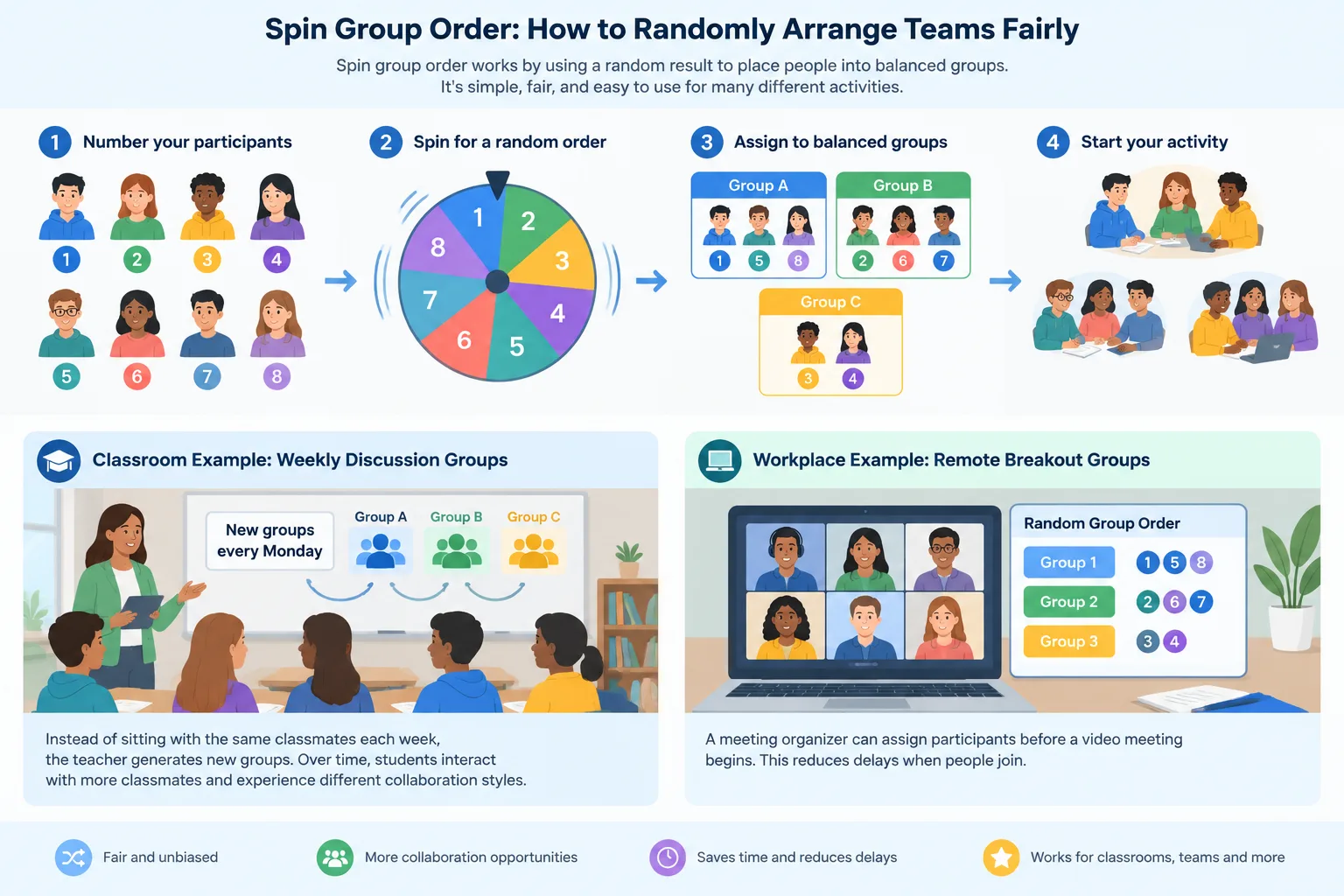
In a classroom example, a teacher may run a weekly discussion activity. Instead of allowing students to sit with the same classmates each week, the teacher generates new groups every Monday. Over time, students interact with more classmates and experience different collaboration styles.
In a workplace example, a meeting organizer may need breakout groups for a remote session. A random group order can assign participants before a video meeting begins. This reduces delays when people join online sessions and helps the facilitator manage time more effectively.
For online learning environments, random selection can also support participation. A teacher who wants to choose a discussion leader fairly can use a Random Student Picker instead of relying on volunteers or the same active students.
Another useful situation is event organization. During networking sessions, organizers can create temporary groups so attendees meet different people. The goal is not to replace thoughtful planning but to provide a fair first arrangement.
Choosing between manual selection and digital tools
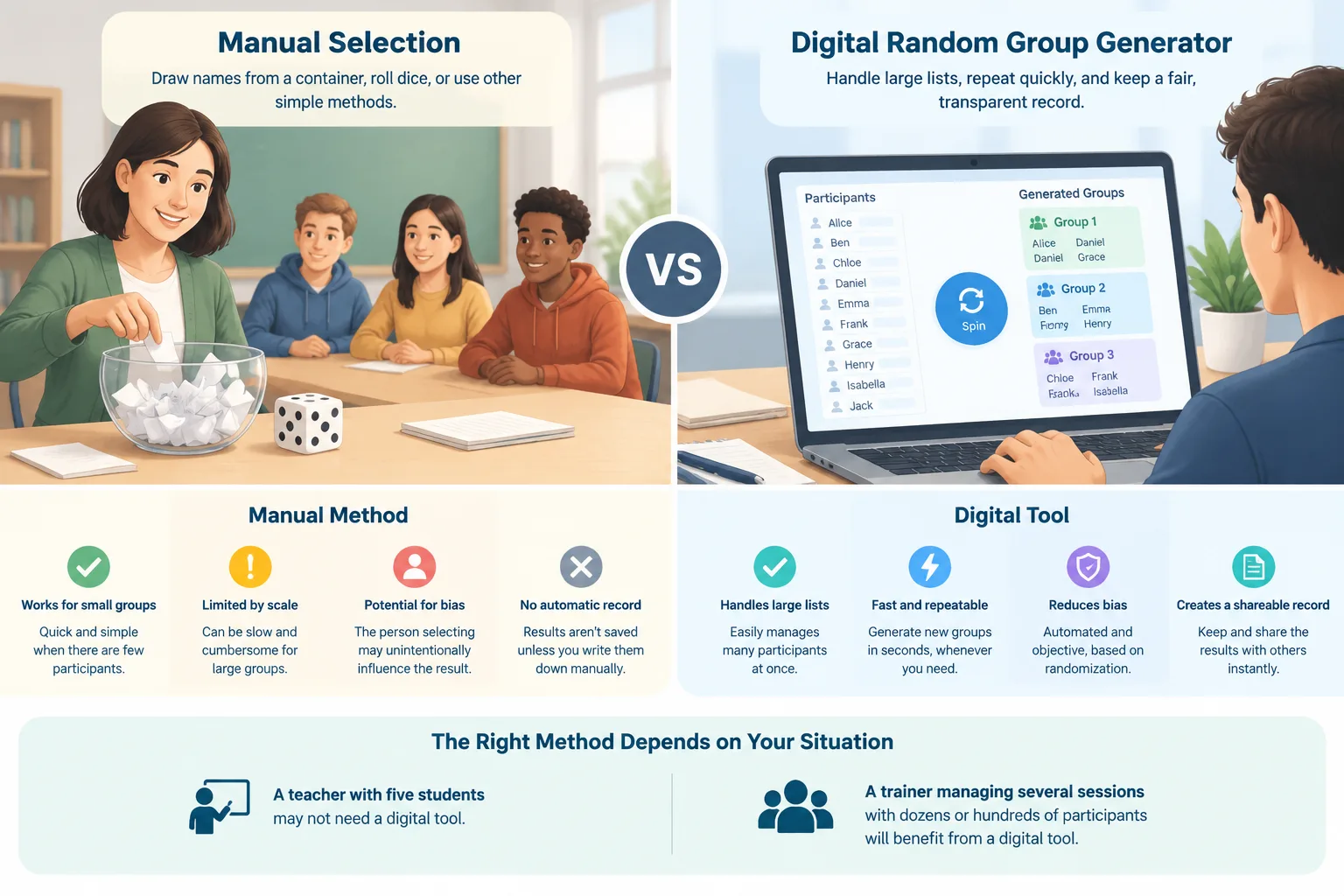
Some organizers still prefer manual methods such as drawing names from a container or rolling dice. These approaches can work well for small groups, especially when technology is unavailable. However, they can become difficult when there are many participants or repeated activities.
A digital spin group order tool offers several practical advantages. It can handle larger lists, repeat the process quickly, and reduce accidental bias from the person making selections. It also creates a record of the generated arrangement that can be shared with others.
The right method depends on the situation. A teacher with five students may not need a digital tool. A trainer managing several sessions with dozens of participants may benefit from automation. The important point is choosing a process that fits the activity and participants.
For facilitators who need additional customization, tools such as the Group Name Generator can add clear labels after teams are created. This is useful for classrooms, workshops, and events where groups need easy identification.
Best practices for fair random grouping
Random does not always mean perfect. A good facilitator uses random grouping as a starting point while considering the needs of the activity. For example, a science project requiring specific skills may need planned teams rather than completely random ones.
Before using a spin group order process, explain the purpose to participants. When people understand that the system is designed to create equal opportunities, they are more likely to accept the results. Clear communication also prevents confusion about why certain groups were created.
It is also helpful to avoid changing groups too often. If participants need time to build teamwork, keep groups together long enough for meaningful collaboration. For short discussions or icebreakers, frequent changes may be more useful.
A practical example is a teacher planning a month-long project. The teacher may use random grouping for the first activity to encourage new connections, then adjust teams later based on project needs. The random process supports fairness while professional judgment supports learning goals.
Common mistakes when using a spin group order system
One common mistake is using random grouping without explaining the reason behind it. Participants may wonder why they were placed in a particular group if the process is not introduced clearly. A short explanation can make the activity smoother.
Another mistake is assuming random groups solve every teamwork challenge. Groups still need clear instructions, defined roles, and enough time to collaborate. Random assignment creates a structure, but successful teamwork depends on how the activity is designed.
A third mistake is ignoring practical limitations. Some activities require specific combinations of experience, language ability, or availability. In these cases, random grouping may need small adjustments after generation.
For example, a training manager may randomly create discussion groups but then ensure each group has access to the required materials or expertise. The random process provides fairness, while the facilitator manages necessary conditions.
FAQ about spin group order
What is a spin group order method?
A spin group order method is a way to randomly arrange participants, teams, or sequences using a neutral selection process. It helps teachers and facilitators avoid always choosing the same people or groups manually.
Is random group ordering fair for classrooms?
Random group ordering can support fairness because each participant has an equal chance of being assigned. However, teachers should still consider learning goals, accessibility needs, and activity requirements when organizing groups.
Can I use a spin group order method for online meetings?
Yes. Facilitators can prepare random groups before online meetings and use the results for breakout rooms, discussions, or collaborative tasks. This can reduce delays during virtual sessions.
What is the difference between random grouping and choosing teams manually?
Manual team selection allows the organizer to control every choice, while random grouping creates an impartial starting point. Manual selection may be useful for specific goals, while random selection is helpful when fairness and speed are priorities.
How can I create groups quickly with a spin group order tool?
Add your participant names, choose the group format you need, generate the random arrangement, and share the results. The Random Group Generator provides a simple way to create groups without manual sorting.
Start creating fair groups today
A spin group order process gives teachers, trainers, and event organizers an easy way to organize participants fairly. Whether you are planning a classroom discussion, a workshop activity, or a team exercise, random ordering can reduce preparation time and create new collaboration opportunities.
Try the Random Group Generator to create your next set of balanced groups in just a few steps.
Related Tools
Pick the right generator for the job — every tool runs free in your browser.