
group spin
Group Spin: A Practical Guide to Fair Random Grouping
Learn how a group spin tool helps teachers and facilitators create fair teams, pairs, and activities with simple steps and real examples.

Teachers and facilitators often face the same challenge: creating groups quickly while making sure everyone has a fair chance to participate. A group spin tool provides a simple way to randomly assign people into teams without relying on the same volunteers, seating order, or manual selection process. This guide explains how group spin methods work, how to use them effectively, and how they can support classroom and workplace activities.
Why Random Grouping Can Be Difficult Without a Tool
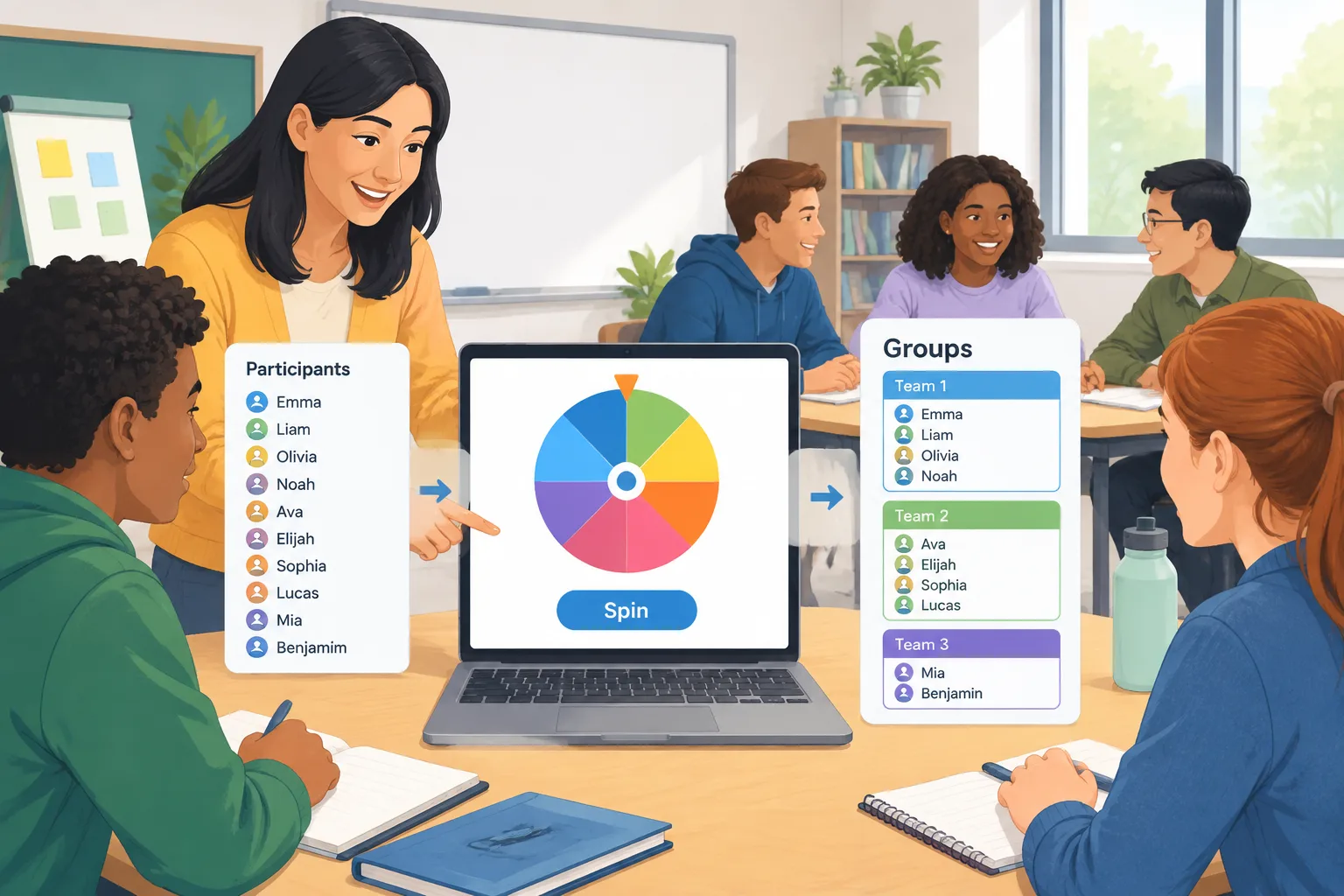
Creating groups sounds easy until there are many people, limited time, or different activity goals. A teacher may need to split a class into discussion teams, while a workshop leader may need small groups for problem-solving exercises. Manually choosing names can take time and may accidentally create patterns where the same people always work together.
A group spin approach helps remove some of these challenges by using random selection instead of personal preference. The facilitator can prepare a list of participants, choose the number of groups needed, and let the tool handle the assignment process. The result is a faster workflow and a more neutral way to organize activities.
For example, a high school teacher preparing a science discussion may have 30 students and want six groups of five. Instead of spending several minutes moving names around, the teacher can use a random grouping tool to create teams before the lesson begins.
Random selection is not the right solution for every situation. Some activities require carefully designed groups based on skill levels, accessibility needs, or specific roles. In those cases, a teacher or facilitator should use professional judgment and treat random grouping as one option among several.
How a Group Spin Tool Works
A group spin tool typically follows a few simple steps. While different tools may have different designs, the basic process is usually the same: add participants, choose grouping settings, and generate results.
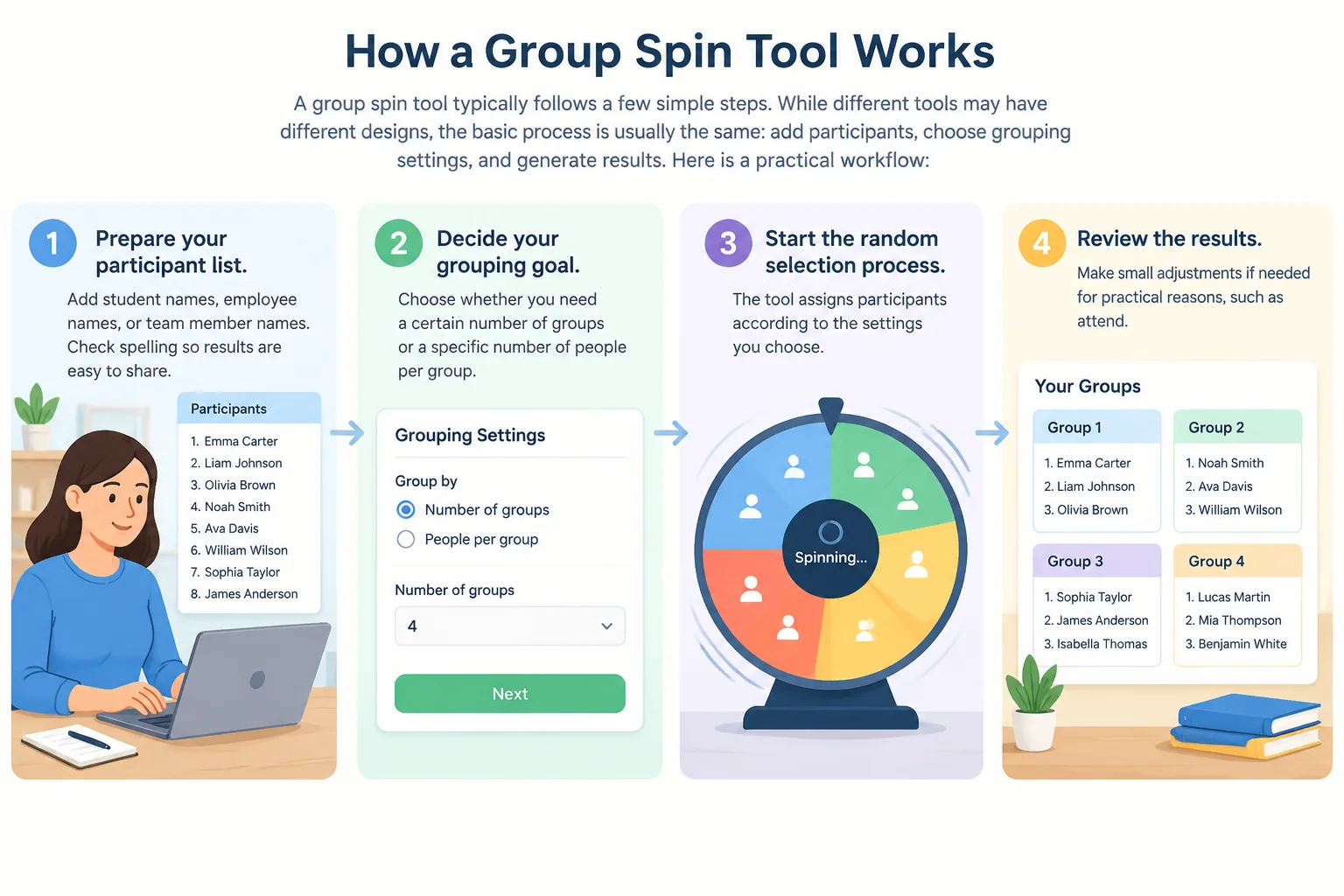
Here is a practical workflow:
- Prepare your participant list. Add student names, employee names, or team member names. Check spelling so results are easy to share.
- Decide your grouping goal. Choose whether you need a certain number of groups or a specific number of people per group.
- Start the random selection process. The tool assigns participants according to the settings you choose.
- Review the results. Make small adjustments if needed for practical reasons, such as attendance changes.
- Share the groups with participants. Display them on a screen, copy the results, or announce them before the activity begins.
For example, a corporate trainer running a communication workshop can enter 24 attendees and create four groups of six. The groups can then complete different discussion tasks without the trainer spending valuable session time organizing teams manually.
Benefits of Using Group Spin for Teachers and Facilitators
The main advantage of group spin methods is efficiency. When a facilitator needs to create groups repeatedly, even a small amount of saved time can make planning easier. A digital tool can also help maintain consistency when the same process is used across multiple lessons or events.
Fairness is another important benefit. Random assignment gives each participant an equal opportunity to be placed with different classmates or colleagues. This can encourage new interactions and prevent groups from always forming around existing friendships or familiar coworkers.
For example, a university instructor may use random groups for weekly classroom discussions. Students who normally sit with the same classmates can have opportunities to hear different viewpoints and practice collaboration with a wider range of peers.
A group spin tool can also support remote and hybrid environments. When participants are joining through online platforms, preparing groups manually can become more complicated. A facilitator can create groups before a virtual session and share the results through tools such as video meeting platforms or collaboration spaces.
Group Spin Examples for Real Activities
Different environments can use random grouping in different ways. The key is matching the grouping method to the purpose of the activity.
In classrooms, teachers can use random groups for debates, peer review, laboratory work, and project planning. For younger students, a quick group assignment can help transition from individual work to cooperative activities without losing classroom time.
Example: An elementary teacher wants students to complete a reading activity in teams of four. The teacher creates groups randomly, then gives each group a different discussion question. Because the teams change regularly, students practice working with more classmates.
In higher education, instructors can use random groups for case studies or presentations. Example: A business professor creates five teams for a market research exercise. Students receive their team assignments at the beginning of class and immediately begin planning their work.
In workplaces, facilitators can use random grouping for training sessions, brainstorming meetings, and team-building exercises. Example: A company workshop leader creates small groups for a problem-solving challenge, allowing employees from different departments to collaborate.
For pair activities, a dedicated Random Pair Generator can be useful when the goal is to create partners instead of larger teams.
Choosing Between Random Groups and Other Selection Methods
Random grouping is one method, but it is not the only option. The best approach depends on the activity goal.
Manual selection may work well when a teacher already understands students' strengths and needs. For example, a project requiring specific skills may benefit from carefully balanced teams. However, manual selection can take longer and may create concerns about fairness if participants feel choices are based on preference.
Self-selection can be useful when participants need to choose partners for personal projects or when motivation is the main focus. However, it may lead to the same people working together repeatedly.
A random group tool works best when the goal is speed, variety, and neutral assignment. For classroom activities where participation and collaboration matter, random grouping can provide a simple starting point.
For activities that need one person selected from a larger group, a Random Student Picker can support quick classroom decisions. If groups also need creative labels, a Group Name Generator can help create easy-to-remember team names.
Tips for Better Results With Group Spin Activities
A successful random grouping activity depends on more than the random selection itself. Preparation and clear instructions help participants understand the purpose of the groups.
Before creating groups, decide what success looks like. Are participants discussing a topic, completing a challenge, or creating a final product? Clear goals help you choose the right group size and activity length.
It is also helpful to explain why groups are being randomized. When participants understand that the process is designed to encourage fairness and new collaboration, they are more likely to engage positively.
For example, a facilitator can say, "Today we are using random teams so everyone has a chance to work with different people and share new ideas." A simple explanation can make the process feel intentional rather than accidental.
For larger events, consider combining group creation with your existing workflow. Verified site features include support for common facilitator workflows such as online meetings and classroom collaboration environments. Always check your specific setup before a live session to make sure the sharing process works as expected.
FAQ About Group Spin Tools
What is a group spin tool?
A group spin tool is a digital way to randomly assign people into groups. Users usually enter names, select grouping preferences, and generate team assignments automatically. It helps teachers, trainers, and organizers save time when creating fair groups.
Is random grouping fair for classroom activities?
Random grouping can provide a neutral starting point because participants are assigned without personal preference. However, teachers should still consider learning goals, accessibility needs, and activity requirements when deciding whether random groups are appropriate.
How many people should be in each random group?
The best group size depends on the activity. Small groups of two to five people often work well for discussions, while larger groups may be useful for projects that need multiple roles. The facilitator should choose a size that supports participation.
Can I use group spin methods for online workshops?
Yes. Random group creation can be useful for online workshops because facilitators can prepare teams before activities begin. After creating groups, organizers can share assignments through their preferred communication or meeting platform.
What other tools can help with classroom organization?
Different activities may need different tools. For larger team assignments, try the Random Group Generator. For special pair activities, use the Random Pair Generator. For choosing participants, a Random Student Picker may be more suitable.
Create Your Groups With a Simple Group Spin Tool
When you need a fast and fair way to organize teams, a group spin method can reduce preparation time and make activities easier to manage. Whether you are teaching a class, leading training, or organizing a workshop, random groups can help create new opportunities for collaboration.
Try the Random Group Generator to create balanced groups for your next activity.
Related Tools
Pick the right generator for the job — every tool runs free in your browser.