
random group spinner
Random Group Spinner: A Fair Way to Create Teams and Groups
Learn how a random group spinner helps teachers and facilitators create balanced teams quickly with practical steps, examples, FAQs, and classroom tips.
Creating teams can become difficult when a teacher, trainer, or event facilitator needs to divide people quickly and fairly. A random group spinner is a simple way to assign participants into groups without relying on repeated choices, personal preferences, or time-consuming manual sorting. It helps educators and facilitators create random teams for lessons, workshops, meetings, and activities while keeping the process transparent.
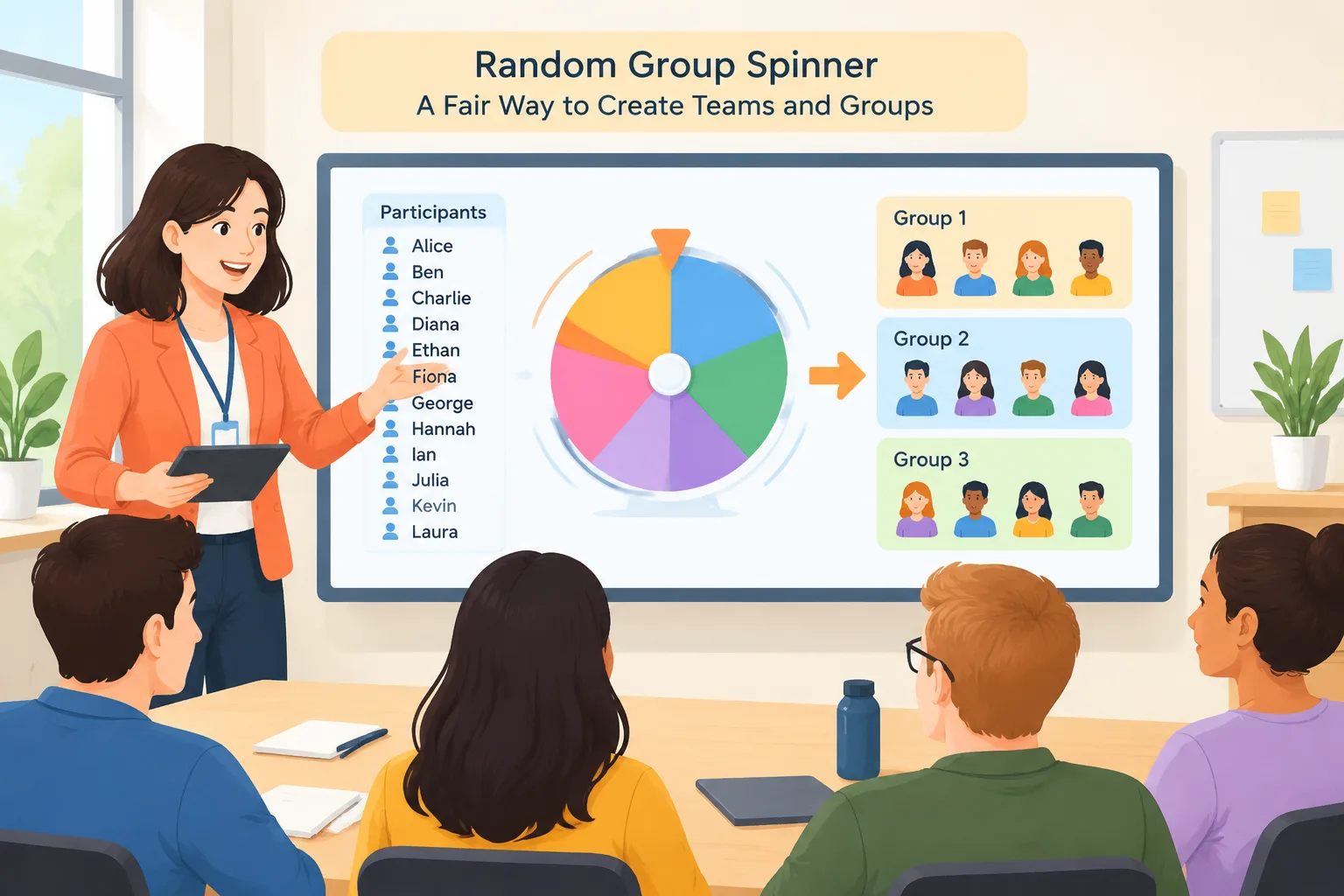
A random group spinner works by taking a list of names and distributing them into groups through a random selection process. This approach is useful when the goal is to mix participants, save preparation time, or introduce a neutral way to organize collaboration. Tools like a Random Group Generator can support these situations by handling the selection process in seconds.
Why use a random group spinner for classrooms and teams?
Many teachers and facilitators face the same challenge: creating groups that feel fair while avoiding delays. Choosing teams by hand can unintentionally favor certain people, leave someone waiting, or create the same groups repeatedly. A random group spinner provides a clear process where every participant starts with an equal chance of being selected.
For example, a middle school teacher preparing a science activity may need five groups of four students. Instead of spending several minutes deciding who works together, the teacher can enter the class list, choose the group size, and let the tool create assignments. Students can see that the groups were created through a consistent method rather than personal preference.
Random grouping is also useful outside schools. Corporate trainers often need small discussion teams during workshops, and event organizers may need activity groups for networking sessions. A random process can help participants meet new people and encourage broader collaboration.
However, a random group spinner is not the right choice for every situation. Some activities require carefully balanced skills, accessibility considerations, or specific experience levels. In those cases, a facilitator may need to adjust groups manually after using random assignment as a starting point.
How does a random group spinner work?
A random group spinner usually follows a few simple steps. While different tools may have different designs, the basic process focuses on collecting names, applying group settings, and generating assignments.
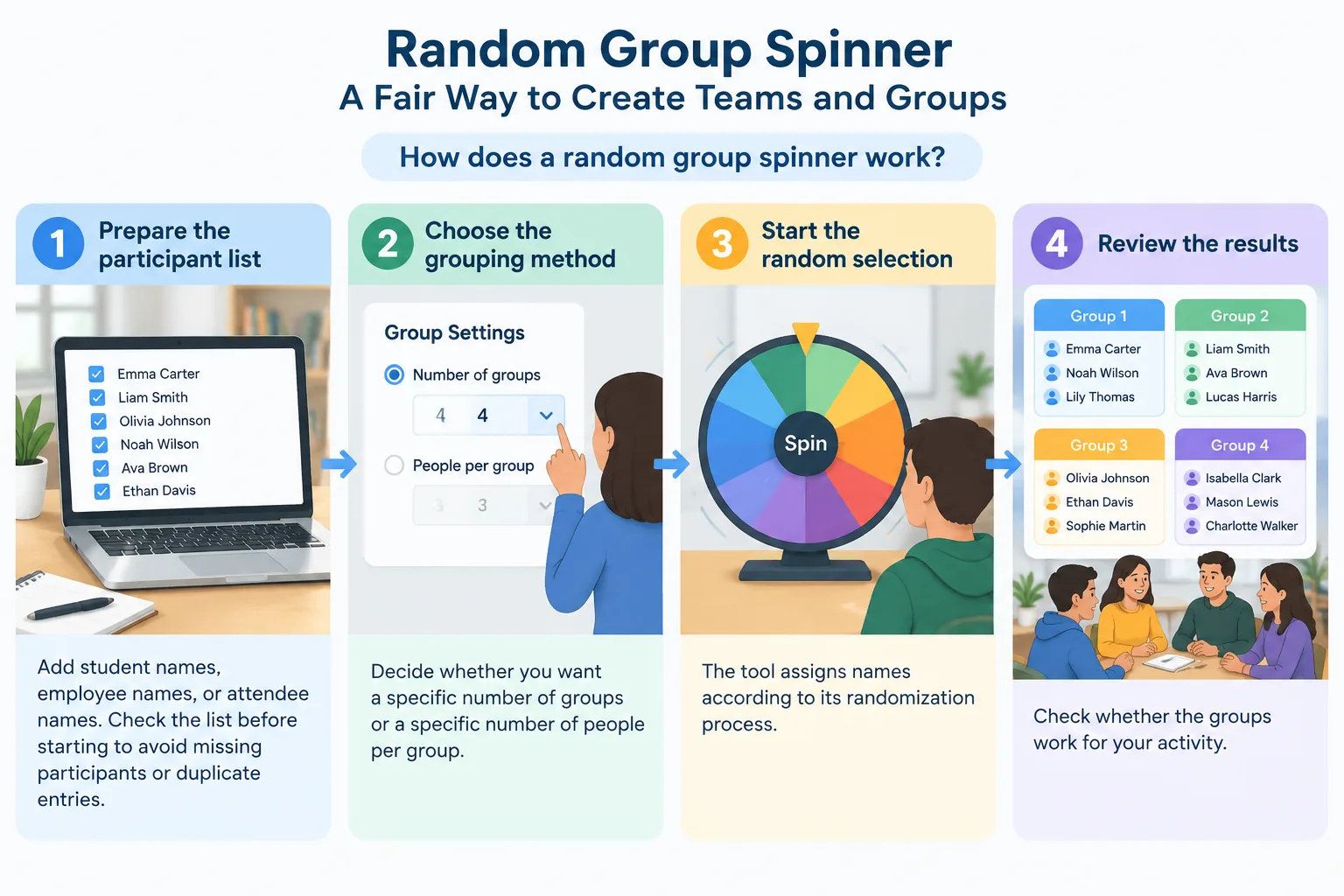
Here is a typical process:
- Prepare the participant list. Add student names, employee names, or attendee names. Check the list before starting to avoid missing participants or duplicate entries.
- Choose the grouping method. Decide whether you want a specific number of groups or a specific number of people per group.
- Start the random selection. The tool assigns names according to its randomization process.
- Review the results. Check whether the groups work for your activity. Make small adjustments if needed.
- Share the groups. Display the results on a screen, copy them into your lesson plan, or send them to participants.
For instance, a training manager running a communication workshop with 24 employees might create six groups of four. The facilitator can generate the groups before the session, display them at the beginning, and immediately move into the activity without spending time organizing teams manually.
Practical ways teachers use a random group spinner
Teachers can use random group spinners for many classroom activities. The value comes from reducing setup time and making group formation easier to explain to students. A visible random process can also encourage students to work with classmates they might not normally choose.
One common example is project-based learning. A teacher assigning a history presentation may want students to collaborate with different classmates during each unit. A random group spinner can create new combinations for each project, helping students practice communication and teamwork skills.
Another example is classroom discussion. Instead of asking students to choose their own partners, a teacher can create pairs or small groups instantly. For activities that need two-person teams, a Random Pair Generator can provide a focused option.
Random grouping can also support warm-up activities, review games, peer feedback sessions, and rotating classroom stations. The tool does not replace teacher judgment; instead, it removes repetitive organization work so teachers can focus on instruction.
Using a random group spinner for workplace workshops
Facilitators in workplaces often need quick ways to organize breakout groups. A random group spinner can help create balanced participation during training sessions, team-building activities, and brainstorming exercises.
For example, during a leadership workshop, a facilitator may want participants from different departments to discuss a problem together. Instead of allowing existing teams or friends to stay together, random assignment can create new conversations between people who rarely collaborate.
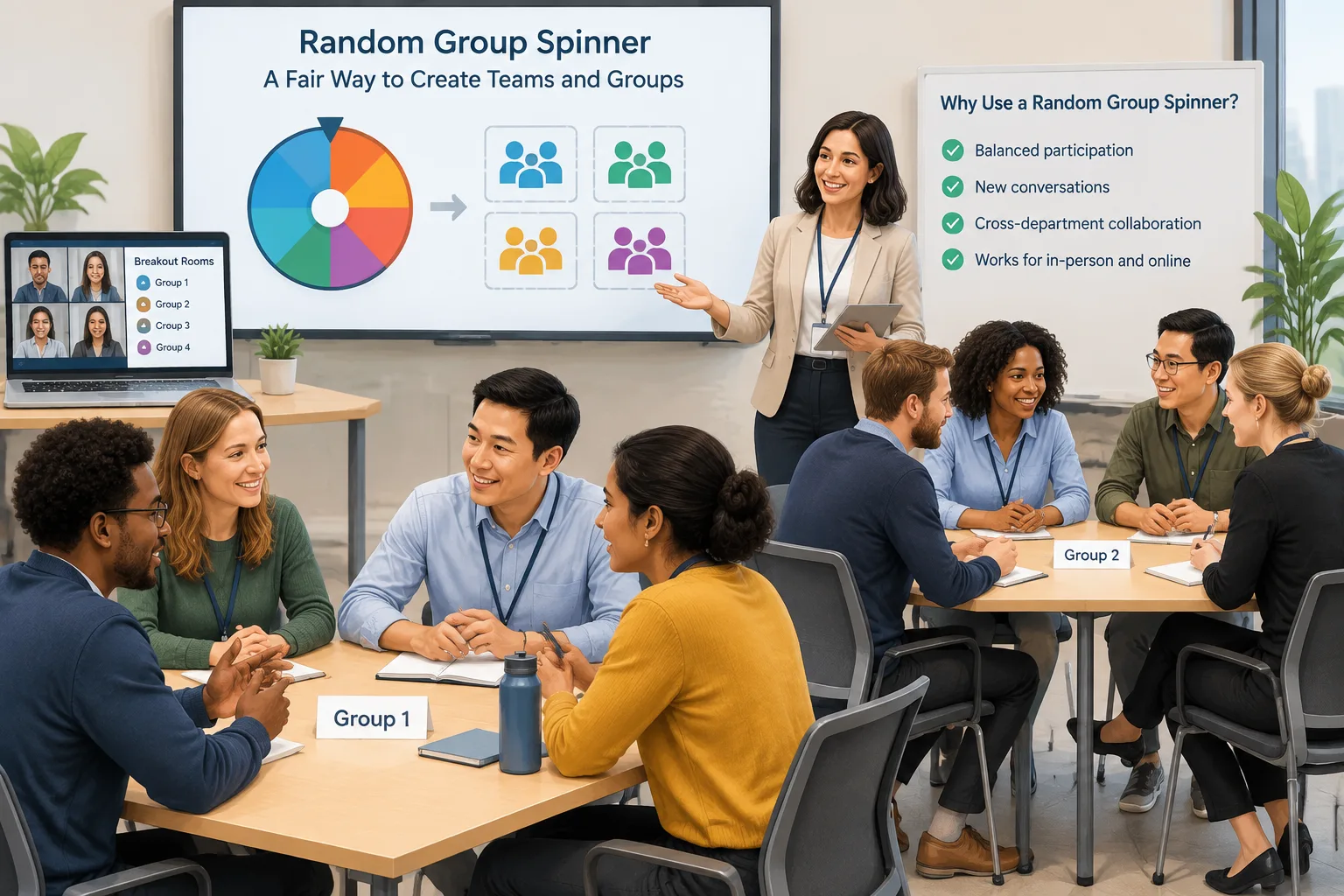
The same approach works for online sessions. When using video meeting platforms, facilitators can generate groups first and then place participants into breakout rooms. This workflow can be useful for sessions using tools such as Zoom or Microsoft Teams, although the exact room setup depends on the platform being used.
A random group spinner can also be combined with other organization tools. For example, after creating teams, a facilitator may use a Group Name Generator to give each team an easy identifier during an activity.
Random group spinner compared with manual team selection
Manual selection and random selection each have their place. The better choice depends on the purpose of the activity and the information the organizer needs to consider.
Manual grouping gives teachers and facilitators more control. They can create groups based on skills, experience, schedules, or learning needs. This is helpful for long-term projects or activities where balance between participants is important.
A random group spinner focuses on speed, fairness, and simplicity. It works well when the main goal is to quickly create teams without spending extra preparation time. It can also reduce complaints that the organizer intentionally selected certain people together or apart.
For example, a teacher running a five-minute discussion activity may prefer random groups because the activity is short and low risk. For a semester-long research project, the same teacher may choose a more planned grouping method.
The best workflow is often a combination: use random assignment to create a starting structure, then make small adjustments when there are clear educational or practical reasons.
Tips for getting better results from a random group spinner
A random group spinner is simple to use, but preparation still matters. Clear inputs and thoughtful settings create better outcomes.
Start with an accurate list. Remove duplicate names and confirm that everyone who should participate is included. If a group activity has special requirements, decide those before generating groups.
Think about group size carefully. Smaller groups can make it easier for everyone to participate, while larger groups may work better for broad discussions. The ideal size depends on the activity, available time, and expected participation level.
It is also helpful to explain the process to participants. A short explanation such as “These groups were created randomly so everyone has a fair chance to work with different people” can make the method easier to accept.
For classrooms that need additional organization, a Random Student Picker can be used separately when selecting individual students for questions, demonstrations, or classroom roles.
Frequently asked questions about random group spinners
What is a random group spinner?
A random group spinner is a tool that selects or divides names into groups using a random process. Teachers, trainers, and facilitators use it to create teams quickly without manually choosing every participant.
Is a random group spinner fair?
A random group spinner can provide a fair selection method when all participants are included and the goal is unbiased random assignment. Organizers should still review results when activities require specific skill combinations or accommodations.
Can I use a random group spinner for online classes?
Yes. Online teachers can generate groups before or during a virtual lesson and then share the assignments with students. The final breakout room setup depends on the video meeting platform being used.
How many people should be in each random group?
The best group size depends on the activity. Small discussion tasks often work well with pairs or groups of three to five, while larger activities may require bigger teams.
Can I change groups after using a random group spinner?
Yes. Random assignment can be used as a starting point. Teachers and facilitators can adjust groups afterward if there are clear reasons related to the activity, learning needs, or scheduling.
Create groups faster with a random group spinner
A random group spinner gives educators and facilitators a practical way to organize teams while saving preparation time. It is especially useful when fairness, speed, and variety matter more than manually planned assignments. Try the Random Group Generator to create groups for your next classroom activity, workshop, or team session.
SponsoredExplore more resources