
group spinner
Group Spinner: How to Create Fair Random Groups Quickly
Learn how a group spinner helps teachers and facilitators create balanced random groups for classrooms, workshops, and team activities with simple steps.
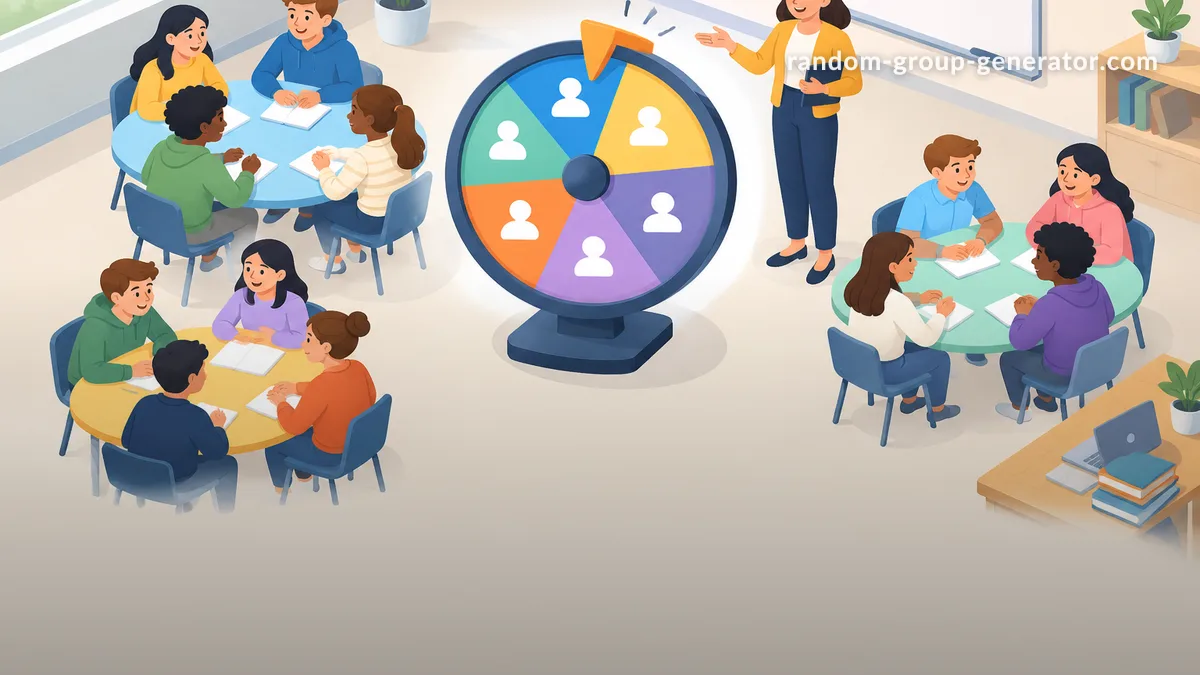
When teachers, trainers, or team leaders need to split people into groups, the same challenge often appears: how can everyone be assigned fairly without spending extra time or creating accidental patterns? A group spinner is a simple digital method for randomly assigning people to groups, helping classrooms and workshops move from planning to participation faster.
A group spinner works by taking a list of names or participants and using a random selection process to decide assignments. It can help educators create discussion teams, activity groups, project partners, or workshop teams while reducing manual effort. This guide explains what a group spinner does, how to use one effectively, and examples from real teaching and facilitation situations.
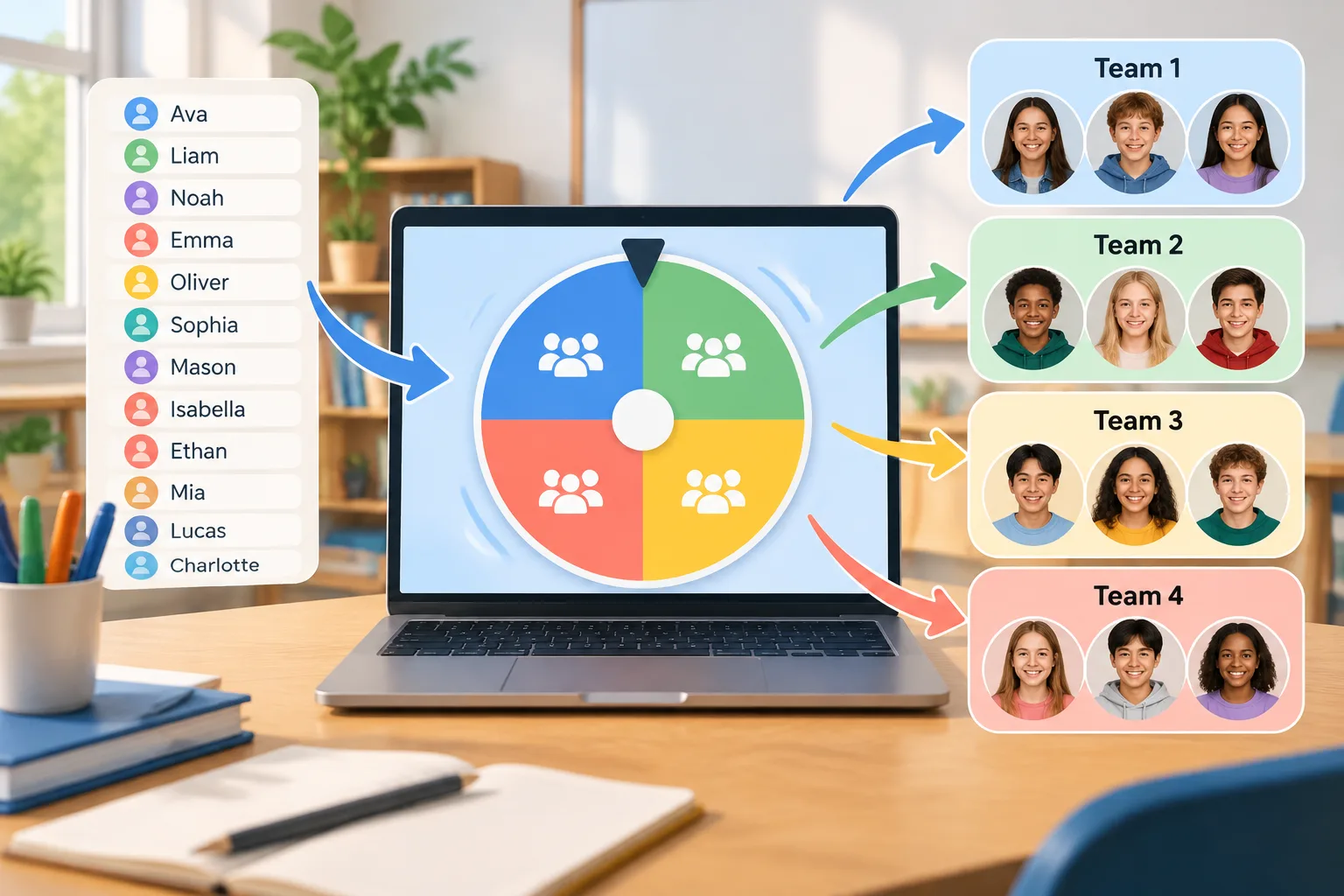
What Is a Group Spinner and Why Do People Use It?
A group spinner is a digital tool that randomly selects names or creates group assignments from a participant list. Instead of asking people to choose their own teams or manually arranging groups, the facilitator can enter names, choose group settings, and let the tool handle the random selection process.
This approach is useful because manual grouping can take time and may unintentionally favor certain students or employees. A random method creates a clear process that participants can understand. In a classroom, students can see that groups were created through chance rather than personal preference. In a workplace workshop, team members can quickly move into discussion groups without long planning conversations.
For example, a middle school teacher preparing a science activity may have 28 students who need to work in groups of four. Instead of calling names one by one or allowing friends to form teams, the teacher can use a group spinner to create seven random groups in seconds. The teacher can then adjust assignments if there are special learning needs or classroom considerations.
A group spinner is especially helpful for situations where fairness and speed matter. It supports teachers, corporate trainers, event organizers, and HR facilitators who regularly need temporary teams for activities.
Common Problems That Random Grouping Solves
Creating groups sounds simple, but many facilitators face practical problems. One common issue is time. Spending several minutes arranging groups during every lesson or meeting reduces the time available for the actual activity. A digital group spinner turns this preparation step into a quick workflow.
Another issue is participation balance. When people always choose their own groups, the same patterns may repeat. Some students may always work together, while quieter participants may be left out. In professional settings, employees may interact mostly with familiar colleagues instead of meeting new teammates. Random grouping can introduce variety and encourage broader collaboration.
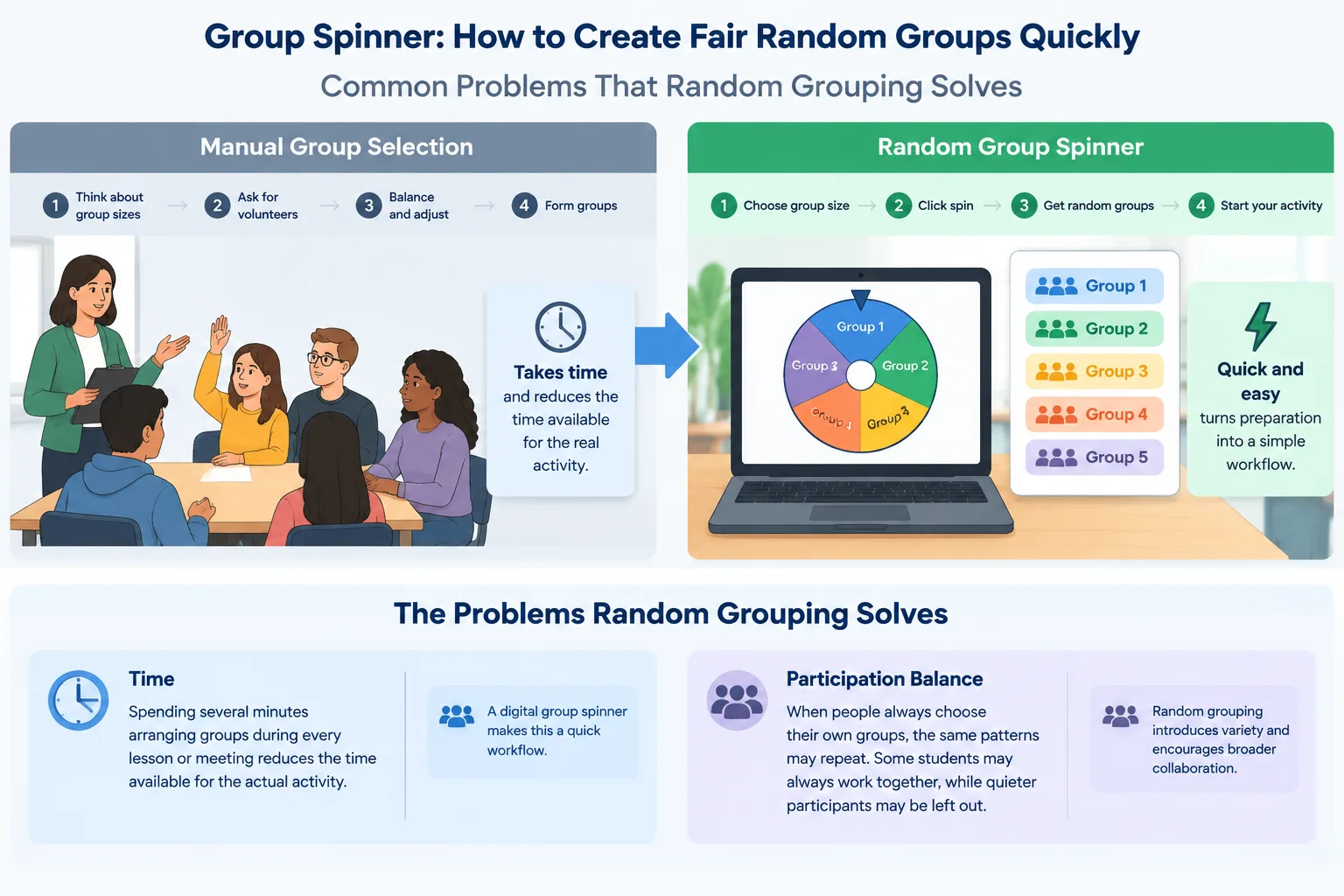
Consider a corporate trainer running a communication workshop with 40 employees. The trainer wants small groups to discuss a scenario, but manually creating eight teams would interrupt the session. A group spinner allows the trainer to prepare teams before the activity or create new groups between exercises.
A group spinner does have limits. Random assignment does not automatically create the perfect learning or working combination. Teachers may need to consider accessibility, skill levels, or classroom dynamics. Trainers may need to avoid placing people together for sensitive discussions. Random grouping is a useful starting point, but professional judgment remains important.
How to Use a Group Spinner Step by Step
Using a group spinner usually takes only a few steps. The exact options may vary between tools, but the general process is similar.
- Prepare your participant list. Collect the names of students, employees, or attendees who need to be assigned.
- Choose your group structure. Decide whether you need a specific number of groups or a specific number of people in each group.
- Run the random selection. Start the spinner or grouping process and allow the tool to create assignments.
- Review the results. Check whether any adjustments are needed for practical reasons, such as accessibility requirements or project responsibilities.
- Share the groups. Display the results on a screen, copy them into your lesson plan, or send them to participants.
For example, a university instructor preparing a discussion activity has 36 students and wants six groups. The instructor uploads or enters the student names, selects six groups, runs the random grouping process, and displays the results before beginning the discussion. The process avoids several minutes of classroom organization and gives students a clear reason for their assignments.
A helpful workflow is to save commonly used lists when possible. Teachers who have different classes or trainers who run repeated sessions can prepare faster by keeping participant information organized.
Ways Teachers and Facilitators Can Use a Group Spinner
A group spinner can support many different activities because grouping is a common part of learning and collaboration. Teachers can use random groups for peer discussions, laboratory activities, debates, reading circles, and project planning. The method works well when the goal is to encourage interaction between different participants.
For example, an English teacher may create four discussion teams before a literature activity. Each team receives a different question and students discuss their answers together. Because the groups are randomly assigned, students may collaborate with classmates they do not normally choose.
Facilitators can also combine grouping with other classroom tools. If you need to select individual participants rather than create teams, a random student picker can help choose a student for a presentation or response. If the activity requires pairs instead of larger teams, a random pair generator can create quick partner assignments.
In a workplace setting, a trainer might use random groups during an onboarding session. New employees from different departments can be placed into small teams to discuss company values or solve a practice problem. This creates opportunities for interaction beyond existing teams.
Group Spinner vs Manual Selection: Choosing the Right Method
Manual grouping can still be useful in some situations. A teacher may intentionally create groups based on reading levels, project roles, or specific support needs. A manager may need carefully designed teams for a long-term project. In these cases, random assignment may not be the best first choice.
However, a group spinner is often more efficient for short activities where fairness and speed are the main goals. It removes the pressure of deciding who works with whom and gives participants confidence that the process was neutral.
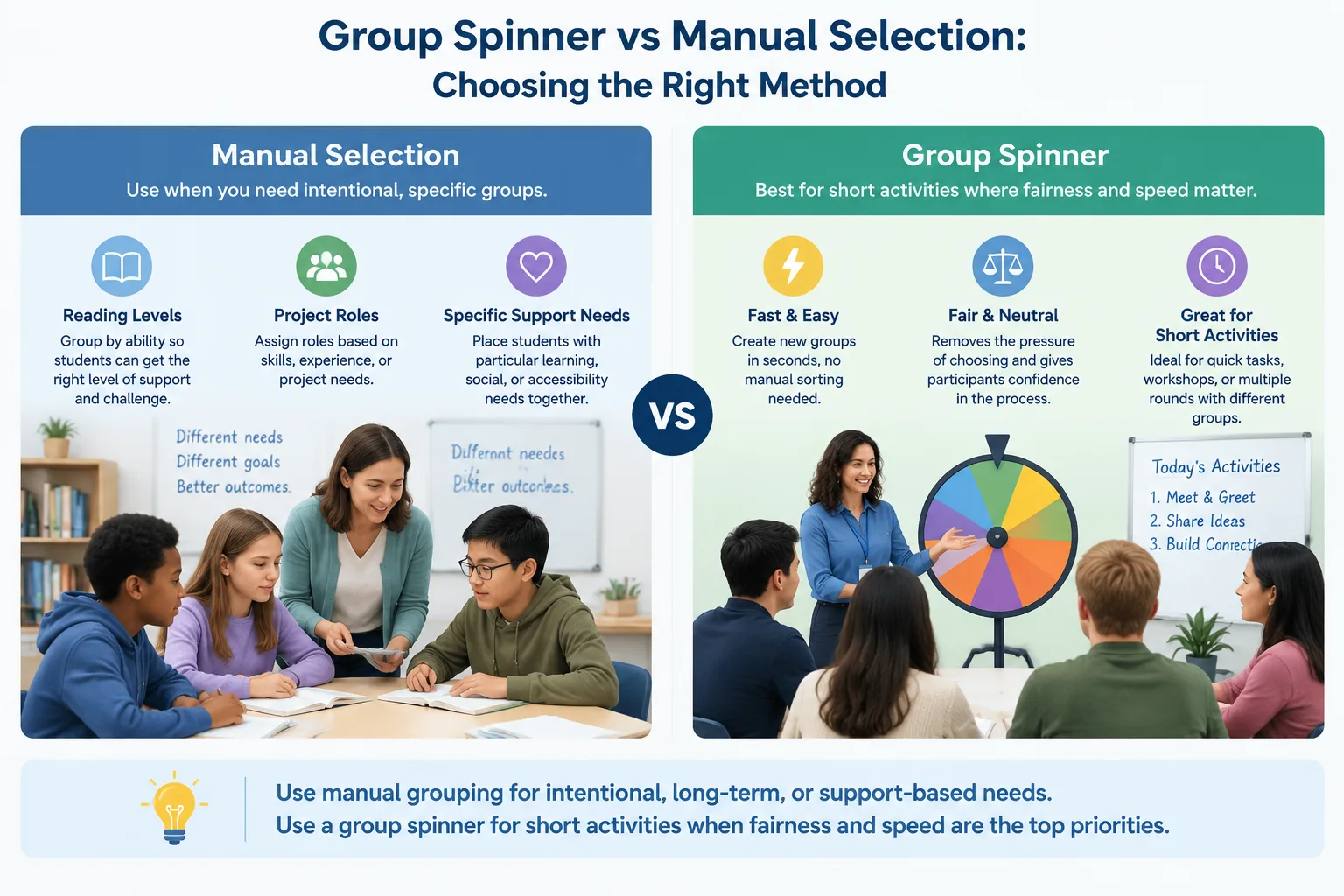
For example, a workshop leader running three short networking activities may need different groups each time. Creating new teams manually would be difficult and repetitive. A group spinner allows the leader to refresh groups quickly while keeping the session moving.
The best approach depends on the purpose of the activity. Random grouping works well for icebreakers, discussions, practice exercises, and temporary teams. Planned grouping may work better for long-term projects or activities with specific instructional goals.
Tips for Making Random Groups Work Better
A random group assignment becomes more effective when it is combined with clear instructions. Before creating groups, explain the purpose of the activity and what each group should accomplish. Participants are more likely to engage when they understand the reason behind the grouping method.
It also helps to decide group sizes before using the tool. Smaller groups often make it easier for everyone to contribute, while larger groups may work better for brainstorming. The ideal size depends on the activity, available time, and participant needs.
Another useful practice is changing groups regularly. If students or employees always work with the same people, collaboration opportunities become limited. Rotating random groups can help participants build communication skills and become comfortable with different teammates.
For example, an HR facilitator running monthly training sessions can create new discussion teams each month. Over time, employees have more opportunities to connect across departments while still completing structured activities.
Frequently Asked Questions About Group Spinners
What is a group spinner used for?
A group spinner is used to randomly assign people into groups, teams, or pairs. Teachers use it for classroom activities, while facilitators use it for workshops, meetings, and team exercises.
Is a group spinner fair for classroom grouping?
A group spinner provides a random method for assigning groups, which can make the process easier to understand and more consistent. Teachers should still review results when specific learning needs or classroom considerations require adjustments.
Can I create different group sizes with a group spinner?
Many grouping tools allow users to choose the number of groups or participants per group. The available options depend on the specific tool being used.
When should I not use a group spinner?
A group spinner may not be the right choice when groups require specific skills, experience levels, or carefully planned roles. In those cases, a facilitator may prefer intentional group design.
Can I use a group spinner for online classes or remote teams?
Yes. A digital group spinner can support online activities by creating assignments before or during virtual sessions. Teams can then move into breakout rooms or discussion channels based on the generated groups.
Create Your Random Groups Faster
A group spinner helps teachers and facilitators save preparation time while creating a clear and fair way to organize participants. Whether you are planning a classroom activity, workshop discussion, or team exercise, random grouping can make transitions smoother.
Try the Random Group Generator to create balanced random groups quickly, or explore related tools like the Group Name Generator for adding creative names to your teams.
Related Tools
Pick the right generator for the job — every tool runs free in your browser.