
seating chart randomizer
Seating Chart Randomizer: Shuffle Classroom Seats in Seconds
Learn how a seating chart randomizer helps teachers create fair classroom seat plans quickly, reduce routine work, and organize student seating with practical

Teachers often spend extra time creating classroom seating charts, especially when they need to balance student needs, change layouts, or prepare for a new term. A seating chart randomizer helps educators quickly create a new seat arrangement by placing students into available positions with a fair random process. This guide explains how seating chart randomizers work, how to use them effectively, and how teachers can combine random selection with their own classroom knowledge.
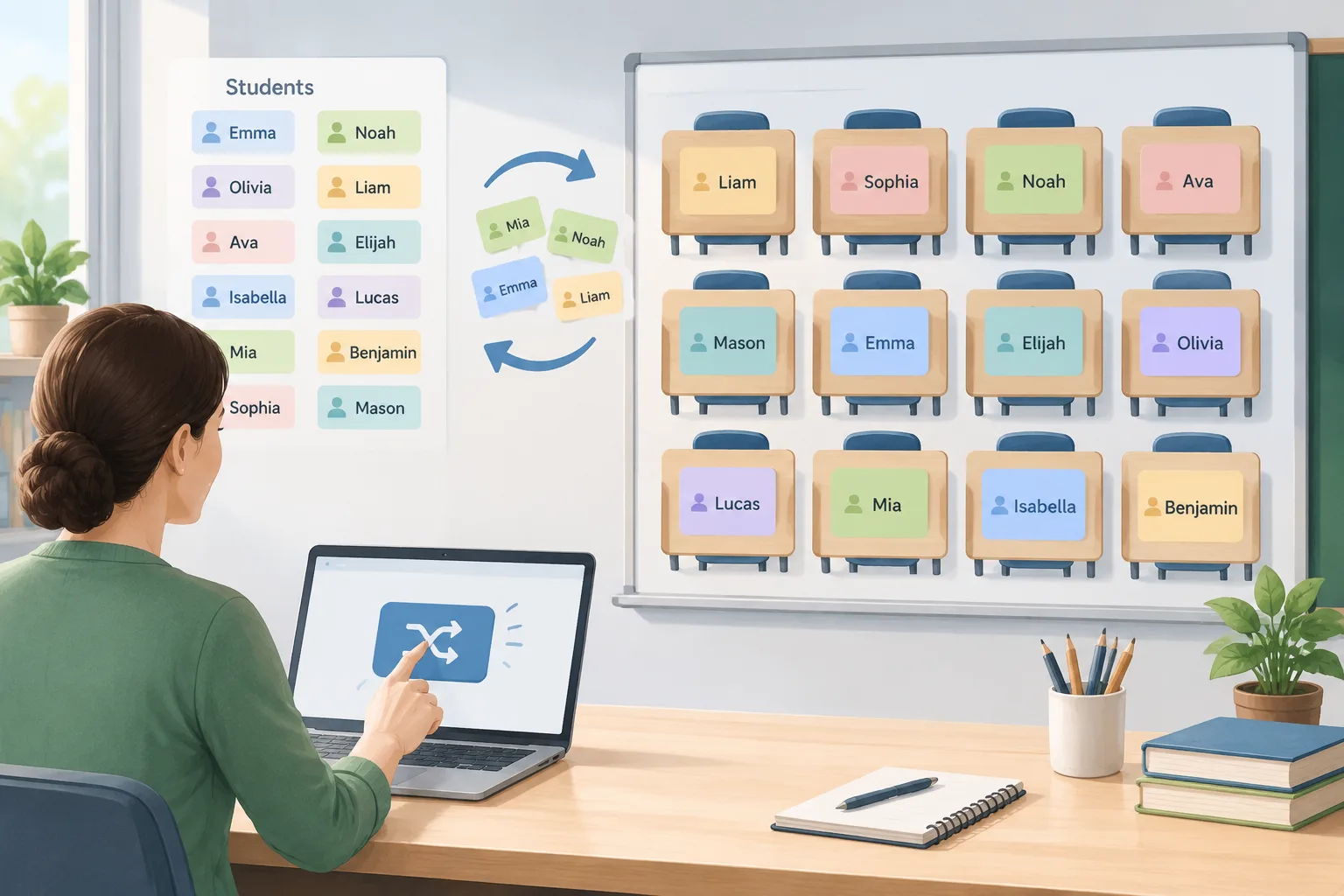
Why teachers use a seating chart randomizer
Creating a seating chart sounds simple, but it can become a time-consuming task. Teachers may need to assign dozens of seats while considering classroom routines, group activities, student visibility, accessibility needs, and frequent changes. A manual process often means dragging names around repeatedly until the arrangement feels workable.
A seating chart randomizer provides a faster starting point. Instead of building every arrangement from scratch, a teacher can enter student names, generate a randomized layout, and then make any final adjustments. The tool handles the repetitive part while the educator keeps control over decisions that require classroom experience.
For example, a middle school teacher preparing a new seating plan for 28 students can use a random arrangement to avoid repeatedly placing the same students together. After generating the chart, the teacher can move a few seats based on classroom observations, such as separating students who need fewer distractions or placing students where they can better participate.
Randomization is useful because it creates a neutral first step. Students are less likely to feel that seats were chosen based on personal preference, and teachers can explain that the chart was created through a consistent process.
How a seating chart randomizer works
Most seating chart randomizers follow a straightforward process. The teacher provides a list of students and the available seating positions. The tool then matches names to positions using a random assignment method.
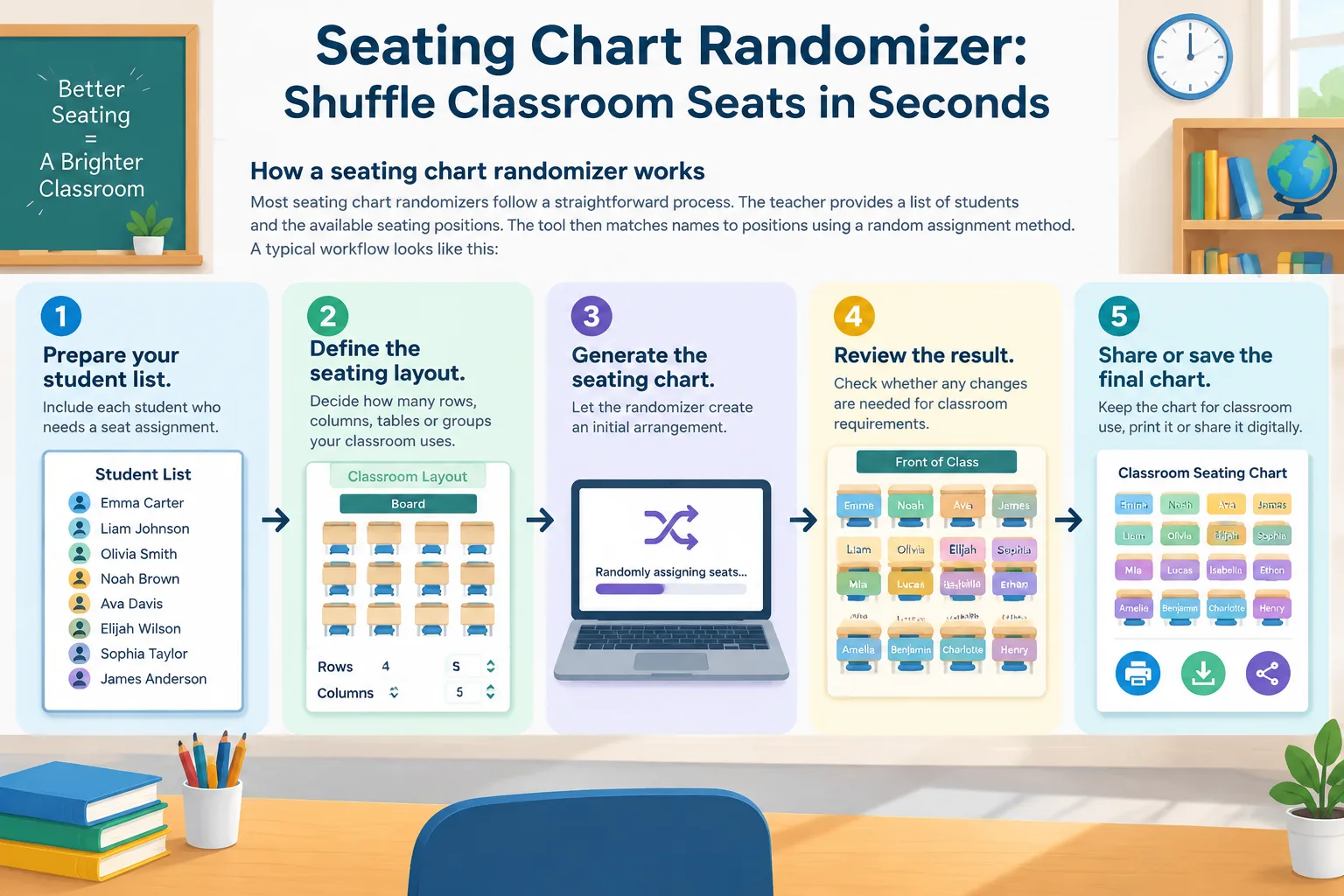
A typical workflow looks like this:
- Prepare your student list. Include each student who needs a seat assignment.
- Define the seating layout. Decide how many rows, columns, tables, or groups your classroom uses.
- Generate the seating chart. Let the randomizer create an initial arrangement.
- Review the result. Check whether any changes are needed for classroom requirements.
- Share or save the final chart for classroom use.
For example, an elementary teacher may create a seating grid with six tables of four students each. The randomizer can distribute students across the tables, giving the teacher a balanced draft before making small adjustments for reading support, classroom movement, or learning preferences.
A good seating chart randomizer should support teacher judgment rather than replace it. Random placement is a useful method for fairness and efficiency, but teachers still understand their students and classroom environment best.
Step-by-step: create a classroom seating plan
A practical seating chart process starts with preparation. Before generating a chart, decide what you want the seating plan to accomplish. Some teachers want a fresh arrangement every month, while others need a fixed plan for a semester.
Follow these steps:
Step 1: Gather your classroom information
Collect your student names and decide what type of seating arrangement you need. This might be individual desks, pairs, groups, or a traditional row layout.
For example, a high school teacher with 32 students may prepare a four-column desk layout. The teacher enters the student list and uses the randomizer to create an initial placement.
Step 2: Generate a random arrangement
Use the tool to shuffle students into seats. A random result gives you a neutral draft instead of relying on memory or repeating old patterns.
If you need to organize students into teams instead of seats, a Random Group Generator can help create balanced groups for classroom activities.
Step 3: Review and adjust
A random seating chart is a starting point. Review the arrangement and update any seats that need special consideration. Common adjustments may include visibility needs, accessibility requirements, classroom management concerns, or specific learning supports.
For example, a teacher may move one student closer to the board and separate two students who tend to distract each other. The randomizer saves time by reducing the number of manual changes needed.
Step 4: Use the chart during daily routines
Once the chart is ready, teachers can use it for attendance, classroom management, and activity planning. A consistent seating plan can make transitions smoother because students know where to go.
Seating chart randomizer vs manual seat planning
Teachers have several ways to create seating arrangements. The best choice depends on the classroom situation and how often seating needs to change.
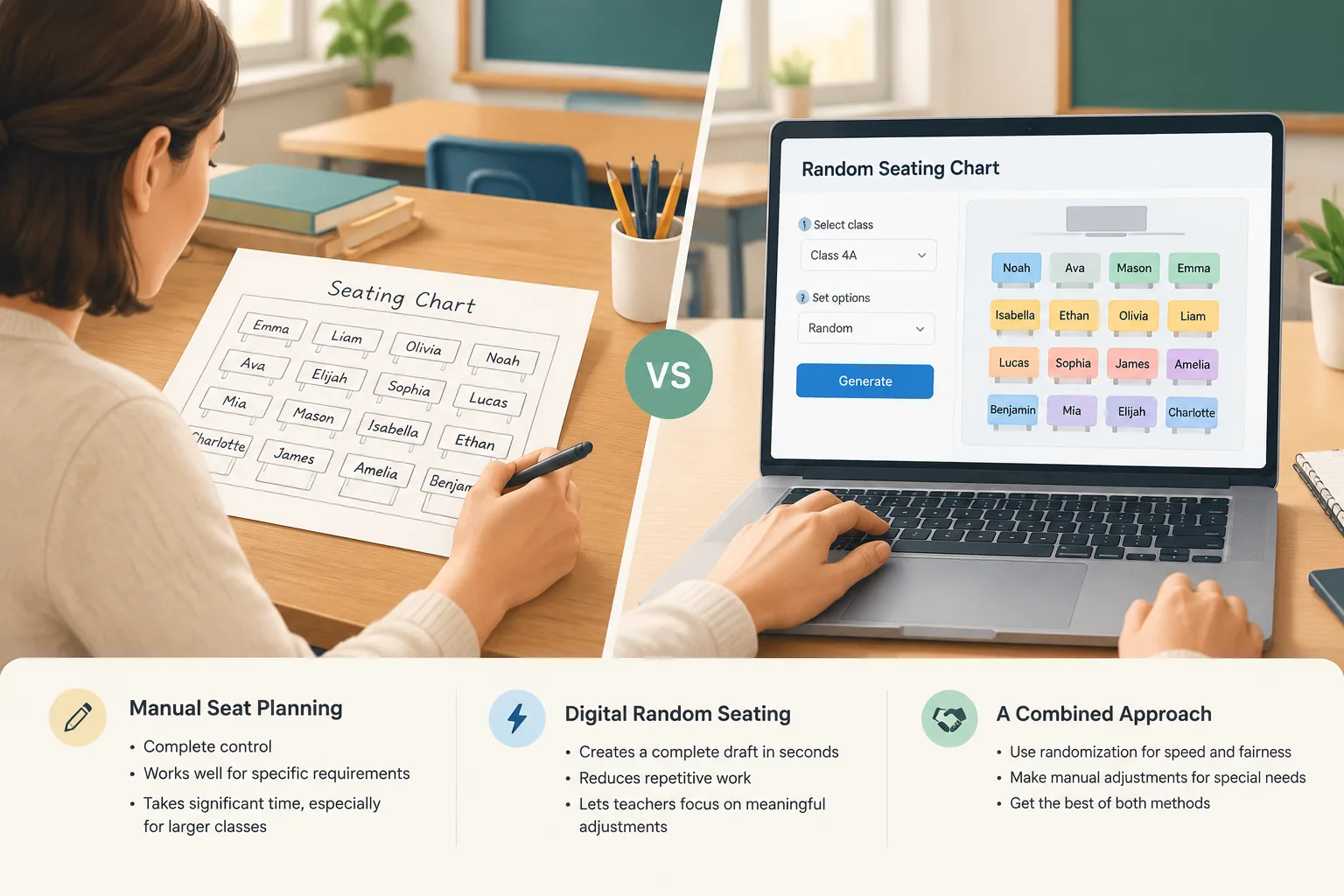
Manual planning gives teachers complete control. It works well when a class has many specific requirements or when the teacher already knows exactly where every student should sit. However, creating a chart by hand can take significant time, especially for larger classes.
A seating chart randomizer is helpful when speed and fairness are priorities. It creates a complete draft in seconds and reduces repetitive work. Teachers can then focus their attention on meaningful adjustments instead of moving every name manually.
A combined approach often works best. A teacher can generate a random chart, review the result, and make targeted edits. This provides the efficiency of automation with the professional judgment of an experienced educator.
For pair-based classroom activities, teachers may also use a Random Pair Generator to quickly create partner assignments without manually matching students.
Practical classroom examples for seating charts
Different learning environments can use seating chart randomizers in different ways. The tool is especially useful when teachers regularly need new arrangements.
In a language classroom, a teacher may change seats every few weeks to encourage students to interact with different classmates. The teacher generates a new chart, checks the arrangement, and introduces the new seating plan at the beginning of the lesson.
In a corporate training room, a facilitator may use a random seating arrangement before a workshop. Participants can be placed at different tables to encourage networking and prevent the same coworkers from always sitting together.
In a university seminar, an instructor may use random seating for discussion sessions. The arrangement can help create a fresh conversation pattern while still allowing the instructor to make accessibility-related changes.
These examples show an important principle: random tools are most effective when they support a clear purpose. The goal is not random placement for its own sake. The goal is to make planning easier while creating opportunities for organized participation.
When a seating chart randomizer may not be the right choice
A seating chart randomizer is not suitable for every situation. Some classrooms require carefully designed layouts from the beginning. For example, a teacher managing a specialized classroom setup may need to assign every seat manually.
Random placement also should not ignore student needs. If a student requires a specific location for learning, accessibility, or safety reasons, those needs should guide the final chart.
Teachers should also consider privacy and communication. A seating chart is a classroom management tool, so educators should decide how and when to display it. Sharing a public chart may not be appropriate in every environment.
The best use of a randomizer is as a planning assistant. It reduces repetitive work, creates a fair starting point, and leaves final decisions with the teacher or facilitator.
Frequently asked questions about seating chart randomizers
What is a seating chart randomizer?
A seating chart randomizer is a tool that automatically assigns students to classroom seats using a random arrangement process. Teachers can use it to quickly create a draft seating plan and adjust it when needed.
Can teachers edit a randomly generated seating chart?
Yes. A random seating chart should be treated as a starting point. Teachers can review the arrangement and make changes based on classroom needs, student support requirements, or learning goals.
Is a random seating chart fair for students?
Random seating can provide a consistent and neutral way to create an initial arrangement. However, fairness also requires teachers to consider individual student needs before using the final chart.
Can a seating chart randomizer be used for group activities?
Yes. Teachers and facilitators can use random assignment methods for groups, pairs, and discussion activities. For larger activities, a Random Student Picker can help select participants fairly.
How often should teachers change seating charts?
There is no single schedule that works for every classroom. Some teachers change seats weekly, while others update arrangements monthly or when classroom needs change.
Create your next seating plan faster
A seating chart randomizer helps teachers spend less time arranging names and more time preparing meaningful lessons. By generating a fair starting point and applying professional judgment afterward, educators can create classroom layouts that support organization and flexibility.
Ready to create a new classroom arrangement? Use the Seating Chart tool to build a seating plan quickly and adjust it for your classroom needs.
Want to try it right away? Use the Random Group Generator to split your list into balanced teams, the Group Name Generator to name each team, and the Random Pair Generator when you need one-on-one pairings.
Related Tools
Pick the right generator for the job — every tool runs free in your browser.