
random pair generator
Random Pair Generator: How to Create Fair Pairs for Any Activity
Learn how to use a random pair generator to create fair student partners and balanced teams. Follow practical steps, classroom examples, and tips for better pair work.
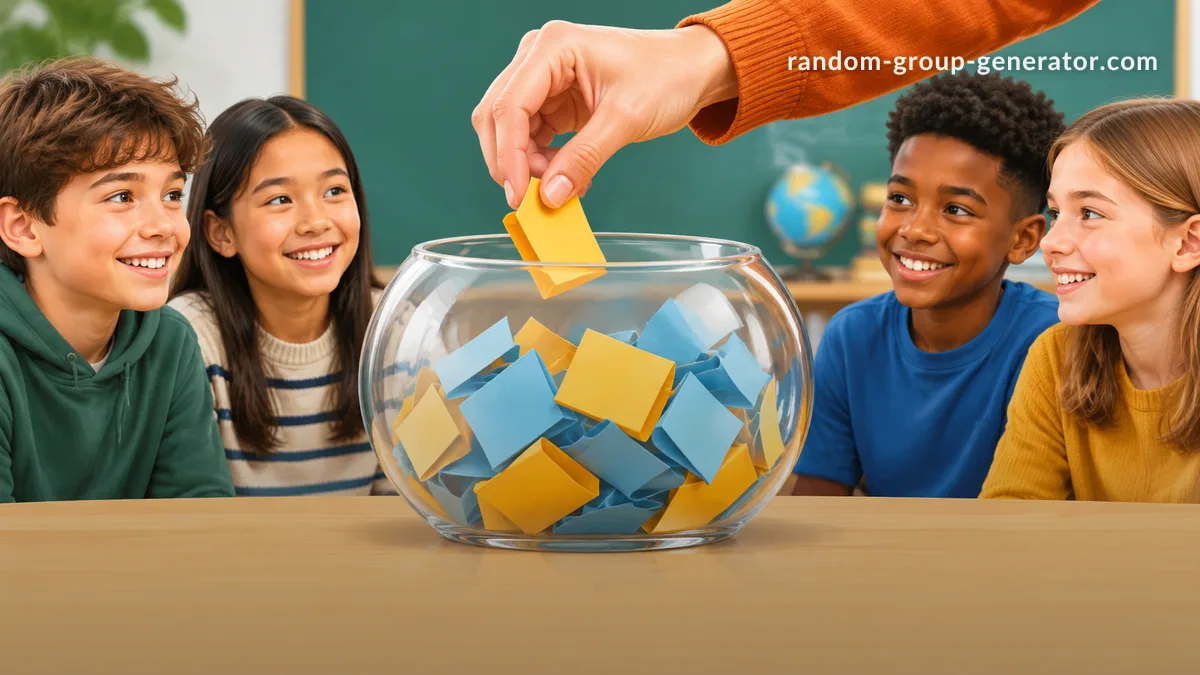
You have a classroom full of students, a workshop with dozens of participants, or a team meeting that needs a quick partner exercise. Everyone needs a partner, but asking people to choose their own can take time, leave someone out, or result in the same people working together every time. A random pair generator solves this problem by turning a participant list into pairs automatically. Instead of spending valuable time organizing people, teachers and facilitators can focus on the activity itself.
Whether you teach elementary school, lead university seminars, organize corporate training, or run community events, random pairing is a practical way to bring people together. This tutorial explains how to generate pairs, prepare participant lists, handle uneven numbers, and make partner activities more productive.
What Is a Random Pair Generator?
A random pair generator is a tool that takes a list of names and distributes participants into pairs. Rather than asking people to select their own partners, the tool creates pair assignments automatically. This makes it useful whenever you need to organize a group of people quickly and want to avoid repeatedly making the same manual decisions.
For example, imagine a teacher has 24 students and wants everyone to work with a different classmate during a reading exercise. The teacher enters the student names, generates pairs, and receives 12 partner assignments. The same process works for a company workshop with 30 employees or a training session with 18 participants.
Random pairing is particularly useful for short activities where the main goal is to get people interacting rather than carefully designing permanent teams. Cornell University's Center for Teaching Innovation recommends quick grouping approaches for in-class collaborative learning and discusses how smaller groups can make participation more manageable. Pairing is one straightforward way to put this principle into practice.
However, random assignment and balanced assignment are not always the same thing. A random result does not automatically account for experience, accessibility requirements, language preferences, or existing interpersonal concerns. For activities with specific learning or professional objectives, facilitators should decide whether unrestricted random pairing is appropriate before generating assignments.
Why Use a Random Pair Generator Instead of Choosing Partners Manually?
Choosing partners manually sounds easy when there are only a few participants. But as the list grows, the process becomes more complicated. Teachers may unintentionally favor familiar combinations, students may feel uncomfortable when someone is left without a partner, and meeting organizers can lose several minutes arranging people instead of beginning their session.
A random pair generator provides a consistent starting point. Everyone on the participant list can be included in the assignment, and the facilitator does not need to negotiate every pairing. This can also help introduce new working relationships, especially when participants usually sit with friends or collaborate with the same colleagues.
Consider a weekly classroom discussion. If students always choose their own partners, they may repeatedly work with familiar classmates. Generating new pairs gives them opportunities to hear different viewpoints. The goal is not to suggest that every random combination will be ideal, but to make it easier to vary interactions without spending time arranging each one manually.
There are several practical benefits:
- Less preparation: Generate assignments without manually matching every participant.
- More variety: Introduce new partner combinations across activities.
- Consistent process: Apply the same assignment approach to different classes or workshops.
- Reduced selection pressure: Participants do not have to publicly choose partners or wait to be selected.
- Flexible use: Create pairs for discussions, practice exercises, interviews, reviews, and icebreakers.
The University of Waterloo's Centre for Teaching Excellence also emphasizes the importance of clear instructions, appropriate group composition, and sufficient time when planning collaborative activities. Random assignment handles the logistics, while the facilitator remains responsible for making the activity meaningful.
How to Use a Random Pair Generator Step by Step
Creating partner assignments does not need to be complicated. With a dedicated online tool, you can prepare a list and generate results in a few straightforward steps.
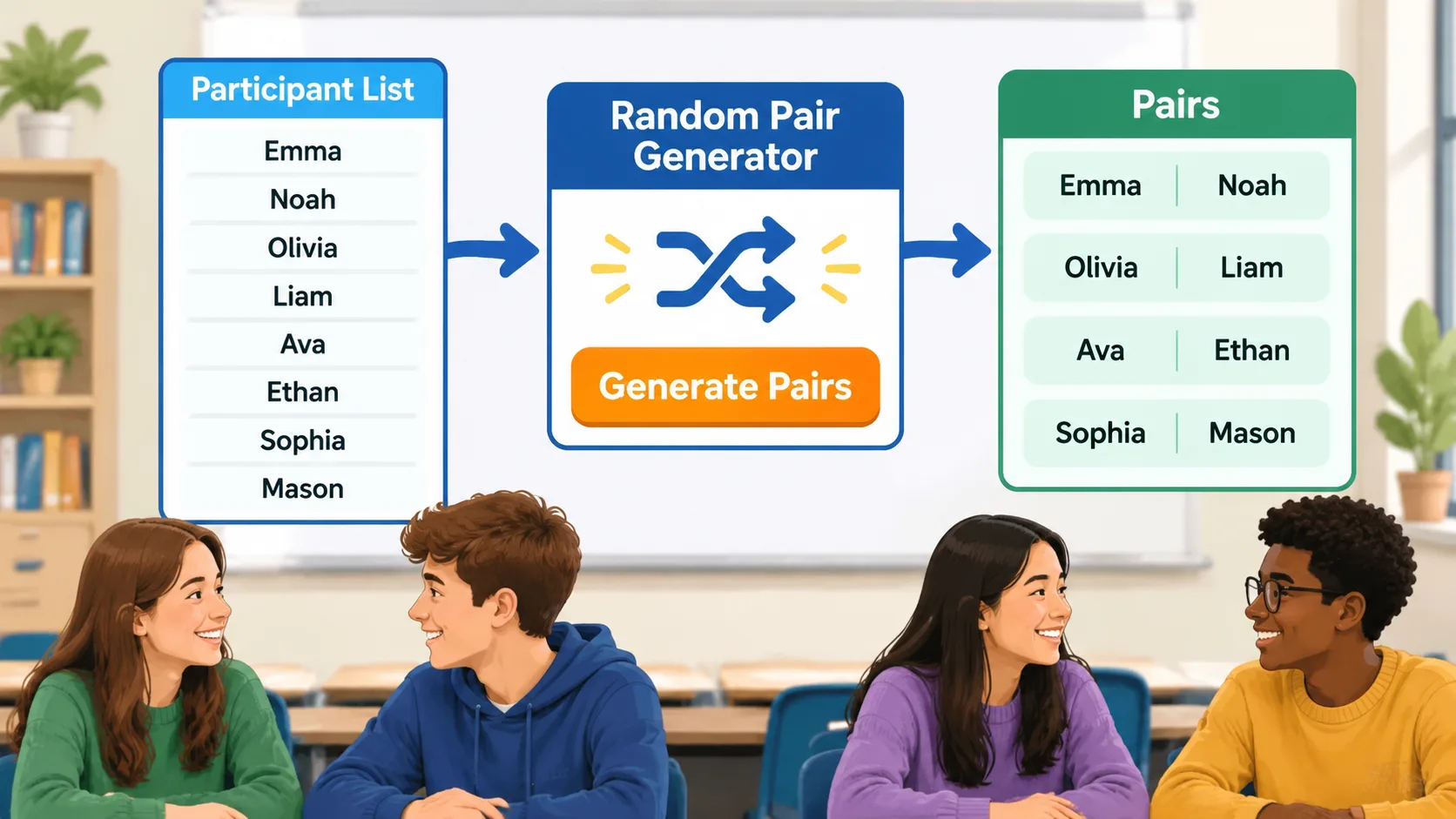
Step 1: Prepare Your Participant List
Start by collecting the names of everyone who needs a partner. Use a consistent format, with one participant per line if you are preparing a list for copying and pasting. Check spelling and remove duplicate entries before continuing.
For example, a teacher preparing a science activity might have the following participants:
- Alex
- Bailey
- Cameron
- Dakota
- Elliot
- Frankie
- Jordan
- Morgan
For larger groups, preparing the list in a spreadsheet can make checking names easier. Remember that the quality of the result depends partly on the accuracy of the information you provide. A missing name cannot appear in the generated assignments.
Step 2: Open the Random Pair Generator
Visit the Random Pair Generator and prepare to enter your participants. This dedicated tool is designed for creating partner assignments rather than requiring you to organize names manually.
Before generating the result, check that your participant list reflects who is actually taking part. If someone is absent, remove their name. If a late participant arrives, update the list before creating the final assignments.
For example, if a teacher originally prepared 28 names but two students are absent, the teacher should update the list to include the 26 students attending that lesson. This avoids creating assignments that need immediate correction.
Step 3: Generate Your Pairs
Enter the participant names and use the generator to create the assignments. Review the results to confirm that the names have been included as expected and that the number of pairs makes sense for your group size.
For a workshop with 16 employees, the expected result is eight pairs. For a class with 20 students, the expected result is ten pairs. These simple checks help catch mistakes before participants move into their activities.
Step 4: Share the Assignments
Once the pairs are ready, communicate them clearly. In a classroom, you might display the assignments on a screen or read them aloud. In a remote meeting, you can share the results through the meeting chat or use them when organizing breakout-room partners.
Give participants a moment to find their assigned partners before explaining the activity. This keeps the transition organized and helps prevent confusion about who should work together.
Step 5: Explain the Task and Set a Time Limit
A good pairing process is only the beginning. Participants also need to understand what they are expected to accomplish together.
For example, tell students: "You have eight minutes to compare your answers, agree on one explanation, and prepare to share it with the class." A specific outcome makes the activity easier to manage and gives both partners a reason to contribute.
How to Handle an Odd Number of Participants
One common question about random pairing is what happens when the participant count cannot be divided evenly by two. If you have 17 students, for example, you cannot create eight complete pairs without leaving one student unassigned.
There are several ways to handle this situation. The best choice depends on the activity, the participants, and whether everyone must work in exactly the same group size.
Option 1: Create one group of three. This is usually the simplest solution for classroom discussions and collaborative exercises. Two participants work together in most groups, while three participants share one assignment. Give the larger group clear expectations so that one person does not become a passive observer.
Option 2: Let the facilitator join the remaining participant. For a small class or workshop, the teacher or facilitator can become the additional partner. This works particularly well for language practice, interviews, and short question-and-answer activities.
Option 3: Rotate participants. If the activity involves repeated rounds, one participant can rotate between pairs. This is useful for speed networking, practice conversations, and activities where participants benefit from meeting several people.
Consider a teacher with 25 students preparing a vocabulary activity. The teacher could create 11 pairs and one group of three. In the larger group, assign rotating responsibilities: one student reads the vocabulary word, another explains its meaning, and the third creates an example sentence. Students can change responsibilities during the next round.
The important point is to plan for the extra participant before the activity begins. Avoid making the same student the odd person out every time. Changing the rotation or group of three across sessions can make the experience more inclusive.
Practical Ways to Use Random Pairs in Classrooms and Workshops
A random pair generator is useful in many situations because it removes the need to spend time choosing partners. The activity itself can be adapted to different ages, subjects, and professional settings.
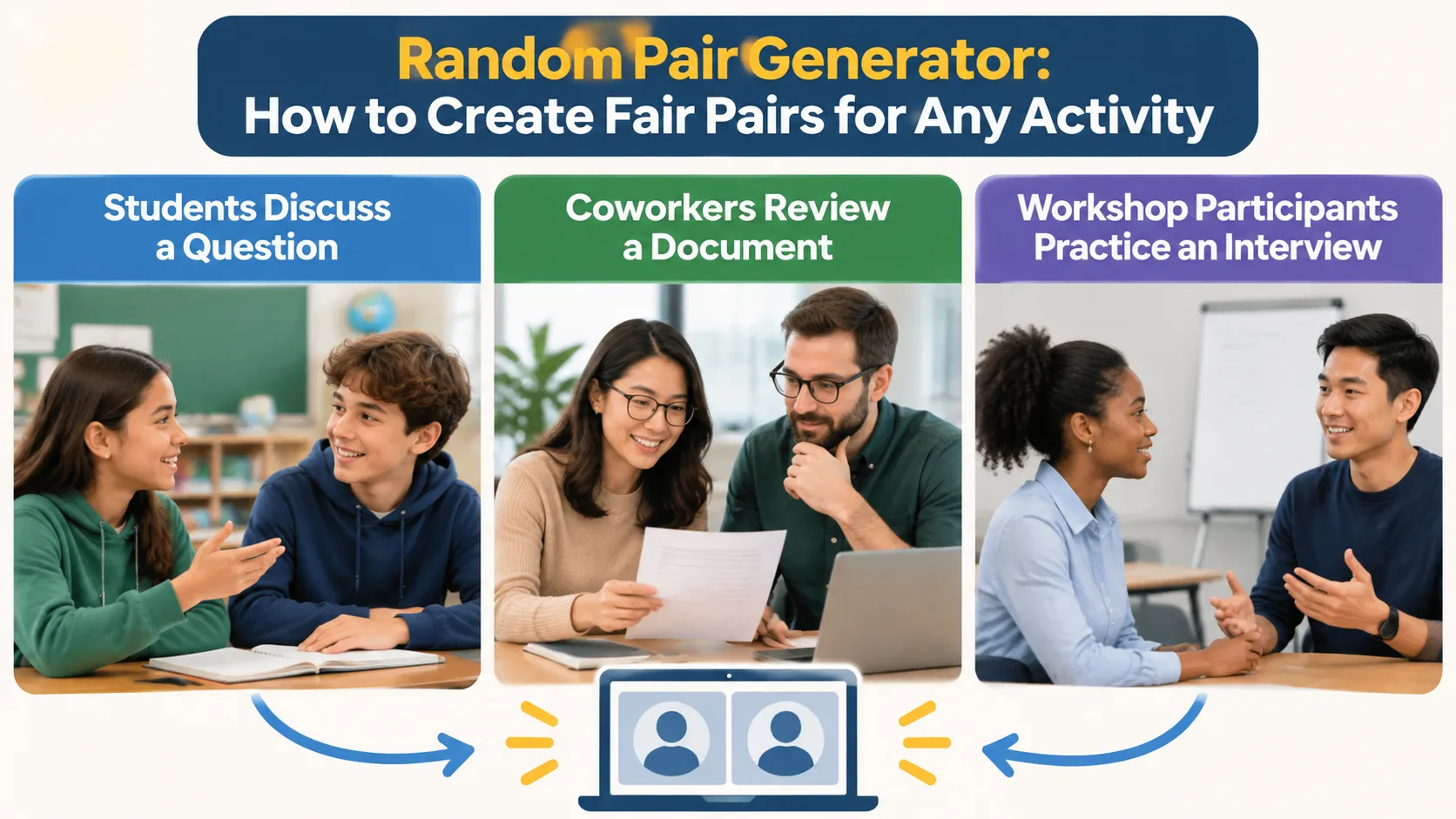
1. Think-Pair-Share Activities
Think-pair-share is a classroom strategy in which participants first consider a question individually, then discuss their ideas with a partner, and finally share selected responses with a larger group. Random pairing makes the partner stage easier to organize, especially when students are not already seated with assigned partners.
For example, a history teacher might ask students to consider why a historical event had several different causes. Students spend two minutes writing their thoughts, five minutes comparing explanations with a randomly assigned partner, and another few minutes sharing conclusions.
The UCLA Teaching and Learning Center describes think-pair-share as an active-learning approach that can be adapted to both in-person and online courses. The key is to provide enough individual thinking time before discussion so participants have something meaningful to contribute.
2. Language Learning and Conversation Practice
Language teachers can use random pairs for speaking exercises, vocabulary practice, pronunciation activities, and short interviews. Different partners provide opportunities to practice listening and responding to different communication styles.
For example, an English teacher could generate pairs and give each student five questions about everyday routines. One partner asks the questions while the other responds. After several minutes, the teacher can generate a new combination for another conversation round.
For beginners, provide question prompts and useful vocabulary before the exercise. Random assignment should make the activity easier, not leave students without the support they need to participate.
3. Peer Review and Feedback
Random pairing can also support peer review. Students exchange short essays, presentations, or project drafts and provide feedback using a shared set of criteria.
Imagine a university writing instructor who wants students to review the clarity of their introductions. Each student receives a partner's draft and answers three questions: Is the main argument clear? Does the introduction provide enough context? What could be improved?
For graded or sensitive work, instructors should consider whether participants have the experience and confidence needed to provide useful feedback. Random assignment is a convenient matching method, but it does not replace a clear assessment rubric or instructor oversight.
4. Corporate Training and Team Workshops
Facilitators can use random pairs for onboarding discussions, role-playing, problem-solving exercises, and knowledge-sharing sessions. Pairing employees who do not normally collaborate can introduce new perspectives and encourage conversations across departments.
For example, a training facilitator with 20 participants could generate ten pairs for a customer-service role-play. One participant acts as the customer, while the other practices responding to a challenging request. After five minutes, they switch roles and discuss what they learned.
For remote workshops, facilitators can use the assignments when organizing partner conversations in online meeting rooms. They should also consider scheduling constraints, accessibility, and whether all participants can comfortably join the required platform.
Random Pairing vs. Choosing Your Own Partners
Random pairing is not always better than letting participants choose their own partners. Each method serves a different purpose, and the best option depends on what you want people to accomplish.
| Method | Best for | Main consideration |
|---|---|---|
| Random pairing | Quick activities and varied interactions | May create combinations that need facilitator review |
| Self-selected partners | Personal projects and participant-led activities | Familiar participants may repeatedly work together |
| Instructor-assigned pairs | Specific learning or support needs | Requires preparation and knowledge of participants |
| Rotating partners | Networking and repeated practice | Needs clear timing and transition instructions |
For a short classroom warm-up, random pairing is often a practical choice. For a long-term research project, however, an instructor may need to consider complementary skills, availability, accessibility, and the nature of the assignment before deciding who should work together.
The Cornell guidance on forming collaborative groups distinguishes quick grouping approaches from longer-term classroom arrangements. This distinction matters: a convenient method for a ten-minute exercise may not be appropriate for a semester-long project.
If your activity requires larger teams rather than two-person combinations, use a Random Group Generator instead. It is better suited to distributing participants into multiple groups when a partner format is not the right fit.
Tips for Making Random Pair Activities More Effective
Generating assignments is only one part of successful collaboration. A little preparation can help participants understand the purpose of the activity and make sure everyone has an opportunity to contribute.
Set a clear objective. Explain what each pair should produce. Instead of simply asking students to talk about a topic, ask them to identify two arguments, solve a problem, or prepare a short explanation.
Give both participants responsibilities. For a reading activity, one student might summarize the passage while the other identifies supporting evidence. Switch roles during the next round so that both participants practice different skills.
Set realistic time limits. A short conversation may need only five minutes, while a peer-review exercise may require longer. Explain when the activity begins and when participants should prepare to finish.
Change pairings when appropriate. Reusing the same partner every session can reduce opportunities to interact with others. Generating new pairs for selected activities introduces variety, although consistency may be more valuable for activities that depend on trust or long-term collaboration.
Make participation accessible. Consider communication needs, language differences, accommodations, and the possibility that a participant may need another way to complete the task. Randomness should never take priority over a safe and accessible learning environment.
For example, a teacher running a weekly discussion activity could generate new pairs each Monday, provide a question prompt, and ask each partner to contribute one idea. At the end, students write a short reflection about something they learned from their partner. This adds accountability without making the activity unnecessarily complicated.
Common Mistakes to Avoid When Generating Pairs
Even a simple assignment process can cause problems if the participant list or activity instructions are not prepared carefully.
One common mistake is generating assignments before confirming attendance. If several participants are absent, the results may need to be changed immediately. Confirm the list first whenever possible, especially for workshops with limited time.
Another mistake is assuming that random means perfectly balanced. A randomly generated pair may combine participants with very different experience levels, language abilities, or support requirements. For an informal discussion, this may be acceptable. For a high-stakes task, consider whether instructor-assigned combinations would better serve the objective.
A third mistake is failing to explain what participants should do. People may find their partners quickly but still waste time deciding how to begin. Provide a clear question, deliverable, or role for each person before starting the activity.
Finally, avoid using random assignments without considering privacy. When working with children, sensitive employee information, or confidential training lists, follow your organization's data-handling requirements. Share only the participant information necessary for the activity.
A useful rule is to treat the generator as an organizational aid rather than a replacement for professional judgment. The tool handles the pairing logistics; the teacher or facilitator remains responsible for the learning environment.
Frequently Asked Questions
What Is the Best Way to Generate Random Pairs?
The easiest approach is to prepare an accurate participant list and use a random pair generator to create assignments automatically. Check the results, communicate the pairings, and provide clear instructions for the activity. This is generally faster than manually matching a large group.
Can I Use a Random Pair Generator for Students?
Yes. Teachers can use random pair assignments for think-pair-share, reading exercises, vocabulary practice, peer review, and classroom discussions. For activities involving specific learning needs or sensitive student relationships, review the assignments and make appropriate adjustments before sharing them.
What Happens If There Is an Odd Number of People?
An odd participant count cannot be divided into pairs without leaving one person unassigned. You can accommodate the extra participant by creating one group of three, joining the remaining participant yourself, or rotating participants between pairs. Choose the approach that best fits your activity.
Are Randomly Assigned Pairs Always Fair?
Random assignment gives participants an impartial starting process, but it does not guarantee that every pair has equal experience, ability, or compatibility. For casual activities, this may be perfectly suitable. For important assessments or long-term projects, facilitators should consider additional criteria and review the results.
Can I Generate New Pairs for Every Class or Workshop?
Yes. You can prepare the participant list again and generate new assignments whenever you need different combinations. This is useful for recurring classroom discussions and training sessions. Keep in mind that changing partners too frequently may be less suitable for activities that require long-term teamwork or established working relationships.
Should I Use Random Pairs or Random Groups?
Use pairs when an activity requires two participants to discuss, practice, review, or solve something together. Choose larger groups when the task needs several perspectives or a broader division of responsibilities. The Random Group Generator is a suitable alternative when you need more than two people in each team.
Create Your Next Set of Pairs in Seconds
Organizing partner activities should not take more time than the activities themselves. A random pair generator makes it easier to prepare partner assignments, introduce new working relationships, and get classrooms or workshops started without lengthy manual organization.
Start with an accurate participant list, generate your pairs, check the assignments, and explain what each person should accomplish. Whether you are planning a quick classroom discussion, a language-learning exercise, a peer-review session, or a corporate training activity, a clear pairing process can make the transition from planning to participation much smoother.
Ready to organize your next activity? Try the Random Pair Generator and create your partner assignments today.
Related Tools
Pick the right generator for the job — every tool runs free in your browser.