
random name picker
Random Name Picker: How to Pick Names Fairly in Class and Meetings
Learn how a random name picker works, how to run a fair no-repeat name draw in class or meetings, and how to fix the mistakes that make random selection feel unfair.

A random name picker is a tool that draws one name from a list you provide, so the choice comes from chance rather than habit or volume. Teachers use it to make sure every student is ready to answer. Trainers, team leads, and HR facilitators use it to choose a presenter, a discussion lead, or a report-back speaker without the awkward pause that follows 'who wants to go first?' This guide explains how the draw works in practice, how to set it up in under a minute, and how to handle the small problems that make a random draw feel unfair.
Why 'just pick someone' stops working
Hand-raising looks fair, but it rewards speed and confidence. The students who answer most often are usually the ones who need the least practice, while the quiet third of the room stays quiet. Most teachers notice the same pattern within a few weeks: a handful of names dominate the discussion, and everyone else has quietly learned that they will not be asked.
Meetings follow the same logic. The most senior or most extroverted person speaks first and the room follows. When a facilitator chooses speakers personally, every choice carries a small social cost — someone feels passed over, someone feels put on the spot. A random draw moves that responsibility onto a process that participants can see and check.
Random selection is not a substitute for good teaching or skilled facilitation. It is a small structural fix: a visible, repeatable way to decide who goes next, so attention stays distributed and nobody has to wonder whether they were chosen or skipped on purpose.
What a random name picker does — and what it cannot do
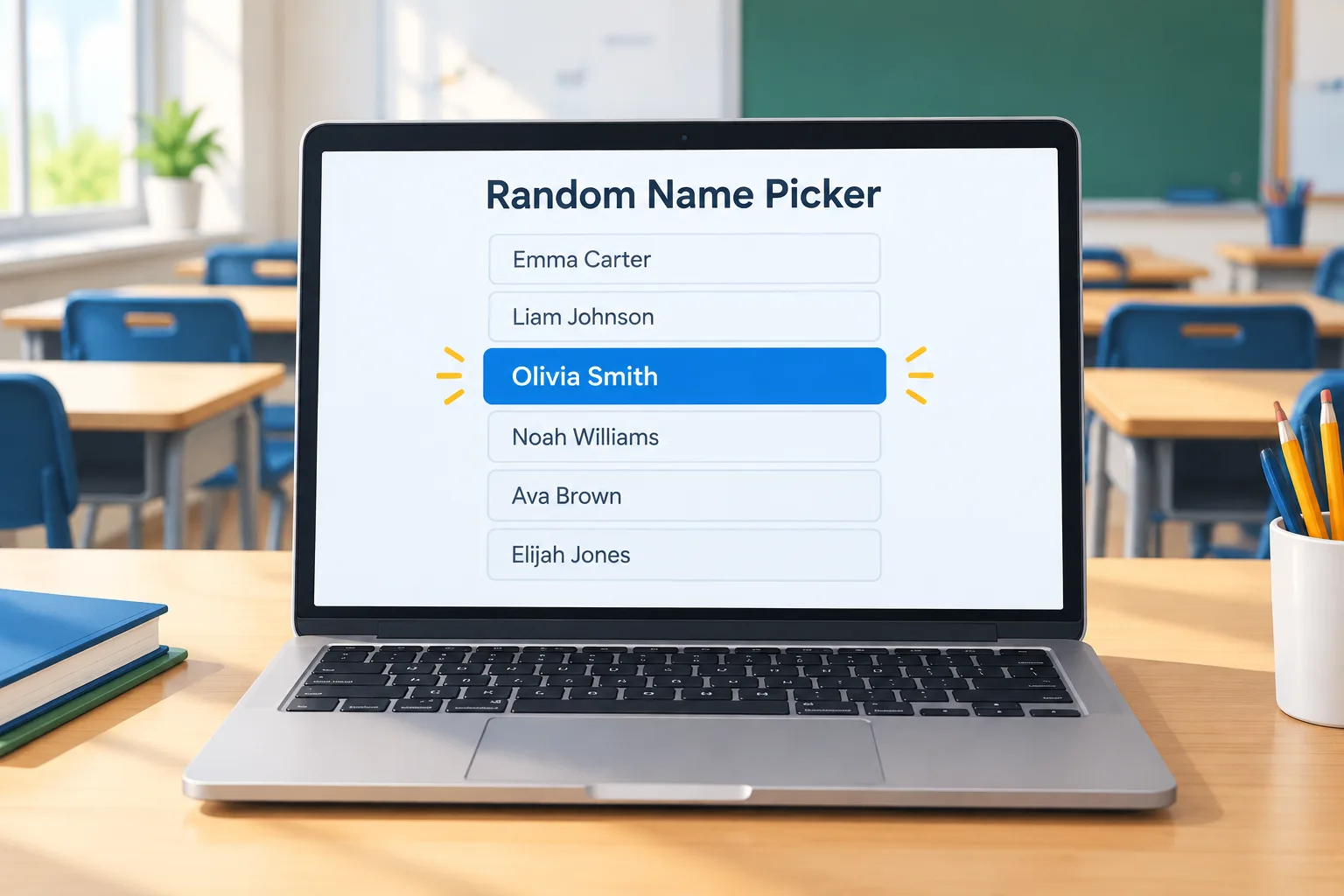
A typical random name picker asks you to paste a list of names, one per line, and draws a single name when you press a button. The real differences between tools are in the controls around the draw: whether drawn names are removed so nobody repeats until the list is exhausted, whether you can mark absences before the draw, and whether a short pick history is visible so the group can see the result was not edited. Those three controls matter far more than animation style.
One piece of mechanics explains most complaints. Many pickers draw independently every round, which means the same name can come up twice in a row. That is what genuine randomness looks like — not a broken tool and not favouritism. If repeats bother your group, enable a no-repeat mode or delete each drawn name. The Random Student Picker on this site is built for exactly that classroom case: paste the roster, draw, continue.
What it cannot do matters just as much. A picker cannot tell you who has been quiet all week, who is ready for a harder question, or who has already answered twice today. It decides who speaks, not what happens next. If a draw lands on someone who genuinely cannot participate, draw again and say why out loud; a visible reason preserves trust, while a silent skip can destroy it.
How to run a fair name draw in class: step by step
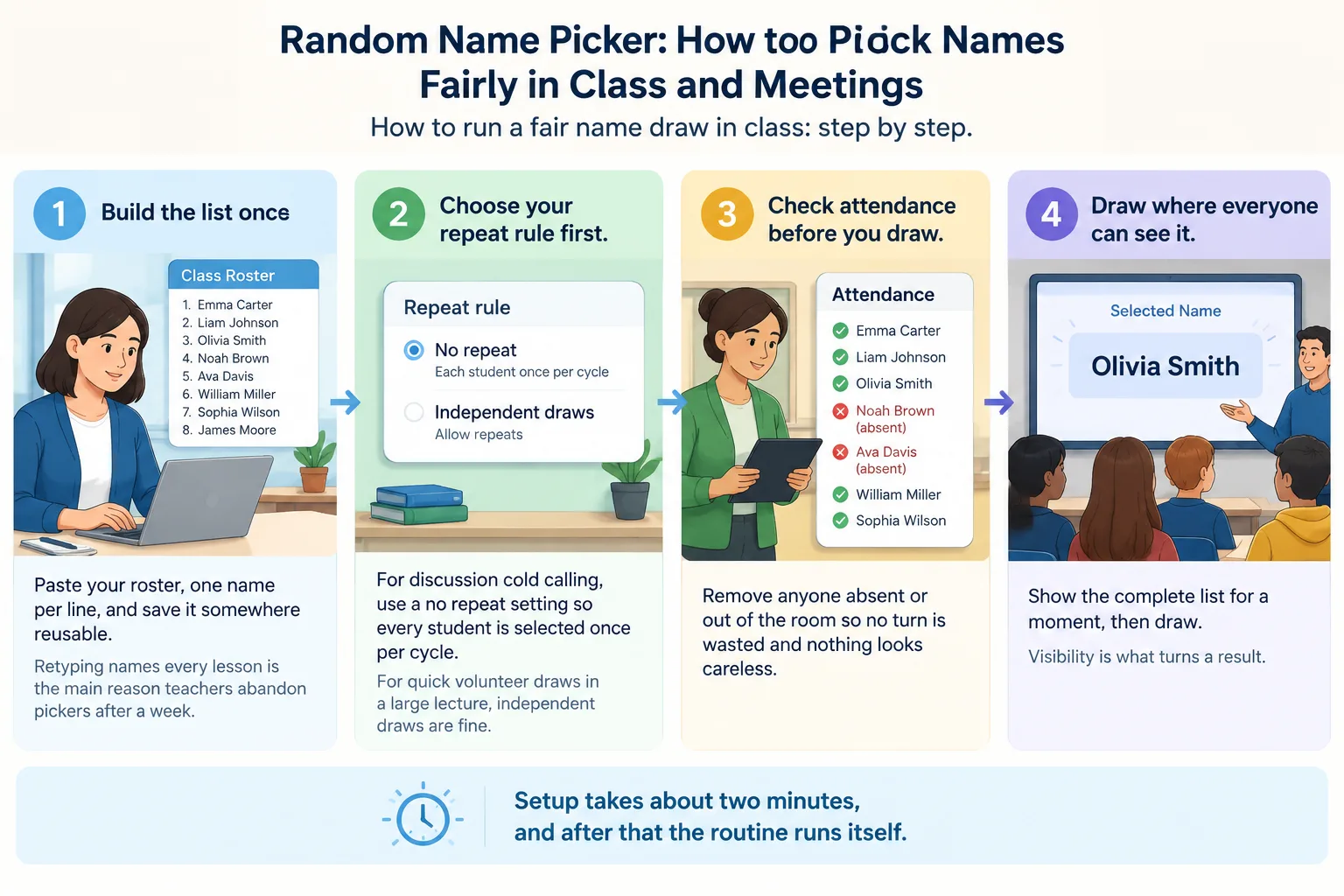
Setup takes about two minutes, and after that the routine runs itself.
- Build the list once. Paste your roster, one name per line, and save it somewhere reusable. Retyping names every lesson is the main reason teachers abandon pickers after a week.
- Choose your repeat rule first. For discussion cold calling, use a no-repeat setting so every student is selected once per cycle. For quick volunteer draws in a large lecture, independent draws are fine.
- Check attendance before you draw. Remove anyone absent or out of the room so no turn is wasted and nothing looks careless.
- Draw where everyone can see it. Show the complete list for a moment, then draw. Visibility is what turns a result into an accepted result.
- State the rule before the first draw. 'I pick at random, and you may pass once' sets expectations before anyone has a reason to object.
- Add think time. Two to five seconds of silence before the chosen student answers changes who is ready, because the whole room has to prepare, not just one person.
- Reset the pool openly. Announce when the cycle restarts so a reset never looks like editing.
The change you notice first is usually not louder participation but better listening: when any name could come up next, the room stays in the conversation.
How to use a random name picker in meetings and workshops
Adults accept random selection quickly when the purpose is named, and resist it when it arrives as a surprise.
- Say why you are drawing. 'Four tables, four report-backs, so I am drawing the order and the speaker' is a rule people accept.
- Match stakes to the task. Use draws for low-stakes, evenly shareable jobs: standup order, report-back speaker, discussion lead, who summarises the retro. Do not use them to assign an owner for a critical deliverable that needs specific expertise.
- Keep it under thirty seconds. Paste the list, draw on a shared screen, move on. Theatrical reveals slow the agenda and make the tool the topic.
- Allow one public pass. A no-explanation pass keeps the draw humane without turning participation into an option.
- Rotate the pool weekly. A weekly no-repeat pool means everyone presents once before anyone presents twice, which balances airtime on teams with quieter members.
On Zoom, Teams, or Meet, screen sharing is the whole trick. If people only hear the result, the fairness benefit disappears. When you need pairs or tables after the draw, switch to the random pair generator or the random group generator instead of drawing names one at a time.
Random name picker vs. wheel of names vs. drawing sticks
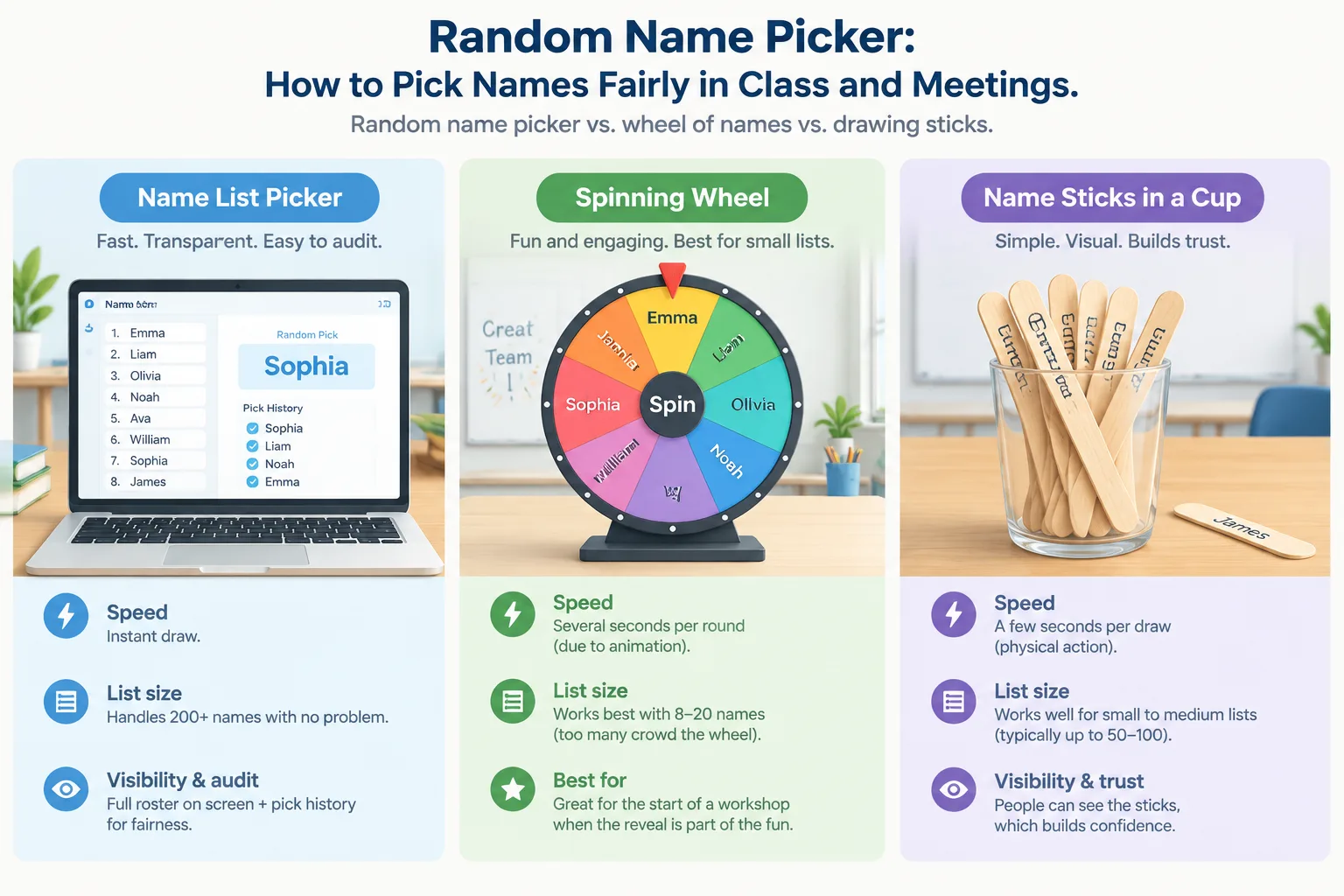
All three approaches are random. The differences that matter are visibility, speed, and scale.
A list-based picker is fastest and easiest to audit: the full roster is on screen, the draw is instant, a pick history answers fairness questions before they are asked, and two hundred names cause no problems. A spinning wheel of names is more theatrical and works well at the start of a workshop, but long lists crowd the wheel and the animation costs several seconds every round. Wheel spinners shine with eight to twenty names, when the reveal is part of the fun — the Group Wheel Spinner covers that style here.
Name sticks in a cup have one genuine advantage: people can see the sticks, so trust is immediate. They also spill, get lost, get quietly removed, and have to be re-collected in front of the group. Digital lists persist across terms and feed other jobs such as pairing and seating.
For recurring classrooms and meetings, a list picker wins on speed and auditability. Choose a wheel for one-off events where the reveal is part of the agenda.
Five mistakes that make random picking feel unfair
- Re-drawing quietly when a name is inconvenient. One hidden re-draw costs a term of trust. Say why instead: 'Maya presents next period, so I am drawing again.'
- Hiding the list. If students cannot see that the roster is complete and current, they will assume someone was left out.
- Forgetting absences. Drawing the name of someone who is not in the room wastes a turn and looks careless.
- Using draws for high-stakes tasks. Picking someone at random to lead a graded presentation they have not prepared for turns a fairness tool into a punishment device.
- Reaching for the picker only when the room misbehaves. Use it in ordinary, positive moments too — lab partners, game leader, first reader — so the draw carries no threat.
Three settings where the routine plays out
These are typical setups rather than case studies, but they show how the same two-minute setup behaves in different rooms.
A middle-school social studies class of thirty-two. The roster is pasted once in September, a no-repeat draw handles discussion questions, and the pool resets each Friday. Discussion becomes a thinking task rather than a volunteering contest, and the teacher spends the freed attention on follow-up questions instead of managing hands.
A sixty-person onboarding workshop at eight tables. The facilitator draws a table number to decide report-back order, then draws one name from that table so the same confident presenter does not always speak. Because the rule is on the first slide, nobody is surprised.
A remote engineering team of nine. The lead shares a picker tab during standup and draws a no-repeat order each week. The two-minute argument about standup order disappears, because the rule is visible and nobody has to negotiate for a slot.
Making the draw part of your routine
Pickers that stick live inside a habit you already have. Keep your roster where you already work — a lesson plan, a class notebook, a team channel — so pasting it takes one action. In Google Classroom or your learning management system, copy the student list once at the start of term and store it as plain text; the same list then feeds cold calling, pairing, and seating when you open a seating chart.
Know when to switch tools. A picker answers 'who goes next?' It does not answer 'how should we divide this room?' For collaborative work, move to the random group generator or the random pair generator, and use the group name generator when teams need labels. Be honest about limits, too: a picker is a decision rule, not a teaching strategy, and it stops helping the moment it is used to avoid a harder conversation about why part of the room is not participating.
FAQ
Is a random name picker actually random?
Most tools use a pseudo-random number generator, which behaves like a shuffled deck for practical purposes. If you want the result to be checkable, choose a tool that keeps the full list and a short pick history visible so anyone can review the sequence.
Can the same person be picked twice in a row?
Yes, and that is normal when a tool draws independently each round. Enable a no-repeat setting or remove each drawn name so every person is selected once before the cycle restarts.
How do I handle absent students with a random name picker?
Remove absent names before the draw rather than skipping them afterwards. It takes a few seconds and avoids the impression that results are being edited quietly.
Is a random name picker the same as a wheel of names?
Both select fairly; they differ in presentation and scale. A list picker is faster and handles large rosters comfortably, while a wheel is more visual and suits small groups and one-off events where the reveal is part of the fun.
Should I use random selection for high-stakes decisions?
Generally no. Draws suit low-stakes, evenly shareable tasks such as discussion questions, standup order, or report-backs. For graded work or critical project ownership, choose the person deliberately and explain your reasoning.
Ready to draw your first name?
Paste your roster into the Random Student Picker and draw in front of the group. It takes under a minute, and the rule you announce alongside it is what makes it work. If you also need teams, pairs, or group labels afterwards, the Random Group Generator home page has every tool in one place.
Related Tools
Pick the right generator for the job — every tool runs free in your browser.