
random group generator quiz bowl
Random Group Generator for Quiz Bowl Teams: A Practical Guide
Learn how to use a random group generator for quiz bowl teams to create fair practice groups, rotate players, organize scrimmages, and encourage participation.

Quiz bowl coaches often face the same challenge: how do you divide students into practice teams without repeatedly choosing the same players or creating groups that feel unbalanced? A random group generator for quiz bowl teams offers a practical way to organize students, rotate teammates, and prepare for academic competitions. Whether you coach a middle school club, a high school varsity team, or a college quiz bowl organization, random grouping can make practice sessions easier to manage while giving students opportunities to work with different classmates.
Quiz bowl requires more than individual subject knowledge. Players must listen carefully, recognize clues, make quick decisions, and communicate with teammates. Regularly changing practice groups gives students opportunities to share knowledge and develop collaborative skills. With a simple online grouping tool, coaches can spend less time assigning teams and more time helping students improve.
Why Quiz Bowl Coaches Need a Random Group Generator
Quiz bowl teams bring together students with different academic interests and experience levels. One student might specialize in history, another might know literature particularly well, and someone else might excel at mathematics or science. When coaches repeatedly assign the same students to work together, certain combinations can become predictable. Some players may also have fewer opportunities to practice with people outside their usual circle.
A random group generator for quiz bowl teams provides a straightforward starting point for changing these combinations. Instead of selecting names manually, coaches can enter the roster and generate new groups whenever they need them. This is particularly useful for weekly club meetings, practice tournaments, classroom competitions, and short preparation activities.
Random grouping also reduces the perception that a coach always favors particular students. Everyone enters the same selection process, and the resulting groups can change between sessions. However, random selection does not automatically produce equal academic ability. Coaches should still review the results when the purpose is competitive preparation rather than simply mixing teammates.
For example, imagine a high school quiz bowl club with 16 students. Four students have substantial tournament experience, while the remaining members are newer to the activity. Dividing everyone randomly into four groups gives the coach four practice teams. The coach can then review the results and make adjustments if the activity requires a particular balance of experience.
What Makes a Good Quiz Bowl Practice Group?
A useful practice group needs enough people to encourage discussion without making participation difficult. Group size should depend on the activity. Small groups can make it easier for students to contribute, while larger teams can provide more opportunities for subject specialization and substitutions.
Some quiz bowl formats use four active players per team, although roster limits and substitution rules vary by competition. For example, the American Collegiate Quiz Bowl official gameplay rules specify a team roster of one to six players. Other organizations use different arrangements. Coaches should always check the rules governing their own events before creating official competition rosters.
For informal learning activities, groups of three to five students are a useful starting point. The Education Endowment Foundation identifies small groups with shared goals as a promising structure for collaborative learning. It also emphasizes that students need well-designed activities and opportunities to contribute rather than simply being placed together.
Consider these practical grouping arrangements:
- Four-player teams: Useful for simulated matches that follow a common four-player competition format.
- Three-player teams: Helpful when attendance is limited or when every student needs more opportunities to answer.
- Five-player groups: Useful for collaborative question analysis, subject review, and larger practice activities.
- Pairs: Effective for reviewing question clues, discussing difficult answers, or conducting quick knowledge checks.
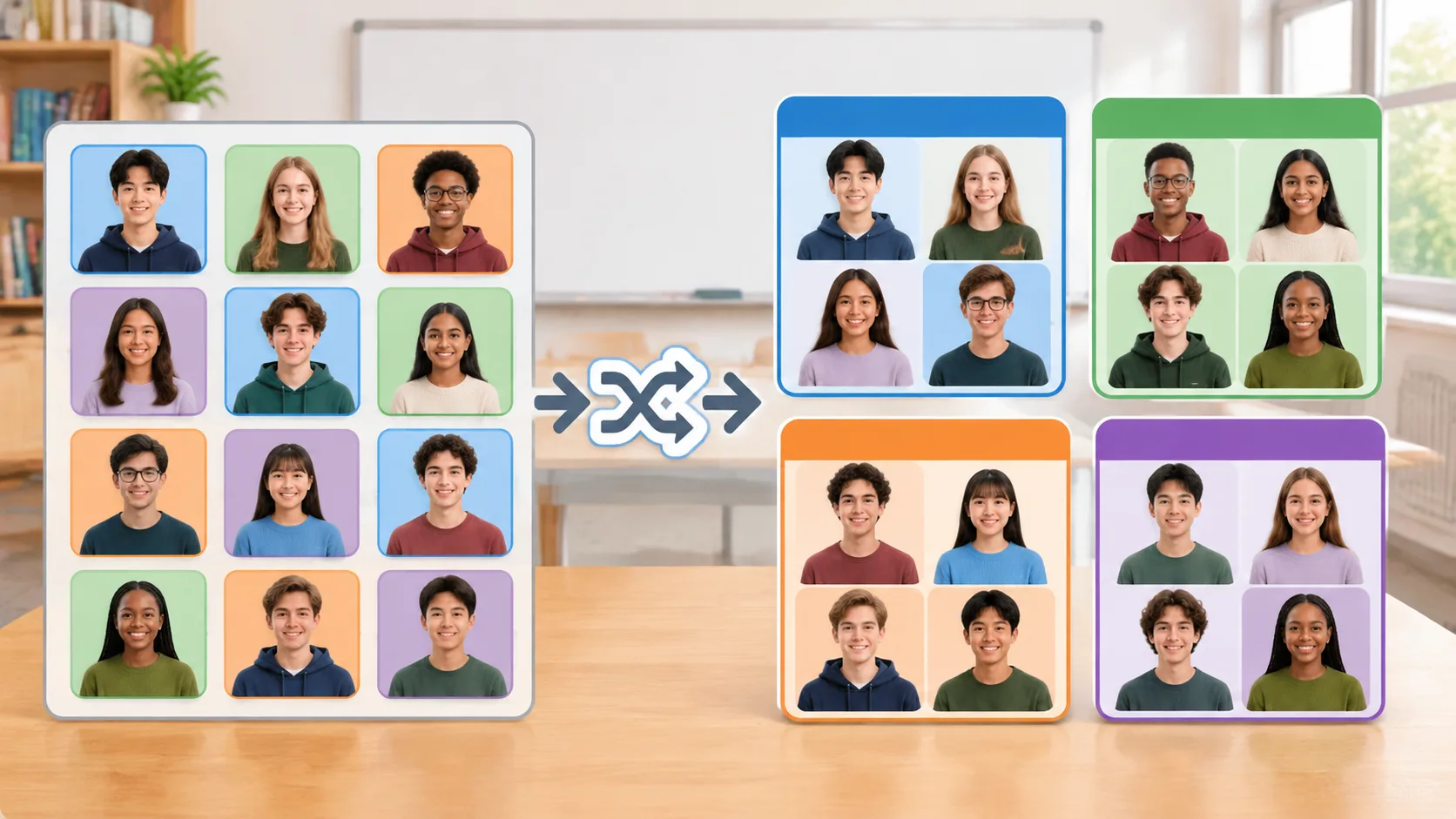
The important distinction is between practice groups and official competition teams. A random group generator helps with organization, but it does not replace eligibility checks, tournament registration, or competition-specific roster requirements.
How to Use a Random Group Generator for Quiz Bowl Teams
Creating practice groups does not need to become a complicated administrative task. A random group generator for quiz bowl teams can simplify the process by turning a student roster into smaller groups in just a few steps.
Follow this process before your next practice session:
- Prepare your student roster. Collect the names of everyone attending. Confirm that the list is current and remove students who cannot participate in that session.
- Choose your group size. Decide whether you need four-player teams, smaller discussion groups, or another arrangement based on your activity.
- Enter the names. Add each participating student to the Random Group Generator.
- Generate the groups. Use the tool to distribute the names into separate teams. Review the resulting group assignments before beginning practice.
- Share the results. Display or distribute the group assignments so students know where to go and whom they will work with.
- Save your attendance notes. Record who participated and use that information to plan different combinations for the next meeting.
For example, a coach has 20 students attending a Thursday practice. The session includes a tossup-answering exercise followed by a team bonus discussion. The coach chooses groups of four and enters all 20 names. The generator creates five groups, allowing each student to participate in both individual answering and collaborative discussion.
If one student arrives late, the coach can decide whether to place that student into an existing group or regenerate the teams. For a short exercise, adding the student to a smaller group may be more practical than rearranging everyone.
The main benefit is consistency in the process. The coach follows the same basic steps each week instead of spending valuable practice time negotiating team assignments.
Five Ways to Use Random Quiz Bowl Groups During Practice
Randomly generated groups can support several different activities. Rather than using the same team arrangement for every meeting, coaches can match group size and structure to the learning objective.
1. Organize Mini Scrimmages
Mini scrimmages allow students to practice answering questions under competition-like conditions. Divide the roster into teams and arrange short matches. If there are several teams, rotate opponents after each round so students encounter different playing styles.
For example, a club with 24 students can create six teams of four. The coach can organize three simultaneous practice matches, then rotate the winners, remaining teams, or opponents according to the session plan. This creates several opportunities for students to practice without requiring the entire club to participate in one match at a time.
2. Create Subject Review Teams
Quiz bowl covers a broad range of academic subjects. Random groups can help students share knowledge instead of always reviewing material with their closest friends or strongest subject-area partners.
Give each group a topic such as literature, history, science, geography, or fine arts. Ask students to identify important concepts, discuss challenging clues, and explain answers to one another. A student with strong science knowledge might help classmates understand a difficult question, while another student contributes historical context.
The coach can then ask each group to present several questions or explain a topic that other students found challenging.
3. Run Collaborative Bonus Exercises
In common tossup-and-bonus quiz bowl formats, a player answers a tossup individually, while teammates can work together on a bonus. This makes collaborative discussion an important part of practice.
Create small groups and give them sample bonus questions. Ask students to discuss possible answers, explain their reasoning, and agree on a response within a set time. Rotate the student responsible for communicating the final answer so that the same person does not dominate every discussion.
For instance, a group might receive a three-part history bonus. Each student contributes information before the team agrees on its answers. The exercise encourages students to listen, explain, and use their collective knowledge.
4. Give New Members More Opportunities
New students sometimes feel uncomfortable joining established quiz bowl teams. Random grouping can help them meet experienced players and participate in activities without having to choose a partner themselves.
A coach might organize a weekly introductory practice in which experienced and newer students work together on short question sets. The coach should review group assignments to ensure that beginners receive support rather than being left out of discussions.
This is especially useful at the beginning of a school year when attendance and membership are still changing.
5. Rotate Practice Partners and Opponents
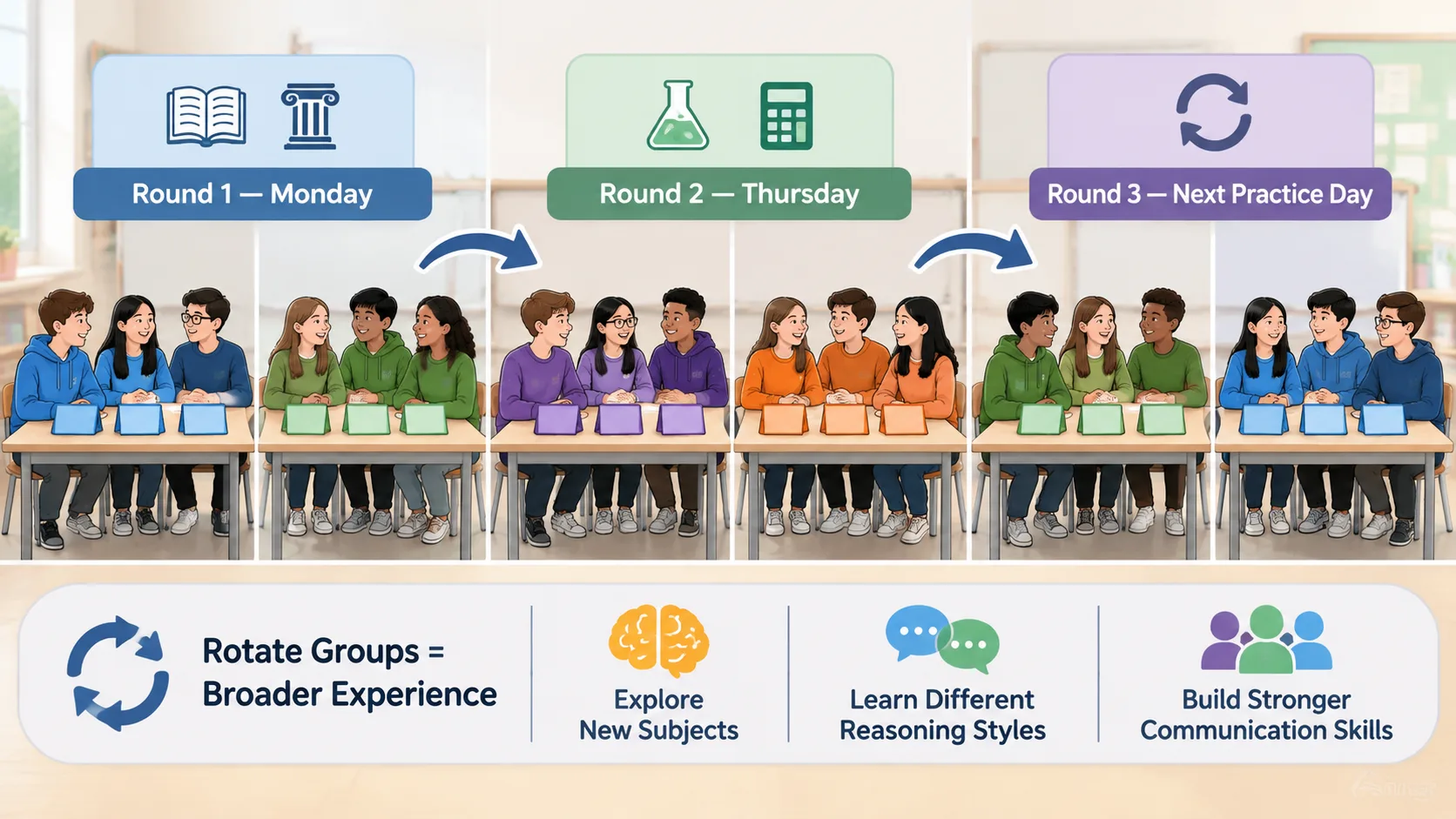
Repeatedly practicing with the same teammates can make sessions predictable. Rotating groups creates new opportunities to compare reasoning styles, discuss different subjects, and develop communication skills.
For example, a coach could generate new teams every Monday and Thursday. Monday's groups focus on literature and history, while Thursday's groups work on science and mathematics. Students gradually gain experience working with a wider range of classmates.
Random Grouping vs. Coach-Selected Quiz Bowl Teams
Random selection and coach-directed grouping both have useful roles. The right approach depends on whether the main objective is fair participation, competitive preparation, or skill development.
Random grouping is particularly practical for routine activities. It saves coaches from manually assigning every participant and gives students opportunities to work with different teammates. It can also reduce repeated selection patterns when groups are regenerated regularly.
Coach-selected grouping is more appropriate when a session has specific training objectives. A coach preparing a varsity lineup may need to consider subject expertise, experience, tournament eligibility, and individual performance. Random selection cannot account for all these factors unless the coach reviews and adjusts the results.
A practical approach is to combine both methods:
| Practice objective | Recommended approach |
|---|---|
| Weekly knowledge review | Random grouping |
| New-member activities | Random grouping with coach supervision |
| Mixed-subject discussions | Random grouping with adjustments |
| Varsity lineup preparation | Coach-selected grouping |
| Tournament roster assignment | Competition rules and coach review |
| Team communication exercises | Random grouping |
For example, a coach can use random groups for general Thursday practice but arrange carefully selected teams for a regional tournament simulation. Students benefit from variety while the coach retains control over activities that require specific preparation.
How to Make Random Quiz Bowl Teams More Balanced
Randomness and balance are not the same thing. A random group generator distributes students without necessarily considering their academic strengths, tournament experience, or subject knowledge. A group could receive several experienced players while another group has mostly beginners.
This does not make random grouping unsuitable. It simply means coaches should choose the method that matches the purpose of the exercise. If the goal is to introduce students to new teammates, purely random assignments may be sufficient. If the goal is to run competitive scrimmages, a little additional planning can improve the experience.
Try these practical techniques:
- Identify experience levels. Divide students into broad categories such as beginner, intermediate, and experienced.
- Review subject strengths. Consider whether the activity needs a mixture of science, history, literature, and other knowledge areas.
- Generate initial groups. Use a random group generator for the first distribution.
- Check for obvious imbalances. Look for groups with unusually concentrated experience or subject knowledge.
- Make limited adjustments. Move students only when necessary to meet the activity's objectives.
- Rotate assignments later. Avoid turning one adjusted grouping into a permanent arrangement.
Imagine that a coach has 12 students and wants three competitive practice teams. Four students are experienced tournament players. The coach can first generate three groups of four, then review whether the experienced players are distributed across the teams. If three experienced students end up together, the coach can make a small adjustment.
It is also important not to label students permanently according to ability. Experience changes as students practice, learn new subjects, and become more comfortable answering questions. Grouping decisions should support development rather than reinforce fixed academic rankings.
Managing Large Quiz Bowl Clubs and Changing Attendance
Larger clubs introduce additional organizational challenges. A coach might have 30 or 40 students attending one week and significantly fewer the next. Manually rebuilding teams every time attendance changes can consume time that should be spent on practice.
A random group generator for quiz bowl teams provides a repeatable way to organize the current attendance list. Before generating groups, confirm who is actually present. Using the complete club roster when only part of the club attends can create unnecessary confusion.
A few simple procedures make large sessions easier to manage:
- Take attendance before creating groups.
- Use a consistent group-size target for each activity.
- Decide in advance how to handle leftover students.
- Assign a discussion leader or scorekeeper when useful.
- Display team assignments where everyone can see them.
- Keep a record of recent combinations to help avoid excessive repetition.
Suppose 23 students attend a practice designed for four-player teams. The coach can create five groups of four and one group of three. Alternatively, the coach can organize five groups with a slightly different activity structure. There is no need to force every group into an identical format if doing so would make participation less practical.
For remote clubs, the same approach can help organize students before an online meeting. Coaches can share the resulting assignments through their normal communication channels and then use available meeting-room or breakout-room features to separate participants. The grouping tool organizes names; the coach remains responsible for setting up the actual online session.
Common Mistakes to Avoid When Creating Quiz Bowl Teams
Random grouping is simple, but the way coaches introduce it can affect how students respond. The most useful approach is to explain why teams are changing and what students should accomplish together.
One common mistake is assuming that every random group will be equally competitive. Random distribution does not guarantee an equal balance of knowledge or experience. Coaches should review groups whenever competitive fairness is important.
Another mistake is using groups that are too large for the activity. If eight students work together on every question, some may have few opportunities to contribute. Consider smaller groups for discussion-based tasks and larger groups only when the activity requires them.
Coaches should also avoid making random selection feel like a judgment of student ability. A group assignment is a temporary organizational decision, not a ranking. Explain that students will work with different classmates to learn from one another.
Finally, do not confuse practice assignments with official competition eligibility. Tournament organizers may impose restrictions on active players, roster sizes, substitutions, or team membership. Check the applicable rules before finalizing official teams.
Frequently Asked Questions
What Is the Best Group Size for Quiz Bowl Practice?
Four players are a practical choice when you want to simulate a common quiz bowl match format. However, groups of three to five can work well for general collaborative learning and subject review. Choose a size that gives every student a meaningful opportunity to participate.
Can a Random Group Generator Create Balanced Quiz Bowl Teams?
A random group generator distributes students into groups, but random selection alone does not guarantee equal academic ability or experience. Coaches who need competitive balance should review the generated assignments and make adjustments based on subject knowledge, experience, and the session's goals.
Should Quiz Bowl Coaches Change Groups Every Week?
Changing groups regularly can help students practice with different teammates and encounter new approaches to problem-solving. Weekly rotation is a useful starting point for many clubs, although the best schedule depends on attendance and practice objectives. Longer-term teams may still be appropriate when preparing for specific tournaments.
Can I Use Random Groups for Online Quiz Bowl Practice?
Yes. You can generate groups before an online meeting and share the assignments with participants. Then use the breakout-room features available in your video meeting platform to organize the practice session. The generator handles group assignments, while the meeting platform handles communication and room management.
Is Random Grouping Better Than Coach-Selected Teams?
Neither approach is always better. Random grouping is convenient for routine practice, participation activities, and team rotation. Coach-selected teams are more useful when preparing specific competition lineups or addressing particular training needs. Combining both approaches gives coaches flexibility.
What Should I Do When the Number of Students Cannot Be Divided Evenly?
Allow one or more groups to have an additional student or create a slightly smaller group. You can also assign a rotating observer, scorekeeper, or question reviewer when appropriate. The best arrangement is the one that keeps everyone involved without making the activity unnecessarily complicated.
Start Organizing Your Quiz Bowl Practice Teams
Effective quiz bowl preparation involves individual knowledge, teamwork, communication, and regular opportunities to practice. Coaches do not need to spend valuable meeting time manually assigning every group when a simple random selection process can handle the initial organization.
A random group generator for quiz bowl teams makes it easier to organize practice scrimmages, rotate partners, introduce new members, and run collaborative subject reviews. Use random assignments when variety and participation are the priorities, and apply thoughtful adjustments when competitive balance matters.
Ready to organize your next practice session? Try the free Random Group Generator to enter your student roster, create groups, and get your quiz bowl activities started. You can also use the Random Pair Generator when students need partners for question review or short knowledge-sharing exercises.
Related Tools
Pick the right generator for the job — every tool runs free in your browser.