
preference group maker
Preference Group Maker: Form Groups by Student Choice
Learn how a preference group maker helps teachers create balanced groups based on student choices while keeping classroom activities fair, organized, and easy
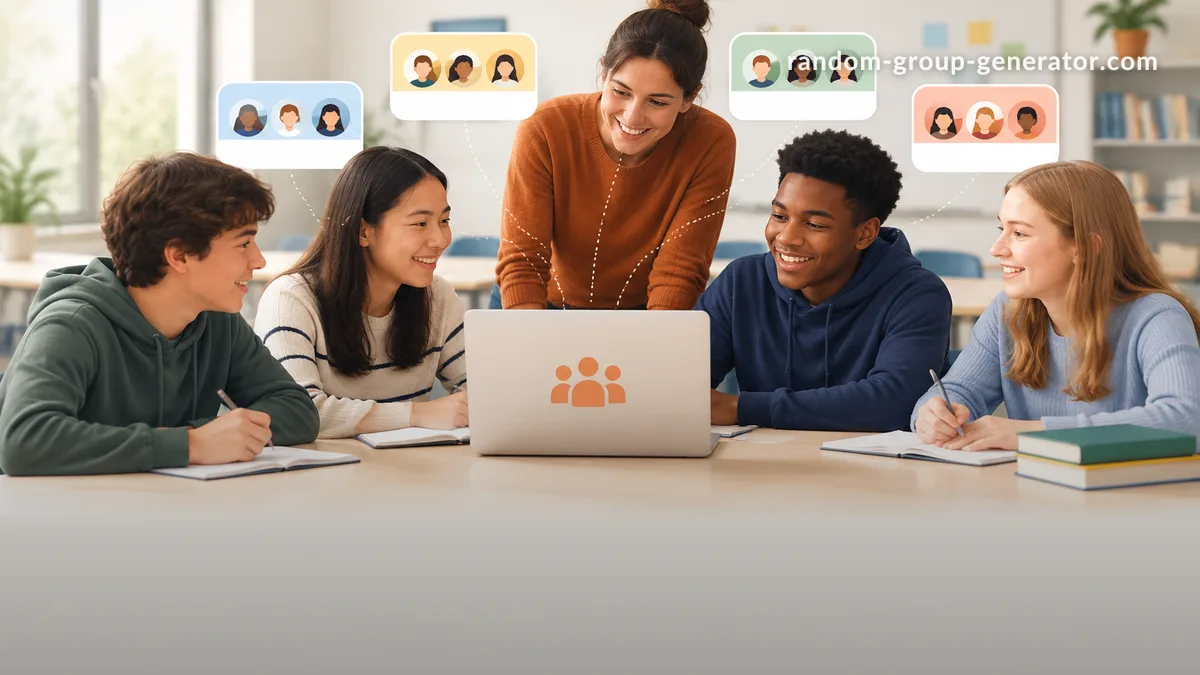
Teachers often face a common classroom challenge: students want to work with certain classmates, choose specific topics, or join preferred activities, but manually creating groups from those choices can take a lot of time. A preference group maker helps organize student choices and create groups that respect preferences while making the process easier to manage.
A preference group maker is useful for classrooms, workshops, and training sessions where participants have input about their groups. Instead of collecting preferences on paper and trying to balance requests manually, educators and facilitators can use a structured approach to review choices and create workable teams. This guide explains how preference-based grouping works, when to use it, and how to combine student choices with fair group creation methods.
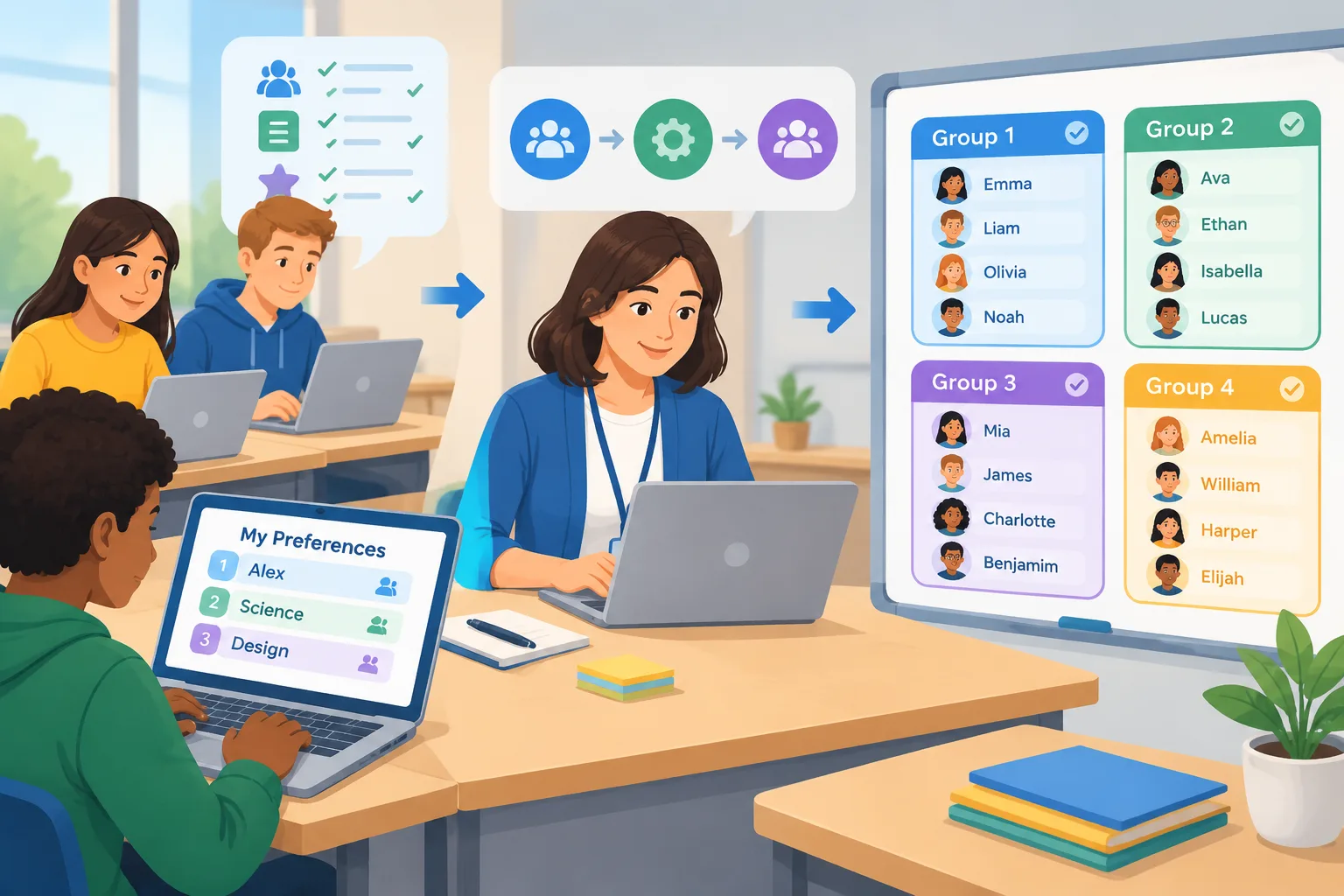
Why use a preference group maker for classroom and team activities?
Group activities work best when participants understand the purpose of their teams and feel that their opinions are considered. A preference group maker helps teachers include student input without allowing the entire grouping process to become difficult or unfair. It provides a middle ground between completely random groups and fully self-selected teams.
Self-selected groups can sometimes create challenges. Students may repeatedly choose the same friends, some learners may be left without a group, and certain teams may become uneven in size or skill level. A preference-based system allows the teacher to consider choices while still making final adjustments for balance.
For example, a science teacher planning a research project may ask students to select their preferred topics. The teacher can use those responses to understand interests, then create groups where students have meaningful connections to the project while ensuring every topic has enough participants.
A preference group maker is especially useful for:
- Project-based learning activities where students choose topics or roles.
- Workshops where participants select discussion areas.
- Corporate training sessions where employees choose learning tracks.
- Events where attendees need to be organized into balanced teams.
For situations where no preferences are needed, a standard Random Group Generator can quickly create groups with an even distribution. The key difference is that preference grouping uses participant input as part of the process.
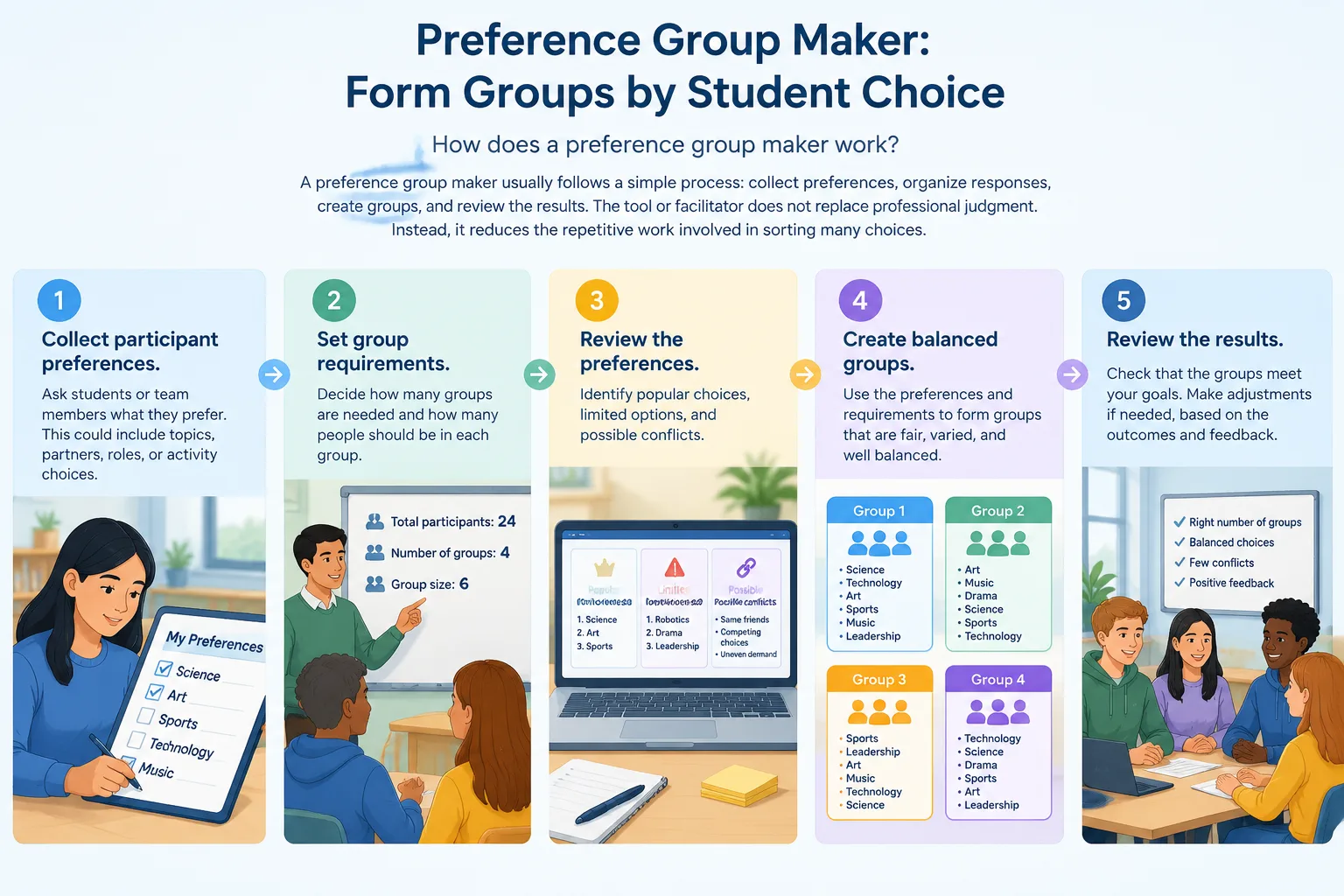
How does a preference group maker work?
A preference group maker usually follows a simple process: collect preferences, organize responses, create groups, and review the results. The tool or facilitator does not replace professional judgment. Instead, it reduces the repetitive work involved in sorting many choices.
The process typically includes these steps:
- Collect participant preferences. Ask students or team members what they prefer. This could include topics, partners, roles, or activity choices.
- Set group requirements. Decide how many groups are needed and how many people should be in each group.
- Review the preferences. Identify popular choices, limited options, and possible conflicts.
- Create balanced groups. Use preferences as a guide while considering group size and activity goals.
- Share and adjust. Explain the groups clearly and make small changes when needed.
Imagine a university instructor running a presentation assignment. Students rank three possible topics from most preferred to least preferred. The instructor reviews the rankings, forms groups around shared interests, and adjusts group sizes so that every topic has enough presenters. Students still feel heard, but the instructor maintains control over the learning design.
Preference groups vs random groups: which approach should you use?
Both preference-based grouping and random grouping can be valuable. The right choice depends on the goal of the activity. Random groups are useful when fairness means giving everyone an equal chance of working with different people. Preference groups are useful when motivation and personal interest are important parts of the activity.
A random approach can help prevent friendship-based patterns and encourage new collaboration. For example, a teacher starting a new semester may use random groups so students meet classmates they do not usually work with. A preference approach may be better later when students need to choose research themes or project areas.
The two methods can also work together. A facilitator might first collect preferences, then use a balanced grouping process to avoid oversized groups or missing participants. This creates a structured experience where individual choices matter but the final result still supports the activity goals.
The Random Pair Generator is another option when the goal is quick partner matching rather than larger teams. For classroom discussions, peer reviews, or short activities, pairs may be more effective than larger groups.
How to create better groups with student preferences
Good preference grouping starts with clear questions. Students need to understand what they are choosing and why their choices matter. A vague question such as "Who do you want to work with?" may produce social groups instead of learning-focused groups.
Consider asking preference questions like:
- Which project topic interests you most?
- Which role would you like to try?
- What skills would you like to practice?
- Which activity format helps you learn best?
These questions give students a meaningful way to participate. They also provide useful information for teachers when building groups.
For example, a training manager organizing a company workshop could ask employees to select sessions related to communication, leadership, or technical skills. The manager can then organize smaller discussion groups while making sure each session has enough participants.
Teachers can also combine preference information with other classroom considerations. A group may benefit from different strengths, experience levels, or communication styles. Preference data should support decisions, not create rigid rules that prevent effective learning groups.
Practical examples of preference group maker use cases
Preference group makers can support many types of activities because preferences can represent different things. In one classroom, preferences may mean favorite topics. In another, they may mean preferred roles, project types, or collaboration styles.
Here are several examples:
Classroom project teams: Students choose from several project ideas. The teacher uses those choices to create teams around shared interests while balancing team sizes.
Professional training workshops: Employees select discussion topics before a session. The facilitator organizes groups based on interests and learning goals.
Event breakout sessions: Attendees choose areas they want to discuss. Organizers create groups that match participant interests and available space.
Student presentations: Learners rank presentation themes. The instructor creates teams that allow each topic to be covered effectively.
When students need help being selected for participation rather than grouped, a Random Student Picker can be used for classroom questions, activities, and turn-taking.
Common mistakes when using preference-based grouping
Preference grouping is helpful, but it is important to understand its limits. A tool cannot know every classroom relationship, learning need, or social situation. Teachers and facilitators should always review the results before finalizing groups.
One common mistake is allowing preferences to create groups that are too similar. A team made entirely of students with the same strengths may struggle with tasks that require different skills. Another issue is ignoring students who have fewer choices because their preferred option is already full.
A better approach is to treat preferences as one factor among several. Use student input to increase engagement, then apply facilitator judgment to create groups that support the purpose of the activity.
For creative activities, a Group Name Generator can also add a simple team-building element after groups are created. Giving teams names can help participants identify their groups and prepare for collaboration.
FAQ about preference group makers
What is a preference group maker?
A preference group maker is a tool or process that helps organize groups using participant choices. Instead of creating completely random teams, it considers preferences such as topics, roles, or activity choices while helping facilitators manage group size and organization.
Should teachers always use student preferences when making groups?
No. Student preferences are useful information, but they are only one part of effective grouping. Teachers may also need to consider learning goals, group balance, classroom dynamics, and the type of activity being planned.
Can a preference group maker create completely fair groups?
A preference group maker can support a fair process by giving everyone a way to share preferences and by reducing manual sorting work. However, fairness depends on how preferences are collected, how rules are set, and how the final groups are reviewed.
How is preference grouping different from random grouping?
Random grouping gives participants an equal chance of being placed together without considering choices. Preference grouping uses participant input as part of the process. Many educators choose between these methods based on whether the activity needs variety, collaboration practice, or personal interest.
Can preference-based grouping be used outside schools?
Yes. Trainers, workshop leaders, and event organizers can use preference-based grouping for breakout sessions, project teams, and collaborative activities where participant interests are important.
Create groups based on your activity needs
A preference group maker can make group planning easier by combining participant input with organized group creation. Whether you are preparing a classroom project, training workshop, or collaborative event, a clear grouping process helps participants feel involved and ready to work together.
When you need a fast and fair way to create groups, try the Random Group Generator to organize teams for your next activity.
Want to try it right away? Use the Random Group Generator to split your list into balanced teams, the Group Name Generator to name each team, and the Random Pair Generator when you need one-on-one pairings.
Related Tools
Pick the right generator for the job — every tool runs free in your browser.