
picker wheel groups
Picker Wheel Groups: How to Spin a List into Balanced Groups
Learn how picker wheel groups work, how to divide students or teams fairly, and when to use a random group tool for classrooms, workshops, and events.

Dividing a class, workshop, or team into smaller groups can become time-consuming when you need a fair process. Picker wheel groups offer a simple way to spin through a list of names and organize people into teams without manually assigning every person. This approach is useful for teachers, trainers, and facilitators who want a visible and easy-to-understand grouping method.
A picker wheel can work well when you need quick decisions, balanced participation, or a fun way to begin an activity. However, a spinning wheel is only one approach. Understanding how it works, when to use it, and how it compares with dedicated random grouping tools helps you choose the right method for your situation.
What Are Picker Wheel Groups?
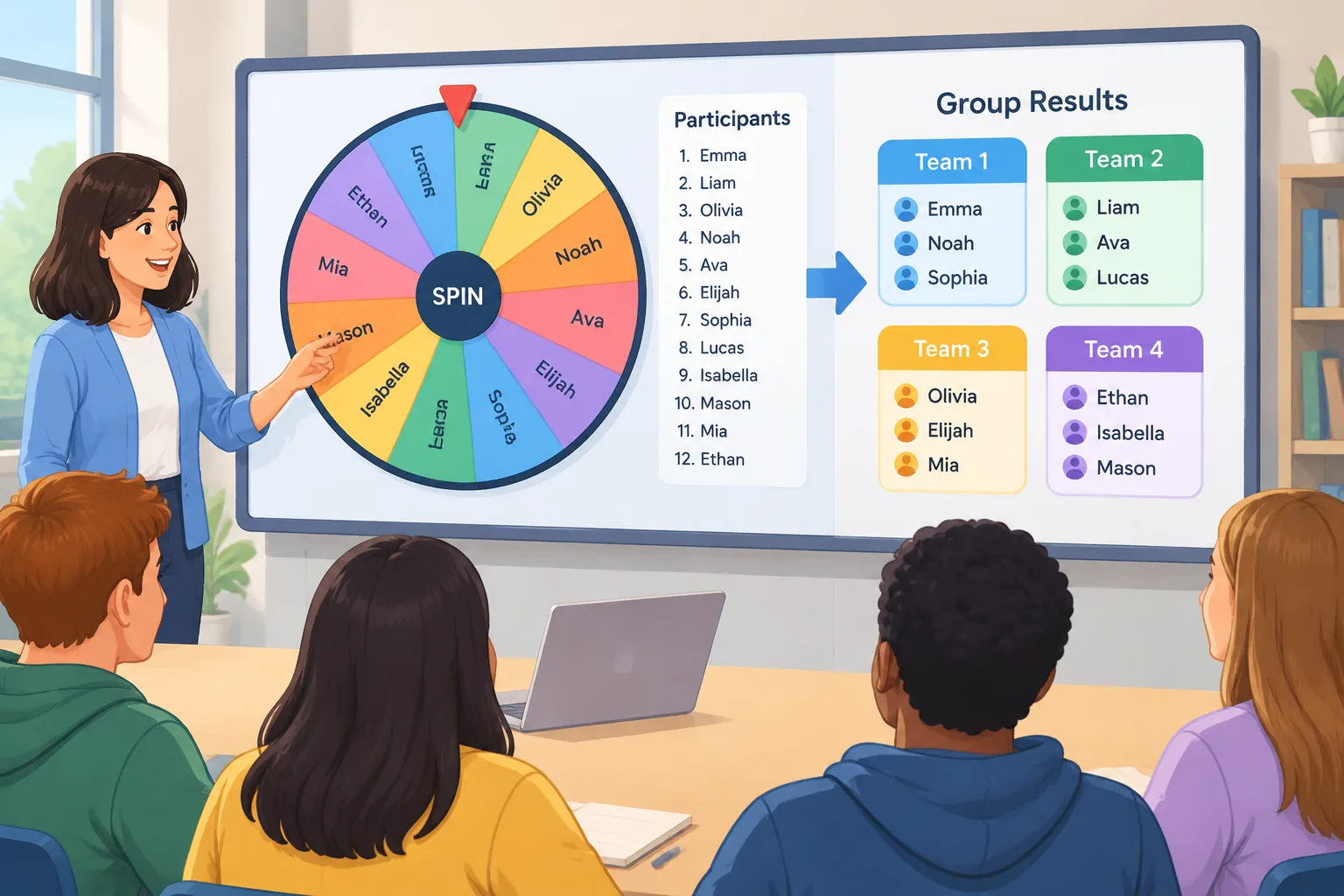
Picker wheel groups are a method of creating teams by using a spinning wheel or random selection wheel to assign names from a list. Instead of choosing people yourself, the wheel selects participants randomly and helps divide a larger group into smaller teams.
This method is commonly used in classrooms, training sessions, meetings, and events where the organizer wants a transparent selection process. When everyone can see the wheel spin, participants often understand that the choice is random rather than based on personal preference.
For example, a teacher with 24 students who needs six groups of four can enter student names into a wheel and spin until everyone has been assigned. A corporate trainer could use the same approach to create discussion groups during a workshop.
A picker wheel is different from simply calling out names because it creates a repeatable process. The facilitator can explain the rules before starting, such as removing selected names after each spin or keeping the full list visible until all groups are created.
However, a basic wheel does not always create balanced teams. It may randomly place several experienced participants together or separate people who work well together. For activities that require structured balance, a dedicated random group tool may be more suitable.
Why Use a Picker Wheel for Group Activities?
Many educators and facilitators choose picker wheel groups because they solve a common problem: assigning people quickly without spending valuable activity time organizing teams.
A visible random process can also encourage fairness. Students may be less likely to question why they are placed in a certain group when the selection method is clear. In workshops, participants can move into teams quickly instead of waiting for the organizer to decide.
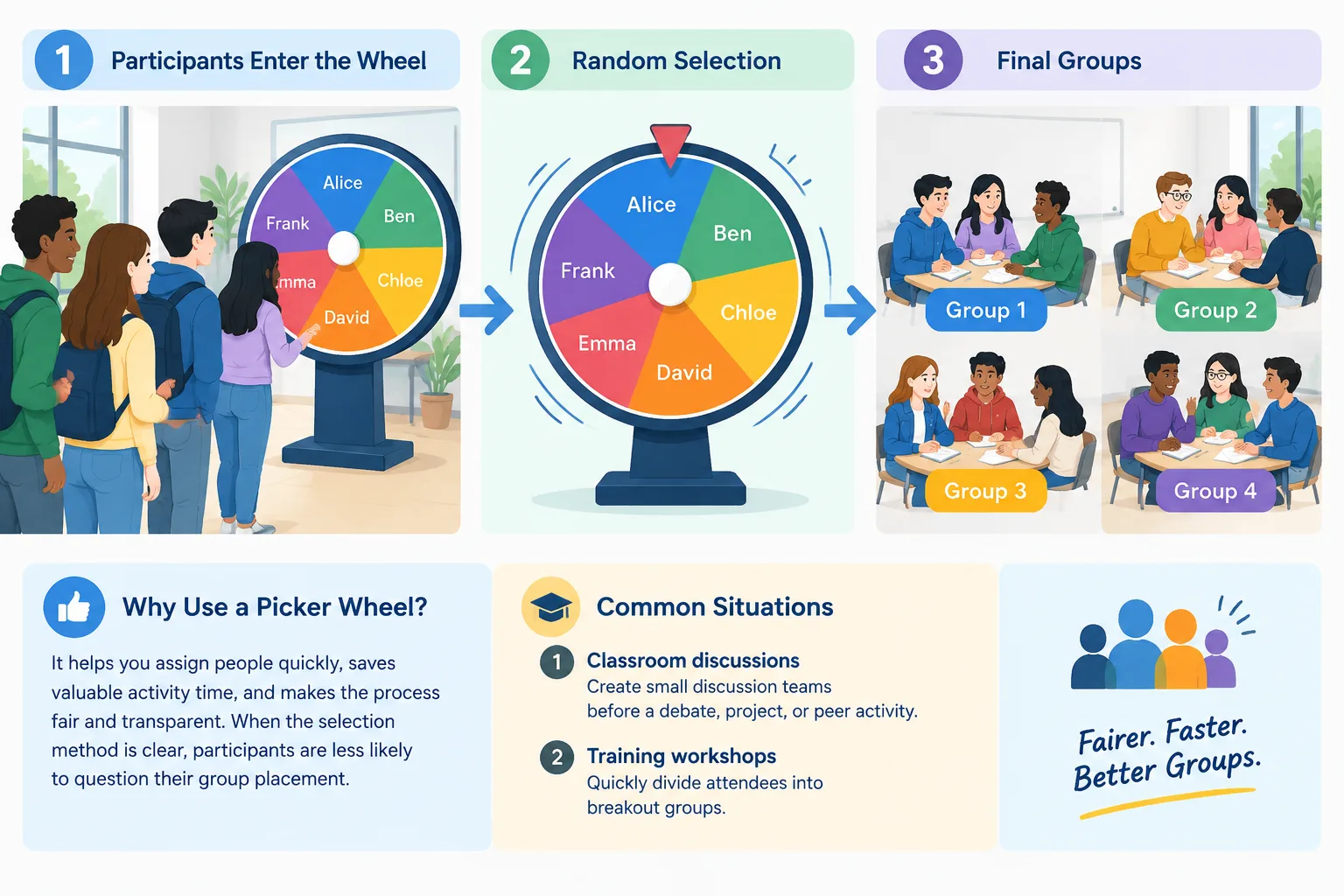
Common situations where picker wheels help include:
- Classroom discussions: Teachers can create small discussion teams before a debate, project, or peer activity.
- Training workshops: Facilitators can quickly divide attendees into breakout groups.
- Team meetings: Managers can assign people to brainstorming groups or rotating tasks.
- Events: Organizers can create activity groups without manual sorting.
For example, a language teacher might use a student randomizer wheel to select pairs for speaking practice. The teacher spins the wheel, assigns two students, and repeats the process until everyone has a partner.
The main advantage is speed. Instead of writing names on cards or manually tracking assignments, the facilitator can complete the process in minutes.
How to Create Picker Wheel Groups Step by Step
Creating groups with a picker wheel is usually simple. The exact steps depend on the tool you use, but the general process follows the same pattern.
Step 1: Prepare your participant list
Start with a complete list of names. Remove duplicates and check spelling before using the wheel. For classroom activities, include every student who should participate. For workplace sessions, include all attendees who need an assignment.
Example:
- Emma
- Liam
- Noah
- Olivia
- Ava
- Mia
- Ethan
- Lucas
A clean list prevents confusion during selection.
Step 2: Decide your group size
Choose whether you want pairs, small teams, or larger groups. The right size depends on the activity.
For example:
- Pair discussion: 2 people per group
- Problem-solving activity: 3-5 people per group
- Project work: 4-6 people per group
If you need pairs specifically, a dedicated random pair generator can simplify the process.
Step 3: Add names and spin the wheel
Enter the participant list into your picker wheel. Spin the wheel and record each result. Some facilitators remove selected names after each spin, while others keep names and track assignments separately.
A simple example:
- Spin the wheel.
- Select the first person.
- Add them to Group A.
- Remove or mark the name.
- Continue until the group is complete.
Repeat the process until everyone has a group.
Step 4: Review the final groups
Random selection does not always create ideal teams. Before starting the activity, check whether the groups meet your needs.
For example, a teacher may notice that one project group contains several students who need additional support. The teacher can make a small adjustment while keeping the overall process fair.
Picker Wheel Groups vs. Dedicated Random Group Tools
A picker wheel and a random group generator both help divide people, but they solve slightly different problems.
A picker wheel focuses on visible selection. It is useful when the audience benefits from watching the process happen. It creates a game-like experience and makes each choice easy to understand.
A dedicated random grouping tool focuses on producing complete groups efficiently. Instead of spinning many times and recording results manually, users can often enter names, choose group settings, and receive finished teams immediately.
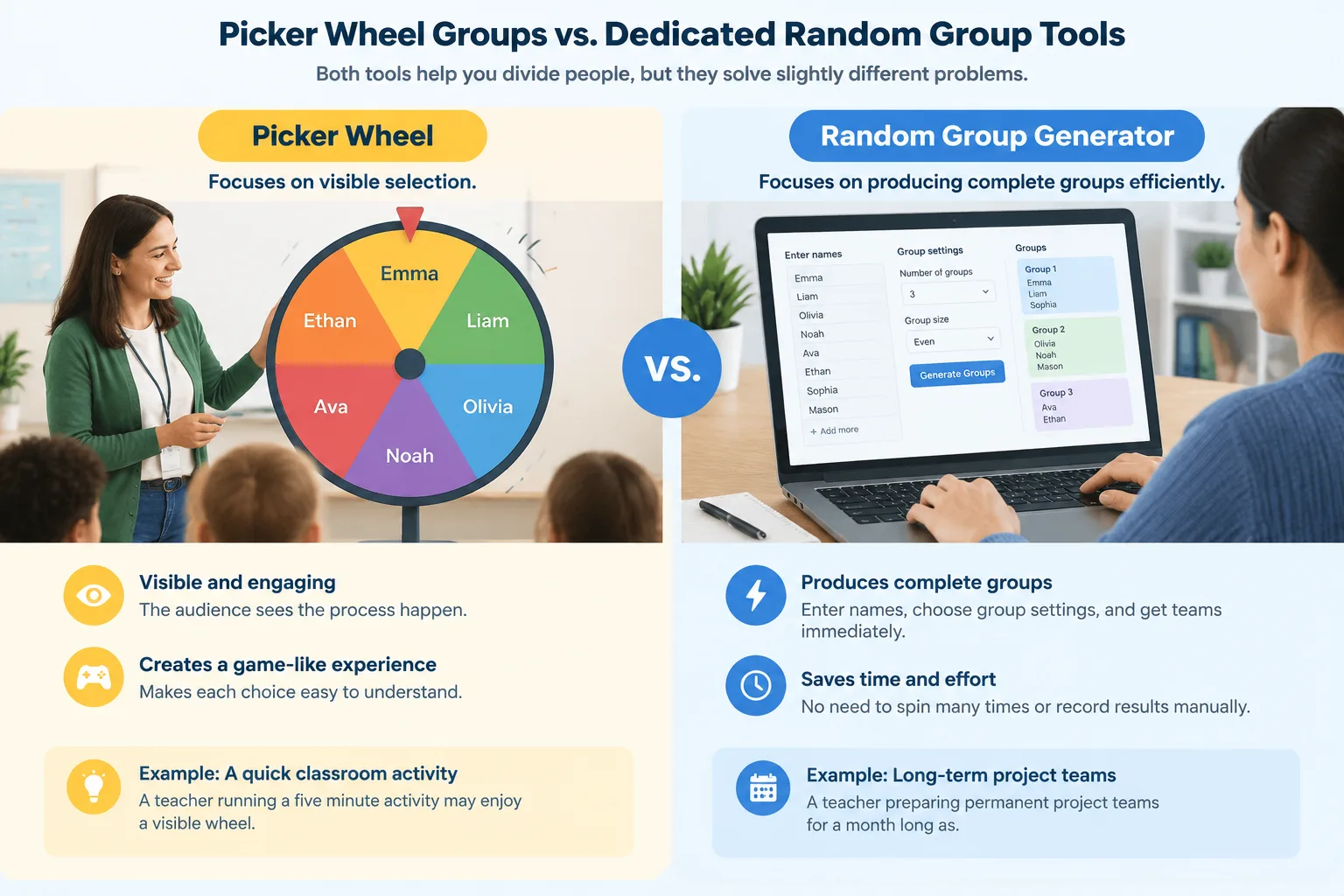
For example, a teacher running a five-minute classroom activity may enjoy a visible wheel. A teacher preparing permanent project teams for a month-long assignment may prefer a tool designed for full group creation.
Random group tools can also be useful when you need repeated grouping, such as rotating teams every week. The Random Group Generator is designed for creating groups from participant lists quickly.
The best choice depends on the activity goal:
- Use a picker wheel when visibility and engagement matter most.
- Use automated grouping when speed and organization matter most.
- Use manual adjustments when specific learning or workplace requirements exist.
Practical Examples of Picker Wheel Groups
Different environments use picker wheel groups in different ways. The method works best when the organizer clearly explains the purpose of the random selection.
Classroom example
A science teacher wants students to complete a laboratory activity in groups of four. The teacher prepares the class list, uses a wheel to select names, and creates six teams.
After groups are formed, each team receives roles such as recorder, materials manager, presenter, and researcher. The random process creates teams quickly, while assigned roles help students participate effectively.
Corporate training example
A trainer runs a communication workshop with 40 employees. Instead of allowing participants to sit with coworkers they already know, the trainer uses random selection to create mixed discussion groups.
The goal is not simply randomness. The process helps create opportunities for participants to interact with different colleagues.
Event example
An event organizer needs activity teams for a networking session. A picker wheel provides an easy way to create groups while allowing attendees to see that teams were not selected manually.
These examples show that picker wheel groups are most effective when the random assignment supports a clear activity goal.
Tips for Making Picker Wheel Groups More Effective
A random selection process works best when combined with good facilitation practices.
First, explain the reason for random grouping. Participants are more likely to accept assignments when they understand that the purpose is fairness, variety, or efficient organization.
Second, prepare backup plans. A participant may leave, arrive late, or need a different assignment. Keep the original list available so changes can be made quickly.
Third, consider accessibility and activity requirements. Some activities require specific skills, experience levels, or support needs. Pure randomness may not be appropriate in every situation.
For teachers who regularly select students for participation, a student selector wheel can be useful for choosing speakers or participants while keeping the process consistent.
A strong facilitator uses random tools as a support, not as a replacement for professional judgment.
Frequently Asked Questions About Picker Wheel Groups
What are picker wheel groups used for?
Picker wheel groups are used to randomly divide a list of people into teams, pairs, or activity groups. Teachers, trainers, and event organizers often use them when they need a quick and visible selection process.
Are picker wheel groups fair?
Picker wheel groups provide a random method, which can make selection more transparent. However, randomness does not always create balanced groups. If you need specific team requirements, review the results before starting an activity.
Can I use a picker wheel for students?
Yes. Many teachers use a student randomizer wheel to select students for participation, discussions, or group activities. The method works best when classroom goals and student needs are considered.
What is the difference between a picker wheel and a random group generator?
A picker wheel usually selects names one at a time through a spinning process. A random group generator creates complete groups automatically, which can be faster for larger classes or teams.
Can picker wheel groups be used for online meetings?
Yes. Picker wheel groups can support online workshops and meetings by helping facilitators assign breakout teams. For larger virtual sessions, organizers may also combine grouping tools with platforms such as video meeting workflows.
Create Your Picker Wheel Groups Faster
Picker wheel groups are a practical way to organize people when you want a simple, visible, and engaging random selection process. They work well for classrooms, workshops, and team activities where quick group creation matters.
When you need complete groups without manually tracking every spin, try the Random Group Generator to create organized teams from your participant list.
Related Tools
Pick the right generator for the job — every tool runs free in your browser.