
random group generator
Random Group Generator: Create Fair Teams in Seconds
Learn how a random group generator helps teachers and facilitators create balanced teams, save time, and organize fair activities with simple steps.
Advertisement
Creating groups can become a challenge when a teacher has a busy classroom, a trainer has many participants, or a facilitator needs balanced teams quickly. A random group generator is a tool that helps people divide names into groups fairly and efficiently without manually assigning every person.
Why Use a Random Group Generator?
Many educators and facilitators know the common problems of making groups by hand. A teacher may spend several minutes choosing teams, only to hear complaints that the groups feel unfair. A workshop leader may accidentally place the same experienced people together, while quieter participants get fewer opportunities to contribute.
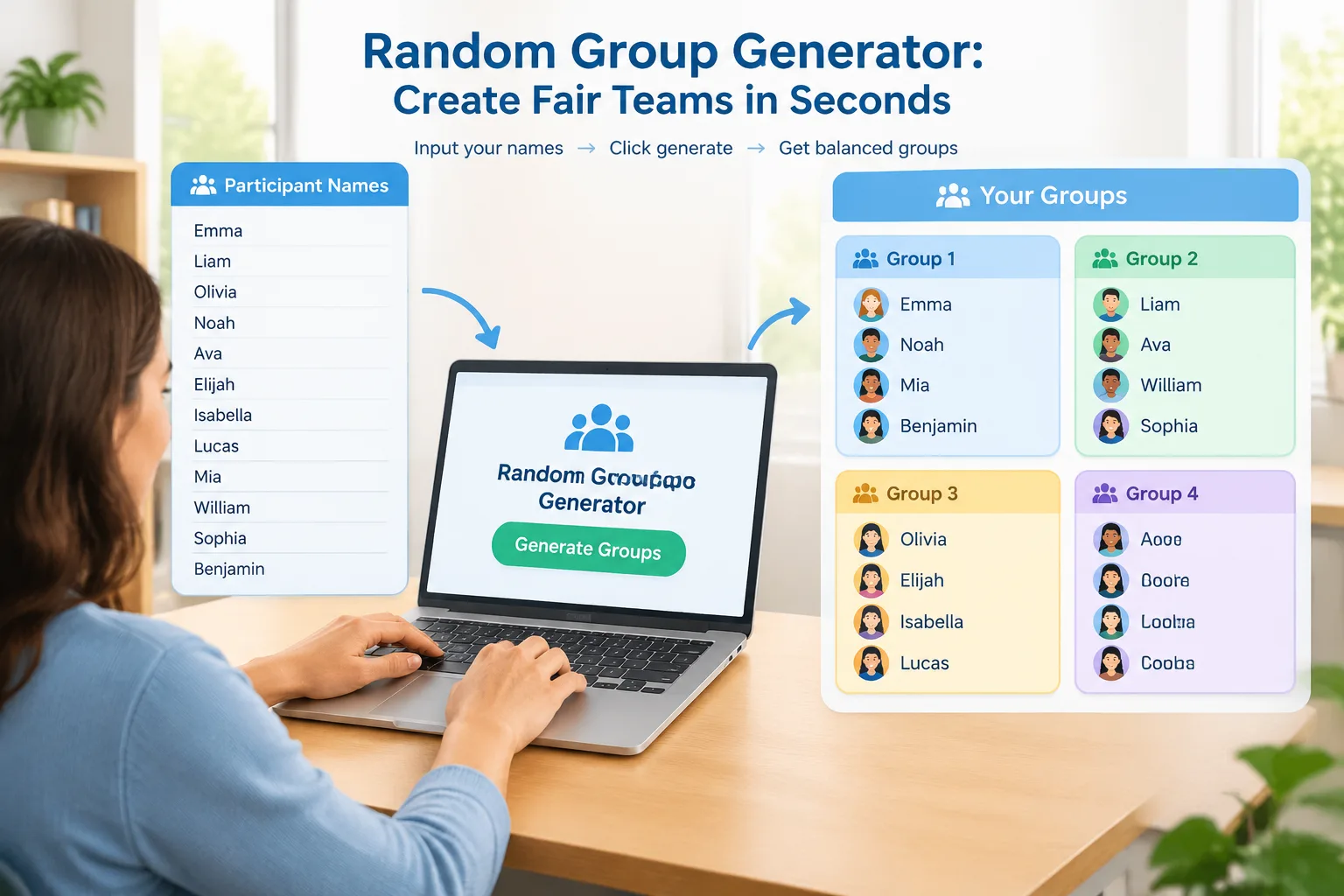
A random group generator solves this workflow problem by creating groups automatically from a list of names. Instead of relying on seating order, friendship groups, or quick decisions, facilitators can use a consistent process that treats everyone equally. The main benefit is not only speed but also transparency: participants can see that the grouping process follows the same rules for everyone.
For example, a middle school teacher preparing a science activity with 28 students can enter the student names, choose the number of groups, and create teams in seconds. A corporate trainer running a communication workshop can use the same approach to quickly mix employees from different departments.
The tool is especially useful when you need repeated group changes. Daily classroom activities, rotating discussion teams, and training exercises often require new combinations of people. Manually creating new teams each time can take attention away from teaching or facilitation.
How a Random Group Generator Works
A random group generator usually follows a simple process. The facilitator provides a list of participants, selects the desired group settings, and receives automatically generated teams. The exact options may vary between tools, but the general workflow stays the same.
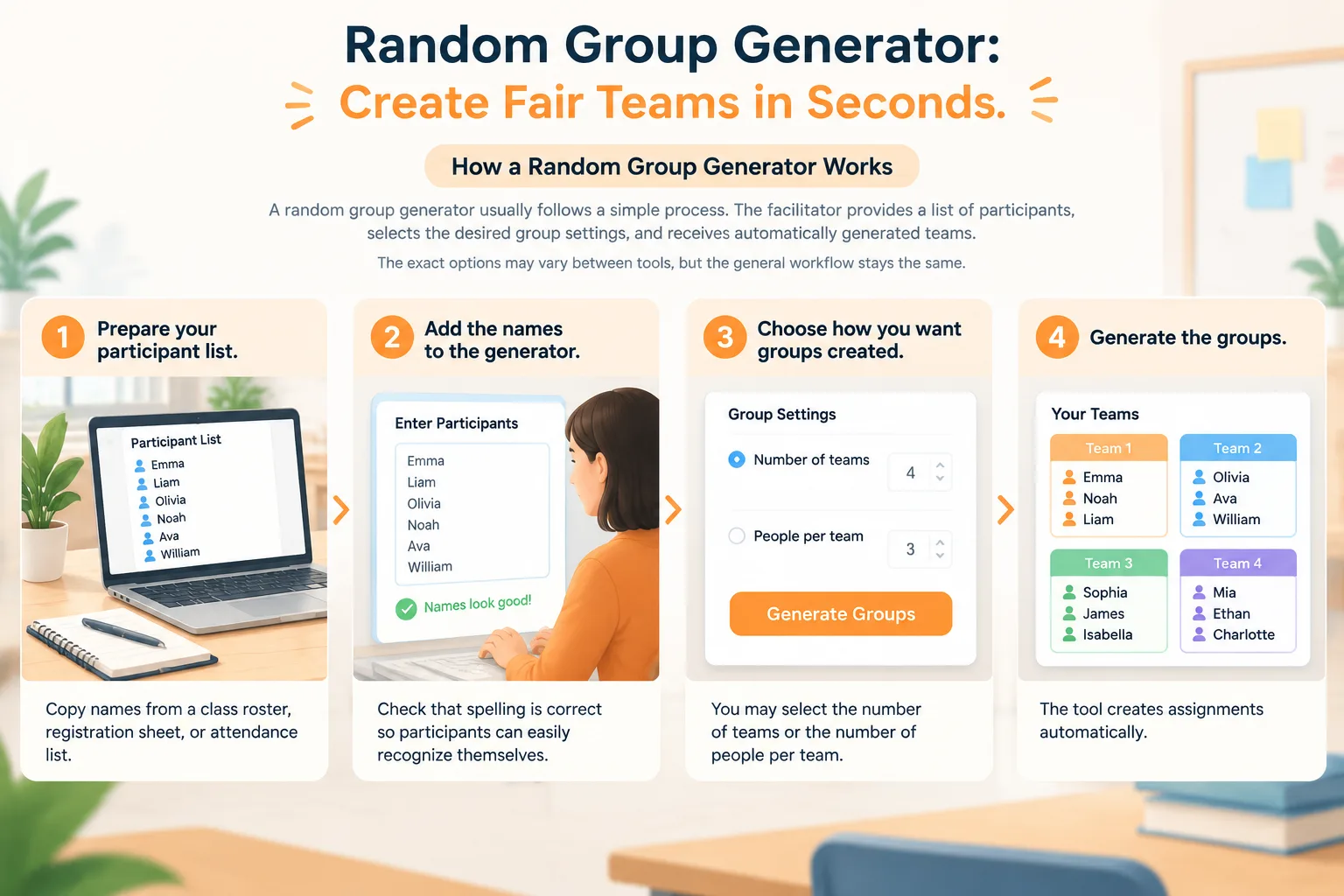
Here is a practical step-by-step example:
- Prepare your participant list. Copy names from a class roster, registration sheet, or attendance list.
- Add the names to the generator. Check that spelling is correct so participants can easily recognize themselves.
- Choose how you want groups created. You may select the number of teams or the number of people per team.
- Generate the groups. The tool creates assignments automatically.
- Review the results. Make adjustments if your activity has special requirements, such as accessibility needs or skill-based roles.
- Share the groups with participants or use them for your activity.
For a classroom example, imagine a teacher with 24 students who wants six discussion groups. The teacher enters all names, selects six groups, and receives four students in each group. For a team workshop, a facilitator might create five project teams from 35 participants and then begin the activity immediately.
The process works best when the goal is fair mixing rather than carefully designed teams. If a project requires specific skills in every group, the facilitator may need to review the generated results afterward.
Using Random Groups in Classrooms and Workshops
Teachers use random grouping for many learning activities because it encourages students to work with different classmates. Group discussions, problem-solving tasks, peer reviews, and project planning can all benefit from changing team structures regularly.
A random group generator is helpful when the teacher wants to avoid the same students always working together. Rotating groups can give students more chances to communicate, explain ideas, and practice collaboration skills. The tool does not replace good teaching decisions, but it makes the organization step easier.
For example, a university instructor leading a seminar may create new discussion groups every week. Instead of spending class time assigning teams, the instructor can prepare groups before the lesson begins. Students can focus immediately on the discussion topic.
Corporate trainers can use random grouping for activities such as brainstorming sessions, role-playing exercises, and problem-solving challenges. A new group arrangement can help employees interact with colleagues they do not normally work with.
If you need different formats, Random Group Generator also supports related activities through tools such as the Random Pair Generator for partner exercises and the Random Student Picker for classroom participation.
Tips for Creating Better Random Groups
Random selection is simple, but the quality of the activity still depends on preparation. A few small choices can make the experience smoother for both facilitators and participants.
First, decide your goal before creating groups. If the goal is discussion practice, fully random groups may work well. If the goal is a long-term project, you may want to combine random assignment with a quick review of group balance.
Second, explain the process to participants. People are usually more comfortable with random grouping when they understand why it is being used. A teacher might say, "We are creating new teams so everyone has a chance to work with different classmates." A trainer might explain that mixed groups encourage new conversations.
Third, consider group size carefully. Small groups often work well for discussions because everyone has a chance to speak. Larger groups may be useful for complex projects where different roles are needed.
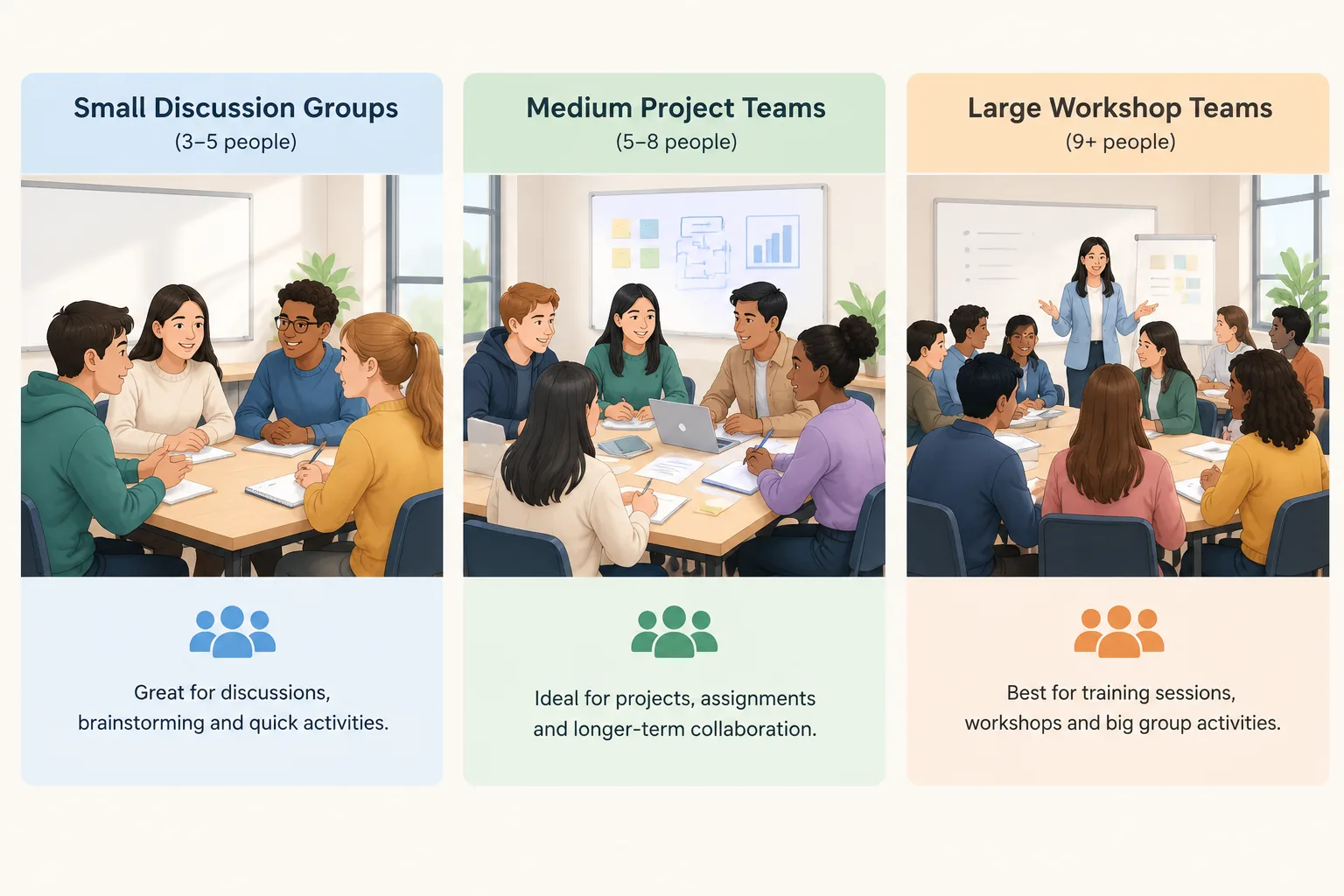
A practical example is a language class with 30 learners. The teacher may create pairs for speaking practice, groups of five for debates, and larger teams for presentations. Using the right grouping method for each activity helps participants stay engaged.
Random Groups Compared With Manual Assignment
Manual group assignment can be useful when a facilitator needs complete control. For example, a teacher may need to separate students who distract each other or create teams with specific abilities. However, manual assignment takes more time and can sometimes appear less transparent.
A random group generator is different because it provides a consistent starting point. It reduces the effort needed for routine grouping tasks and allows facilitators to spend more time preparing the activity itself.
The best approach depends on the situation. Use random groups when fairness, speed, and variety are important. Use manual planning when the activity requires carefully selected roles, special accommodations, or detailed team balance.
Some facilitators combine both methods. They generate random groups first, then make small changes when needed. This keeps the process efficient while allowing professional judgment.
Practical Limits and Best Practices
A random group generator is a helpful organization tool, but it cannot understand every personal situation automatically. Facilitators should consider privacy, accessibility, classroom relationships, and activity requirements before finalizing teams.
For example, a teacher working with younger students may need to consider confidence levels or support needs. A company trainer may need to avoid placing all managers in one discussion group. These decisions still require human judgment.
The tool works best when it supports the facilitator rather than replacing them. A few seconds of review can ensure that the generated groups match the purpose of the activity.
For activities that need creative team labels after grouping, you can also use the Group Name Generator. For workplace exchanges and similar activities, other specialized tools may be more suitable, such as a Secret Santa Generator.
Frequently Asked Questions
What is a random group generator?
A random group generator is an online tool that divides a list of names into groups automatically. Teachers, trainers, and facilitators use it to save time and create fair group assignments for activities, discussions, and projects.
How do I create groups with a random group generator?
Start by entering participant names, choose the number of groups or group size, and run the generator. Review the results before sharing them to make sure they fit your activity needs.
Are random groups always the best choice for classrooms?
Random groups are useful for many classroom activities, especially when the goal is variety and equal participation. However, teachers may need manual adjustments for activities requiring specific skills, support arrangements, or carefully balanced teams.
Can a random group generator be used for workplace teams?
Yes. Trainers, HR teams, and event organizers can use random group generators for workshops, brainstorming sessions, networking activities, and team exercises where quick and fair grouping is helpful.
How many people should be in each random group?
The ideal group size depends on the activity. Small groups are often effective for discussions, while larger teams may work better for projects that require multiple roles.
Create Your Groups Now
When you need a quick and fair way to organize participants, a random group generator can remove the time-consuming part of team creation. Enter your names, choose your settings, and start your activity with ready-made groups using the Random Group Generator.
Advertisement
Related Tools
Pick the right generator for the job — every tool runs free in your browser.
Advertisement