
team grouping
Team Grouping: How to Create Fair Teams for Classes and Work
Learn how team grouping helps teachers and facilitators create balanced groups quickly with practical steps, examples, and tips for fair collaboration.

Teachers, trainers, and event organizers often face the same challenge: creating teams that feel fair while saving time. Team grouping is the process of organizing people into smaller teams for activities, projects, discussions, or collaboration. A reliable grouping method helps avoid repeated pairings, reduces bias, and gives everyone a chance to work with different people.
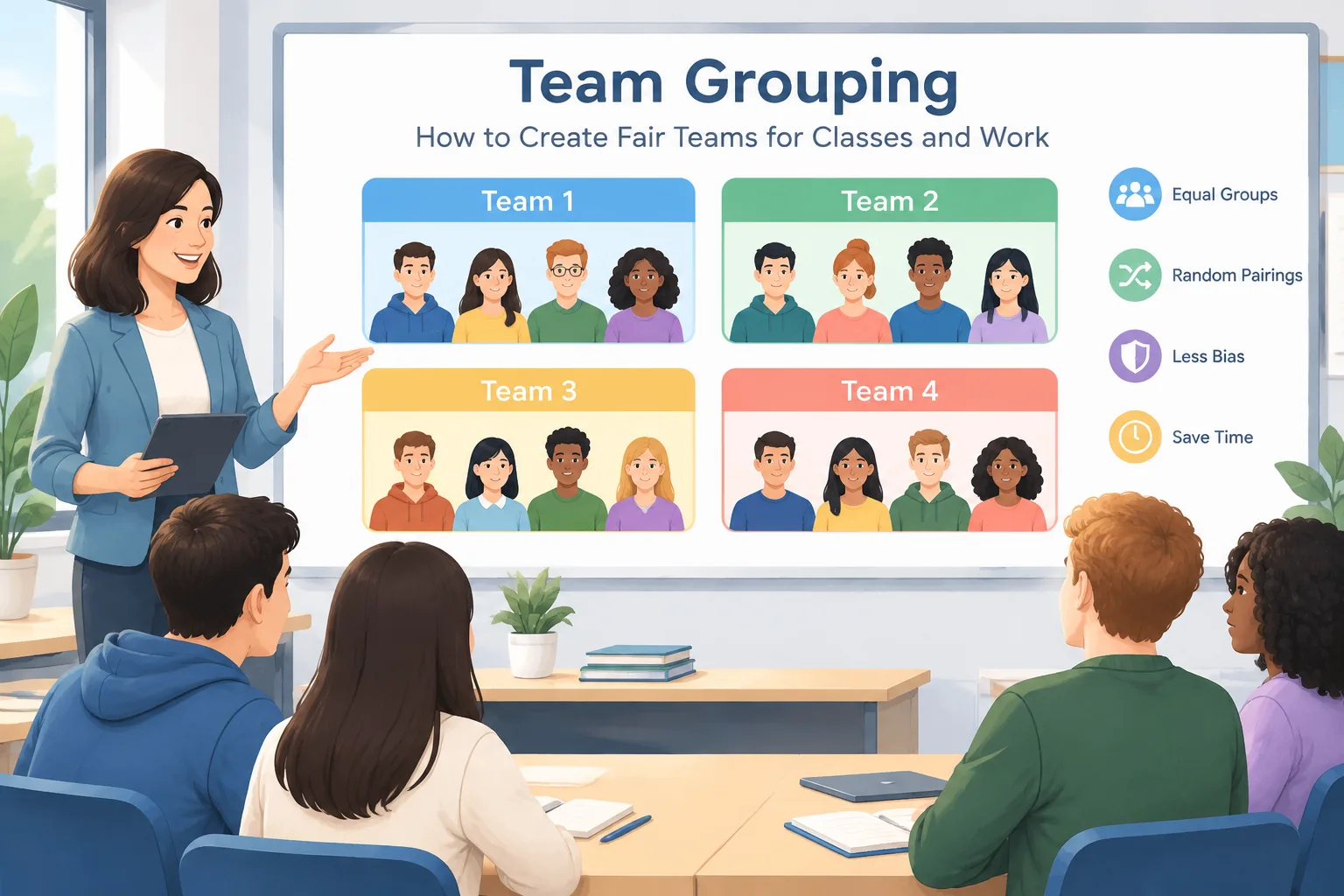
Why team grouping matters in learning and collaboration
Choosing teams manually can become difficult when a class or workshop includes many participants. A teacher may accidentally place the same students together every time, while a facilitator may spend valuable preparation time deciding who should work with whom. Team grouping creates a repeatable process that makes these decisions easier.
Fair grouping is useful because different activities require different team structures. A short discussion may need pairs, while a project may need groups of four or five people. The best approach depends on the goal, the number of participants, and whether the activity requires balanced skills or simply a quick mix of people.
For example, a science teacher preparing a lab activity with 28 students may need seven groups of four. Instead of spending several minutes checking previous groups and classroom relationships, the teacher can use a structured grouping method and then adjust only when necessary.
Common problems with manual team creation
Many educators and facilitators begin with simple methods such as asking people to choose their own teams or assigning groups from a list. These approaches can work, but they also create challenges.
Self-selected teams may leave some participants feeling excluded or may create groups where friends always work together. Manual assignment can be more balanced, but it requires time and careful tracking. When repeated regularly, the process becomes harder to manage.
A random approach can solve many of these workflow problems. A tool such as the Random Group Generator can quickly organize names into groups while keeping the process neutral. This is especially helpful when the goal is to encourage new connections or distribute participation opportunities.
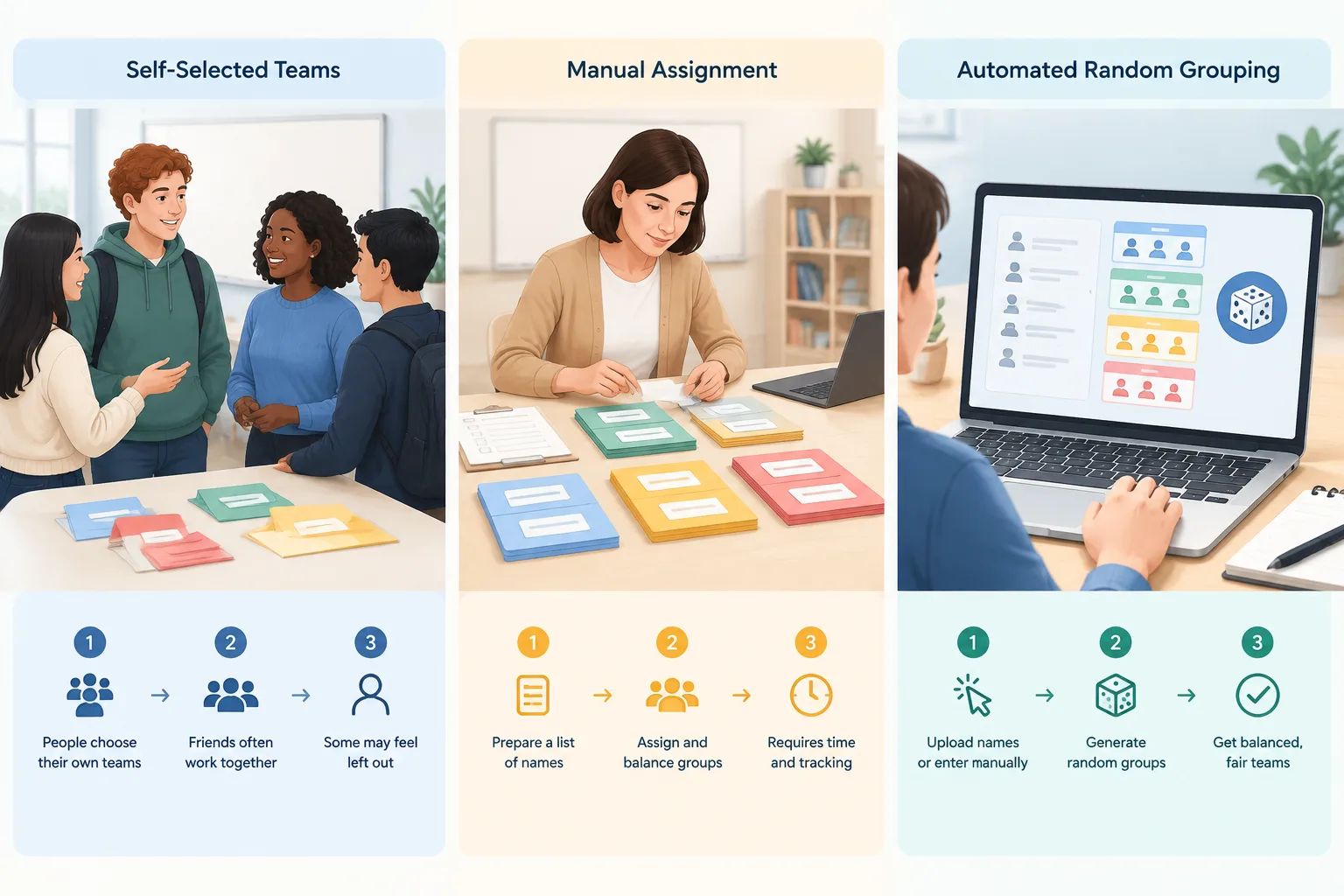
How to create teams using a random grouping method
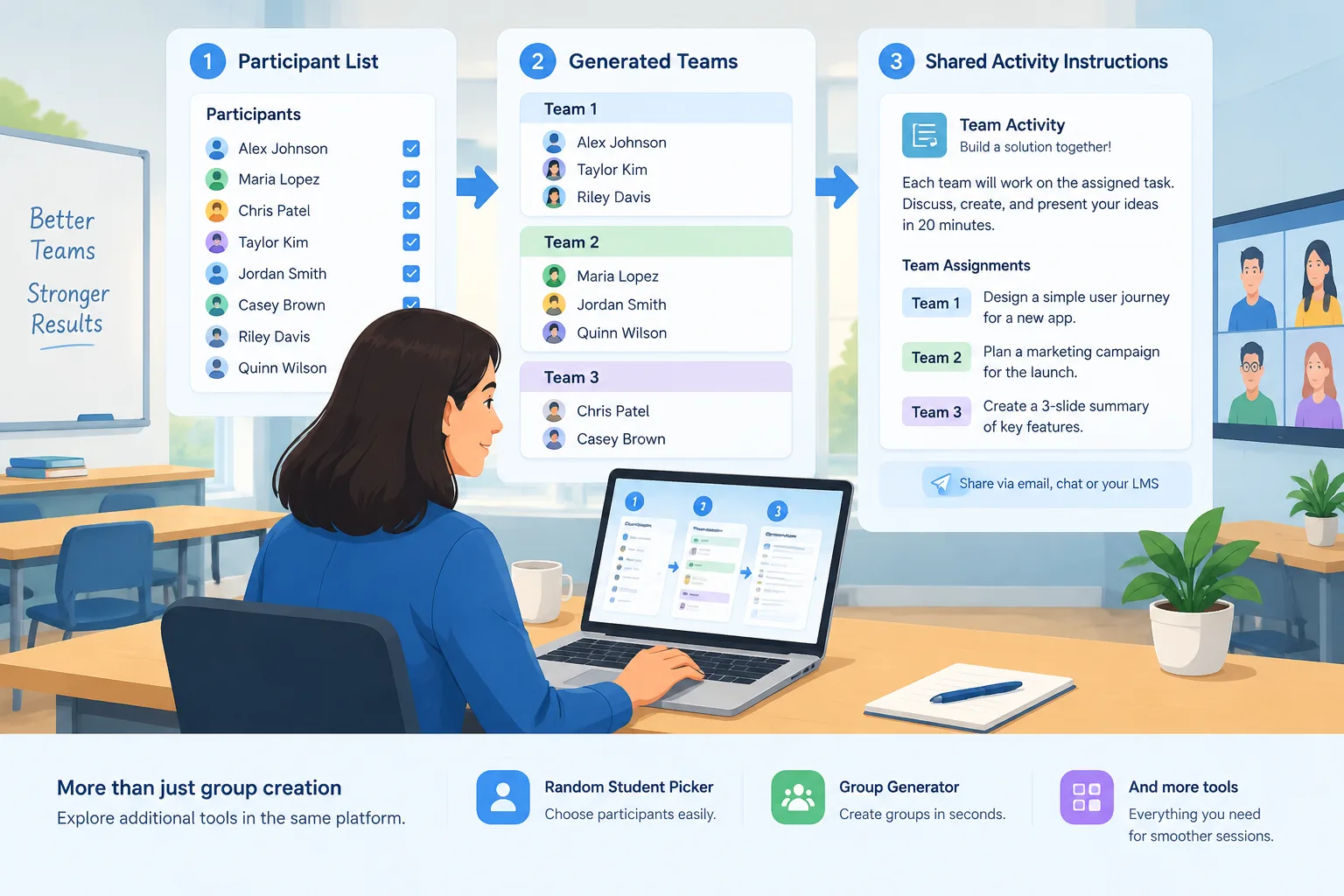
A simple team grouping process can be completed in a few steps. The exact setup depends on the activity, but the following workflow works well for many classroom and workplace situations.
- Prepare the participant list. Collect the names of students, employees, or attendees who need to be grouped. Remove duplicate names and check spelling before creating teams.
- Decide the group size. Consider the activity requirements. Smaller groups often work well for discussions, while larger groups may be better for projects that require different roles.
- Choose the grouping method. Random grouping works well when fairness and speed are priorities. For activities requiring specific skill combinations, you may need to review the results and make small adjustments.
- Generate and review the teams. Check that the number of groups matches your activity plan. If needed, repeat the process or make limited changes based on practical needs.
- Share the groups clearly. Display teams on a screen, send them through your communication platform, or provide printed instructions.
For example, a corporate trainer running a communication workshop with 40 employees might create eight teams of five. The trainer can generate groups before the session begins, then assign each team a discussion topic and a short presentation task.
Choosing the right team grouping method
Different situations call for different approaches. Random grouping is not the only option, but it is a useful choice when you want a quick and transparent process.
Random grouping is useful for activities where participants benefit from meeting different people. It can support classroom discussions, icebreakers, practice exercises, and workshop rotations. It is also helpful when a facilitator wants to avoid appearing to favor certain participants.
Balanced grouping may be better when teams need specific abilities. For example, a software project team may need a mix of design, writing, and technical skills. In this case, a facilitator can use random results as a starting point and then adjust teams based on clear requirements.
Pair activities need another approach. When participants need partners instead of larger teams, a Random Pair Generator can simplify the process. This works well for peer reviews, language practice, and quick classroom conversations.
Real examples of team grouping in practice
Team grouping appears in many settings beyond traditional classrooms. The method works whenever people need to collaborate in temporary or changing teams.
In a university seminar, an instructor may create new discussion groups each week so students hear different perspectives. Random groups help distribute participation and prevent the same voices from leading every conversation.
In a workplace training session, an HR facilitator may divide employees into teams for problem-solving activities. A quick grouping process allows the facilitator to focus more attention on the activity itself instead of spending preparation time organizing names.
At events, organizers may use grouping activities to help attendees network. For example, a conference host could create small groups for a workshop exercise, then create different groups for the next session.
Using team grouping tools with digital workflows
Modern classrooms and workplaces often use digital platforms to organize activities. A team grouping tool can fit into these workflows by creating groups before or during a session.
For online meetings, facilitators can prepare groups before a video session and share assignments through their normal communication channels. Teachers using digital classrooms can copy generated groups into their lesson materials or announcements.
Random Group Generator is designed as a multi-tool platform for educators and facilitators who need simple ways to organize participants. Along with group creation, users can explore related tools such as the Random Student Picker for choosing participants and the Group Name Generator for adding creative team labels.
Practical tips for better team grouping results
A good grouping process is more than pressing a button. Consider the purpose of the activity before creating teams.
First, explain the reason for the grouping method. Participants are more likely to accept random teams when they understand that the goal is fairness, variety, or giving everyone new collaboration opportunities.
Second, consider accessibility and classroom needs. Some situations require adjustments, such as separating participants who cannot work effectively together or ensuring that online participants have clear instructions.
Third, avoid changing groups too frequently without a reason. While variety can be valuable, some projects need enough time for teams to develop communication and cooperation.
For example, a teacher might create new random teams for weekly discussions but keep project teams unchanged for a month. This balances new interactions with stable collaboration.
When team grouping may not be the best choice
Random team grouping is useful, but it is not suitable for every situation. Activities with strict skill requirements, safety considerations, or advanced project roles may need carefully planned teams.
A robotics competition team, for example, may require specific technical abilities. A random method alone may not create the right combination of skills. In these cases, facilitators can use grouping tools as a starting point and apply professional judgment afterward.
The goal of team grouping is not to remove human decisions completely. Instead, it helps reduce unnecessary administrative work and creates a fair starting point for collaboration.
FAQ about team grouping
What is team grouping?
Team grouping is the process of organizing participants into smaller teams for learning, work, or activities. It can be done manually, randomly, or through a digital tool depending on the needs of the situation.
Why use random team grouping?
Random team grouping helps save preparation time and gives participants opportunities to work with different people. It is especially useful for discussions, workshops, and activities where balanced participation matters.
How many people should be in each team?
The ideal team size depends on the task. Pairs work well for quick exchanges, groups of three to five often support discussions, and larger teams may be useful for complex projects with multiple roles.
Can I adjust teams after using a grouping tool?
Yes. A generated group list can be reviewed and adjusted when there are practical reasons. Tools provide a starting point, while teachers and facilitators understand their participants best.
Is team grouping useful for online classes and remote work?
Yes. Team grouping can support online learning and remote collaboration by helping instructors and facilitators prepare groups before sessions and share assignments through their usual digital workflows.
Create your teams faster
Whether you are preparing a classroom activity, training session, or team workshop, a clear grouping process can make collaboration easier. Use the Random Group Generator to create fair teams quickly and spend more time focusing on the activity itself.
Related Tools
Pick the right generator for the job — every tool runs free in your browser.