
random student picker guide
Random Student Picker Guide: How to Select Students Fairly
Learn how to use a random student picker to select students fairly, encourage classroom participation, save teaching time, and build an inclusive routine.
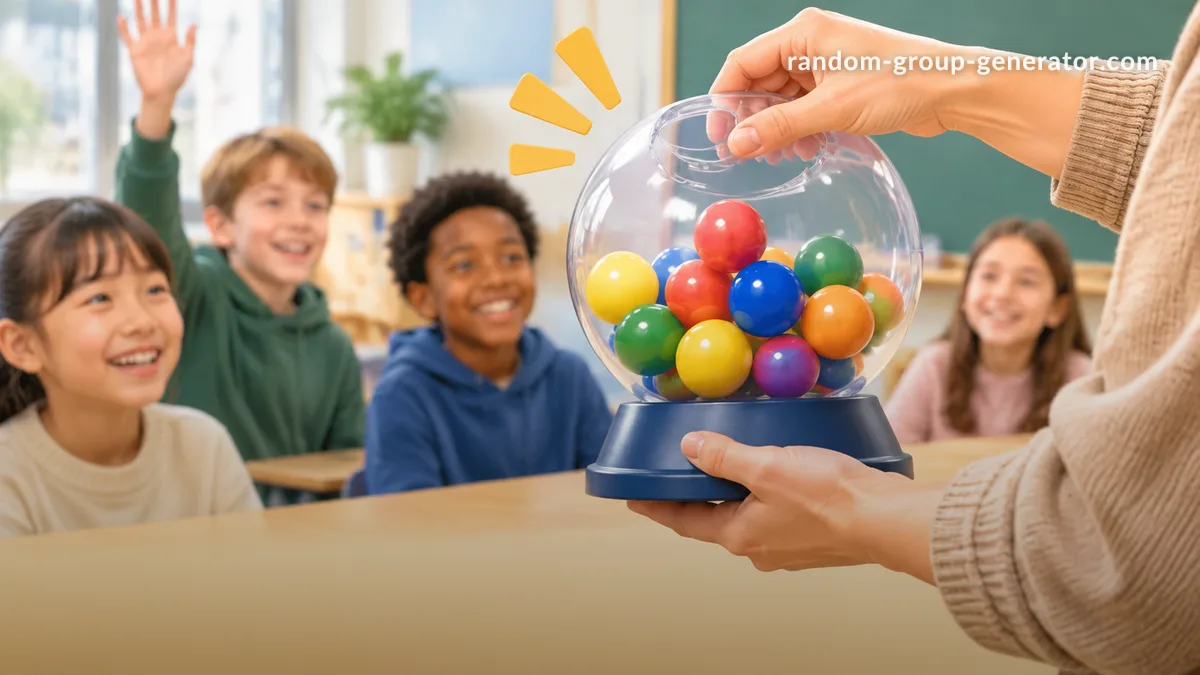
Calling on students is a normal part of teaching, but deciding who should answer is not always easy. Some students raise their hands every time, while others rarely volunteer. Teachers may also find themselves choosing the same confident students simply because their names come to mind first. A random student picker guide can help teachers build a more consistent approach to classroom participation. With a random student picker, you can select names from a class list, reduce repeated manual decisions, and give more students opportunities to contribute. This guide explains how to use a student picker, when to use it, and how to make random selection comfortable and productive for different learners.
Why Teachers Use a Random Student Picker
Classroom participation can become uneven when teachers rely entirely on volunteers. Students who enjoy speaking may answer most questions, while quieter students have fewer opportunities to share their ideas. This does not necessarily mean that quieter students are less interested or less prepared. They may simply need a different opportunity or more time to organize their thoughts.
A random student picker gives teachers a practical way to distribute selection opportunities across a class. Instead of choosing a name based on memory, seating position, or who raised a hand first, the teacher can use a prepared list and let the tool make a selection. This creates a more consistent process and reduces the small decisions that can interrupt a lesson.
For example, imagine a middle school science teacher reviewing vocabulary with 28 students. If the teacher only calls on volunteers, the same five students may answer most questions. Using a random student picker introduces a different selection process, allowing the teacher to invite other students to explain a concept, provide an example, or ask a follow-up question.
Random selection does not guarantee equal participation over every lesson, and it should not replace professional judgment. A student may need additional preparation time, an alternative response method, or an opportunity to pass. The purpose is to make participation opportunities more deliberate, not to force every student to speak without considering their needs.
What Is a Random Student Picker?
A random student picker is a digital classroom tool that selects a student from a list of names. The teacher provides the available names, starts the selection process, and uses the selected result for a classroom activity. Depending on the activity, the selected student might answer a question, demonstrate a solution, lead a discussion, or help with a classroom task.
Unlike choosing names manually, a digital picker provides a repeatable selection workflow. It can be particularly useful when a teacher manages several classes, runs short review activities, or needs to select participants quickly during a presentation. A digital tool also makes the selection process easier to demonstrate to students, helping them understand that the teacher is following a consistent method.
A student picker is different from a random group generator. A student picker selects an individual, while a group generator divides a class into multiple teams. A random pair generator creates pairs for partner activities. Choosing the right tool depends on the classroom task rather than simply selecting whichever randomization feature is available.
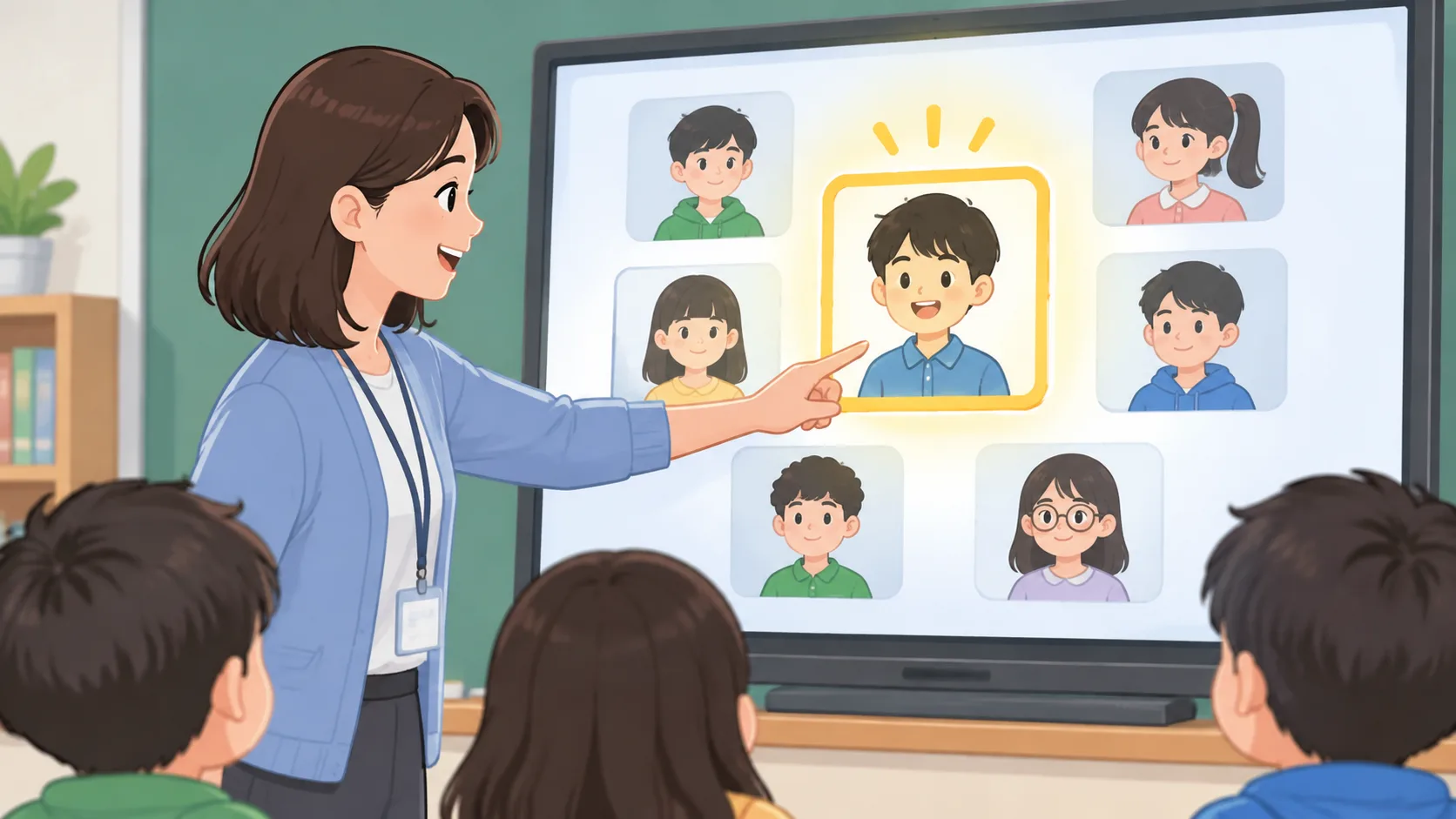
How to Use a Random Student Picker Step by Step
Getting started does not require a complicated classroom routine. The most important preparation is having an accurate list and knowing what the selected student will be asked to do. A few simple steps can make the process smooth enough to use during an ordinary lesson.
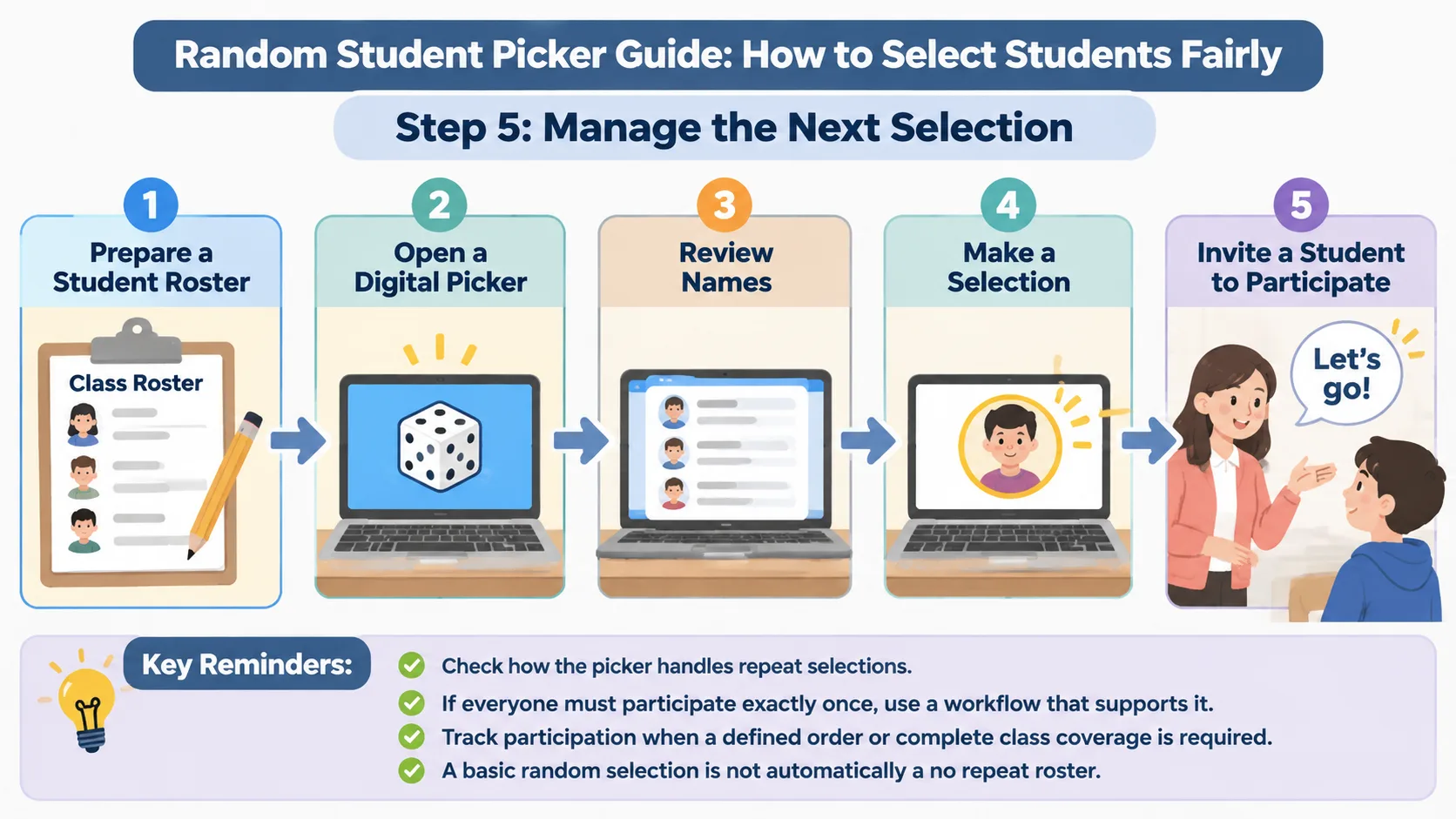
Step 1: Prepare Your Student List
Start by collecting the names of students who are eligible for the activity. Check spelling and make sure the list reflects your current class. If students have joined or left the class, update the roster before starting. An outdated list can lead to confusion or selections involving students who are not present.
For example, a high school English teacher might prepare a separate list for each class period. This avoids accidentally selecting a student from another section. If students are absent, the teacher should decide whether to remove their names temporarily or keep them in the list for a later activity.
Step 2: Open the Random Student Picker
Visit the Random Student Picker and prepare to enter your class names. Use the student list as your source rather than relying on memory. Keeping a prepared roster in an appropriate school-approved document can save time between lessons.
Before using the tool with students, take a moment to understand its available controls. Check how names are entered, how a selection is started, and whether the interface provides any options relevant to your classroom workflow. Do not assume that every random picker handles repeated selections or previous results in the same way.
Step 3: Enter or Review the Names
Add the eligible student names using the input method provided by the tool. Review the entries before making a selection. Pay particular attention to duplicate names, spelling differences, and students who should not be included in that particular activity.
If two students share a first name, use a classroom-approved identifier that distinguishes them without exposing unnecessary personal information. For example, a teacher might use a surname initial or another familiar classroom label. Avoid entering sensitive information such as student identification numbers, grades, addresses, or personal circumstances.
Step 4: Start the Random Selection
When the list is ready, start the picker and let it select a student. Present the result as an ordinary classroom activity rather than a test of a student's ability or confidence. Explain what the selected student will be invited to do and provide enough context for them to respond.
For instance, a teacher reviewing fractions might ask the selected student to explain the first step of a problem rather than immediately requiring a complete solution. Another student can then contribute the next step. This turns individual selection into a shared learning activity.
Step 5: Manage the Next Selection
After the selected student responds, decide whether another selection is appropriate. Some activities require only one participant, while others involve several students answering different questions. Check how the picker handles repeat selections before assuming that every student will be selected once before anyone appears again.
If your lesson requires every student to participate exactly once, use a workflow that explicitly supports that requirement and verify its behavior. A basic random selection should not automatically be treated as a guaranteed no-repeat roster. Keep track of participation when the activity requires a defined order or complete class coverage.
Practical Classroom Examples
The value of a random student picker becomes clearer when it is connected to familiar classroom situations. Teachers do not need to redesign an entire lesson around random selection. They can introduce it into short activities where choosing a participant is otherwise repetitive or time-consuming.
Example 1: Daily Question and Answer Sessions
A primary school teacher begins each morning with three review questions. Rather than asking for volunteers every time, the teacher uses a random student picker to invite different students to answer. One student identifies a vocabulary word, another explains a mathematical idea, and a third shares an observation about the previous lesson.
The teacher can adjust the difficulty of each question to suit the selected student's current learning needs. If a student needs support, the teacher can offer hints or invite a classmate to contribute. The selection determines who gets an opportunity, not whether that student must provide a perfect answer independently.
Example 2: University Seminar Discussions
A university instructor wants more students to contribute to a weekly seminar. Before class, the instructor prepares a roster and uses random selection to identify discussion starters. Each selected student receives an open-ended question related to the reading.
To make this approach more inclusive, students can receive the discussion question in advance or have a minute to write down their thoughts. Students who are uncomfortable speaking immediately can contribute through a written response or a small-group discussion first. Random selection works best here as a participation prompt rather than an unexpected public examination.
Example 3: Classroom Responsibilities
A teacher needs to assign daily classroom responsibilities, such as distributing worksheets, organizing learning materials, or collecting completed assignments. A random student picker can help identify students for these rotating tasks without repeatedly choosing the same volunteers.
The teacher should still consider practical restrictions. A student who has already completed a responsibility that day might be excluded from another selection, or the teacher might maintain a separate rotation list. Random selection is useful for making decisions, but the teacher remains responsible for ensuring that assignments are appropriate.
Example 4: Corporate Training and Workshops
The same approach works outside traditional education. A corporate trainer can use a random student picker to choose a participant to summarize a training topic, demonstrate a process, or share a response during a workshop.
For example, after explaining a new communication procedure, the trainer can select a participant to describe one important step. The trainer should explain the activity in advance and provide alternatives for people who need additional preparation. This keeps the selection process structured without making participation feel punitive.
How to Make Random Student Selection Fair and Inclusive
Random selection can reduce some forms of unconscious selection bias, but fairness involves more than choosing a name by chance. Teachers need to consider attendance, accessibility, language needs, confidence, and the purpose of the activity. A selection method that looks neutral can still produce an uncomfortable experience if it ignores the differences between learners.
One useful practice is to explain the process before introducing it. Tell students why you are using the picker and what happens after a name is selected. For example, explain that the goal is to hear different ideas, not to catch someone who has not completed their homework. This distinction can help establish a more supportive classroom atmosphere.
Another useful practice is to provide more than one way to participate. A student might answer verbally, write a response, demonstrate a solution, or contribute with a partner. Teachers can also give students thinking time before asking them to respond. These adjustments help connect random selection with active learning rather than treating it as a simple test of confidence.
Consider the following practical guidelines:
- Explain the purpose: Make it clear that random selection helps distribute opportunities, not punish students.
- Check attendance: Keep the eligible list current for the activity.
- Provide thinking time: Allow students to organize their answers before responding.
- Offer appropriate alternatives: Support students who need another response format or additional preparation.
- Avoid public embarrassment: Do not use selection to expose students who are struggling or unprepared.
- Review participation: Notice whether some students receive fewer meaningful opportunities over time.
Teachers should also avoid promising that a random picker produces perfectly equal participation. Individual selections can vary, and the same student may appear more than once depending on how the tool handles repeated results. If equal coverage is essential, choose a suitable rotation process and monitor the results.
Random Student Picker vs. Manual Selection and Other Methods
There are several ways to decide who participates in a classroom activity. A random student picker is one option, but it is not always the right one. The best approach depends on the learning objective, class size, time available, and level of preparation students need.
Manual selection gives teachers direct control. It is useful when a question requires a particular skill, when a student has volunteered to demonstrate something, or when a teacher wants to build on a previous discussion. However, manual selection can become repetitive if the teacher regularly chooses familiar volunteers.
A volunteer system gives students control over whether they speak. It can work well for open discussions and sensitive topics, but participation may be concentrated among confident students. A rotating roster offers predictable coverage and can be useful when every student needs a turn. Unlike random selection, a rotation follows an established sequence.
| Method | Main advantage | Practical limitation |
|---|---|---|
| Random student picker | Quick, consistent individual selection | Repeated results may occur depending on the tool |
| Manual selection | Full teacher control | Can repeatedly favor familiar participants |
| Volunteer selection | Encourages student choice | Some students may rarely volunteer |
| Rotating roster | Predictable participation coverage | Requires tracking and maintenance |
| Random group generator | Creates multiple working groups | Designed for teams rather than individual selection |
If your activity involves partners rather than individual responses, a Random Pair Generator is more suitable. For larger collaborative activities, the Random Group Generator can divide a class into teams. The important distinction is whether you need to select one person, create pairs, or organize several groups.
Common Mistakes to Avoid When Using a Student Picker
Even a simple tool can create unnecessary classroom problems if it is used without preparation. One common mistake is entering an incomplete or outdated roster. Teachers should review the list before beginning, especially when managing multiple class sections or students with similar names.
Another mistake is assuming that every selection is automatically fair in every situation. A random result does not account for a student's individual circumstances, the difficulty of the question, or the number of times that person has already participated. Teachers should monitor the experience and make adjustments when appropriate.
A third mistake is using random selection only when students are expected to know an answer immediately. This can make the tool feel like a way to catch students out. Instead, connect selections to activities that support thinking, discussion, and shared problem-solving. For example, a selected student could identify the first step of a task while the rest of the class helps develop the solution.
Finally, avoid treating the picker as a substitute for classroom management. It cannot determine whether a question is appropriate, whether a student needs additional support, or whether an activity is meeting its learning goals. Those decisions remain part of the teacher's role.
Privacy and Responsible Use in the Classroom
Student names are personal information, so teachers should think carefully about what they enter into digital tools. Use only the information needed to make a selection. A first name, surname initial, or classroom-approved label may be enough to distinguish participants.
Follow your school's policies for using online tools with student information. Consider whether a tool stores submitted information, whether the device is shared, and whether the class roster could remain visible after the activity. Do not enter sensitive student details simply to make a selection process easier.
For younger students, explain that the tool is a way to organize classroom activities. Do not display private information or use the results to compare students publicly. A responsible process protects student dignity while helping teachers manage everyday participation.
Frequently Asked Questions
What Is a Random Student Picker Used For?
A random student picker selects an individual from a prepared class list. Teachers commonly use it for question-and-answer sessions, classroom responsibilities, review activities, seminar discussions, and workshop participation. It helps create a consistent way to invite students to contribute.
Is a Random Student Picker Fair to Every Student?
Random selection can reduce the influence of personal preferences when choosing participants, but it does not guarantee equal participation over time. Results depend on the eligible list and the tool's selection behavior. Teachers should consider attendance, previous selections, accessibility, and individual learning needs.
Can I Use a Random Student Picker for Multiple Classes?
Yes. You can prepare separate class lists and use the appropriate list for each lesson. Always check that the correct roster is being used before starting, and avoid mixing students from different classes unless that is the purpose of the activity.
Does a Random Student Picker Prevent the Same Student From Being Selected Twice?
Not necessarily. Repeat-selection behavior depends on the tool and its available settings. If your activity requires every student to be selected once before anyone appears again, verify that the tool supports that workflow or use a tracked rotation system.
Can Teachers Use Random Student Selection for Online Classes?
Yes. Teachers can use a digital picker during online lessons to invite participants to answer questions or contribute to discussions. Make sure the roster reflects the students attending the session, and consider offering chat responses or other participation methods for students who cannot use a microphone.
Should Teachers Always Call on the Student Selected by the Picker?
No. Teachers should use professional judgment when a student needs more time, an alternative response method, or an opportunity to pass. Random selection should support inclusive participation rather than override individual needs. You can invite another student or return to the selected student later.
Start Using a Random Student Picker in Your Next Lesson
A well-planned selection routine can make classroom participation easier to organize. Instead of repeatedly choosing familiar volunteers or spending valuable lesson time deciding who should answer, teachers can use a random student picker to introduce a consistent selection process.
Start with a simple activity, such as a vocabulary review, a short discussion, or a classroom responsibility. Prepare an accurate list, explain the purpose, and give students enough time to respond. Review how the activity works and adjust the approach to support different learners.
Ready to make your next classroom selection? Try the Random Student Picker and build a practical, repeatable participation routine for your students.
Related Tools
Pick the right generator for the job — every tool runs free in your browser.