
random groups icebreaker activities
Random Groups Icebreaker Activities: Ideas, Examples & How to Run Them
Discover how to use random groups icebreaker activities to help students and teams connect. Get practical activity ideas, setup steps, and facilitation tips.

Getting people to talk to each other is not always easy. In a classroom, students may sit with their usual friends. In a workplace, employees may stick to familiar colleagues. During workshops, participants who arrive together often form their own small circles. This is where random groups icebreaker activities can help. By assigning people to groups randomly, teachers and facilitators introduce fresh conversations, encourage interaction beyond familiar social circles, and make it easier to get everyone involved.
Whether you are welcoming a new class, starting a training session, or organizing a team-building workshop, random grouping offers a simple way to organize participants before an activity begins. You do not need complicated planning or elaborate materials. A clear question, a suitable group size, and a fair way to assign participants can be enough to get conversations started.
This guide explains how to organize random groups icebreaker activities, choose activities for different audiences, and make sure everyone has a comfortable opportunity to participate.
Why Use Random Groups for Icebreaker Activities?
People naturally gravitate toward familiar faces. While this can make social situations comfortable, it can also limit opportunities to meet new people. In a classroom, students who always work with the same classmates may miss opportunities to hear different perspectives. At work, departments or established teams may rarely interact outside their usual responsibilities.
Random grouping changes the starting point. Instead of allowing participants to choose their usual partners, the facilitator creates groups through an impartial assignment process. Participants have an opportunity to speak with people they might not otherwise approach. This does not guarantee that everyone will immediately become friends, but it creates more opportunities for interaction.
The University of Florida's guidance on adult icebreakers describes these activities as practical ways to build rapport and create a low-pressure environment for developing connections. Similarly, the University of Waterloo recommends helping students establish group cohesion through introductions and suitable icebreakers before more involved collaborative work.
For example, imagine a teacher welcoming 28 students on the first day of a new course. Rather than asking students to choose their own partners, the teacher creates seven groups of four. Each group answers a few introductory questions and shares one interesting discovery with the class. Students begin interacting with different classmates before the first academic group assignment.
Random grouping is particularly useful when you want to:
- Encourage participants to meet people outside their usual circles.
- Reduce the time spent deciding who should work with whom.
- Introduce variety into recurring classroom or workplace activities.
- Give quieter participants opportunities to contribute in smaller groups.
- Prepare participants for future collaborative tasks.
How to Create Random Groups for an Icebreaker
You do not need to spend the beginning of every session organizing teams manually. A random group generator can handle the assignment process, leaving you more time to prepare questions, explain instructions, and support participants.
Follow these steps to organize your activity.
Step 1: Decide What You Want Participants to Achieve
Start with the purpose of the icebreaker. Are participants learning each other's names? Are you helping a new class become comfortable with group discussions? Do employees need an informal introduction before a training session?
Your objective determines the activity and the group size. A quick introduction may work well in pairs, while a discussion involving several perspectives may need groups of four or five.
For example, a corporate trainer welcoming 20 new employees might want each person to learn the names and responsibilities of colleagues from other departments. The trainer could create five groups of four and give each group a short introduction challenge.
Step 2: Prepare Your Participant List
Collect the names of everyone who will participate. For a classroom, use your attendance list. For a workshop, prepare a list of registered participants. For a remote meeting, use the names of attendees who are expected to join.
Check the list for duplicate entries and spelling errors. If someone is absent, update the participant list before generating the groups. This helps prevent confusion when participants look for their assigned teammates.
Avoid including unnecessary personal information. Names or simple participant identifiers are generally sufficient for an introductory activity.
Step 3: Choose the Group Size
Decide how many people should work together. Smaller groups make it easier for everyone to speak, while larger groups can introduce a wider range of perspectives.
Consider these practical starting points:
- Pairs: Suitable for quick introductions, partner interviews, and short conversations.
- Groups of three: Useful for sharing experiences, comparing answers, and rotating speaking roles.
- Groups of four: A practical choice for classroom discussions and introductory team challenges.
- Groups of five: Helpful for workshops that involve brainstorming or collecting several viewpoints.
These are flexible recommendations rather than fixed rules. The right size depends on the activity, participant confidence, available time, and overall group size.
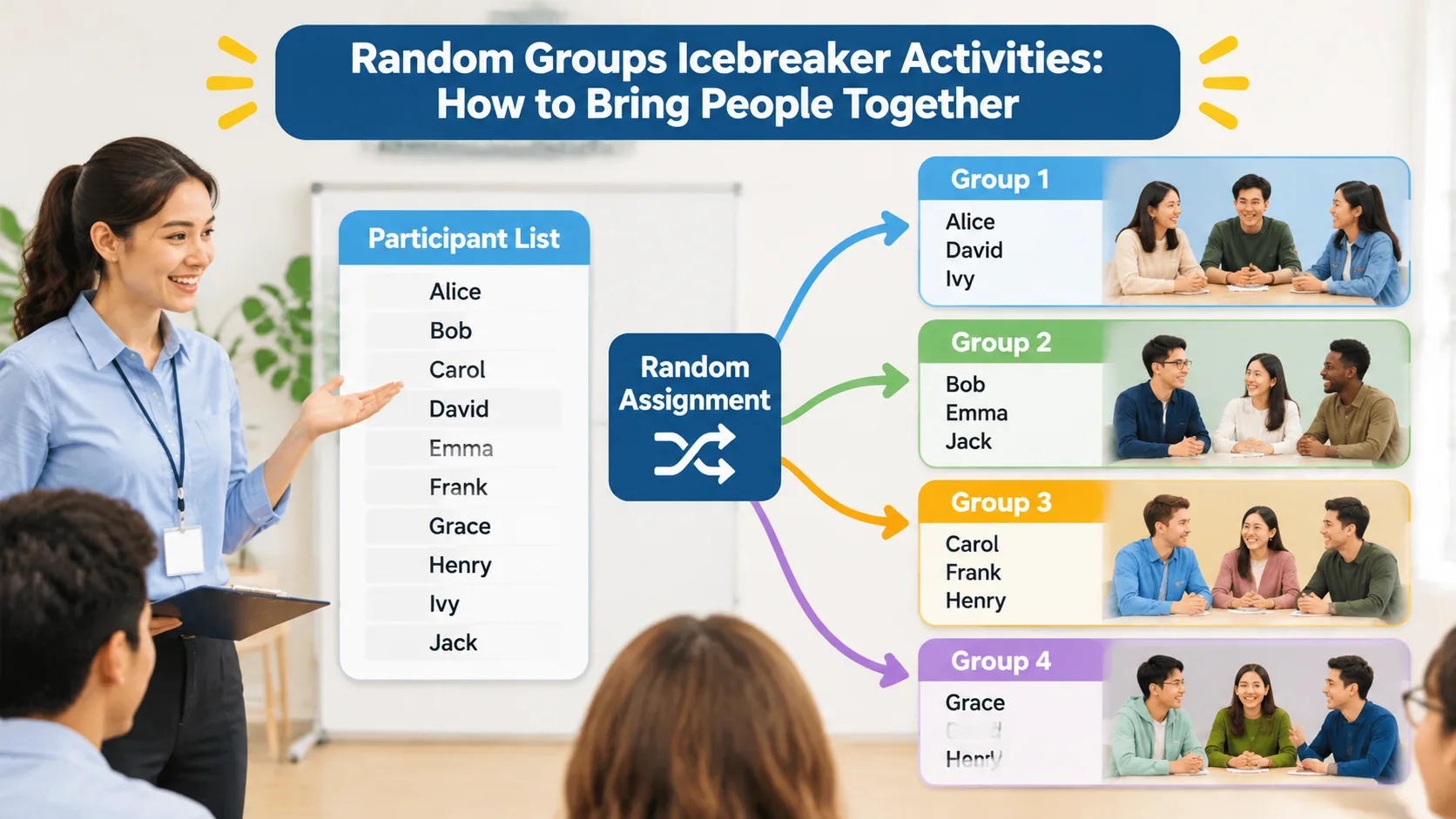
Step 4: Generate the Groups
Use the Random Group Generator to organize your participants. Enter the participant names, choose the grouping method or desired group size, and generate the results.
Review the assignments before announcing them. Check whether the group sizes are suitable and whether any special adjustments are necessary. Random assignment is a useful starting point, but facilitators should still use their judgment when accessibility, safeguarding, or specific learning requirements are involved.
Step 5: Explain the Activity and Start
Display or share the group assignments. Explain the task, the time available, and what each group should produce.
Give participants a simple opening question so they do not have to invent a conversation from scratch. For example: "What is one skill you would like to learn this year?" or "What is something you enjoy doing outside work or school?"
Set expectations for respectful listening and balanced participation. The University of Waterloo also emphasizes clear instructions and ground rules when introducing collaborative classroom activities.
7 Random Group Icebreaker Activities to Try
Once your groups are ready, choose an activity that fits the participants and the purpose of your session. The following ideas work in classrooms, staff training, workshops, and community events.
1. Two-Minute Introductions
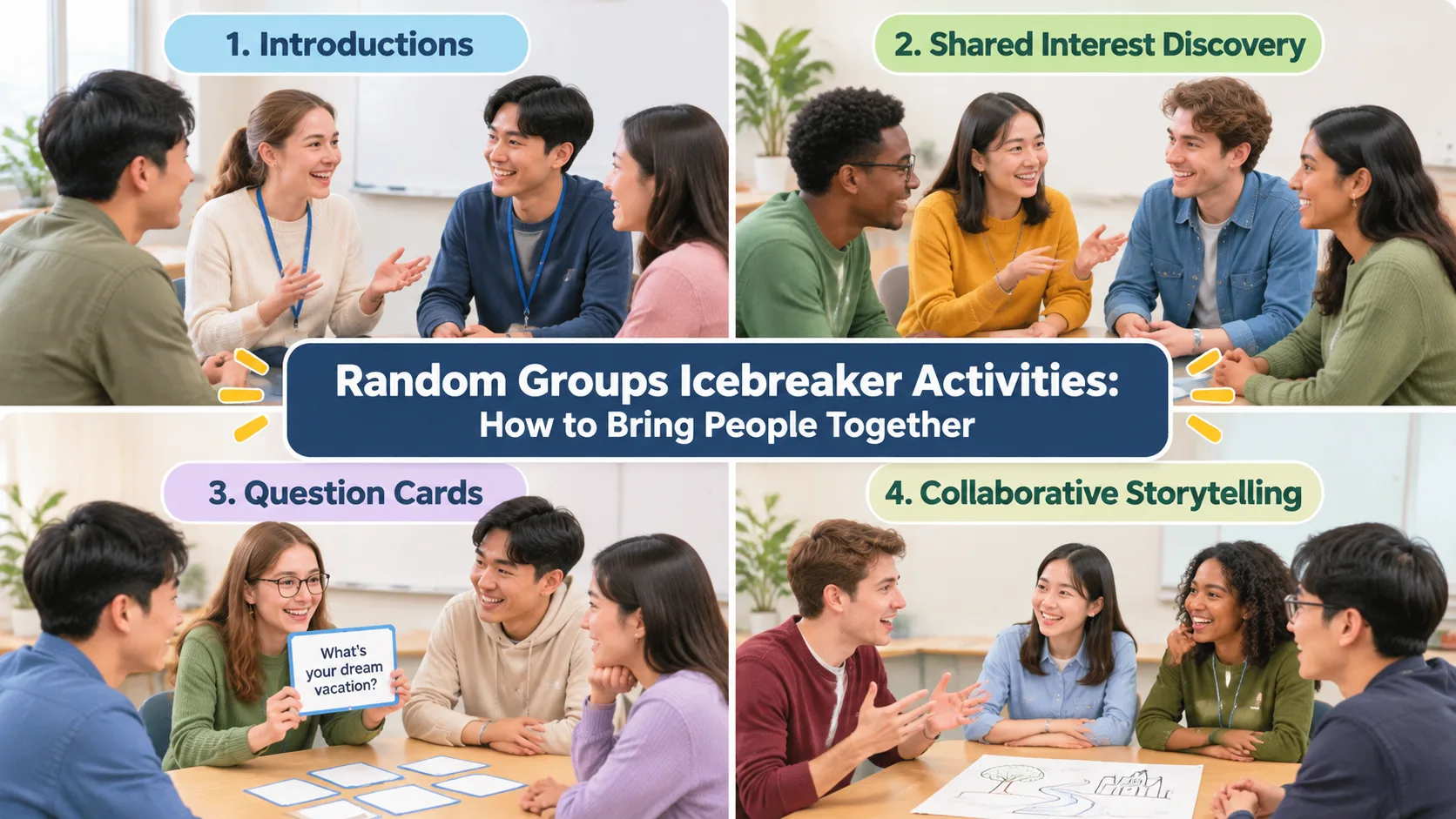
This is a straightforward activity for people meeting for the first time. Assign participants to pairs or groups of three. Ask each person to share their name, what they do, and one interesting fact they are comfortable sharing.
Give everyone approximately two minutes to introduce themselves. Afterward, ask participants to introduce one of their partners to the wider group. This encourages active listening and helps people remember names.
Example: A teacher divides a new class into pairs. Students exchange their names, favorite school subjects, and one goal for the semester. Each student then introduces their partner to another pair.
2. Find Three Things in Common
This activity helps participants discover shared interests without requiring anyone to reveal sensitive personal information. Each group must identify three things that all members have in common.
The similarities can involve hobbies, favorite types of food, preferred ways to learn, or everyday experiences. Encourage groups to move beyond obvious answers such as attending the same meeting.
Example: During a staff workshop, groups discover that their members enjoy outdoor activities, prefer visual learning materials, or share an interest in cooking. Each group presents its three discoveries.
3. The Question Exchange
Prepare a collection of open-ended questions suitable for your audience. Each group selects or receives a question and discusses possible answers. After a few minutes, groups exchange questions and repeat the process.
Useful questions include:
- What makes a great learning experience?
- What is one skill you would like to improve?
- What would you do with an extra hour each day?
- What makes teamwork enjoyable?
Example: In a professional development workshop, each group discusses what makes communication effective. After exchanging questions, participants discuss how their answers differ.
4. Build a Shared Story
Give each group a simple opening sentence, such as "One morning, our team discovered a mysterious box outside the office." Each participant contributes one sentence to continue the story.
The goal is to create a short, imaginative story together. Participants can take turns speaking, and one person can write down the final version.
Example: An elementary school teacher uses this activity during the first week of class. Students practice listening, taking turns, and building on someone else's ideas without worrying about finding a perfect answer.
5. The Common Goal Challenge
Ask every group to identify one shared goal and create a simple plan for achieving it. The goal should be relevant to the participants and achievable within the discussion period.
For students, the challenge might involve creating a welcoming classroom. For employees, it could be finding three ways to improve communication during team projects.
Example: A training facilitator randomly assigns 24 employees into six groups of four. Each group has five minutes to suggest three actions that could make team meetings more productive. Groups then share their ideas.
6. Quick Team Trivia
Prepare five to ten light questions about general knowledge, the course topic, or the organization. Groups discuss their answers and select one person to submit the responses.
This activity works particularly well when you want an energetic introduction that also encourages collaboration. Keep questions accessible so participants with different backgrounds can contribute.
Example: A teacher uses subject-related trivia to introduce a new science unit. Students work together to answer questions about familiar scientific concepts before moving into the lesson.
7. One Word, One Story
Give each group a topic, such as teamwork, creativity, learning, or travel. Each participant contributes one word associated with that topic. The group combines the words into a short explanation or story.
This activity encourages creativity and makes participation manageable for people who may not feel comfortable giving long introductions.
Example: During a leadership workshop, participants receive the topic "good teamwork." Their words include trust, listening, patience, and communication. The group uses these ideas to create a short definition of an effective team.
How to Make Random Group Icebreakers More Inclusive
Random assignment can broaden social interaction, but fairness involves more than distributing names evenly. A successful activity should also give participants a reasonable opportunity to contribute.
Start by selecting activities that do not depend on public speaking, physical movement, personal disclosure, or specialized knowledge. Some participants may enjoy energetic games, while others may prefer quiet conversations. Offering different ways to participate makes the activity more accessible.
The University of Wisconsin Extension's facilitation guidance highlights the importance of choosing icebreakers that account for participant needs. Physical activities and activities that demand a high level of extroversion may not suit everyone.
Here are practical ways to improve participation:
- Use clear instructions: Explain the objective, timing, and expected outcome before groups begin.
- Give everyone thinking time: Allow participants to prepare an answer before starting the discussion.
- Rotate speaking opportunities: Invite each person to contribute rather than letting one participant dominate.
- Avoid forced personal disclosures: Let participants choose how much personal information they share.
- Provide alternative participation methods: Allow people to write, draw, type, or speak depending on the activity.
- Check accessibility: Make sure the group arrangement, materials, and activity format work for participants with different needs.
For example, a remote training session might include participants who prefer typing instead of speaking. The facilitator can let groups share their answers through a collaborative document or meeting chat. Everyone can contribute without being required to speak on camera.
Remember that random assignment does not automatically produce balanced teams in terms of experience, ability, personality, or professional background. If those factors matter, review the results and make appropriate adjustments.
Random Groups vs. Choosing Your Own Teams
Both random grouping and participant-selected teams have a place in teaching and facilitation. The important question is which method best supports your immediate objective.
Random groups are useful when the priority is introducing new interactions, saving setup time, or avoiding repeated partner choices. They also provide a consistent starting process when a facilitator has many participants to organize.
Self-selected teams may be more appropriate when participants are completing a specialized project and already know which skills or working relationships they need. However, allowing people to choose their own groups can sometimes leave less-connected participants unsure where to go.
Consider this example: A teacher wants students to discuss a new topic for ten minutes. Random groups are a practical option because students can benefit from hearing different perspectives. Later in the semester, the same teacher assigns a major project that requires particular research and presentation skills. In that situation, carefully planned groups may be more suitable.
A third option is structured grouping. The facilitator creates teams using known criteria, such as experience, subject knowledge, or role requirements. This takes more planning but can be useful when the activity has specific learning or business objectives.
The goal is not to use random assignment for everything. It is to choose a grouping approach that supports the task and the people involved.
Using Random Groups in Classrooms, Workshops, and Remote Meetings
Different environments require slightly different approaches. The underlying process remains similar, but facilitators should consider how participants receive their assignments and interact with one another.
Classroom Icebreakers
Teachers can use random groups at the beginning of a semester, after school breaks, or whenever new collaborative activities begin. Short introductory discussions are particularly useful before more demanding group work.
For example, a high school teacher with 30 students can create six groups of five. Each group discusses one question about the upcoming subject and prepares a short response. The teacher can then use the answers to introduce the lesson.
Corporate Training and Team Meetings
Corporate trainers can use random grouping to connect employees from different departments or job functions. An introductory discussion can help participants understand different perspectives before moving into a training exercise.
For example, a facilitator organizing a communication workshop can divide 32 employees into eight groups of four. Each group discusses a workplace communication challenge and identifies one practical improvement.
Online Workshops and Remote Sessions
Remote participants need clear instructions for finding their assigned groups. Share the group list through the meeting chat or a common document before moving participants into breakout rooms.
For example, a virtual instructor can generate four groups of three from a list of 12 participants. Each group enters a breakout room and answers two introductory questions. When everyone returns, the instructor invites each group to share one useful observation.
If your organization uses collaboration platforms such as Zoom, Microsoft Teams, Google Classroom, or Slack, you can share group assignments through the communication workflows available to your organization. Do not assume that a generator automatically creates breakout rooms or synchronizes participant lists with these services; confirm the actual features available in your setup.
Common Mistakes to Avoid When Organizing Icebreakers
Even a simple activity can lose momentum if the instructions are unclear or the group composition does not suit the task. A little preparation helps prevent common problems.
Making groups too large: When too many people share one discussion, some participants may have little opportunity to speak. Consider smaller teams when the purpose is personal introductions or individual contributions.
Choosing an activity that takes too long: An icebreaker should support the main session, not consume all the available time. Select an activity with a clear beginning and end, and explain how much time participants have.
Forcing participation: Not everyone is comfortable sharing personal stories or performing in front of others. Offer simple, low-pressure alternatives and avoid making participation dependent on personal disclosure.
Ignoring group-size differences: If the participant count does not divide evenly, some groups may have an additional member. This is usually manageable. Give the larger group a clear way to share speaking time or assign an extra role.
Repeating the same groups every time: Random grouping can add variety, but repeatedly using the same participant list may occasionally produce familiar combinations. Generate new assignments when the purpose is to introduce fresh interactions.
Skipping the debrief: A short reflection helps connect the activity to the rest of the session. Ask participants what they discovered, what made collaboration easier, or what they would like to try next time.
A useful facilitator habit is to prepare the group assignments and activity instructions before participants arrive. This reduces unnecessary delays and helps the session begin smoothly.
Frequently Asked Questions
What are random groups icebreaker activities?
Random groups icebreaker activities are introductory exercises in which participants are assigned to teams or pairs through a random selection process. They then complete a short task designed to encourage conversation, introductions, or collaboration. They are useful in classrooms, workplaces, training sessions, and community events.
What is the best group size for an icebreaker?
Pairs or groups of three are useful for personal introductions and short conversations. Groups of four or five can support broader discussions and collaborative challenges. Choose a size that gives everyone enough time to participate.
How do I divide a large class into random icebreaker groups?
Prepare a complete list of student names and decide how many students you want in each group. Enter the names into a Random Group Generator, generate the assignments, and share the results with the class. Review the groups before starting to make sure the arrangements meet any accessibility or classroom requirements.
Are random group icebreakers suitable for workplace meetings?
Yes. They can help employees interact with colleagues outside their usual teams and create opportunities for informal communication. Choose activities that are relevant to the meeting, respectful of different personalities, and appropriate for the time available.
How long should a group icebreaker take?
A short introductory activity can often be completed in five to fifteen minutes, depending on the number of participants and the complexity of the task. Keep the instructions brief and leave enough time for a quick group reflection. Longer activities may be appropriate for dedicated team-building workshops.
Should I use random groups for every classroom activity?
No. Random grouping is useful for introductions, informal discussions, and activities where varied interaction is the priority. For long-term projects or tasks requiring specific skills, planned groups may be more appropriate. Consider the learning objective before choosing a grouping method.
Start Your Next Icebreaker with Random Groups
A successful icebreaker does not need complicated rules or expensive materials. It needs a clear purpose, a suitable activity, and an environment where participants feel comfortable contributing.
Random grouping gives teachers and facilitators a practical way to introduce new interactions without spending valuable session time manually assigning teams. Combine a fair starting process with thoughtful questions, manageable group sizes, and inclusive instructions to create a more welcoming first experience.
Ready to organize your next classroom introduction, team meeting, or workshop? Try the Random Group Generator, enter your participant names, choose your preferred group size, and create your groups in just a few steps.
Related Tools
Pick the right generator for the job — every tool runs free in your browser.