
randomly divide list equal groups
How to Randomly Divide a List into Equal Groups: A Practical Guide
Learn how to randomly divide a list into equal groups, handle leftover members, and create fair, balanced teams for classrooms, workshops, and workplace activities.
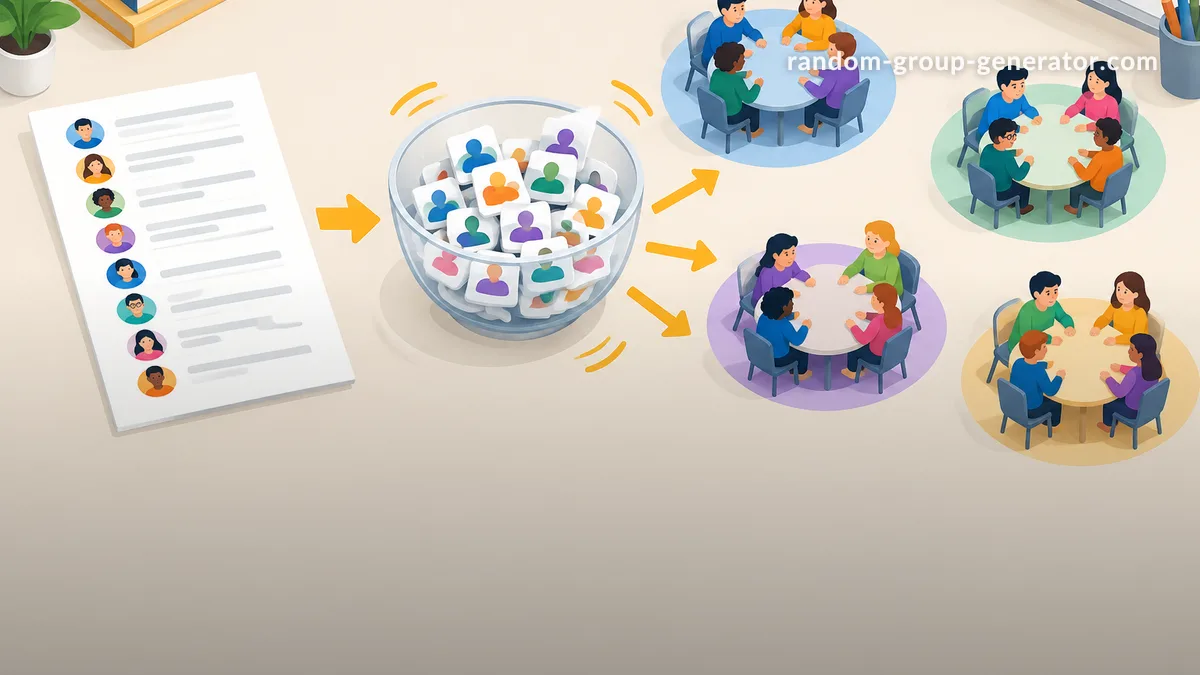
You have a list of students, employees, or event participants, and you need to split everyone into equal groups without spending half an hour assigning names manually. The challenge is making the groups fair, keeping their sizes consistent, and ensuring nobody gets left out. Learning how to randomly divide a list into equal groups makes this process faster and easier to repeat. Whether you are organizing classroom activities, workplace projects, training sessions, or team-building events, a simple random assignment method can help you create groups without relying on personal preferences or guesswork.
Why Randomly Divide a List into Equal Groups?
Manual group assignment can become surprisingly complicated. A teacher with 28 students might need seven teams of four, while a corporate trainer with 35 participants might need five teams of seven. Sorting names one by one takes time, and assigning people based on seating arrangements or personal preferences can produce uneven groups.
Random assignment offers a straightforward alternative. Instead of choosing who works with whom, you distribute participants through a consistent process. This can help prevent familiar friendship groups from forming repeatedly and give people opportunities to work with different colleagues or classmates.
However, random grouping and balanced grouping are not exactly the same thing. Random assignment controls how people are distributed, while a balanced group also considers factors such as experience, skills, accessibility, and the needs of the activity. The University of Waterloo's Centre for Teaching Excellence discusses random assignment alongside instructor-selected grouping as different approaches with different purposes.
For example, a teacher preparing a short review activity may prefer completely random groups. A manager forming permanent project teams may need to consider professional experience and responsibilities before assigning members. Choose the method according to the activity rather than assuming random selection is always the right answer.
Step 1: Decide How Many Groups You Need
Before dividing your list, decide whether you want a specific number of groups or a specific number of people in each group. These are two different starting points, and choosing the wrong one can produce a result that does not match your plan.
If you already know the number of groups, divide the total number of participants by that number. If you know the preferred group size, divide the participant count by the desired number of people per group and determine how many groups you need.
For example, imagine you have 32 students:
- Four groups produce eight students per group.
- Eight groups produce four students per group.
- Six groups produce groups of five or six, depending on how you distribute the remainder.
A useful rule is to choose a group size that matches the task. Cornell University's Center for Teaching Innovation recommends considering the activity and participation needs when selecting group sizes. Its guidance generally discusses groups of two to five students for classroom collaborative learning.
For a quick discussion, pairs or groups of three may be sufficient. For a larger research project, groups of four or five might provide more opportunities to share responsibilities. A team-building exercise may need a different arrangement depending on the available space and activity instructions.
Step 2: Calculate the Equal Group Sizes
The basic calculation is simple: divide the total number of participants by the number of groups.
Group size = Total participants ÷ Number of groups
When the result is a whole number, every group can contain exactly the same number of people. When the result includes a remainder, you need to distribute the extra participants as evenly as possible.
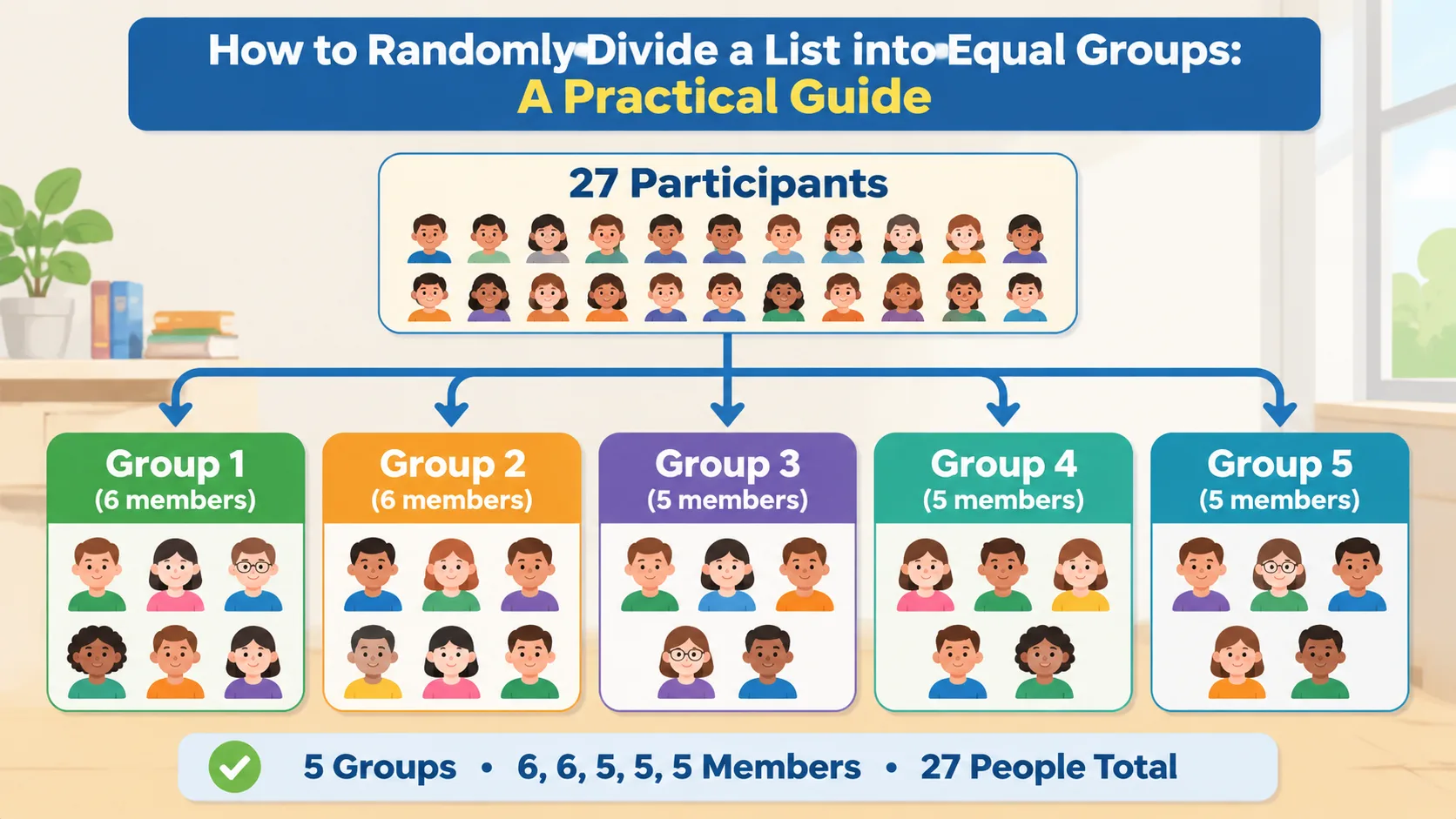
Consider a list of 27 names that needs to be divided into five groups.
27 ÷ 5 = 5 remainder 2.
This means you can create five groups with the following sizes:
- Group 1: 6 people
- Group 2: 6 people
- Group 3: 5 people
- Group 4: 5 people
- Group 5: 5 people
The difference between the largest and smallest groups is only one person. This is usually a practical solution when exact equality is mathematically impossible.
Here is another example. Suppose a workshop has 41 participants and the facilitator wants six teams. The calculation is 41 ÷ 6 = 6 remainder 5. Five teams will have seven members, and one team will have six members.
The important principle is to distribute the remainder across different groups instead of placing all extra participants into one team. This keeps group sizes as close as possible and makes the activity easier to manage.
Step 3: Randomly Assign Every Name
Once you know the number and size of your groups, you can distribute the names. There are several practical approaches, depending on the size of your list and the equipment available.
Method 1: Use a Random Group Generator
An online random group generator is useful when you have a digital list and want to avoid manually sorting names. You enter the participants, select the grouping arrangement, and generate the results.
To use the Random Group Generator, follow these steps:
- Open the generator.
- Prepare your list of student, employee, or participant names.
- Enter or paste the names into the participant list.
- Choose the number of groups or the desired group size, depending on the available settings.
- Generate the groups.
- Review the results to confirm that everyone appears exactly once.
- Share or record the assignments before starting the activity.
For example, a teacher with 24 students can enter all 24 names and create six groups of four. Rather than assigning students individually, the teacher can generate the teams and display the results before the lesson begins.
A digital generator is particularly useful when the list changes frequently. You can prepare a new participant list for another lesson or workshop rather than repeating the entire manual assignment process.
Method 2: Shuffle Names and Deal Them Into Groups
If you prefer a manual method, write each participant's name on a separate card. Shuffle the cards thoroughly, then deal them into groups one at a time.
For instance, if you have 20 participants and want four groups, deal the first card to Group 1, the second to Group 2, and continue until you reach Group 4. Repeat the sequence until every card has been assigned.
This method is easy to understand and works well for smaller face-to-face activities. You can also use colored cards, numbered slips, or other clearly distinguishable materials.
The main limitation is preparation time. Writing and shuffling many cards becomes inconvenient for large classes or recurring training sessions. You must also check that no card has been lost or assigned twice.
Method 3: Shuffle a Digital Spreadsheet
A spreadsheet is another practical option when you already maintain participant information in rows.
A simple workflow is:
- Place each participant's name in a separate spreadsheet row.
- Add a random-number column using a spreadsheet random-number function.
- Sort the complete participant list by that random-number column.
- Assign the sorted names to groups in sequence.
- Check that every group has the intended number of participants.
For example, with 30 employees and five groups, assign the first six shuffled names to Group 1, the next six to Group 2, and continue until all 30 people are assigned.
Remember that spreadsheet random values can recalculate. If you need to preserve the original assignment, copy the results and paste them as fixed values or save a separate copy of the completed grouping.
Step 4: Handle Leftover Participants Fairly
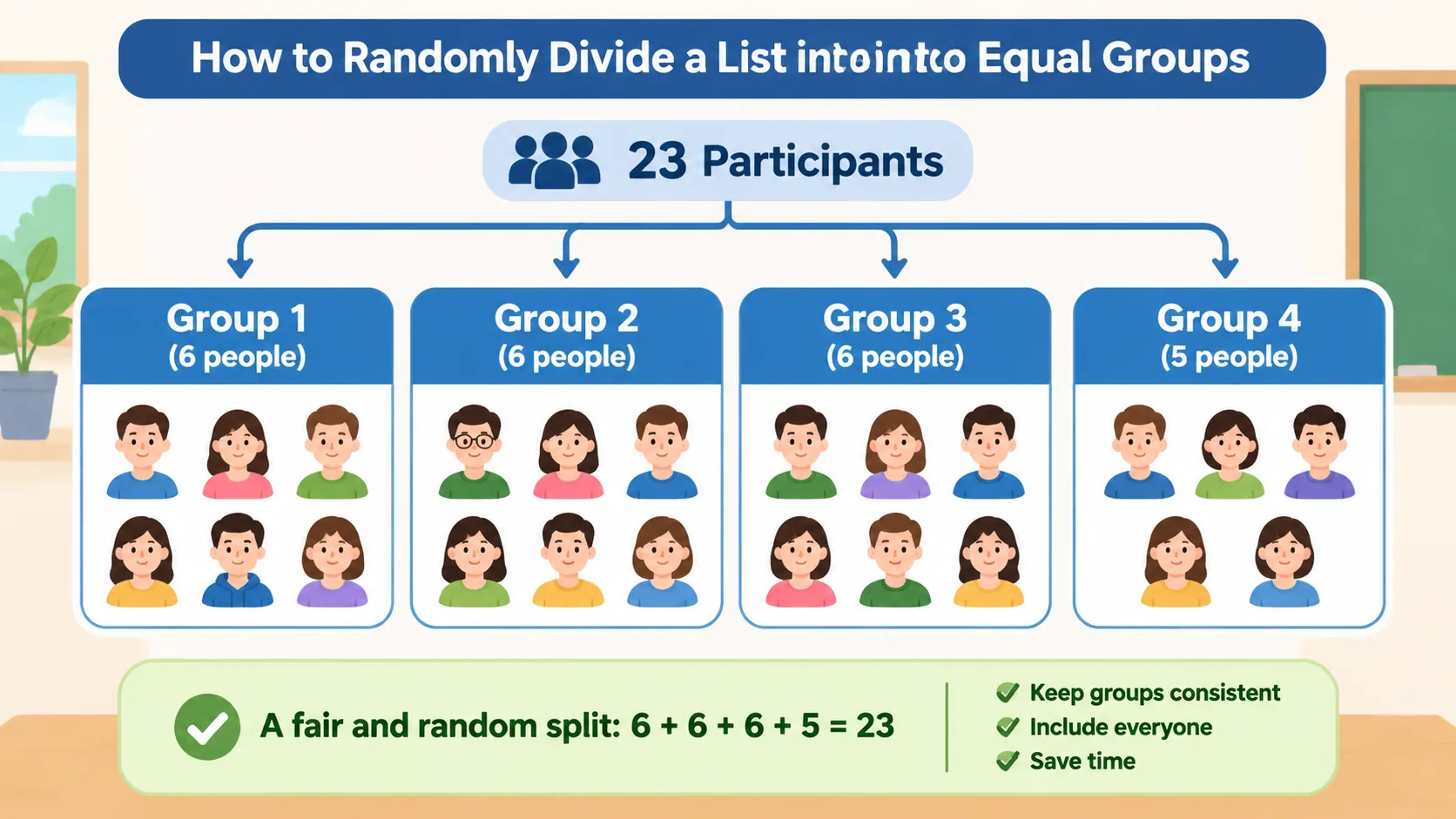
One of the most common problems when dividing a list is having a total that cannot be divided evenly. For example, 23 participants cannot be placed into four groups of exactly the same size.
There is no need to remove participants or create an unnecessarily complicated arrangement. Distribute the remainder across the groups so that their sizes differ by no more than one person.
For 23 participants divided into four groups, the result is:
| Group | Number of participants |
|---|---|
| Group 1 | 6 |
| Group 2 | 6 |
| Group 3 | 6 |
| Group 4 | 5 |
This arrangement keeps everyone involved while minimizing differences between teams.
A practical approach is to shuffle the entire list first and then deal participants into groups in rotation. This prevents the extra members from automatically going to the same group every time.
For example, a workshop facilitator with 23 attendees might use this arrangement for a discussion exercise. Three teams have six people, and one has five. The facilitator can give each team the same task while adjusting speaking opportunities to accommodate the different group sizes.
If equal participation is particularly important, consider assigning specific responsibilities. A six-person group might have a facilitator, note-taker, presenter, researcher, timekeeper, and reviewer. A five-person group can combine two compatible responsibilities.
Step 5: Check That Your Groups Are Actually Fair
A random assignment should still be checked before you use it. Randomness determines the selection process, but it does not automatically guarantee that every group has the skills, experience, or resources needed for a particular task.
Start with a simple count. Confirm that the total number of assigned participants matches the original list. Then check that no name appears twice and that nobody has been left out.
Next, consider whether the activity requires any special arrangements. A classroom discussion might work perfectly with completely random groups, while a technical project could require participants with different areas of expertise. If a specific accommodation or safety requirement applies, handle it before finalizing the assignments.
The University of Illinois Center for Innovation in Teaching and Learning describes random and instructor-selected teams as approaches that can serve different instructional purposes. Random grouping is convenient, while instructor-selected teams may be more appropriate when the facilitator needs to distribute particular skills or experiences.
For example, a company training session might use random groups for a short communication exercise. For a longer software project, the trainer may instead ensure that each team has access to the technical knowledge required to complete its work.
A useful final review includes these questions:
- Does every participant appear exactly once?
- Are the group sizes equal or as close as mathematically possible?
- Does each group have the resources needed for the activity?
- Have accessibility and participation needs been considered?
- Can the assignments be shared clearly with everyone?
Real-World Examples of Equal Group Assignment
Different situations call for different group sizes and preparation methods. The following examples show how the same basic calculation can work across educational and professional settings.
Classroom activities
A middle school teacher has 28 students and wants seven teams for a science activity. Dividing 28 by seven gives four students per team. The teacher enters the names into a random group generator, checks the results, and assigns each team a separate experiment.
For a later lesson, the teacher can generate new groups. This gives students opportunities to collaborate with different classmates rather than working with the same friends each time.
Corporate workshops
A training facilitator has 35 employees and needs five discussion teams. Dividing 35 by five produces seven employees per group. The facilitator randomly assigns participants, then gives each team a different discussion question.
Because this is a short workshop exercise, random assignment may be sufficient. If the teams will remain together for a major project, the facilitator should also consider their experience and responsibilities.
Community and event activities
An event organizer has 46 attendees and wants eight activity groups. The result is six groups of six and two groups of five. The organizer can distribute participants randomly and provide each team with a separate meeting area.
This approach is useful for networking activities, collaborative challenges, and small-group discussions where the goal is to help attendees meet new people.
Pair-based activities
Sometimes the most suitable group size is two. A teacher with 26 students can create 13 pairs, while a workshop organizer with 31 participants can create 15 pairs and one group of three.
For dedicated two-person assignments, the Random Pair Generator provides a more focused grouping option. It is particularly useful for peer reviews, discussion partners, interview practice, and short collaborative exercises.
Random Grouping vs. Other Group Assignment Methods
Random assignment is not the only way to organize participants. Understanding the alternatives helps you choose a method that fits your objectives.
| Method | Main advantage | Main limitation |
|---|---|---|
| Random assignment | Quick and impartial selection process | Does not account for individual skills |
| Manual assignment | Allows deliberate control over membership | Takes more preparation time |
| Self-selected groups | Gives participants freedom to choose | Can create uneven group sizes |
| Counting-off method | Easy to use without digital tools | May not feel random if the starting order is predictable |
| Spreadsheet assignment | Useful for large digital lists | Requires some spreadsheet preparation |
Random assignment is particularly practical for short activities, classroom discussions, and recurring team-building exercises. Manual selection is more appropriate when a task requires specific combinations of skills or experience.
Counting off is useful when participants are already together in a physical space. However, if the order follows seating positions, the results may reflect where people are sitting rather than a genuinely shuffled assignment.
Self-selection can be appropriate for interest-based projects, but it may leave some participants struggling to find a team. For that reason, facilitators should decide whether freedom of choice or balanced participation is more important for the activity.
The best method is the one that supports the task, the participants, and the available time.
Tips for Making Randomly Assigned Groups Work Better
Creating the groups is only the first part of a successful activity. Participants also need clear instructions, appropriate responsibilities, and enough time to work together.
Before announcing the assignments, explain why the groups were created randomly. A simple explanation can help participants understand that the process is intended to give everyone a fresh opportunity to collaborate.
Give each group a clear objective. Instead of saying, 'Discuss this topic,' provide a question, expected outcome, and time limit. Clear instructions reduce confusion and make it easier for participants to get started.
You can also assign rotating roles. For example:
- Facilitator: Keeps the discussion focused.
- Recorder: Writes down important ideas.
- Timekeeper: Monitors the activity schedule.
- Presenter: Shares the team's conclusions.
- Reviewer: Checks that the group has addressed the task.
Smaller groups may combine responsibilities. Roles should remain flexible so that participants can contribute in different ways.
Finally, consider changing group membership between activities. Repeatedly using the same assignments can limit opportunities to work with other people. Keep a record of previous groups if you want to avoid repeating combinations over several sessions.
Frequently Asked Questions
How do I randomly divide a list into equal groups?
First, count the total number of participants and decide how many groups you need. Shuffle the complete list, then distribute names evenly among the groups. You can use an online random group generator, shuffled spreadsheet rows, or physical cards to complete the assignment.
What happens if the number of people cannot be divided evenly?
Distribute the remaining participants across different groups so that the largest and smallest groups differ by no more than one person. For example, 22 participants divided into four groups can produce groups of six, six, five, and five. Everyone remains included without creating an unnecessarily large team.
Can I randomly divide a list without repeating names?
Yes. Use a process that assigns each participant exactly once rather than independently selecting names for each group. After generating the groups, compare the assigned names with the original list to confirm that nobody is missing or duplicated.
What is the best group size for classroom activities?
The right size depends on the activity. Pairs and groups of three can work well for short discussions, while groups of four or five may provide more opportunities to share responsibilities. Cornell University's teaching guidance recommends considering the learning task and participation needs when deciding group size.
Is random grouping always fair?
Random grouping gives participants an equal opportunity to be assigned through the same selection process, but it does not guarantee identical skills or experience across teams. For activities that require specific expertise, accessibility arrangements, or carefully distributed responsibilities, review the results and make appropriate adjustments.
Can I reuse the same participant list for another activity?
Yes. You can save the original list and generate new assignments whenever needed. If you want participants to work with different people, compare previous group combinations and avoid repeating the same teams too frequently.
Create Your Groups in Minutes
You do not need to spend valuable preparation time assigning every participant manually. Start by deciding how many groups you need, calculate the ideal group sizes, and choose a random assignment method that suits your activity.
For classroom teachers, corporate trainers, and event organizers, a consistent process makes group formation easier to manage and repeat. When the participant count does not divide evenly, distribute the extra members fairly and check the final assignments before sharing them.
Ready to organize your next classroom activity, workshop, or team exercise? Try the free Random Group Generator to divide your list into groups and get your participants working together.
Related Tools
Pick the right generator for the job — every tool runs free in your browser.