
office sports day
Office Sports Day Team Generator: How to Create Fair Teams
Learn how to use an office sports day team generator to create balanced, random teams. Follow practical steps for fair assignments, smooth event planning, and team activities.
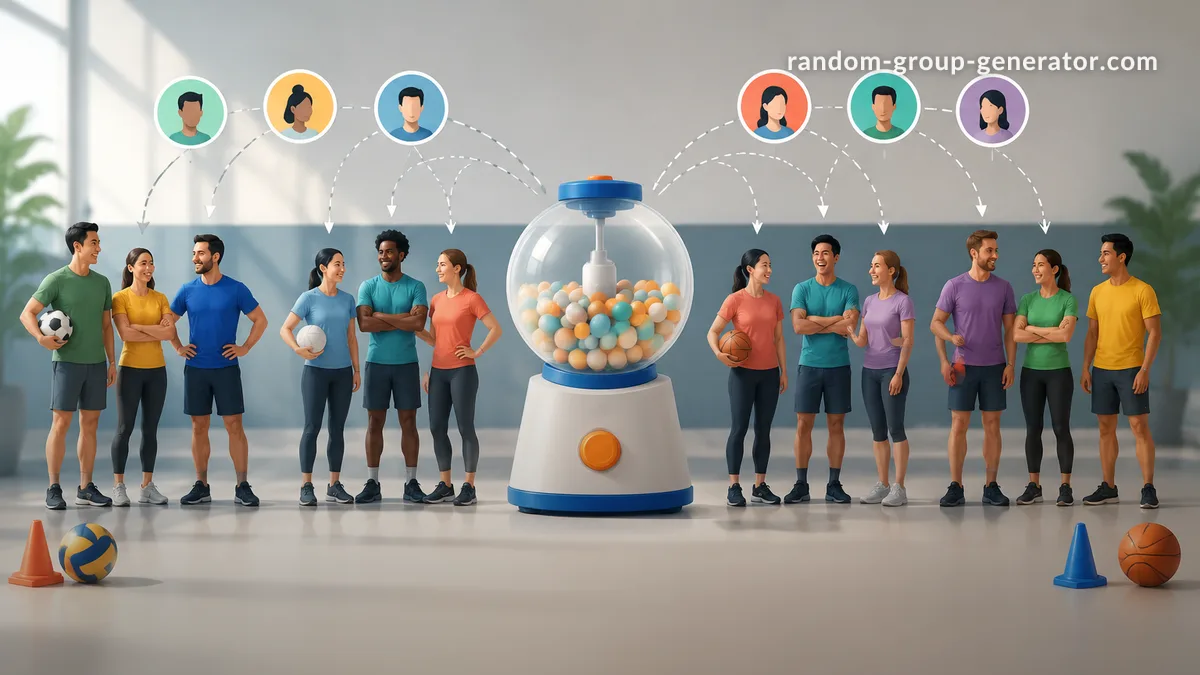
Planning an office sports day sounds simple until you have to divide 30, 50, or 100 employees into teams. Some colleagues already know each other, departments may have different sizes, and a few employees might be more competitive than others. An office sports day team generator makes this process easier by randomly assigning participants to teams, helping organizers avoid awkward selection processes and get everyone ready to play.
Whether you are organizing a company field day, an indoor activity session, or a friendly competition between departments, a random team assignment can save preparation time and make participation more inclusive. The key is to combine random selection with sensible event planning so that every team has a workable number of players and everyone understands how the activities will run.
Why Use an Office Sports Day Team Generator?
One of the biggest challenges of workplace sports events is deciding who plays with whom. Asking team captains to select players can create unnecessary pressure. Employees who are not chosen quickly may feel uncomfortable, while close colleagues may naturally group together. Assigning teams manually can also take longer than expected, especially when the participant list changes shortly before the event.
An office sports day team generator provides a straightforward alternative. Instead of relying on personal preferences or informal selection, organizers enter the participant names and generate random teams. This gives everyone the same basic opportunity to be assigned without requiring a long discussion about team membership.
Random assignment is particularly useful when the event includes employees from different departments, locations, or levels of seniority. For example, a company with 48 participants could create six teams of eight. Rather than allowing each department to stay together, the organizer can mix the participant list before generating the teams.
There are practical limits to remember. Random assignment does not automatically account for athletic ability, accessibility requirements, experience, or personal conflicts. It is a starting point for organizing teams, not a replacement for thoughtful event planning. If an activity requires specific experience or physical capabilities, organizers should review the assignments before the event begins.
How to Create Teams for an Office Sports Day
The easiest way to organize random teams is to prepare the participant list first, decide how many groups you need, and then use a generator to make the assignments. A little preparation prevents confusion and reduces the need for last-minute changes.
Follow these steps:
- Confirm your participants. Ask employees to register and establish a final or provisional attendance list. Remove duplicate names and check spelling.
- Choose the number of teams. Consider the number of activities, available equipment, venue size, and expected playing time.
- Decide the team size. Aim for groups with similar numbers of participants. If the total does not divide evenly, decide whether some teams can have one additional player.
- Enter the names. Add each participant to the Random Group Generator.
- Generate the teams. Use the random grouping option to distribute the names across the planned number of groups.
- Review the results. Check that everyone appears once and that the group sizes work for the planned activities.
- Share the assignments. Send the final team list through your normal workplace communication channel.
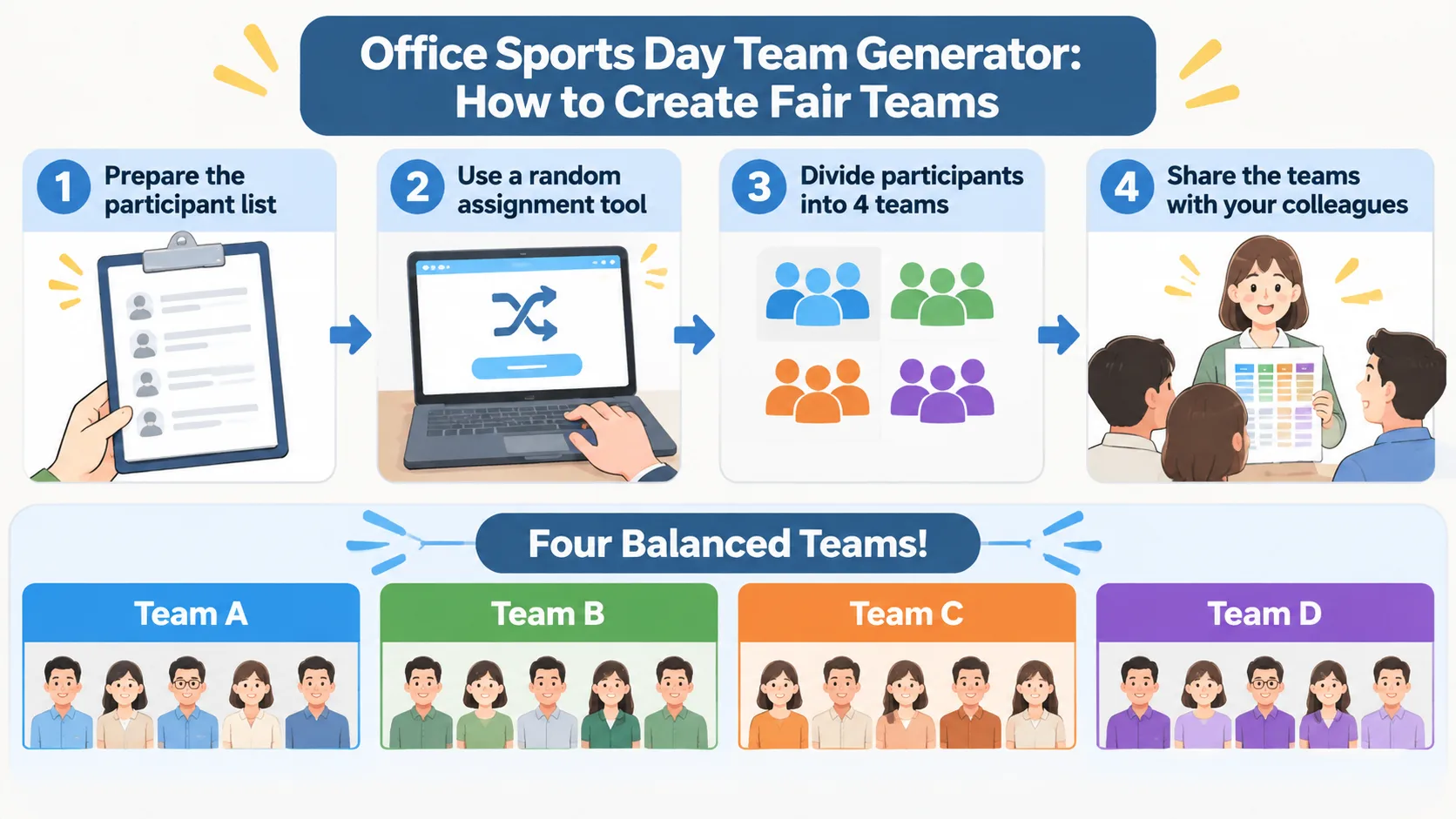
For example, imagine that 36 employees have registered for a company sports afternoon. The organizer wants six teams. Each group should contain six people, making it easier to schedule short matches and rotate teams between activities. After entering all 36 names, the organizer generates six groups and checks the results before publishing them.
If three employees register late, the organizer should update the participant list and regenerate the teams rather than manually adding all three to the same group. This keeps the process consistent and reduces the chance of creating an uneven final lineup.
How Many Teams Should You Create?
The right number of teams depends on your event format. A small office with 16 participants might need only four teams of four. A larger company event with 80 participants could use eight teams of ten, although the venue and available equipment may make smaller groups more practical.
Start by considering the activities rather than choosing a team count at random. A relay race may work with groups of five or six, while a quiz competition might accommodate larger teams. If your event includes several activities, choose a team size that can work across most of them. You can adjust the rules for individual games without changing the entire team structure.
Here are some example arrangements:
| Participants | Teams | Players per team |
|---|---|---|
| 16 | 4 | 4 |
| 24 | 4 | 6 |
| 30 | 5 | 6 |
| 36 | 6 | 6 |
| 48 | 6 | 8 |
| 60 | 10 | 6 |
| 80 | 8 | 10 |
These are planning examples rather than fixed rules. If the participant total cannot be divided evenly, a generator may produce groups with slightly different sizes depending on its configuration. For instance, 29 employees could be distributed into five groups containing five or six people each.
Before confirming the arrangement, check whether the difference in group sizes will affect the activities. A one-person difference may not matter in a trivia round, but it could be significant in a relay where everyone must complete the same number of turns. You can give larger teams a rotation or substitute arrangement to keep participation fair.
Should Office Sports Day Teams Be Completely Random?
Random teams are useful when your priority is a quick, impartial starting point. They can help employees meet colleagues outside their usual departments and prevent organizers from repeatedly assigning familiar people together. However, completely random selection is not always the right choice for every workplace event.
For a casual afternoon of table tennis, mini-golf, or simple outdoor games, random assignment is usually easy to manage. For a more competitive event involving several sports, you may want to consider experience, accessibility, and the physical demands of each activity before confirming the teams.
There are three common approaches:
| Team assignment method | Main advantage | Potential limitation |
|---|---|---|
| Fully random | Fast and impartial starting point | May produce uneven experience levels |
| Department-based | Easy to organize and recognize | Can limit interaction between departments |
| Mixed, reviewed assignment | Combines random selection with practical adjustments | Requires additional organizer time |
For most general workplace events, a useful approach is to generate random groups first and then review them against clear, relevant requirements. For example, an organizer might ensure that every team has access to an appropriate number of activity supervisors or that an employee who needs an accommodation can participate comfortably.
Avoid making assumptions about someone's athletic ability based on age, job title, gender, or appearance. If experience matters, ask participants about their preferences or relevant experience voluntarily. Explain any adjustments and apply the same principles to every group.
Ideas for Making Office Sports Day Teams More Engaging
Once the groups have been created, give each team an identity and a few simple ways to work together. A team name, a shared color, or a short introduction can help employees recognize their group and make the event feel organized. These small details are particularly useful when participants do not usually work together.
A group name generator can help when employees would rather not spend time inventing names. The Group Name Generator can provide a starting point for playful team identities. Organizers can also let each group choose its own name from a short list.
Consider these activity ideas:
- Relay challenges: Teams take turns completing short, accessible tasks.
- Trivia rounds: Mix workplace knowledge with general-interest questions.
- Target games: Use simple throwing or aiming activities with suitable equipment.
- Creative challenges: Ask teams to solve a puzzle or build something from everyday materials.
- Cooperative competitions: Give points for communication, participation, and problem-solving rather than speed alone.
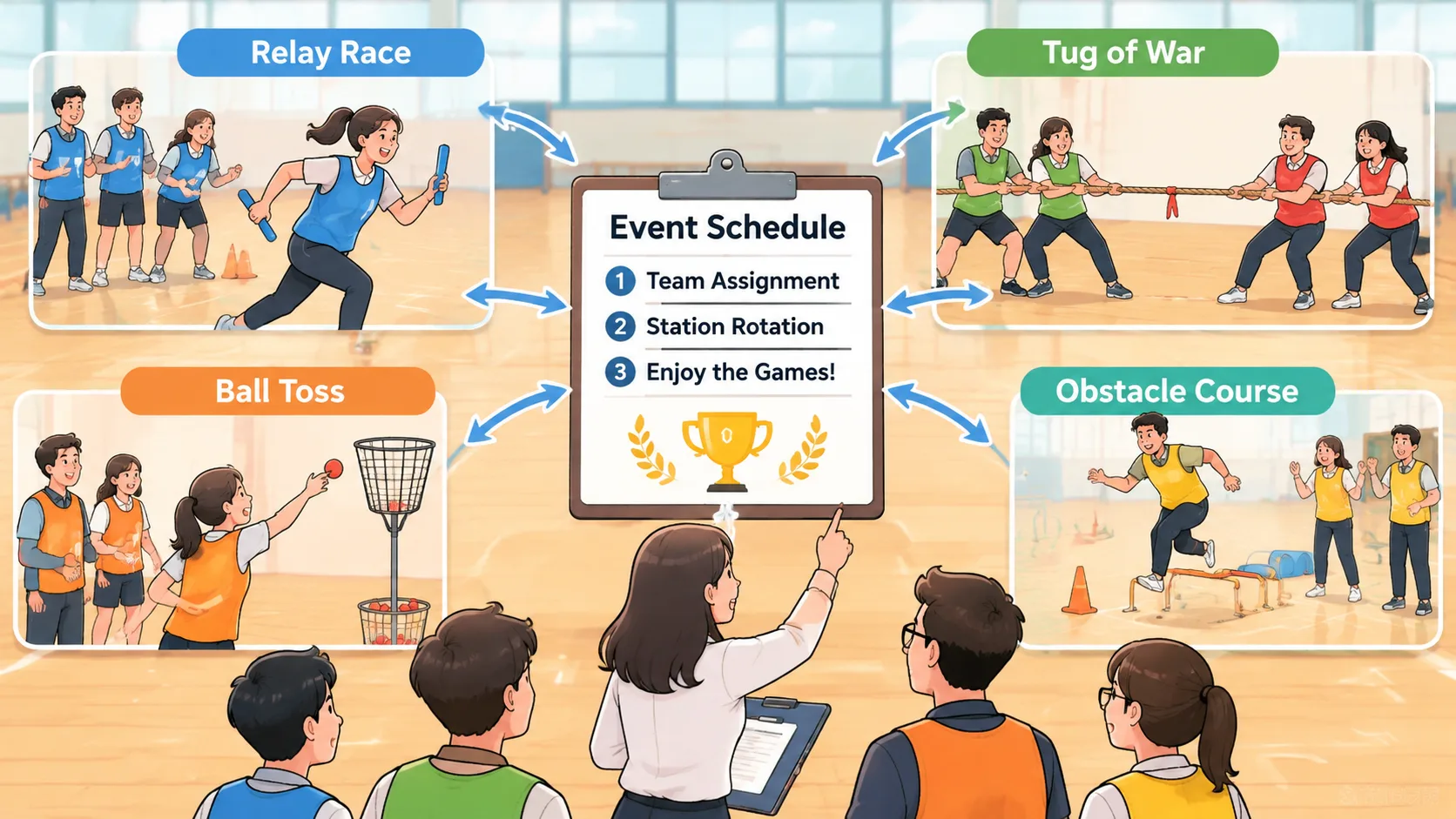
For example, a company could organize four activity stations and assign six teams to rotate through them. Each team spends a set amount of time at a station before moving to the next activity. The organizer can use a printed schedule to prevent groups from arriving at the same station simultaneously.
It is also worth making participation flexible. Not everyone enjoys competitive sports, and some employees may prefer activities with lower physical demands. Include options such as quizzes, puzzles, accuracy challenges, or supporting roles. A successful event gives employees different ways to contribute rather than treating athletic performance as the only measure of participation.
How to Share Team Assignments With Employees
Generating the teams is only part of the process. Employees need to know where to go, who is in their group, and what happens next. Clear communication can prevent confusion on the event day, especially when participants are spread across several locations or departments.
Prepare a simple announcement containing the team names, member lists, meeting point, start time, and activity instructions. If employees are using workplace collaboration platforms, share the assignments in an appropriate channel or group message. A spreadsheet or downloadable list can also help organizers make quick updates.
A practical communication process looks like this:
- Generate the teams after confirming the registration list.
- Review the assignments for duplicate or missing participants.
- Give each group a recognizable name or number.
- Prepare a schedule showing when and where each group should meet.
- Share the assignments with enough notice for employees to check their details.
- Provide a contact person for questions or necessary corrections.
For a hybrid company event, consider sharing the team list digitally and making the same information available at the physical venue. If employees use Zoom, Microsoft Teams, Google Classroom, or Slack in their normal workflows, organizers can distribute the results through the communication channels available to them. The actual sharing method depends on the organization's account setup and event arrangements; generating a team list does not automatically publish it to every platform.
Keep personal information to a minimum. Participants generally need to see team membership and event instructions, not private employee details. If an employee requests a correction or accommodation, handle the discussion privately with the event organizer.
Random Team Generator vs. Manual Team Selection
Manual assignment can be appropriate when an event has complex requirements. For example, a company tournament might need a designated referee in every group or a particular number of experienced players. An organizer may need to consider those details before creating the final teams.
However, manual selection becomes time-consuming when the participant list is long or frequently changing. It can also introduce unconscious preferences, especially when the same manager or organizer repeatedly makes the assignments. A random team generator offers a more consistent first step because the organizer does not have to decide where every individual belongs.
A random group tool is especially useful when:
- Participants have no strong reason to be assigned to particular groups.
- The organizer needs several teams quickly.
- The event involves employees from multiple departments.
- The participant list may change before the event.
- The organizer wants to reduce the influence of personal preferences.
A random generator is less suitable when team membership must meet strict qualifications, safety requirements, or contractual rules. In those cases, use a documented assignment process and review the final results with the relevant event coordinators.
If the activity involves pairs rather than larger groups, a Random Pair Generator may be more appropriate. For an event with several teams competing in a tournament, you can also plan the match structure separately from the original group assignment. Keeping team creation and match scheduling as separate decisions makes it easier to manage changes without reorganizing the entire event.
Common Office Sports Day Team Assignment Mistakes
Even a simple team assignment can create problems if the organizer overlooks a few practical details. One common mistake is generating teams before registrations are final. When several employees cancel or join later, the groups may become uneven and the schedule may no longer work.
Another mistake is assuming that random selection automatically creates equal competition. Randomness distributes names, not necessarily experience, confidence, or physical ability. If your event includes a competitive sport, review the activity requirements and offer alternatives where needed. Keep adjustments transparent and consistent.
A third mistake is forgetting to plan for employees who cannot or do not want to take part in a particular physical activity. Make sure there are meaningful alternatives, including non-physical challenges or support roles. Participation should be voluntary and suitable for individual circumstances.
Finally, avoid making too many last-minute changes without updating everyone. If one employee moves to another team, check whether the change affects the group sizes and activity schedule. Send an updated list rather than expecting employees to remember informal announcements.
Frequently Asked Questions
What Is an Office Sports Day Team Generator?
An office sports day team generator is a tool that distributes a list of participants into random groups. Organizers can use it to create teams for company field days, workplace competitions, and team-building events. It reduces manual selection work and provides a consistent starting point for organizing participants.
How Do I Divide 30 Employees Into Teams?
A simple arrangement is five teams of six employees. Enter all 30 names into a random group generator, select five groups, and generate the assignments. Check that each employee appears once and that the group sizes fit your planned activities.
Are Random Teams Fair for a Company Sports Day?
Random assignment can make the selection process more impartial because organizers are not personally choosing every team member. However, random teams are not guaranteed to have equal athletic experience or physical capabilities. Review the results when the event requires specific skills, accommodations, or safety arrangements.
Can I Mix Employees From Different Departments?
Yes. Add participants from all departments to the same list before generating the teams. This allows the assignment process to distribute colleagues across groups rather than automatically keeping departments together. You can review the results afterward if particular activity requirements need attention.
What Happens When the Number of Employees Cannot Be Divided Evenly?
The groups may differ by one participant. For example, 29 employees divided into five teams can produce four groups of six and one group of five. Adjust the activity rules, rotations, or substitute arrangements so that the difference does not unfairly affect participation.
Should I Change Teams After Generating Them?
Only make changes when there is a practical reason, such as an accessibility requirement, an unexpected absence, or an activity-specific qualification. If you make adjustments, check the group sizes again and communicate the updated assignments clearly. Avoid changing teams simply because some employees prefer to play with their friends.
Create Your Office Sports Day Teams in Minutes
A well-organized office sports day starts with a clear participant list, sensible group sizes, and an assignment process that employees can understand. Random grouping gives organizers a convenient way to create teams without spending unnecessary time selecting every individual manually.
Start by confirming your registrations, choosing the number of groups, and deciding whether your activities require any specific arrangements. Then use the Random Group Generator to distribute employees into teams. Review the results, share the assignments, and prepare a schedule that gives everyone a clear opportunity to participate.
With a little preparation, your next workplace sports day can bring colleagues together across departments, make event coordination easier, and give everyone a straightforward way to join the fun.
Related Tools
Pick the right generator for the job — every tool runs free in your browser.