
random group assignment
How to Randomly Assign Groups While Keeping Pairs Together
Learn how to randomly assign groups while keeping pairs together. Follow practical steps, examples, and tips for fair classroom and team grouping.
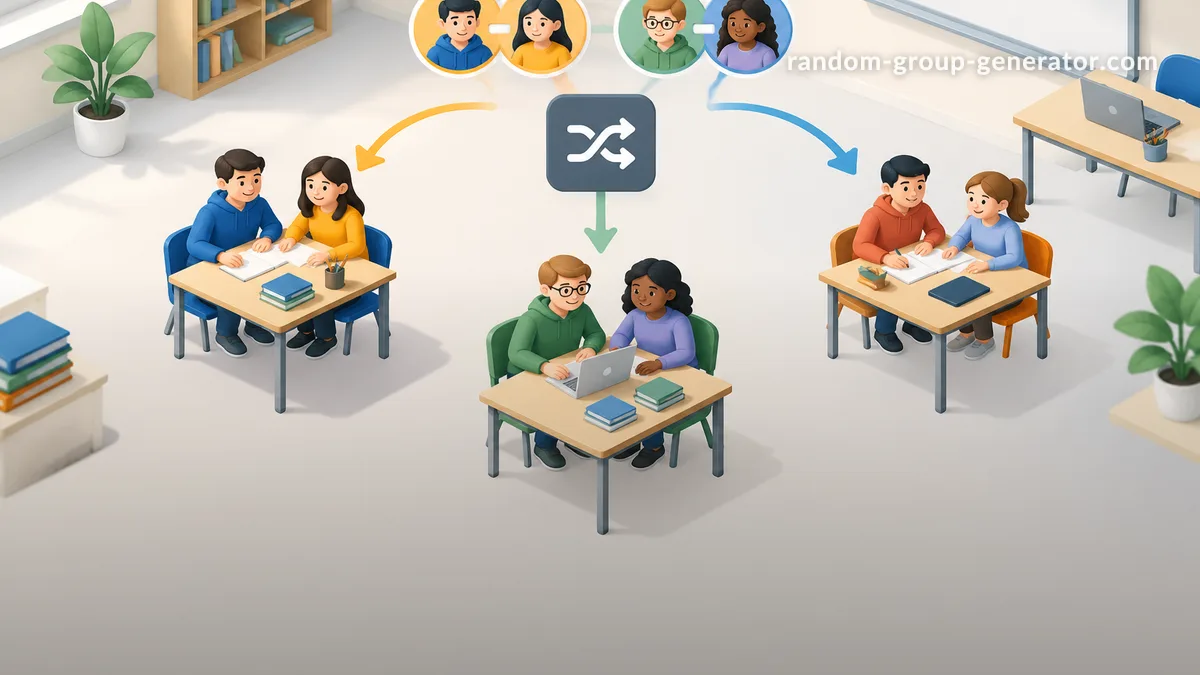
You need to divide a class, workshop, or project team into random groups, but some people must stay together. Perhaps two students are assigned as learning partners, two colleagues need to work on the same project, or an activity requires participants to remain with their original partners. A completely random shuffle could separate them. The solution is to randomly assign groups while keeping pairs together by treating each required pair as one unit during group formation. This approach helps teachers and facilitators create varied groups without breaking important partner arrangements.
Random grouping does not have to mean ignoring every existing relationship or requirement. With a little preparation, you can preserve specific pairs, distribute the remaining participants, and avoid spending valuable class or meeting time rearranging people manually.
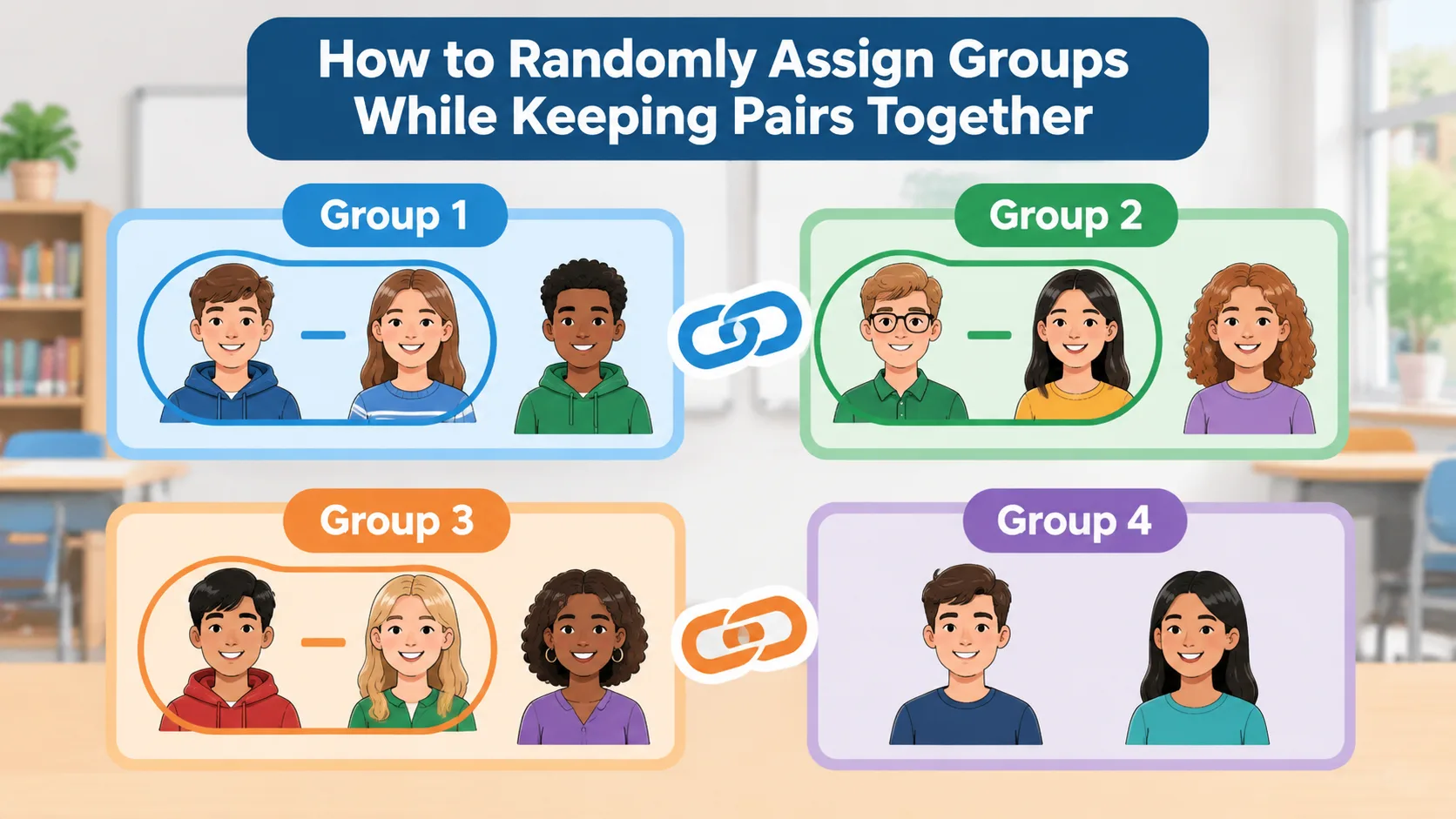
Why Randomly Assign Groups While Keeping Pairs Together?
Random grouping is useful when you want people to interact with classmates or colleagues they might not normally choose. It can reduce repeated self-selection, introduce different perspectives, and make short activities easier to organize. However, pure random assignment does not always suit every situation. Some participants already have a reason to work together, and separating them can disrupt the activity.
Consider a teacher who has assigned students to reading partnerships. The teacher wants four larger discussion groups, but each reading partnership must remain intact. Alternatively, a corporate trainer might have two employees who are responsible for presenting one section of a project. They need to join the same workshop team so they can continue working on their shared material.
The practical solution is to distinguish between fixed pairs and individual participants before randomizing. Instead of treating every person as an independent entry, treat each required pair as a single grouping unit. Randomize those units alongside the remaining individuals, then distribute them into the required number of groups.
This method is especially useful for:
- Teachers who want to preserve reading buddies, peer-learning partnerships, or assigned classroom pairs.
- University instructors organizing laboratory partners into larger project teams.
- Corporate trainers who need to retain existing project partners during workshop activities.
- Event organizers who want friends or colleagues to remain together while mixing participants into tables.
- Facilitators running collaborative exercises where two people share equipment, responsibilities, or preparation work.
The important distinction is that keeping pairs together is a constraint, not a reason to abandon randomization. You can still randomize the placement of each pair and the other participants.
How to Prepare Participants Before Random Group Assignment
Before using a random group generator, make a clear list of everyone participating. Then identify which pairs must stay together. This small preparation step prevents accidental separation and makes it easier to check the final results.
For example, imagine a classroom with 24 students. Four students belong to two fixed pairs, while the other 20 students can be assigned independently. Your list should contain two pair entries and 20 individual entries. That gives you 22 grouping units representing all 24 people.
Do not confuse a preferred partnership with a mandatory one. If students simply enjoy working together, you may decide to separate them to encourage new interactions. If they have an assigned shared task or an important accessibility-related arrangement, keeping them together may be necessary. Teachers should also consider relevant accommodations and student privacy before entering participant information into an online service.
A useful preparation process is:
- Collect the participant list. Check attendance and remove duplicate names.
- Identify fixed pairs. Write down the two participants who must remain together.
- Confirm the restrictions. Make sure every pair is genuinely required rather than simply preferred.
- Count the grouping units. Each fixed pair counts as one unit, while each independent participant counts separately.
- Choose the group size. Decide how many people each group should contain, allowing for the fact that fixed pairs cannot be split.
This approach also works for online workshops. A facilitator can prepare a participant list before opening breakout rooms, identify people who need to collaborate, and decide how many teams the session requires.
Step-by-Step: Randomly Assign Groups While Keeping Pairs Together
Once your participant list is ready, you can create groups using a simple unit-based method. The objective is to randomize the placement of pairs and individuals without ever separating the two members of a fixed pair.
Step 1: Turn Each Fixed Pair Into One Unit
Suppose you have 20 participants and three pairs that must stay together. Instead of entering all 20 people as separate grouping entries, create three combined entries and enter the remaining 14 participants individually.
Your list now contains 17 units. Each pair unit represents two people, while each individual unit represents one person. This is the key to preserving partnerships throughout the random assignment process.
For example:
- Pair A: Alex and Jordan
- Pair B: Morgan and Taylor
- Pair C: Casey and Riley
- Individual participants: 14 other people
When you shuffle these entries, the three pairs move as complete units. Their members cannot accidentally end up in different groups.
Step 2: Decide How Many Groups You Need
Choose the number of groups based on the activity, available space, and expected workload. For a short classroom discussion, smaller teams may be easier to manage. A more complex collaborative project might benefit from slightly larger teams.
Do not calculate group sizes using only the number of units. Remember that each pair represents two actual participants. If you have 20 people and want four groups, your target is approximately five people per group, even though your list contains only 17 units.
Step 3: Randomize the Units
Shuffle the prepared entries so that both pairs and individuals have a randomized order. You can use numbered cards, a spreadsheet, or an online grouping tool for the independent participants and then distribute the fixed pairs as complete entries.
If you are using a Random Group Generator, check whether its available grouping settings support your required pair constraints. A standard random shuffle should not be assumed to preserve partnerships automatically. If the tool accepts only individual names, use a compatible workflow that treats each pair as one entry, or assign the units manually after shuffling.
Step 4: Distribute the Units Into Groups
Place the randomized units into the selected groups while tracking the actual number of people in each group. This distinction matters because a group receiving two individual entries has fewer members than one receiving a pair and two individual entries.
For instance, distribute the units across four groups, checking the real participant count after each placement. If one group reaches six people while another has only four, adjust the placement of an independent participant where possible. Never split a required pair simply to make the numbers look equal.
Step 5: Review and Confirm the Results
Before announcing the groups, check that every participant appears exactly once and every required pair remains together. Confirm that no group exceeds a practical size for the activity. If the distribution is uneven, make a small adjustment involving individual participants rather than moving only one member of a fixed pair.
Finally, display the assignments clearly. Teachers can write group lists on the board, share a classroom document, or distribute printed cards. Online facilitators can post the team lists in their meeting chat or communicate them through their chosen collaboration platform.
Real Example: Keeping Student Partners Together in a Classroom
Imagine a teacher organizing a science investigation for 24 students. The class has six students who already work in three assigned laboratory pairs. The remaining 18 students are independent for this activity. The teacher wants four groups of six students.
The teacher first combines each laboratory partnership into one unit. The resulting list contains three pair units and 18 individual units, giving 21 units in total. These entries can now be randomized without putting the laboratory partners at risk of being separated.
The teacher distributes the units into four groups, counting actual students rather than entries. A possible result might look like this:
| Group | Members | Total students |
|---|---|---|
| Group 1 | Pair A and four individuals | 6 |
| Group 2 | Pair B and four individuals | 6 |
| Group 3 | Pair C and four individuals | 6 |
| Group 4 | Six individuals | 6 |
All three partnerships remain intact, and every group has six students. The teacher can now assign roles such as materials manager, recorder, presenter, and timekeeper.
This example illustrates an important point: random assignment and intentional constraints can work together. The teacher does not need to choose every group member personally, but still maintains the arrangements needed for the activity.
For another activity, such as a quick partner discussion, a Random Pair Generator may be more appropriate. It helps organize participants into pairs when the goal is to create new two-person partnerships rather than combine existing pairs into larger teams.
How to Balance Group Sizes Without Separating Pairs
Equal group sizes are desirable, but they are not always possible when some participants must remain together. The number of participants, number of fixed pairs, and requested number of groups all affect the final distribution.
Start with the total number of people, not the number of entries in your shuffled list. Divide the total number of people by the desired number of groups to estimate the target size. If the division produces a remainder, some groups will naturally have one additional participant.
For example, 23 participants divided into four groups produces an average of 5.75 people per group. A reasonable target is three groups of six and one group of five. If the fixed pairs can be distributed across these groups, the result can remain both practical and reasonably balanced.
Use these principles when adjusting the distribution:
- Keep each mandatory pair in the same group at all times.
- Distribute pairs across different groups when possible rather than placing all of them together.
- Use independent participants to correct small differences in group size.
- Avoid creating oversized groups just to preserve a perfect numerical arrangement elsewhere.
- Consider the demands of the activity, not just the final headcount.
If you have several large fixed units, equal distribution may become impossible. For example, three pairs cannot be distributed into two groups with exactly one person from each pair. In these cases, prioritize the required partnerships and explain the small difference in group size.
A group name generator can also help make the final assignments easier to communicate. Give each team a memorable name after the distribution is complete so participants can quickly identify their group during a classroom activity or workshop.
Random Group Generator vs. Manual Assignment
There are several ways to create random groups while protecting existing partnerships. The best option depends on how many people are participating and how complicated the restrictions are.
Manual assignment is useful for small groups. You can write each pair on a card, shuffle the cards with the individual participants, and distribute them while checking the total number of people in each group. This approach gives you direct control, but it becomes time-consuming when you have a large class or several fixed partnerships.
A spreadsheet provides more flexibility. You can prepare a list of grouping units, randomize their order, and track the number of actual participants assigned to each group. However, spreadsheets require careful setup. A random sort of individual names will separate partners unless the pairs are represented as single entries.
An online random group generator offers a convenient way to organize larger participant lists and create assignments quickly. However, it is important to distinguish between ordinary random grouping and constrained grouping. Not every generator supports locked pairs, exclusions, or custom membership rules. Review the available features before relying on automatic results.
The Random Group Generator is a practical starting point for creating randomized teams. If you need a different selection format, the group picker wheel provides a visual way to select groups during an activity, while the spin wheel group generator offers another option for interactive group selection. These tools serve different purposes, so choose the one that matches your workflow and verify any pair-preservation requirements before using the results.
Common Mistakes to Avoid When Keeping Pairs Together
One frequent mistake is entering every participant separately and assuming that a random generator will understand which people belong together. Unless the tool explicitly supports fixed pairs, it has no reason to keep those names in the same group. Prepare your entries according to the actual constraints before starting the assignment.
Another mistake is balancing groups by counting entries instead of people. A pair represents two participants, so a group with four entries might contain five or six people. Always calculate the actual membership count when checking group sizes.
It is also easy to overcomplicate the process by introducing too many restrictions. If several pairs, individual preferences, skill requirements, and exclusions must all be considered, pure random assignment may no longer be the best method. A teacher may need to make some intentional placements to ensure that the groups can complete the activity effectively.
Finally, avoid treating random assignment as automatically fair in every situation. Randomization can reduce personal selection, but it does not guarantee balanced skills, accessibility, participation, or compatible schedules. University teaching guidance from Cornell and the University of Waterloo emphasizes the importance of considering group composition, task requirements, and participation when planning collaborative work.
A good approach is to randomize where flexibility exists and apply thoughtful judgment where genuine constraints matter. This gives participants a varied group experience without ignoring the practical needs of the activity.
FAQ: Randomly Assigning Groups While Keeping Pairs Together
Can I randomly assign groups without separating two students?
Yes. Treat the two students as one grouping unit before randomizing the participant list. The pair should move together throughout the assignment process, while other participants can be distributed independently. If you use an online tool, verify that it supports this arrangement or prepare compatible combined entries first.
How do I keep multiple pairs together in random groups?
Create one entry for each required pair and separate entries for all other participants. Shuffle the complete list of units, then distribute them across the required groups while counting the actual number of people represented by each entry. Check the final assignments to confirm that every pair remains intact.
Can I create equal-sized groups when some pairs must stay together?
Often, yes, but it depends on the total number of participants and the number of fixed pairs. Use the total headcount to calculate your target group sizes, then distribute the pairs and individuals accordingly. If exact equality is impossible, allow a small difference in group size rather than splitting a required partnership.
Does a random group generator automatically keep friends or partners together?
Not necessarily. A standard random group generator may treat every participant as an independent entry. Unless the tool specifically offers fixed-pair or locked-group functionality, you should prepare combined pair entries or use another compatible method before generating the groups.
Is random grouping better than letting students choose their partners?
Neither approach is best for every activity. Random grouping can introduce new interactions and reduce repeated self-selection, while student choice may be useful when trust, familiarity, or specific project interests matter. Teachers should choose based on the learning objective, student needs, and the amount of collaboration required.
What should I do if one group is larger because of fixed pairs?
First, check whether an independent participant can be moved to another group without breaking any required partnership. If the difference remains, consider whether the activity can accommodate slightly different group sizes. Explain the arrangement clearly and distribute responsibilities so that every participant has a meaningful role.
Create Your Random Groups Without Losing Important Partnerships
Keeping selected pairs together does not mean giving up the benefits of random assignment. By preparing your participant list, treating fixed pairs as single units, and checking actual group sizes, you can create practical teams while preserving the relationships your activity depends on.
Whether you are organizing a classroom exercise, a university project, a training workshop, or a collaborative event, start with clear grouping requirements and choose a method that respects them. When the assignments are ready, communicate the results clearly and give each group a task that encourages everyone to contribute.
Ready to organize your next activity? Try the Random Group Generator to create randomized teams and make group formation simpler. Prepare your required pairs first, check the available grouping options, and get your participants ready to work together.
Related Tools
Pick the right generator for the job — every tool runs free in your browser.