
randomly assign employees groups
How to Randomly Assign Employees Groups for Project Teams
Learn how to randomly assign employees groups for projects, create balanced teams, distribute responsibilities fairly, and organize project assignments step by step.

When several projects need team members at the same time, deciding who should work with whom can become a time-consuming management task. Managers may repeatedly choose familiar colleagues, overlook available employees, or spend hours rearranging lists. Learning how to randomly assign employees groups provides a practical starting point for distributing people across project teams more transparently. With a random group generator and a few sensible checks, you can organize employees quickly while keeping project requirements in view.
Random assignment is particularly useful for corporate trainers, HR professionals, department managers, and project coordinators who regularly create temporary teams. It can help reduce personal selection bias, introduce new working relationships, and make group formation easier to explain. However, random selection should support good management decisions, not replace the need to consider skills, availability, and workload.
Why Randomly Assign Employees to Project Groups?
Assigning employees to projects manually seems straightforward when a department has only a few people. The process becomes more complicated when multiple teams need to be formed, employees have different schedules, or managers must create new combinations regularly. Manual selection can also create patterns in which experienced employees always work together while newer employees receive fewer opportunities to collaborate.
Random assignment introduces a consistent starting procedure. Instead of relying entirely on personal preferences, a manager can put eligible employees into a shared list and use a random selection process to distribute them. This makes the initial grouping less dependent on who happens to make the selections. Research published in Group & Organization Management has examined random assignment as a procedure for allocating people to group tasks, including how participants perceive procedural fairness. The findings provide useful context, although they should not be treated as proof that random assignment automatically improves every workplace project.
Consider a marketing department with 24 employees preparing four short-term projects. A manager could manually select six people for each project, but that approach might repeatedly produce familiar combinations. Randomly distributing the eligible employees gives the manager a different starting arrangement and creates opportunities to review team combinations more objectively.
Random grouping is especially useful when:
- Employees are participating in workshops or cross-department projects.
- Several temporary teams need to be formed at once.
- Managers want to encourage collaboration between colleagues who do not usually work together.
- Project participation should not depend entirely on personal preference or informal selection.
- A facilitator needs to create groups quickly for a training exercise or team activity.
The important distinction is that randomization helps determine group membership. It does not determine whether every employee is qualified or available for every assignment.
Prepare Your Employee List Before Random Assignment
A reliable random allocation process starts with a reliable participant list. Before distributing employees, decide which people are eligible for each project and whether any restrictions need to be considered. For example, an employee who is already committed to a critical deadline may not be available for another assignment, even if their name appears on the department roster.
Start by collecting the names of employees who can participate during the relevant project period. Remove duplicate entries and check that names are spelled consistently. If employees belong to different departments, you may also want to record their roles, relevant experience, working hours, and existing commitments separately. These details will help you review the results after randomization.
Use this preparation process:
- Define the project requirements. Identify the number of projects, expected team sizes, deadlines, and necessary responsibilities.
- Confirm employee eligibility. Check availability, leave schedules, existing assignments, and any participation restrictions.
- Prepare the employee list. Use one consistent name per person and remove duplicates.
- Identify essential skills. Note any specialist roles that must be represented in particular projects.
- Decide the grouping method. Choose equal-sized groups or a distribution that reflects the number of positions available.
- Set review criteria. Decide how you will check workload, skill coverage, and potential conflicts after the random draw.
For example, suppose a company has 18 employees available for three internal improvement projects. Each project needs six participants. The manager can prepare a list of all 18 eligible employees, confirm that everyone has sufficient time, and then distribute the names into three groups. If one project requires a certified technical specialist, that requirement should be handled before the final assignment is approved.
How to Randomly Assign Employees Groups Using a Group Generator
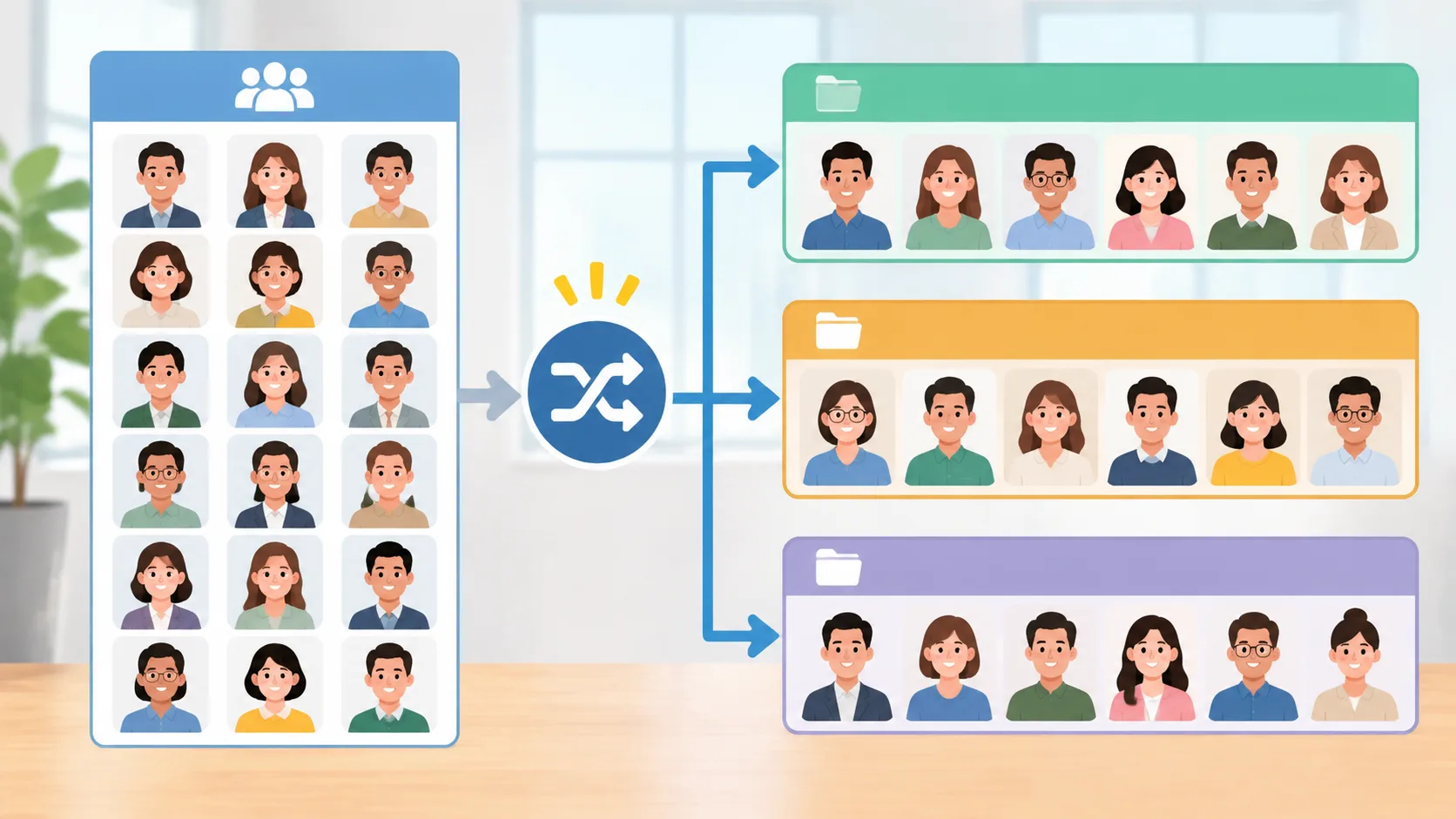
A random group generator simplifies the process of splitting a participant list into multiple teams. Instead of manually moving names between spreadsheets, you can enter the employee list, specify the number of groups or desired group size, and generate a distribution.
The Random Group Generator is designed for creating random groups from a list of participants. It can serve as a convenient starting point when managers need to divide employees for projects, workshops, training sessions, or collaborative activities.
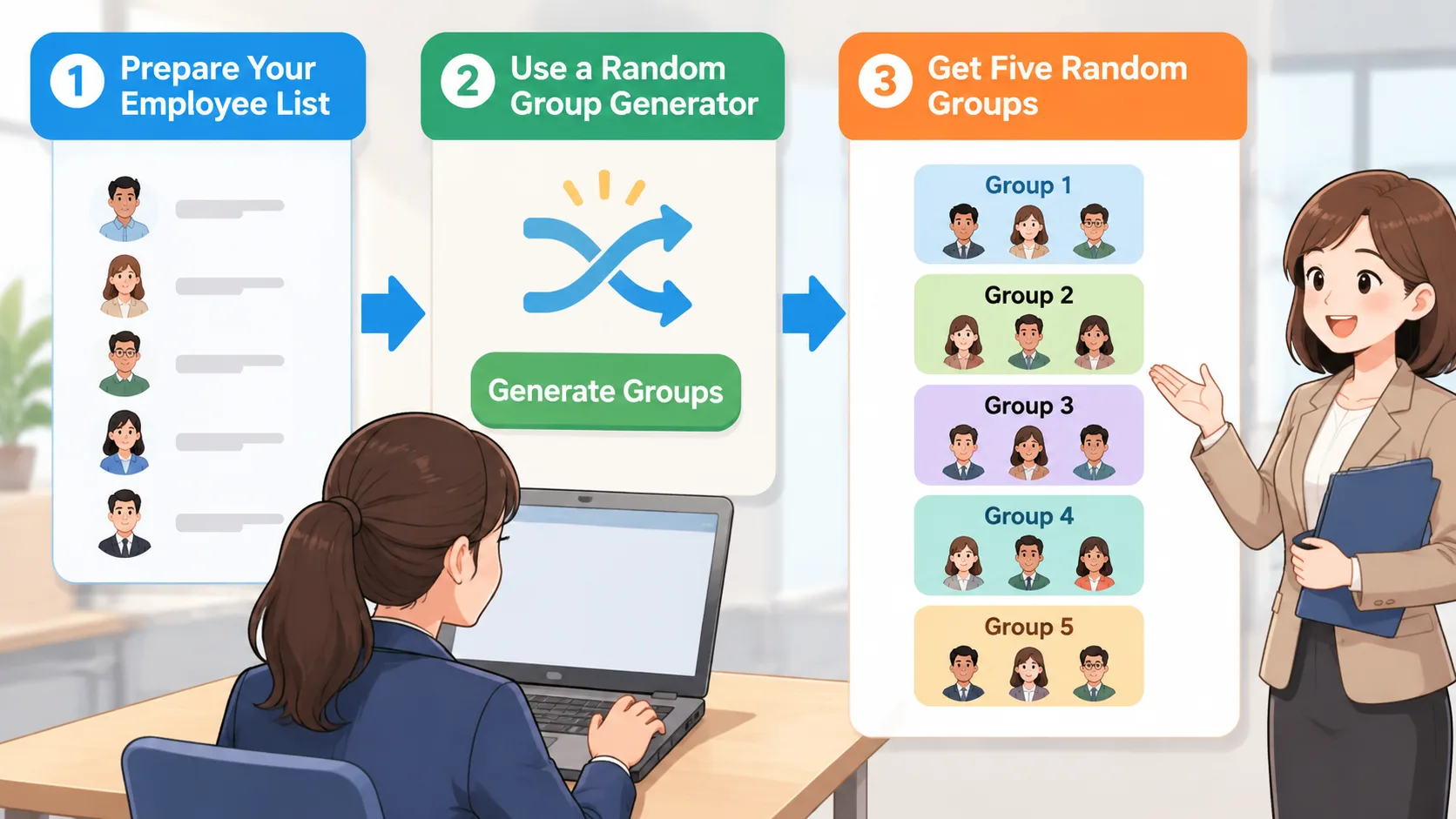
Follow these steps to organize your project teams:
- Open the generator. Visit the Random Group Generator and access the grouping interface.
- Enter employee names. Add each eligible employee as a separate participant. Check the list for missing or repeated names.
- Choose the number of groups. Decide how many project teams you need based on the approved project plan.
- Set the group size if available. If your projects require equal participation, choose a suitable group-size arrangement.
- Generate the groups. Run the randomization process to produce the initial employee distribution.
- Review the results. Check whether each group has the expected number of people and whether any important project requirements have been missed.
- Record the assignments. Transfer the approved results into your project planning document or team communication channel.
For example, a training manager has 20 employees attending a project management workshop. The manager needs five teams of four people. After entering the names and generating five groups, the manager can use the results for separate case studies or collaborative planning exercises.
The main advantage is reduced administrative effort during initial group formation. The manager does not need to repeatedly select names or manually divide a long participant list. The generator creates the initial distribution, while the manager remains responsible for confirming that the teams are suitable for their actual work.
How to Balance Project Teams After Randomization
Random assignment and balanced project allocation are not exactly the same thing. A random process distributes participants without necessarily considering their experience, technical abilities, seniority, or availability. This can be appropriate for general collaboration activities, but it may produce problems when projects have specialized requirements.
For example, imagine that a company is creating three teams for website development. One team receives several designers but no developers, while another receives multiple developers and no content specialist. The allocation may be random, but the teams do not have the skills needed to complete their work independently.
A practical solution is to use randomization alongside predefined management rules. First, identify essential roles and eligibility requirements. Then distribute employees within suitable categories or use random selection to fill the remaining positions. Finally, review the overall workload and make necessary adjustments.
Use the following checks before approving the groups:
- Skill coverage: Does each project have the technical and professional expertise it requires?
- Workload: Are employees already committed to other important projects?
- Availability: Can everyone participate during the project's working period?
- Experience: Does the team have sufficient experience to handle its responsibilities?
- Team composition: Are there any practical reasons why a particular combination would create a conflict or operational problem?
- Accountability: Does each project have a clear lead or designated decision-maker?
The Project Management Institute's guidance on capacity and demand planning emphasizes the value of maintaining information about employee skills, experience, and availability when allocating people to projects. These considerations are important because a random list alone cannot determine whether an employee is appropriate for a particular responsibility.
A useful example is a company organizing four product development projects. The manager first identifies four required project leads and confirms their availability. The remaining employees are then randomly distributed among the projects. After reviewing skill coverage, the manager adjusts any team that lacks an essential specialist. The initial selection remains transparent, while the final allocation reflects operational needs.
Real-World Examples of Random Employee Group Assignment
Random employee grouping can support several workplace situations. The best method depends on whether the goal is collaboration, training, project delivery, or workload distribution. Understanding the differences helps managers avoid using randomization where a more structured assignment method is needed.
Example 1: Cross-department project teams
A company wants employees from marketing, sales, finance, and operations to collaborate on improving its customer experience. There are 32 eligible employees and four project groups to create. The facilitator can first organize the eligible participants by department, then randomly distribute employees while checking that each project receives appropriate departmental representation. This approach encourages cross-functional collaboration without leaving the team composition entirely to chance.
Example 2: Employee training activities
An HR trainer has 30 employees attending a communication workshop. The session includes group discussions and practical exercises. Dividing participants into five groups of six makes it easier to organize activities and manage discussions. The trainer can use a random group generator to establish the initial teams and repeat the process for a later activity if different combinations are desirable.
Example 3: Internal innovation challenges
A business wants employees to develop ideas for improving internal processes. Rather than allowing employees to choose only their usual colleagues, the organizer randomly distributes participants into temporary teams. Each team receives the same challenge and a fixed period for developing recommendations. Managers can then review the proposals using consistent evaluation criteria.
Example 4: Multiple short-term projects
A department has 24 employees and four approved improvement projects. The manager creates four groups of six, checks that each group has the required expertise, and confirms individual availability. The resulting teams can work independently while following a shared reporting schedule.
These examples illustrate an important principle: randomization is most useful when the initial selection process is flexible and participation rules are clear. When project outcomes depend on specialist knowledge, managers should retain responsibility for final team approval.
Random Assignment vs. Manual Employee Selection
Managers often choose between random assignment, manual selection, and skill-based allocation. Each method serves a different purpose, so the right approach depends on the project rather than a general preference for one method.
Random assignment is useful when employees have comparable eligibility and the goal is to create groups without relying on personal selection. It can also save time when several teams must be formed quickly. However, it does not automatically produce equal skill levels or workloads.
Manual selection gives managers greater control over individual combinations. It can be useful for complex projects requiring specific experience, leadership, or specialist knowledge. Its disadvantage is that selection may become inconsistent or depend too heavily on familiarity with certain employees.
Skill-based allocation prioritizes the capabilities needed for each project. It is appropriate when project requirements are clearly defined and particular expertise is essential. However, it requires more preparation and may need additional discussion with department managers.
A practical comparison looks like this:
| Assignment method | Main advantage | Main limitation | Suitable situation |
|---|---|---|---|
| Random assignment | Consistent initial selection | Does not assess skills | Workshops and temporary groups |
| Manual selection | Direct managerial control | Can create selection bias | Specialized project leadership |
| Skill-based allocation | Matches people to project needs | Requires detailed information | Technical and high-priority projects |
| Random assignment with review | Combines transparent grouping with oversight | Requires a final review | Cross-functional project teams |
For many ordinary workplace activities, random assignment followed by a practical review is a reasonable middle ground. It keeps the initial selection process simple without treating every random result as a final management decision.
Common Mistakes to Avoid When Assigning Employees to Projects
Even a simple randomization process can create administrative problems if managers do not establish clear rules. One common mistake is placing every employee in the same participant list without checking whether they are actually available. This can result in people being assigned to projects despite existing deadlines, approved leave, or other important responsibilities.
Another mistake is assuming that equal group sizes automatically mean equal workloads. A team of five employees might have significantly more work than another team of five, especially when project complexity and individual responsibilities differ. The Microsoft Project resource allocation guidance recommends reviewing resource workloads and availability to identify overallocations and underallocations. Managers should apply the same principle when reviewing employee project assignments.
Avoid these common problems:
- Ignoring current commitments: Check other projects and recurring responsibilities before confirming an assignment.
- Using incomplete participant lists: Verify that every eligible employee appears once and only once.
- Assuming random means balanced: Review experience, skill coverage, and workload separately.
- Changing results without a clear reason: Document necessary adjustments so employees understand the process.
- Failing to communicate responsibilities: Tell each person which project they are joining, who leads the team, and what is expected.
- Treating one random draw as permanent: Reassess assignments when project priorities, staffing, or deadlines change.
For instance, if a randomly assigned employee becomes unavailable because of an urgent client commitment, the manager should update the project roster rather than expect the original allocation to remain unchanged. The goal is a workable distribution of people, not strict adherence to an outdated result.
Frequently Asked Questions
Can I randomly assign employees to groups for different projects?
Yes. Prepare a list of eligible employees, decide how many project groups you need, and use a random group generator to create the initial distribution. Review each group afterward to ensure that the required skills, availability, and responsibilities are covered.
Is random employee assignment fair?
Random assignment can make the initial selection process more transparent because managers are less directly involved in choosing individual group members. However, fairness also depends on eligibility rules, workload distribution, access to opportunities, and how adjustments are handled. Explain the process clearly and apply the same rules consistently.
How do I divide employees into equal-sized project teams?
Count the eligible employees and decide how many teams you need. Divide the total number of employees by the number of groups to determine the expected group size. If the numbers do not divide evenly, distribute the remaining employees across groups so that their sizes differ by no more than one whenever practical.
Should I assign employees randomly when projects require specialist skills?
Not without additional checks. Identify the essential skills and roles for each project before assigning people. You can randomize employees within suitable categories, then review the results to ensure that every project has the expertise and capacity it needs.
Can I use a random group generator for remote employees?
Yes. Remote employees can be included in the same participant list as office-based colleagues, provided they are eligible and available. After generating the groups, share the results through your normal workplace communication channels and confirm meeting times across relevant time zones.
How often should managers reorganize project groups?
There is no universal schedule. Review assignments when project priorities change, employees become unavailable, workloads increase, or a project requires additional expertise. Avoid reorganizing teams unnecessarily because frequent changes can disrupt communication and accountability.
Start Creating Your Project Teams
Organizing employees across multiple projects does not need to involve hours of manual selection. A random group generator provides a straightforward way to create initial teams, introduce new working combinations, and make group formation easier to manage.
The most effective process combines random selection with thoughtful project planning. Prepare an accurate employee list, define the number of groups, generate the initial allocation, and review each team's skills and availability before confirming the assignments.
Ready to organize your next workplace project? Use the free Random Group Generator to distribute employees into groups and create a starting point for your project teams.
Related Tools
Pick the right generator for the job — every tool runs free in your browser.