
Secret Santa Generator verwenden
Erstelle eine gerichtete Geschenkweitergabe ohne Selbst-Ziehungen und mit optionalen Ausschlüssen.
Secret-Santa-Zuordnungen
Füge mindestens drei Namen hinzu und erstelle dann die Verlosung.

Füge deine Teilnehmerliste ein, schließe unerwünschte Paare aus und erstelle eine Eins-zu-Eins-Zuteilung – ohne E-Mail oder Anmeldung.
Jede Person zieht jemand anderen, und jeder Empfänger wird genau einmal zugeteilt.
Verhindere, dass Paare, Familienmitglieder oder Teamkollegen sich gegenseitig ziehen.
Gib jedem Teilnehmer einen Link, der nur den eigenen Empfänger zeigt.
So funktioniert dieser Secret Santa Generator
Füge die Teilnehmenden hinzu, schließe bei Bedarf bestimmte Paare aus und erstelle eine Eins-zu-Eins-Verlosung. Der Matching-Algorithmus verhindert Selbst-Ziehungen und ignoriert keine Ausschlussregel stillschweigend.
Die Verlosung läuft zuerst in deinem Browser. Du kannst einzelne Nachrichten kopieren oder ablaufende private Enthüllungslinks erstellen, sobald du die Ergebnisse verteilen möchtest.
Wenn eine Gruppe ein Wichtelspiel plant, entsteht oft dasselbe Problem: Wer zieht wen, wie bleiben die Ergebnisse geheim und wie verhindert man doppelte oder ungerechte Zuordnungen? Ein Wichtelgenerator löst genau diese Aufgabe, indem er Namen automatisch verteilt und eine private Auslosung ermöglicht. Das ist besonders hilfreich für Lehrkräfte, Teams, Personalabteilungen und Veranstalter, die eine einfache und faire Lösung für geheime Geschenkaktionen suchen.
Ein digitaler Wichtelgenerator ersetzt Zettel, manuelle Listen und komplizierte Tabellen. Er kann die Vorbereitung vereinfachen, während die verantwortliche Person weiterhin festlegt, welche Regeln gelten. Wichtig ist dabei: Ein Generator organisiert die Ziehung, aber er ersetzt nicht die Planung. Bei sehr kleinen Gruppen oder besonderen Beziehungen zwischen Teilnehmenden kann eine manuelle Kontrolle sinnvoll bleiben.
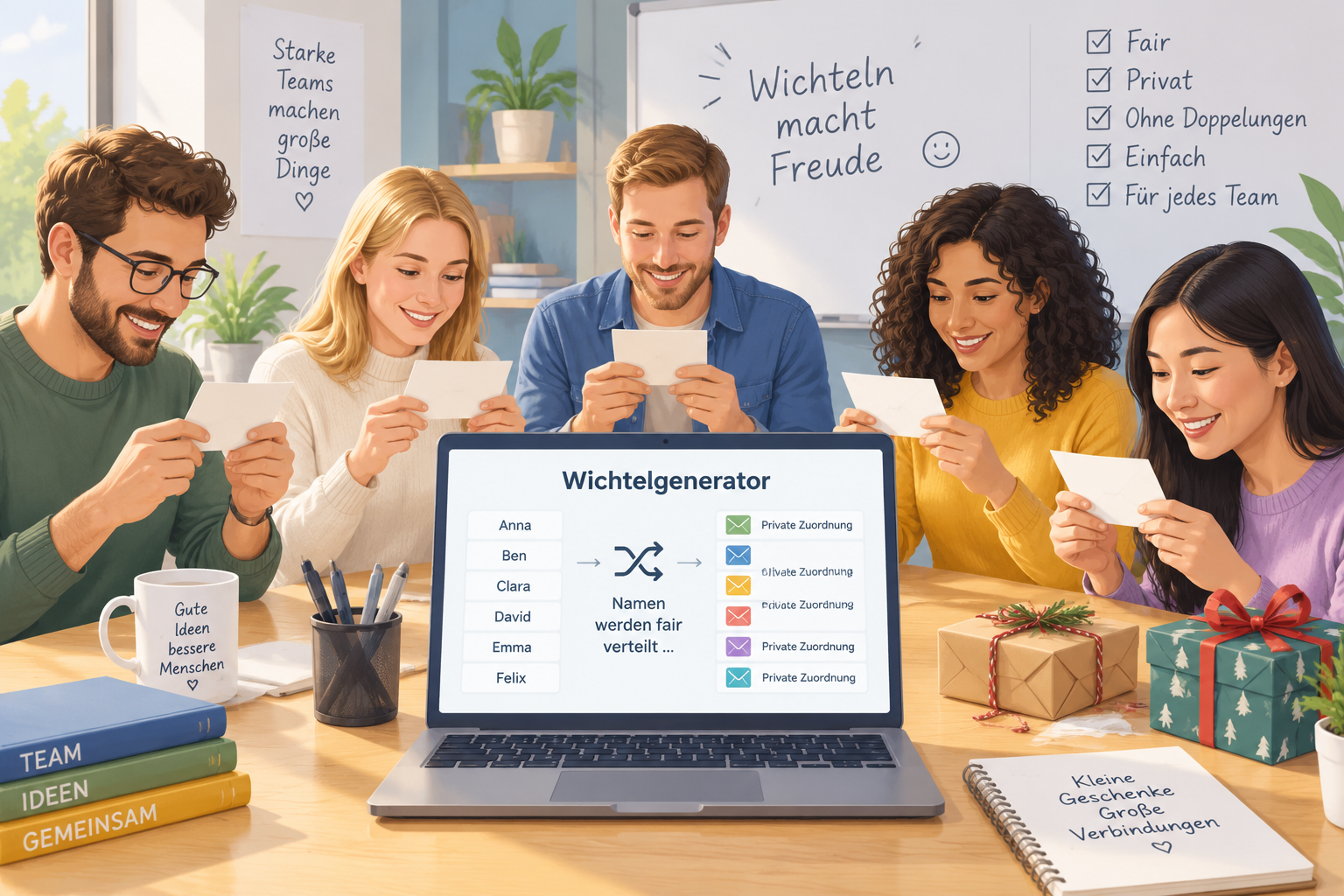
Bei einer klassischen Wichtelauslosung werden Namen oft auf Papier geschrieben, gefaltet und aus einer Schale gezogen. Diese Methode funktioniert für kleine Freundeskreise, wird aber bei größeren Gruppen schnell unübersichtlich. Eine Lehrkraft mit einer Klasse, ein Teamleiter mit mehreren Abteilungen oder ein Veranstalter mit vielen Gästen muss zusätzliche Fragen klären: Haben alle eine Person erhalten? Wurde niemand doppelt gezogen? Bleibt die Zuordnung wirklich geheim?
Ein digitaler Wichtelgenerator schafft eine klare Struktur. Die Namen werden gesammelt, die Zuordnung wird automatisch erstellt und die Ergebnisse können getrennt weitergegeben werden. Der Vorteil liegt weniger in der Magie der Auslosung, sondern in der zuverlässigen Organisation dahinter.
Ein Beispiel aus der Praxis: Eine Personalabteilung möchte vor einer Jahresfeier ein Wichtelspiel für 40 Mitarbeitende organisieren. Statt eine lange Liste manuell zu prüfen, kann die verantwortliche Person die Namen digital verwalten und die Ergebnisse anschließend privat an die Teilnehmenden senden. Dadurch bleibt mehr Zeit für die eigentliche Veranstaltung.
Ein guter Ablauf besteht aus wenigen klaren Schritten. Auch Personen ohne technische Erfahrung können eine solche Auslosung vorbereiten.
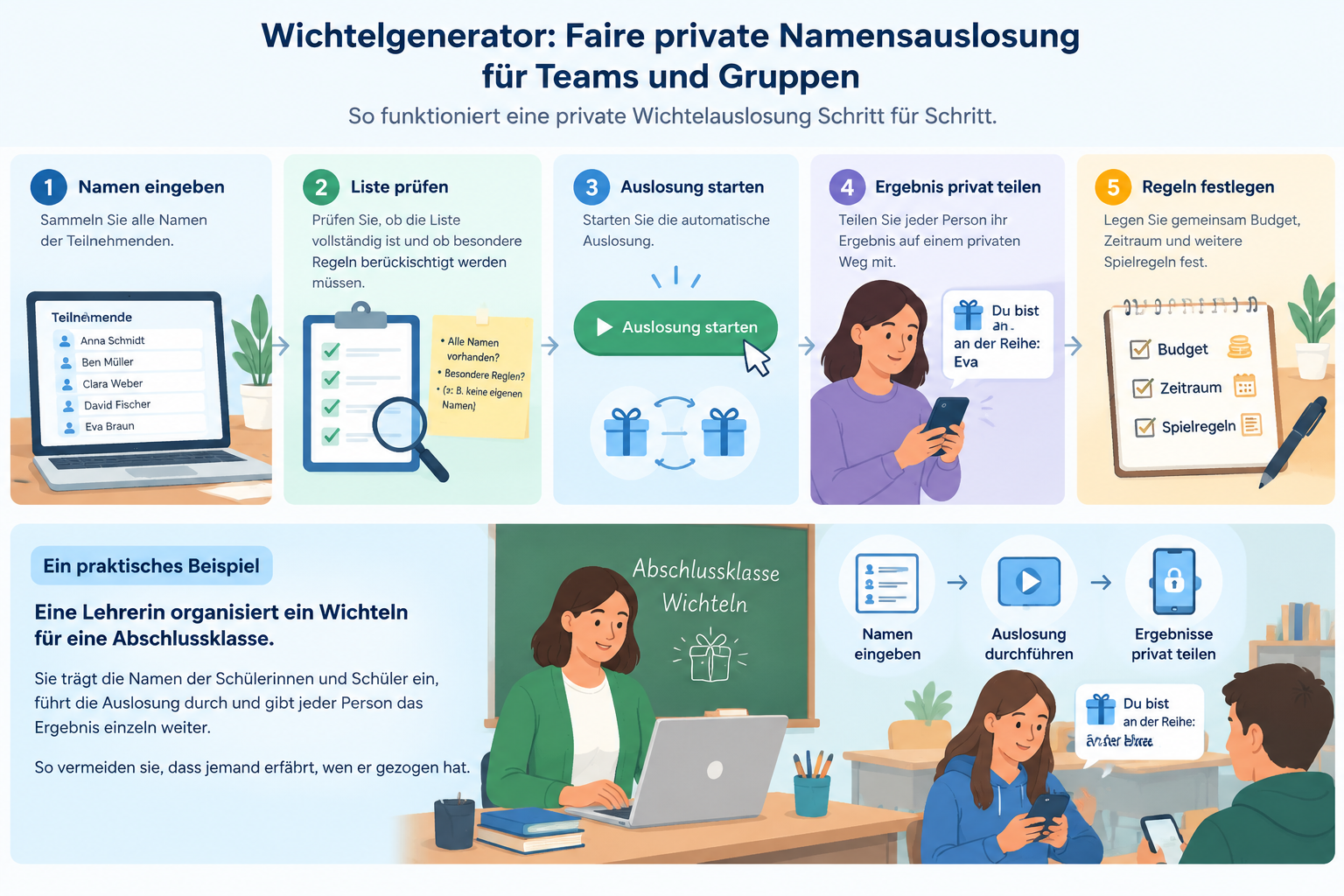
Ein praktisches Beispiel: Eine Lehrerin organisiert ein Wichteln für eine Abschlussklasse. Sie trägt die Namen der Schülerinnen und Schüler ein, führt die Auslosung durch und gibt jeder Person das Ergebnis einzeln weiter. So vermeiden sie, dass jemand versehentlich die gesamte Liste sieht.
Bei größeren Gruppen lohnt es sich, vorher klare Regeln zu vereinbaren. Dazu gehören beispielsweise ein Preislimit, ein Abgabetermin oder Einschränkungen bei der Auswahl. Wenn bestimmte Personen sich nicht gegenseitig ziehen sollen, sollte geprüft werden, ob das verwendete Werkzeug diese Anforderungen unterstützt.
Der wichtigste Grund für eine digitale Lösung ist häufig die faire Verteilung. Niemand soll leer ausgehen, und niemand sollte bevorzugt oder benachteiligt werden. Ein automatisierter Ablauf reduziert menschliche Fehler, die bei handschriftlichen Listen oder spontanen Änderungen entstehen können.
Bei der Nutzung eines Wichtelgenerators sollten Organisatoren trotzdem auf Datenschutz achten. Namen gehören zu persönlichen Informationen und sollten nur für den vorgesehenen Zweck verwendet werden. Für eine Klassenaktivität reicht oft eine einfache Teilnehmerliste, während Unternehmen interne Datenschutzregeln beachten sollten.
Ein Beispiel: Ein internationales Online-Team möchte ein virtuelles Wichteln durchführen. Die Mitarbeitenden arbeiten in verschiedenen Ländern und treffen sich über Videokonferenzen. Eine digitale Auslosung erleichtert die Organisation, weil die Ergebnisse unabhängig vom Standort verteilt werden können.
Für virtuelle Gruppen können auch andere Werkzeuge von Random Group Generator hilfreich sein. Wer statt einer Geschenkaktion zufällige Teams bilden möchte, kann den Zufalls-Gruppengenerator verwenden. Für Partnerübungen oder Zweierteams eignet sich außerdem der Zufalls-Paar-Generator.
Eine Papierauslosung hat ihren eigenen Charme. Bei einer kleinen Runde mit Freunden kann das gemeinsame Ziehen von Zetteln ein schöner Teil des Erlebnisses sein. Sobald aber viele Personen beteiligt sind, steigen die organisatorischen Herausforderungen.
Ein Wichtelgenerator bietet besonders bei wiederkehrenden oder größeren Aktionen Vorteile. Er spart Vorbereitungszeit, hilft bei der Übersicht und macht die Verteilung nachvollziehbarer. Eine Tabelle kann zwar ebenfalls genutzt werden, erfordert aber oft mehr manuelle Pflege und Kontrolle.
Die richtige Wahl hängt von der Situation ab:
Ein Beispiel: Ein Verein mit 15 Mitgliedern kann problemlos Zettel verwenden. Ein Unternehmen mit mehreren hundert Beschäftigten braucht dagegen eine Lösung, die weniger anfällig für Eingabefehler und Missverständnisse ist.
Ein Wichtelspiel funktioniert am besten, wenn die Regeln vor der Auslosung feststehen. Die Technik ist nur ein Teil der Vorbereitung. Organisatoren sollten überlegen, welche Zielgruppe beteiligt ist und welche Erwartungen bestehen.
In Schulen kann ein Wichtelspiel die Klassengemeinschaft stärken, solange alle freiwillig teilnehmen können und die Rahmenbedingungen passen. Lehrkräfte sollten berücksichtigen, dass manche Kinder möglicherweise nicht teilnehmen möchten oder unterschiedliche Möglichkeiten für Geschenke haben.
Am Arbeitsplatz sollte die Teilnahme ebenfalls freiwillig und angenehm gestaltet werden. Ein niedriges Budget, klare Kommunikation und eine inklusive Atmosphäre helfen dabei, dass die Aktion für alle Beteiligten positiv bleibt.
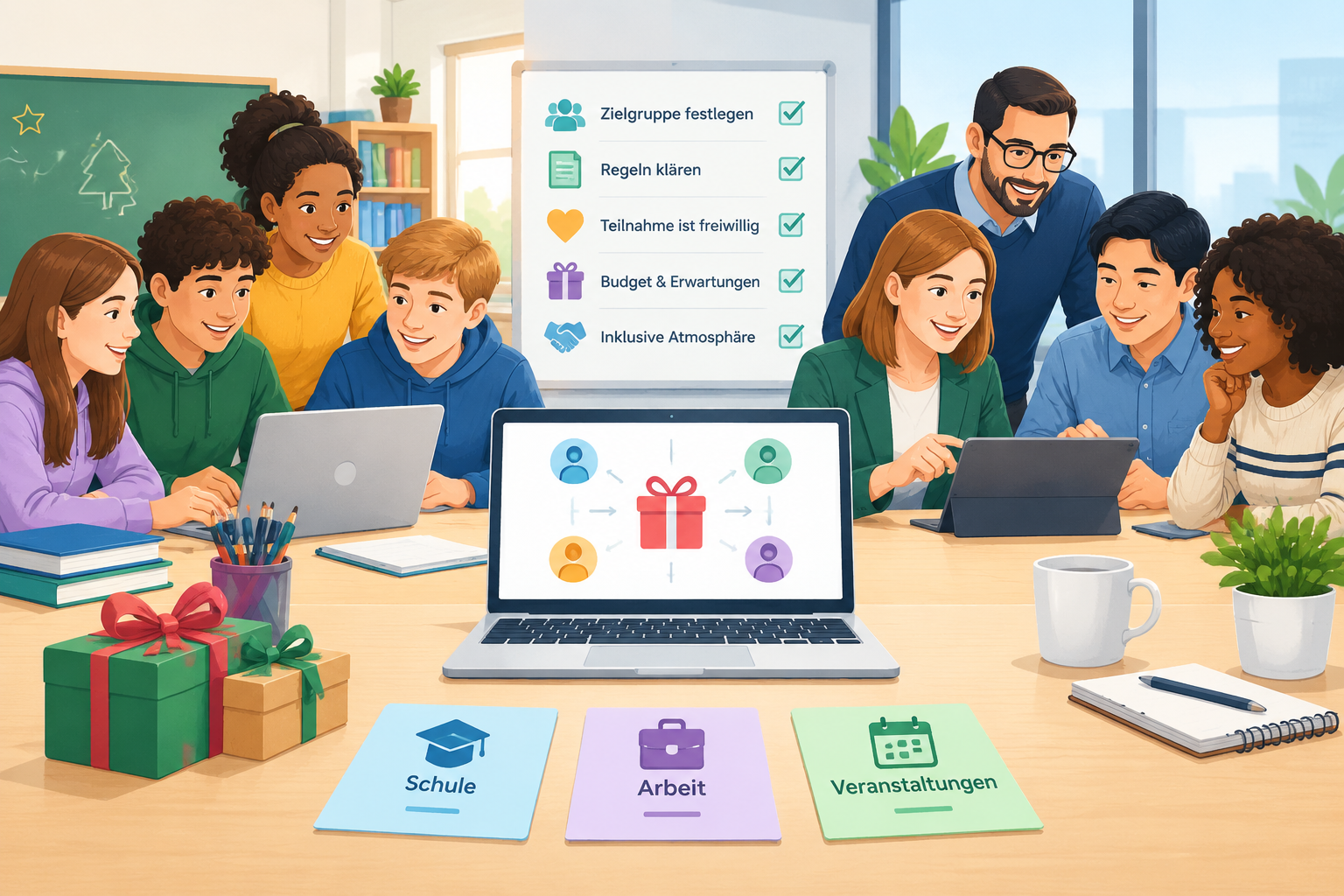
Ein Beispiel: Ein Trainer organisiert einen Workshop zum Jahresende. Neben den Fachinhalten plant er eine kleine Wichtelaktion als freiwillige Gruppenaktivität. Durch eine digitale Auslosung kann er die Ergebnisse vorbereiten, ohne die Überraschung zu verlieren.
Ein Wichtelgenerator ist ein digitales Werkzeug zur automatischen Zuordnung von Namen für eine geheime Geschenkaktion. Er erstellt zufällige Paarungen oder Zuweisungen, damit jede teilnehmende Person eine andere Person erhält.
Ein Wichtelgenerator eignet sich für Schulklassen, Arbeitsteams, Vereine, Familien und Veranstaltungen. Besonders praktisch ist er, wenn viele Personen beteiligt sind oder die Ergebnisse vertraulich bleiben sollen.
Ja. Eine digitale Auslosung eignet sich besonders für verteilte Teams oder Gruppen, deren Mitglieder nicht am gleichen Ort sind. Die Ergebnisse können anschließend privat weitergegeben werden.
Nicht immer. Bei einer sehr kleinen Gruppe, bei der alle gemeinsam anwesend sind, kann eine persönliche Ziehung mehr Spaß machen. Auch bei besonderen Regeln wie festen Ausschlüssen sollte geprüft werden, ob das Werkzeug die gewünschten Bedingungen unterstützt.
Für andere Zufallsaufgaben können zusätzliche Werkzeuge genutzt werden. Der Zufalls-Schülerauswähler hilft beispielsweise bei fairer Beteiligung im Unterricht. Für kreative Gruppennamen steht der Gruppennamen-Generator zur Verfügung.
Eine gute Wichtelaktion beginnt mit einer klaren Organisation. Ein Wichtelgenerator hilft dabei, Namen fair zu verteilen, geheime Ergebnisse zu schützen und die Vorbereitung einfacher zu machen. Ob für Unterricht, Teamveranstaltung oder private Gruppe: Eine strukturierte Auslosung schafft mehr Zeit für den eigentlichen Austausch.
Probieren Sie den Wichtelgenerator von Random Group Generator aus und organisieren Sie Ihre nächste geheime Geschenkaktion schnell und übersichtlich.
Verwende den Secret Santa Generator, wenn das Ergebnis eine private Beschenk-Zuteilung ist.
Erstelle eine gerichtete Geschenkweitergabe ohne Selbst-Ziehungen und mit optionalen Ausschlüssen.
Nutze gewöhnliche Zufallspaare, wenn zwei Personen einfach zusammenarbeiten sollen.
Nutze das Home-Tool, wenn Personen in Teams statt zu Geschenk-Zuteilungen aufgeteilt werden sollen.
In vier Schritten von der Liste zu privaten Zuteilungen.
Füge pro Zeile einen Namen ein oder importiere eine CSV- oder Textdatei. Namen müssen eindeutig sein.
Verhindere bei Bedarf, dass Partner, Verwandte oder Kollegen sich gegenseitig ziehen.
Das Tool findet eine vollständige Eins-zu-Eins-Verlosung oder erklärt, warum die Regeln keine Lösung haben.
Kopiere eine private Nachricht, exportiere die Zuteilungsliste oder erstelle für jede Person einen ablaufenden Enthüllungslink.
Das Ergebnis ist eine gerichtete Zuteilung, keine gewöhnliche Paarliste.
Niemand wird eingeteilt, ein Geschenk für sich selbst zu kaufen.
Jeder Teilnehmer schenkt einmal und bekommt einmal.
Ausschlüsse werden geprüft, bevor ein Ergebnis angezeigt wird.
Halte das Event schlank und verteile nur, was jede Person wissen muss.
Jeder Link zeigt nur einen Empfänger statt der kompletten Zuteilungstabelle.
Kopiere eine sendefertige Nachricht für jeden Teilnehmer.
Lade CSV, Text oder Markdown für deine Organisator-Notizen herunter.
Eine einfache Verlosung für Gruppen, die die Überraschung ohne Tabellenkalkulation wollen.
Schließe Vorgesetzte, Partner oder enge Kollegen aus und teile pro Person ein privates Ergebnis.
Halte eine größere Geschenkweitergabe überschaubar, ohne die Zuteilungen der anderen zu verraten.
Versende Enthüllungslinks im Chat oder per Direktnachricht – ohne dass alle ein Konto anlegen müssen.
Nutze die Ausschlussregeln, wenn bestimmte Paare getrennt bleiben sollen.
Ein klarer Ablauf ist besser, als vorzugeben, das ganze Event zu managen.
Das Tool verschickt keine E-Mails, verwaltet keine Wunschlisten, sammelt keine Geschenkbudgets und erkennt nicht, ob ein Teilnehmer eine Nachricht geöffnet hat. Private Links sind Bearer-Links: Wer einen Link erhält, kann das Ergebnis bis zum Ablauf oder Widerruf öffnen.
Wenn durch deine Ausschlüsse ein Teilnehmer keinen möglichen Empfänger mehr hat, stoppt das Tool und bittet dich, die Regeln anzupassen. Es liefert nie eine unvollständige Verlosung.
Namen bleiben lokal, bis du ausdrücklich private Enthüllungslinks erstellst.
“Eine klare Verlosung und ein privater Link genügen für die meisten kleinen Aktionen.”
Sieh dir an, wie die Zuteilungen aussehen, bevor du deine eigene Bescherung startest.


Verwandte Tools
Teile Teilnehmende in Sekunden in ausgewogene Gruppen auf
Erstelle schnelle Zufallspaare für Unterricht, Sprachpraxis und Workshops.
Drehen Sie das Rad einmal, um Ihre ganze Liste in ausgeglichene Gruppen, Teams oder Paare zu teilen.
Drehen Sie ein Namensrad für faire Unterrichtsbeteiligung, Vollbildanzeige und Runden ohne Wiederholung bis zum Zurücksetzen.
Drehen Sie das Rad, um Gruppen Zug um Zug zu füllen oder einzelne Namen live zu ziehen.
Mische jede Liste in Sekunden in eine nummerierte Zufallsreihenfolge — Präsentationen, Zugreihenfolge, Aufstellungen und Verlosungen, direkt in deinem Browser.
Verwandle eine Klassenliste in einen zufälligen Sitzplan mit Reihen, nummerierten Plätzen und druckfertigem Ergebnis – in Sekunden.
Erstelle in Sekunden einen fairen Stationsrotationsplan – lege Gruppen, Stationen und Minuten pro Rotation fest und erhalte eine Übersicht, der jede Gruppe folgen kann.
Randomisiere die Reihenfolge deines White-Elephant-Geschenketauschs in Sekunden – mit Spickzetteln zu den Klau-Regeln für die ganze Party.
Füge 4–64 Teams ein und erhalte einen zufällig gelosten K.-o.-Turnierbaum mit automatischen Freilosen — jede Runde vom ersten Duell bis zum Finale ausgeschrieben.
Schätze ein faires Event-Budget in Sekunden – gib Teilnehmende, ein Budget pro Person und einen Extra-Puffer ein und erhalte eine Summe mit Planungsspanne.
Entdecke weitere Möglichkeiten, Menschen für Aktivitäten und Events zu organisieren.
Entdecken Sie, warum Lehrkräfte auf Zufallsgruppengeneratoren setzen: 10 praxisnahe Vorteile für gerechte Gruppenarbeit, Zeitersparnis und motivierte Schüler. Inklusive Anleitung und FAQ.
Guide lesenEntdecke, wie du passende Gruppennamen für Schulprojekte auswählst, welche Kriterien helfen und wie ein Generator die Vorbereitung im Unterricht erleichtert.
Guide lesenKreative Gruppennamen für den Unterricht gesucht? Über 50 Ideen nach Alter und Fach, eine 5-Schritte-Anleitung und ein kostenloser Gruppennamen-Generator für
Guide lesenAntworten zu Verlosung, Privatsphäre und Ausschlüssen.
Nein. Selbst-Ziehungen werden vom Matching-Algorithmus blockiert, bevor das Ergebnis zurückgegeben wird.
Ja. Füge für zwei Personen eine Ausschlussregel hinzu – sie gilt standardmäßig in beide Richtungen.
Nein. Du kannst einzelne Nachrichten kopieren oder private Enthüllungslinks erstellen und über deinen gewohnten Chat verschicken.
Die Verlosung wird im Browser erstellt. Wenn du Enthüllungslinks erstellst, zeigt jeder Link nur die Zuteilung einer Person und läuft automatisch ab.
Das Tool bricht mit einer Fehlermeldung ab und bittet dich, einen Ausschluss zu entfernen oder zu ändern. Es lockert deine Regeln nicht stillschweigend auf.
Ja. Nach der Verlosung kannst du CSV, Klartext oder Markdown herunterladen.
Ja. Füge die Teamliste hinzu, schließe unerwünschte Paare aus, erstelle die Verlosung und verteile jedes private Ergebnis an die richtige Person.
Füge deine Liste ein, ergänze Ausschlüsse und halte die Überraschung privat.