
Répartir une liste en plusieurs groupes
Utilisez Générateur de Groupes Aléatoires quand il vous faut trois équipes ou plus, ou une logique d'équilibrage.

Groupes
Répartissez les participants en groupes équilibrés en quelques secondes
Utilisez Générateur de Groupes Aléatoires quand il vous faut trois équipes ou plus, ou une logique d'équilibrage.

Groupes
Créez vite des binômes aléatoires pour la classe, l’oral et les ateliers.
Utilisez Random Pair Generator comme générateur de paires ou sélecteur de partenaires pour les discussions, l'oral, la relecture par les pairs et les brise-glace.

Groupes
Faites tourner la roue une fois pour répartir toute votre liste en groupes, équipes ou binômes équilibrés.

Groupes
Créez un tirage Secret Santa équitable, sans auto-attribution, avec règles d'exclusion et liens privés de révélation.

Tirage au sort
Faites tourner une roue de noms pour interroger les élèves équitablement, en plein écran et sans répétition avant réinitialisation.
Utilisez Roue de tirage au sort des élèves pour interpeller les élèves, vérifier les réponses et gérer l'ordre de participation.

Tirage au sort
Tournez la roue pour remplir les groupes un tirage à la fois ou tirer des noms en direct.

Tirage au sort
Mélangez n'importe quelle liste en un ordre aléatoire numéroté en quelques secondes — présentations, ordre de passage, passages en scène et tirages au sort, directement dans votre navigateur.
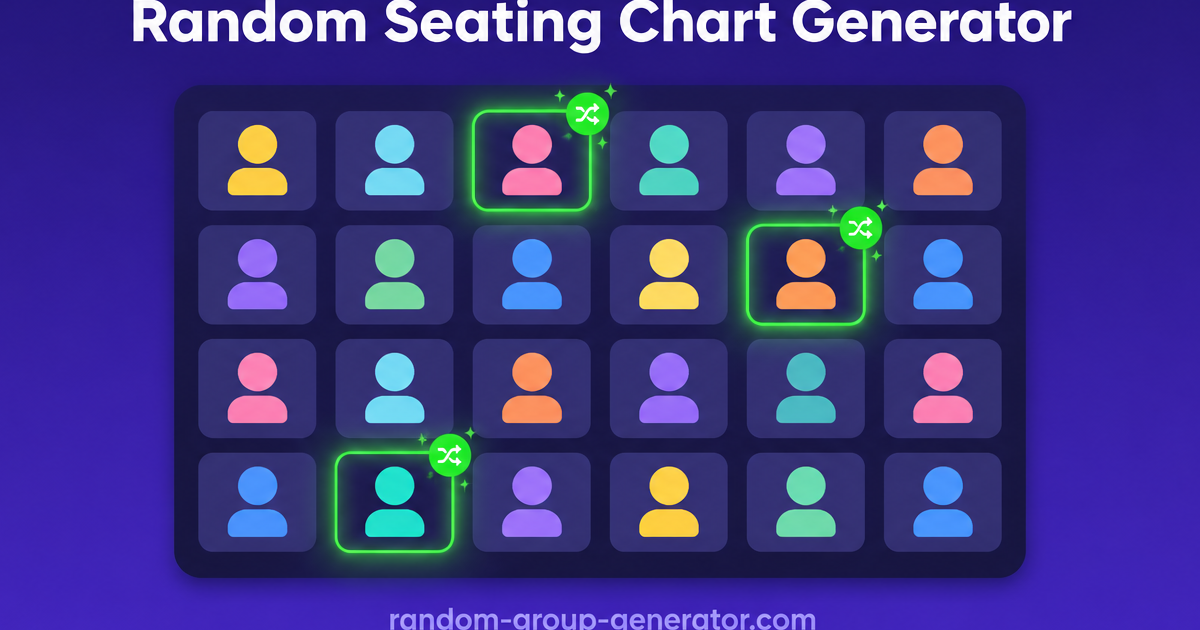
Salle de classe
Transformez une liste de classe en plan de salle aléatoire avec des rangées, des sièges numérotés et un résultat imprimable en quelques secondes.

Salle de classe
Construisez un planning de rotation des ateliers équitable en quelques secondes — définissez vos groupes, vos ateliers et les minutes par rotation, et obtenez un tableau que chaque groupe peut suivre.

Générateurs de noms
Générez vite des noms de groupe utiles pour l’école, le travail et les événements.
Utilisez Group Name Generator pour des idées de noms pratiques, avant ou pendant la constitution des équipes.

Jeux de soirée
Randomisez en quelques secondes l’ordre de passage de votre échange de cadeaux white elephant, avec des fiches mémo sur les règles de vol pour toute la soirée.

Jeux de soirée
Collez 4 à 64 équipes et obtenez un tableau à élimination directe à tirage aléatoire avec exempts automatiques — chaque tour cartographié du premier affrontement à la finale.

Jeux de soirée
Estimez un budget d'événement équitable en quelques secondes — saisissez les participants, un budget par personne et une marge pour extras pour obtenir un total avec une fourchette de prévision.
Outils
Choisissez depuis une page hub l'outil adapté à la répartition en groupes, l'appariement, le tirage équitable ou le nommage d'équipes.
Réponse rapide
Ce hub aide d'abord à identifier la vraie tâche, puis à ouvrir l'outil correspondant.
Utilisez l'accueil pour les grands groupes, la page paires pour les activités à deux, la page de tirage pour un appel équitable et la page de noms pour les noms de groupes.
Choisir par tâche est plus rapide que d'ouvrir des outils au hasard.
Utilisez Générateur de Groupes Aléatoires quand il vous faut trois équipes ou plus, ou une logique d'équilibrage.
Utilisez Random Pair Generator comme générateur de paires ou sélecteur de partenaires pour les discussions, l'oral, la relecture par les pairs et les brise-glace.
Utilisez Roue de tirage au sort des élèves pour interpeller les élèves, vérifier les réponses et gérer l'ordre de participation.
Utilisez Group Name Generator pour des idées de noms pratiques, avant ou pendant la constitution des équipes.
Un flux simple en quatre étapes, de la décision à l'exécution.
Déterminez s'il s'agit de grouper, apparier, interroger ou nommer.
Commencez par la page la plus précise qui corresponde encore à la tâche.
Grouper, apparier et tirer au sort utilisent des listes. Le nommage utilise des mots-clés ou du contexte.
Créez le résultat, ajustez si besoin, puis exportez ou partagez.
Le bon choix d'outil dépend du contexte réel de la séance.
Les enseignants alternent groupement complet, travail en binômes, interpellation équitable et nommage sans quitter la même gamme d'outils.
Les animateurs enchaînent sous-groupes, travail en binômes, sollicitations et nommage léger selon le déroulé.
Les organisateurs nomment les équipes, répartissent les groupes, font tourner les binômes et assurent une participation équitable depuis une seule boîte à outils.
Les formateurs en ligne gardent le rythme des sessions distantes grâce à l'appariement et au tirage aléatoire.
Des outils aux frontières claires réduisent les clics erronés, les retours en arrière et la fatigue décisionnelle en direct.
“« Choisir par tâche plutôt qu'au feeling a nettement fluidifié notre préparation de séances. »”
Consultez ces comparatifs quand vous hésitez sur la page qui doit piloter le flux.
Découvrez comment un sélecteur aléatoire d'élèves élimine les biais d'interrogation, améliore la participation et l'équité en classe. Guide pratique pour enseignants.
Lire l'articleRéponses rapides sur le choix d'outil, l'équité et les limites de chaque flux.
Utilisez la page paires quand chaque participant n'a besoin que d'un partenaire. Utilisez l'accueil quand la liste doit être répartie en plusieurs groupes.
Oui. Créez d'abord les groupes, puis utilisez le sélecteur pour désigner qui parle pour chaque équipe ou qui répond ensuite.
Non. Il est pensé pour des nommages légers : groupes de classe, équipes projet, équipes d'événement.
Oui. Selon l'outil et le flux, les résultats se copient, s'exportent ou se partagent.
Choisissez d'abord la tâche, puis ouvrez la bonne page.